
- 対象年齢4+
- カテゴリユーティリティ
- 開発元Tim Hartung
- 言語英語ほか1言語
- サイズ732.0 KB
App Storeの公式ページにリンクしています
Download.orgはWideView Duoのファイルを一切ホストしていません。ボタンを押すと、Tim Hartungが公開しているApp Storeのアプリページが開きます。ページの最終確認:2026/11/23。
スクリーンショット

概要
開発元はこのテキストをお使いの言語で提供していません。
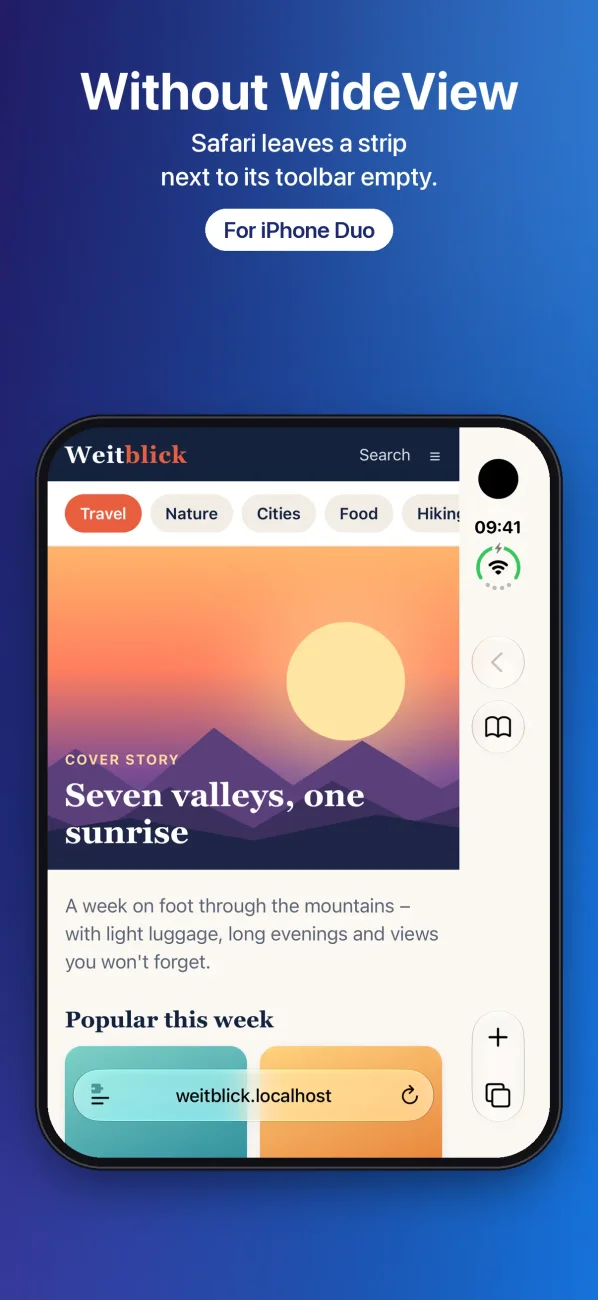
On the iPhone Duo outer display, Safari puts Back, Bookmarks, Tabs and the status bar in a column on the right edge. Web pages stop short of it – the space underneath stays unused.
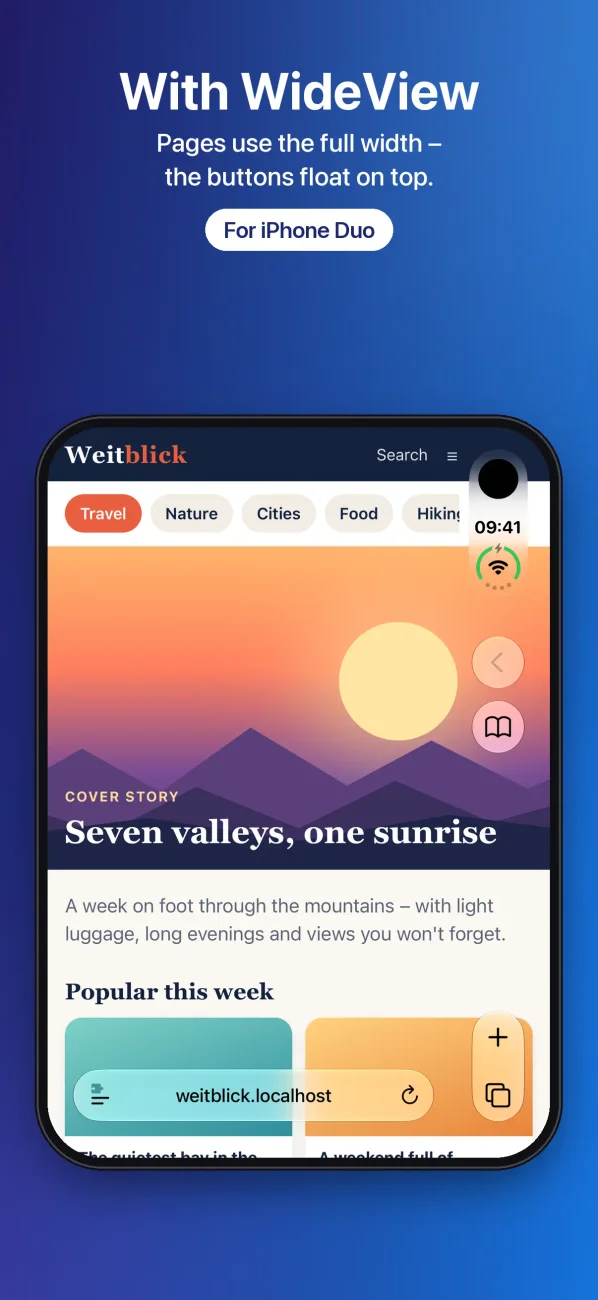
WideView is a Safari extension that lets web pages extend underneath that column. Safari's controls then float above the content, and you see more of every page.
• One switch for all websites: choose "Wide" or "Off" in Safari's page menu
• If WideView gets in the way on a site, turn it off just there
• Mobile sites stay mobile – only the empty strip is used
• Headers and buttons are adjusted automatically so nothing disappears under the camera
• Only works on the outer display in portrait; when unfolded and with "Request Desktop Website" everything stays unchanged
• No data collection, no tracking, no network connections
How it works:
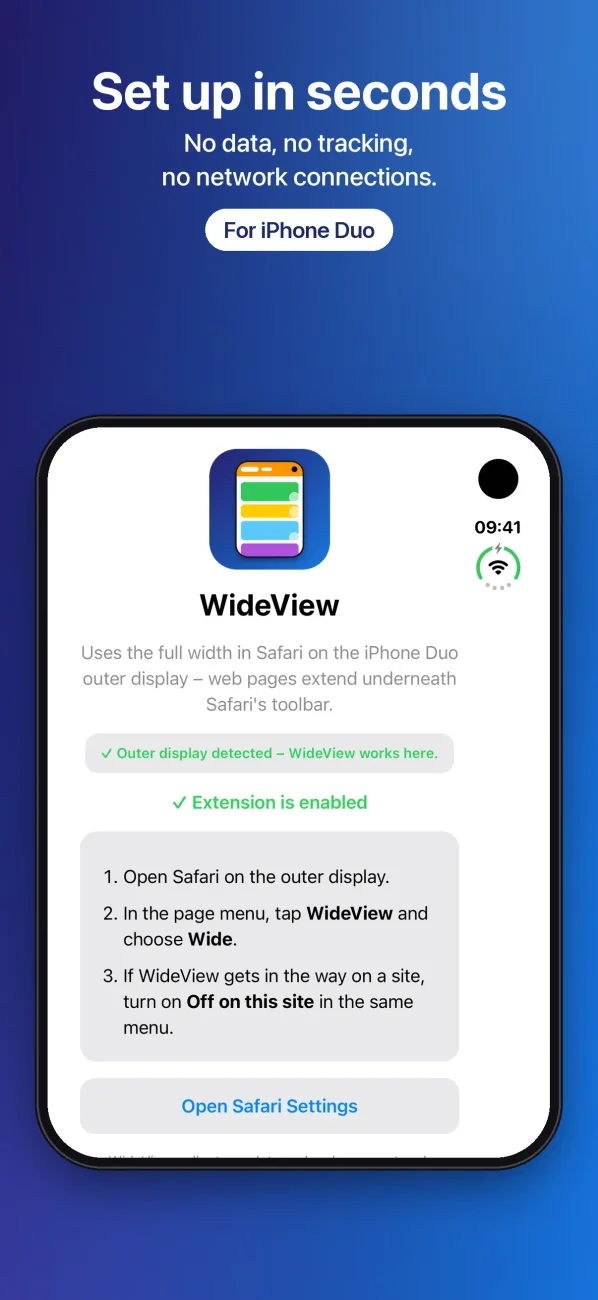
1. Open WideView and tap "Enable Extension"
2. Turn on WideView and allow access on all websites
3. In Safari, tap WideView in the page menu and choose "Wide"
新機能
バージョン 1.1 · 2026/10/31
What's New
• Turn it off for single sites: if WideView gets in the way on a website, switch it off just there in the menu.
• The menu now shows whether WideView is active on the current page.
• Report a problem with a page right from the menu.
• Headers and floating buttons avoid the camera more cleanly, and the strip below it matches the page colour.
• A short introduction on first launch; the app detects whether you're on the outer display.
• WideView is now available in English.
アプリのプライバシー
このアプリのデータの取り扱いについて、Tim HartungがApp Storeで申告している内容です。
-
データの収集なし
開発元はこのアプリからデータを収集しません。
プライバシーの取り扱いは、ご利用の機能やお客様の年齢などに応じて異なる場合があります。
情報
- 販売元
- Tim Hartung
- カテゴリ
- ユーティリティ
- バージョン
- 1.1
- 更新日
- 2026/10/31
- リリース
- 2026/10/30
- サイズ
- 732.0 KB
- 必要条件
- iOS 27.0以降
- 対象年齢
- 4+
- 価格
- 無料
- 言語
- 英語, ドイツ語
- 著作権
- © 2026 Tim Hartung
こちらもおすすめ
-
 Dzzz — Offline Toolsユーティリティ
-
 Routine Randomizerユーティリティ
-
 Supasteユーティリティ
-
 LockCalc - ロック画面電卓ロック画面のまま使える、あなた仕様の電卓
-
 Hermes Paper: Harnessユーティリティ
-
 Atomブラウザ:広告ブロックと拡張機能・速読スクリプト・小窓動画・ポップアップ対策・AI要約
-
 DustFox: 写真整理・容量クリーナー重複写真と連絡先を削除、空き容量を確保
-
 SafePassVaultユーティリティ
-
 NanoShelf個人メディアサーバー用プレーヤー
-
 MeBoard: Glide & Hapticsユーティリティ