
- Yaş sınırı4+
- KategoriYardımcılar
- GeliştiriciTim Hartung
- Dillerİngilizce+ 1 dil daha
- Boyut732,0 KB
Resmi App Store sayfasına bağlanır
Download.org, WideView Duo için hiçbir dosya barındırmaz. Düğme, uygulamanın App Store üzerindeki sayfasını açar; uygulamayı orada Tim Hartung yayınlar. Sayfanın son kontrolü: 23.11.2026.
Ekran görüntüleri

Hakkında
Geliştirici bu metni dilinizde sunmamış.
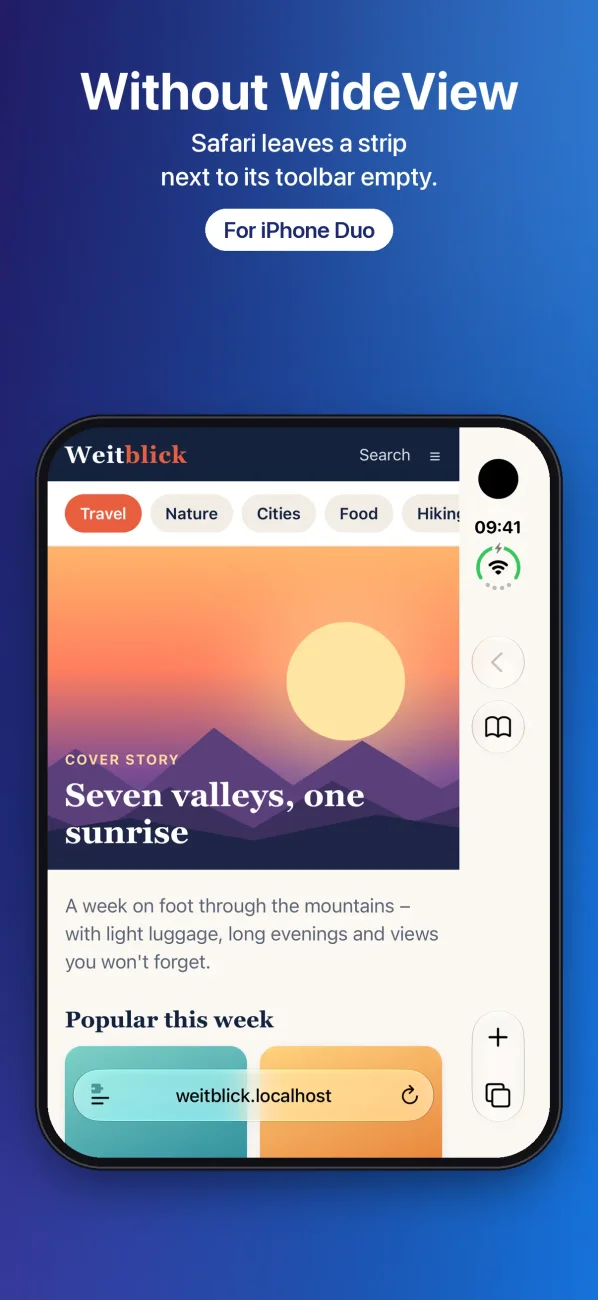
On the iPhone Duo outer display, Safari puts Back, Bookmarks, Tabs and the status bar in a column on the right edge. Web pages stop short of it – the space underneath stays unused.
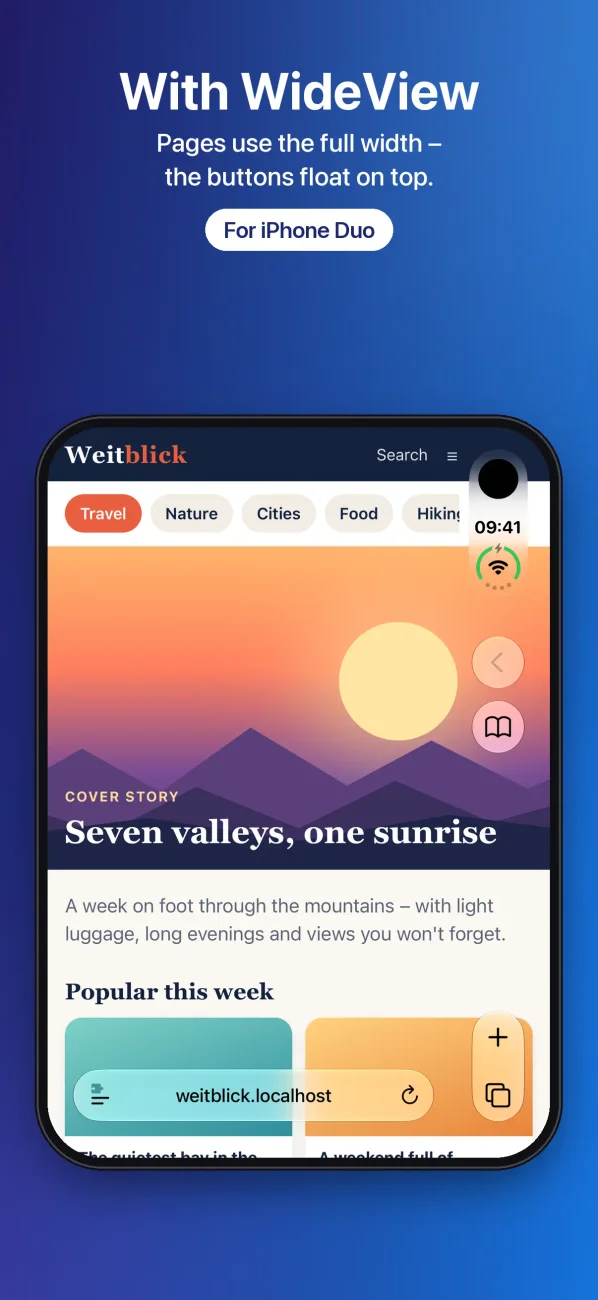
WideView is a Safari extension that lets web pages extend underneath that column. Safari's controls then float above the content, and you see more of every page.
• One switch for all websites: choose "Wide" or "Off" in Safari's page menu
• If WideView gets in the way on a site, turn it off just there
• Mobile sites stay mobile – only the empty strip is used
• Headers and buttons are adjusted automatically so nothing disappears under the camera
• Only works on the outer display in portrait; when unfolded and with "Request Desktop Website" everything stays unchanged
• No data collection, no tracking, no network connections
How it works:
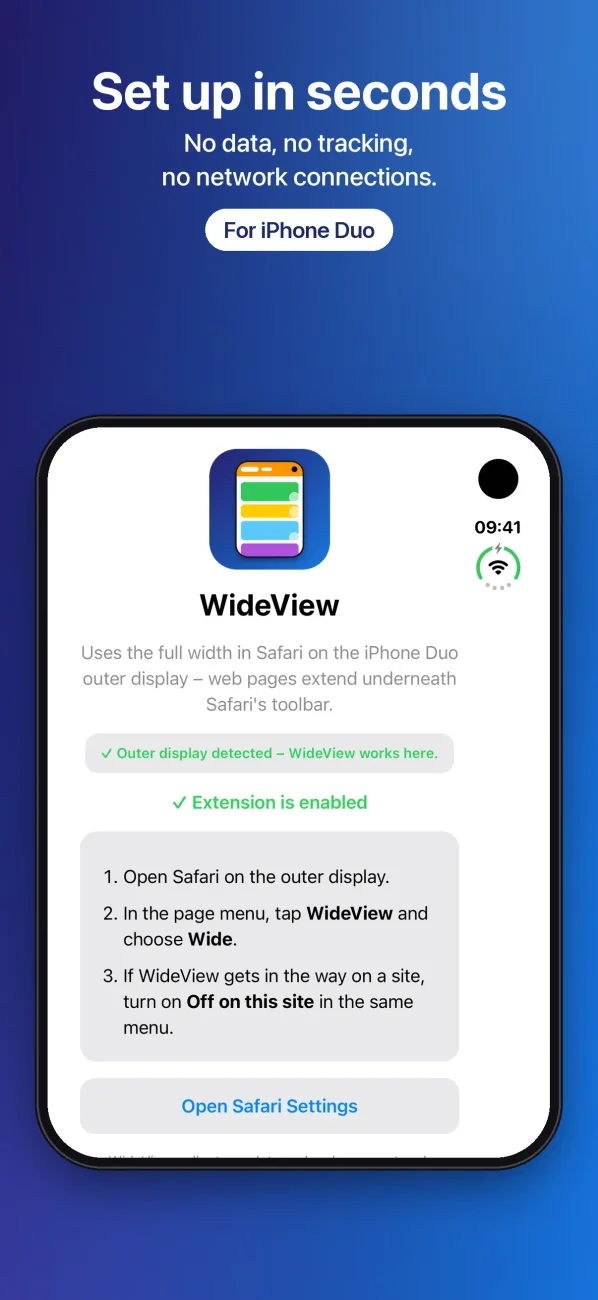
1. Open WideView and tap "Enable Extension"
2. Turn on WideView and allow access on all websites
3. In Safari, tap WideView in the page menu and choose "Wide"
Yenilikler
Sürüm 1.1 · 31.10.2026
What's New
• Turn it off for single sites: if WideView gets in the way on a website, switch it off just there in the menu.
• The menu now shows whether WideView is active on the current page.
• Report a problem with a page right from the menu.
• Headers and floating buttons avoid the camera more cleanly, and the strip below it matches the page colour.
• A short introduction on first launch; the app detects whether you're on the outer display.
• WideView is now available in English.
Uygulama gizliliği
Bu uygulamanın verileri nasıl işlediği hakkında Tim Hartung tarafından App Store üzerinde yapılan beyan.
-
Veri toplanmıyor
Geliştirici bu uygulamadan hiçbir veri toplamıyor.
Gizlilik uygulamaları, örneğin kullandığınız özelliklere veya yaşınıza göre değişiklik gösterebilir.
Bilgiler
- Satıcı
- Tim Hartung
- Kategori
- Yardımcılar
- Sürüm
- 1.1
- Güncellendi
- 31.10.2026
- Yayın tarihi
- 30.10.2026
- Boyut
- 732,0 KB
- Gereksinim
- iOS 27.0 veya sonrası
- Yaş sınırı
- 4+
- Fiyat
- Ücretsiz
- Diller
- İngilizce, Almanca
- Telif hakkı
- © 2026 Tim Hartung
Bunları da beğenebilirsiniz
-
 Dzzz — Offline ToolsYardımcılar
-
 Routine RandomizerYardımcılar
-
 SupasteYardımcılar
-
 Lock Screen CalculatorYardımcılar
-
 Hermes Paper: HarnessYardımcılar
-
 Atom Browser: Adblock, ScriptsYardımcılar
-
 DustFox: Galeri TemizleyiciKopya fotoğraf silme, yer açma
-
 SafePassVaultYardımcılar
-
 NanoShelfYardımcılar
-
 MeBoard: Glide & HapticsYardımcılar