- Classification d’âge4+
- CatégoriePhoto et vidéo
- DéveloppeurOm Prakash Jat
- LanguesAnglais
- Taille1,5 Mo
Renvoie vers la page App Store officielle
Download.org n’héberge aucun fichier de 2Capture. Le bouton ouvre la page de l’application sur App Store, où Om Prakash Jat la publie. Fiche vérifiée pour la dernière fois le 12/11/2026.
Captures d’écran
À propos
Le développeur n’a pas fourni ce texte dans votre langue.
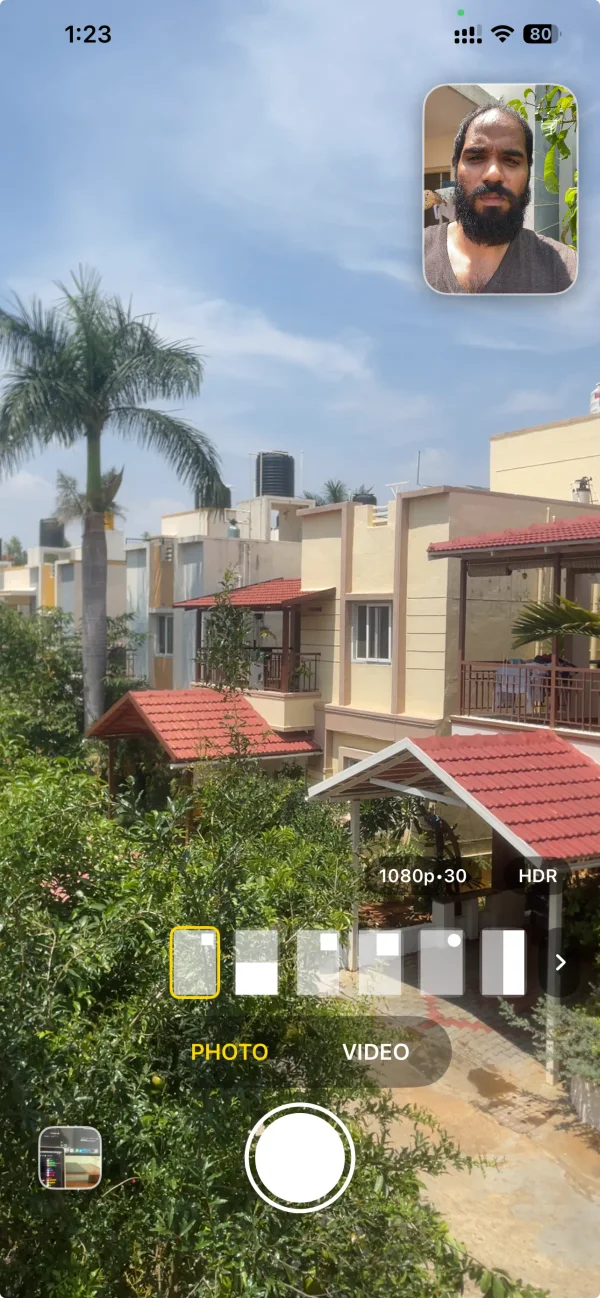
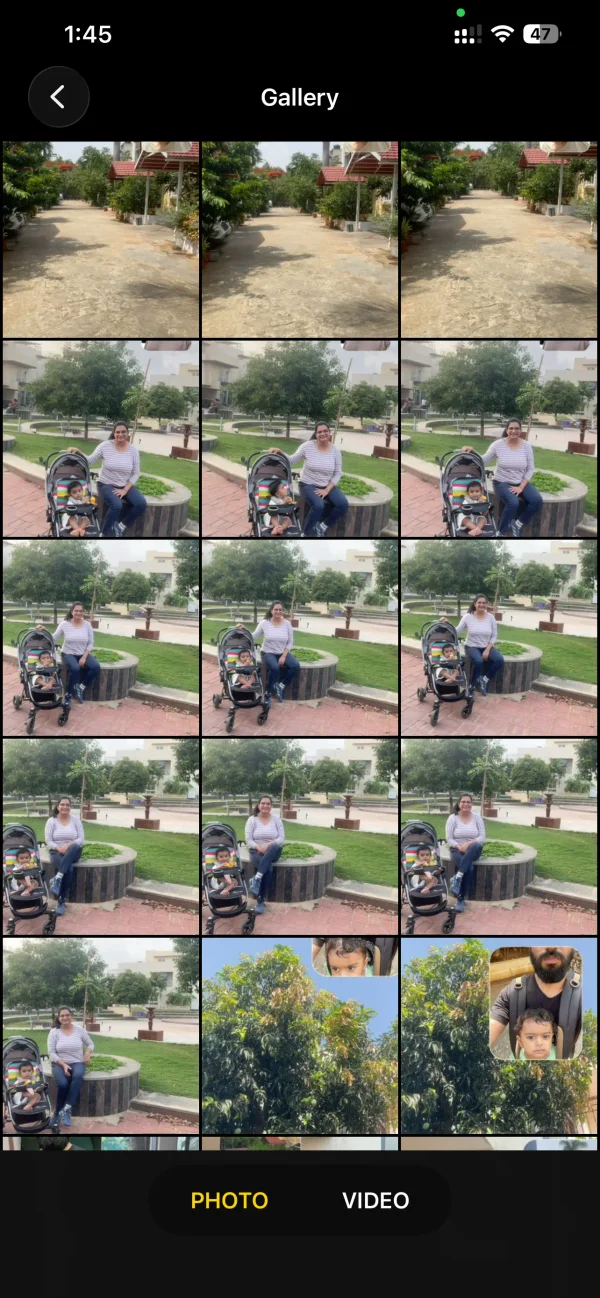
2Capture lets you record both of your iPhone's cameras at the same time, with a draggable picture-in-picture bubble that bakes right into the saved photo and video.
— What you can do —
• Record both front and back cameras into a single composited video
• Snap dual-camera photos with the bubble in any position
• Drag the front bubble anywhere on screen
• Pinch to resize from small to large
• Tap to swap which camera is fullscreen and which is the bubble
• Switch instantly between Photo and Video with a swipe
— Pro-grade controls —
• 4K and 1080p at 30 or 60 fps (filtered to what your device actually supports in dual-cam mode)
• HDR toggle for brighter highlights and richer skin tones
• Stereo audio captured from the built-in mic array
• Orientation locks during recording so your clip never flips mid-shot
— Built for creators —
• Vloggers: capture your reaction and the scene at the same time
• Tutorial makers: face cam plus what's in front of you, baked into one file
• Travel diarists: that one shot where you're in the frame AND the view is in the frame
• Reaction videos: the back camera shows the thing, the front shows your face
• Workouts and demos: form check from both sides simultaneously
— Honest design —
dualCapture is single-purpose. No filters, no stickers, no logos forced onto your clips. Photos and videos save to your Photos library as standard JPEG and MP4 — yours to share, edit, or repost wherever you want.
Nouveautés
Version 1.1 · 07/05/2026
New in this update
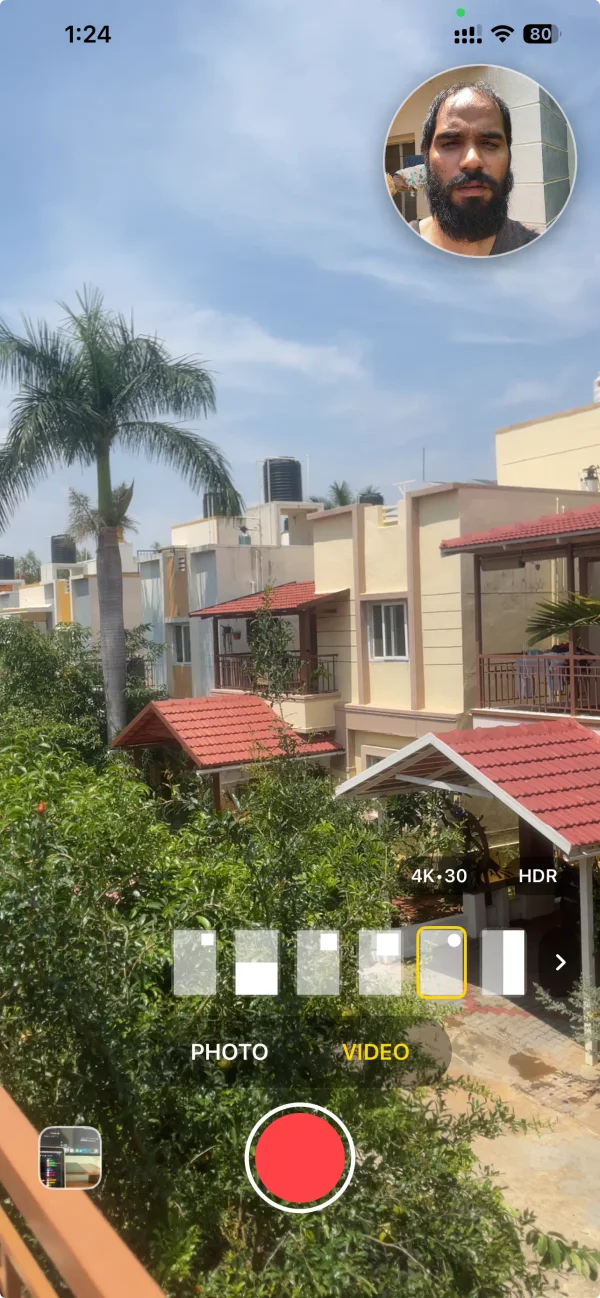
• Frame layouts — pick how the two cameras share the screen
– Freeform PiP (drag and pinch to resize)
– Side-by-side split
– Medium and Large PiP
– Circular front camera bubble
– Top/bottom split
• New collapsible frame picker — slides in from the right edge,
auto-hides after 3 seconds so it stays out of your way
• Resolution and HDR controls relocated next to the frame picker
for quicker access while framing your shot
• Smoother live preview when switching between layouts
• Layout choice carries over to both photo capture and video recording
Confidentialité de l’application
Ce que Om Prakash Jat déclare sur l’App Store au sujet du traitement des données par cette application.
-
Données non collectées
Le développeur ne collecte aucune donnée à partir de cette application.
Les pratiques en matière de confidentialité peuvent varier, notamment en fonction des fonctionnalités que vous utilisez ou de votre âge.
Informations
- Vendeur
- Om Prakash Jat
- Catégorie
- Photo et vidéo
- Version
- 1.1
- Mis à jour
- 07/05/2026
- Publié
- 06/05/2026
- Taille
- 1,5 Mo
- Nécessite
- iOS 17.0 ou version ultérieure
- Classification d’âge
- 4+
- Prix
- Gratuit
- Langues
- Anglais
- Copyright
- © 2026 Om Prakash Jat
Vous aimerez peut-être aussi
-
 Dual Camera ShotPhoto et vidéo
-
 EchoCam: Dual Video CameraPhoto et vidéo
-
 DuoMagic - Dual Camera & PiPPhoto et vidéo
-
 2Lens : Double CaméraAvant & arrière en même temps
-
 Verso - Double caméraAvant et arrière, en un geste.
-
 ConcertCamera: Dual Camera RecPhoto et vidéo
-
 Dual Capture Video - AspectlyPhoto et vidéo
-
 DualCam : Double CaméraFilmez devant et derrière
-
 Minamise : Compresser médiasRéduisez vidéos, photos, audio
-
 TwoCam: Dual Camera VideoPhoto et vidéo