Authenticator ۬
2FA, MFA, OTP & Authenticator
Conçue pour iPhone, iPad
Gratuit · Achats intégrés
- Classification d’âge+4
- CatégorieUtilitaires
- DéveloppeurDraunt LLC
- LanguesAnglais
- Taille4,9 Mo
Renvoie vers la page App Store officielle
Download.org n’héberge aucun fichier de Authenticator ۬. Le bouton ouvre la page de l’application sur App Store, où Draunt LLC la publie. Fiche vérifiée pour la dernière fois le 13/11/2026.
Captures d’écran
À propos
Le développeur n’a pas fourni ce texte dans votre langue.
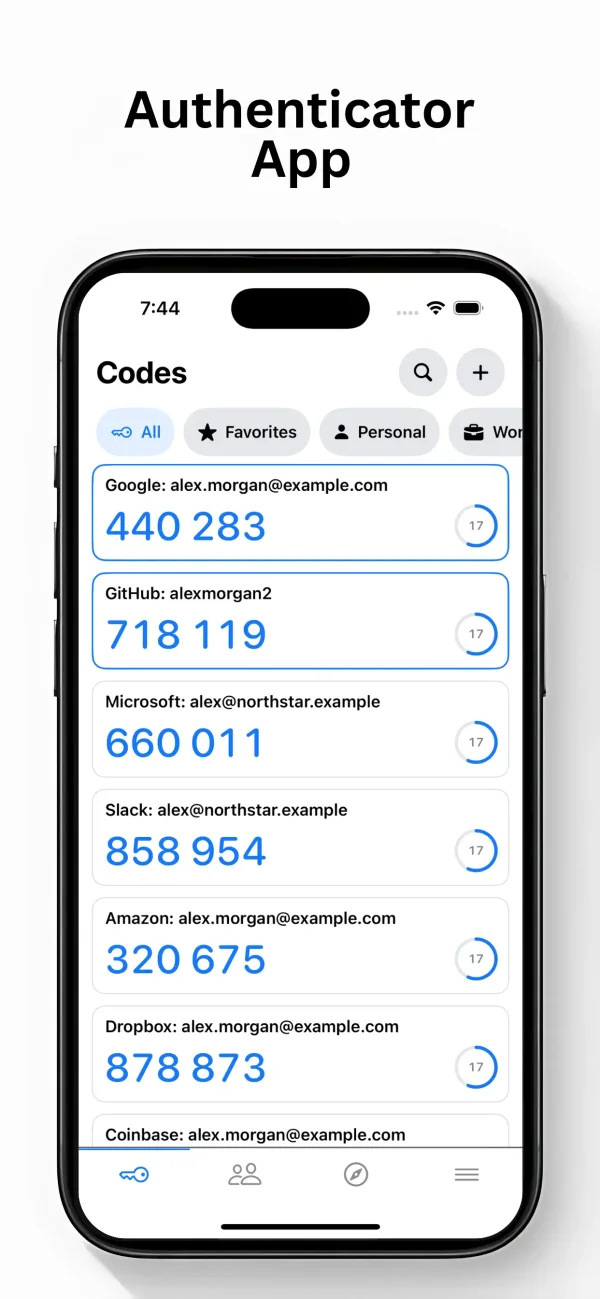
Authenticator app gives you everything you need to generate secure 2FA codes, protect your online accounts, and manage passwords in one place.
Includes essential tools for two-factor authentication, password storage, and secure sign-ins. Whether you’re protecting email, social media, work accounts, banking, shopping, or personal services — Authenticator helps keep your accounts secure and easy to access.
Useful for: individuals, students, professionals, businesses, travelers, families, security-conscious users, and anyone who wants stronger account protection.
You will find all the helpful tools:
• TOTP & HOTP Authentication Codes
• Fast QR Code Scanner
• Import QR Codes from Photos
• Manual Setup Key Entry
• SHA-1, SHA-256 & SHA-512 Support
• 6-Digit & 8-Digit Verification Codes
• Password Vault
• Password AutoFill in Apps & Websites
• Safari Extension for Multi-Page Sign-Ins
• Automatic Verification Code Filling
• Face ID, Touch ID & Device Passcode Protection
• Search, Favorites & Custom Folders
• Home Screen & Lock Screen Widgets
• Import & Export Tools
• Dark Mode
Two-Factor Authenticator: Scan a QR code or enter a setup key to generate secure verification codes for your online accounts.
Compatible with services that support standard TOTP or HOTP authentication, including email providers, social networks, cloud services, developer tools, financial services, and more.
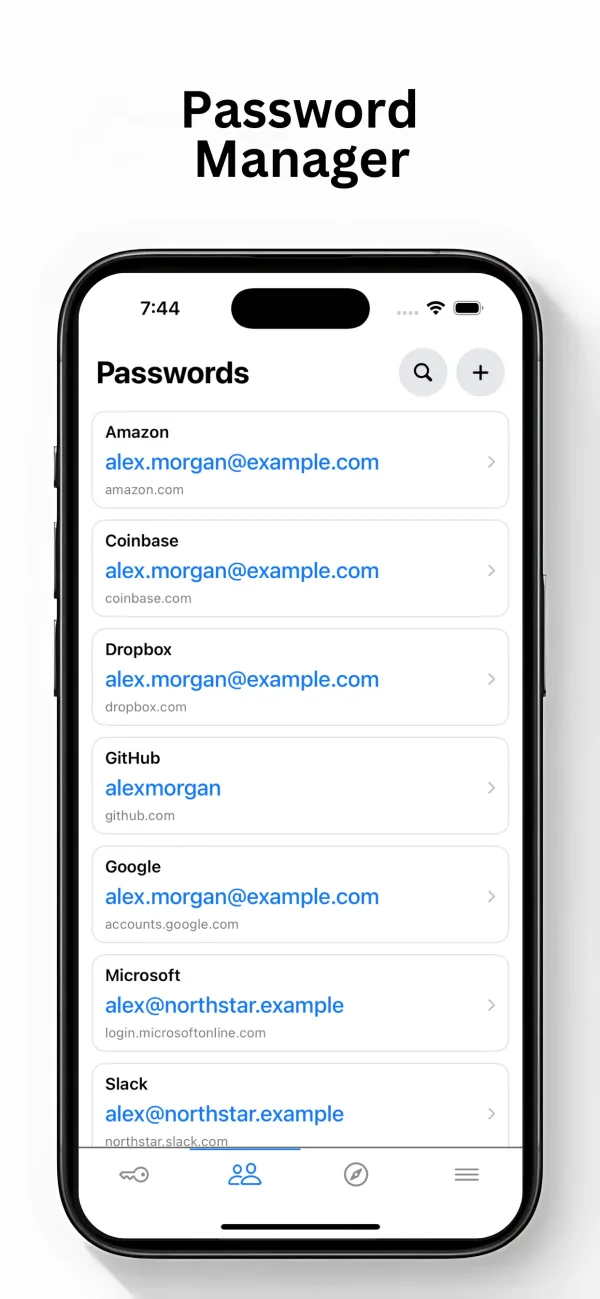
Password Manager: Save usernames, passwords, and websites in your secure vault. Fill login details from the keyboard in Safari and other supported apps.
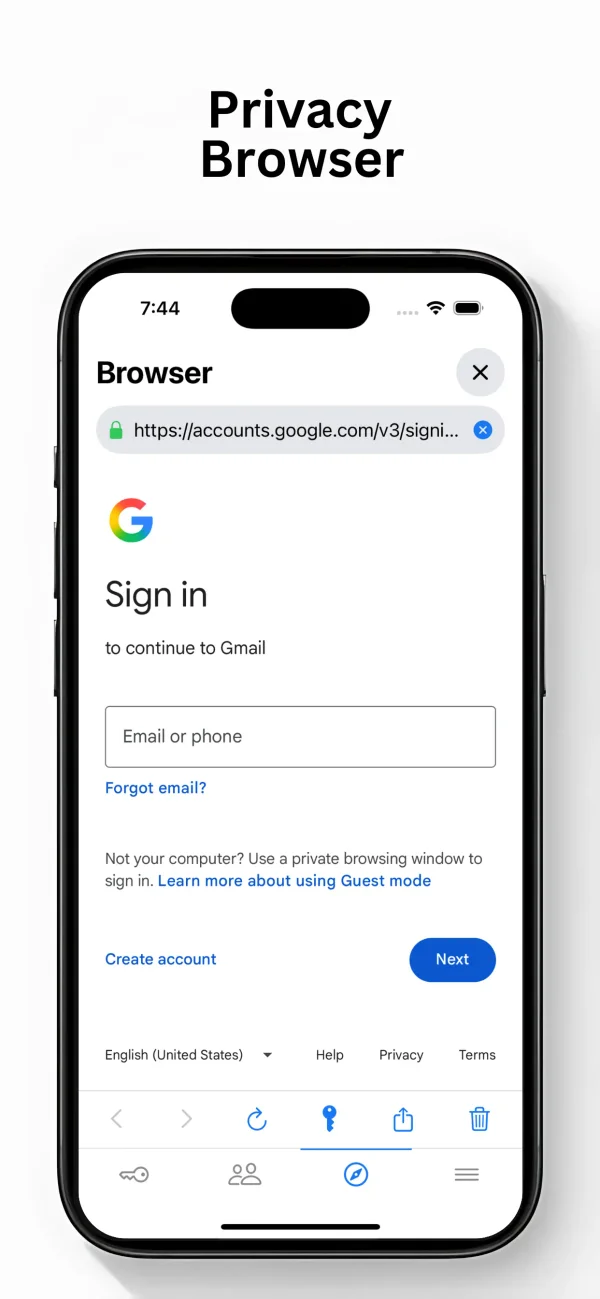
Authenticator for Safari: Sign in to websites directly from Safari, including websites that ask for your username and password on separate pages. Saved credentials are matched to the correct website before filling.
Security & Privacy: Protect your vault with Face ID, Touch ID, or your device passcode. Your authentication codes continue working offline, so you can access them without an internet connection.
Stay organized with folders, favorites, search, and widgets that make your most-used authentication codes easy to find.
Protect your accounts, manage your passwords, and sign in securely — all from one Authenticator app.
Terms & Conditions: https://draunt.com/terms
Privacy Policy: https://draunt.com/privacy
Confidentialité de l’application
Ce que Draunt LLC déclare sur l’App Store au sujet du traitement des données par cette application.
-
Données non collectées
Le développeur ne collecte aucune donnée à partir de cette application.
Les pratiques en matière de confidentialité peuvent varier, notamment en fonction des fonctionnalités que vous utilisez ou de votre âge.
Informations
- Vendeur
- Draunt LLC
- Catégorie
- Utilitaires
- Version
- 1.0
- Mis à jour
- 24/08/2026
- Publié
- 24/08/2026
- Taille
- 4,9 Mo
- Nécessite
- iOS 18.0 ou version ultérieure
- Classification d’âge
- +4
- Prix
- Gratuit
- Achats intégrés
- Oui
- Langues
- Anglais
- Copyright
- © Draunt LLC
Vous aimerez peut-être aussi
-
 Xevora Cloud MessengerUtilitaires
-
 Cloud Pulse MobileUtilitaires
-
 ClipMemo - Gestion clipboardSécurisé, rapide, synchronisé
-
 ViaPortal: Transfert FichiersTon câble de données sans fil
-
 Clean Gallery: Photo SorterUtilitaires
-
 Anti Spy Sneak My Phone – WTMPAntivol et Anti-Espion
-
 Guide Réglages iOS & AstucesBatterie, Vie Privée, Alertes
-
 Site Blocker for SafariBlock sites in Safari
-
 Alarm Clock:Smart wake-upUtilitaires
-
 Localisateur d'appareilsLocaliserlesappareilsBluetooth