
Authenticator ۬
2FA, MFA, OTP & Authenticator
Projetado para iPhone, iPad
Grátis · Compras no app
- Classificação etária+4
- CategoriaUtilidades
- DesenvolvedorDraunt LLC
- IdiomasInglês
- Tamanho4,9 MB
Leva à página oficial na App Store
O Download.org não hospeda nenhum arquivo de Authenticator ۬. O botão abre a página do app na App Store, onde Draunt LLC o publica. Página verificada pela última vez em 13/11/2026.
Capturas de tela
Sobre
O desenvolvedor não forneceu este texto no seu idioma.
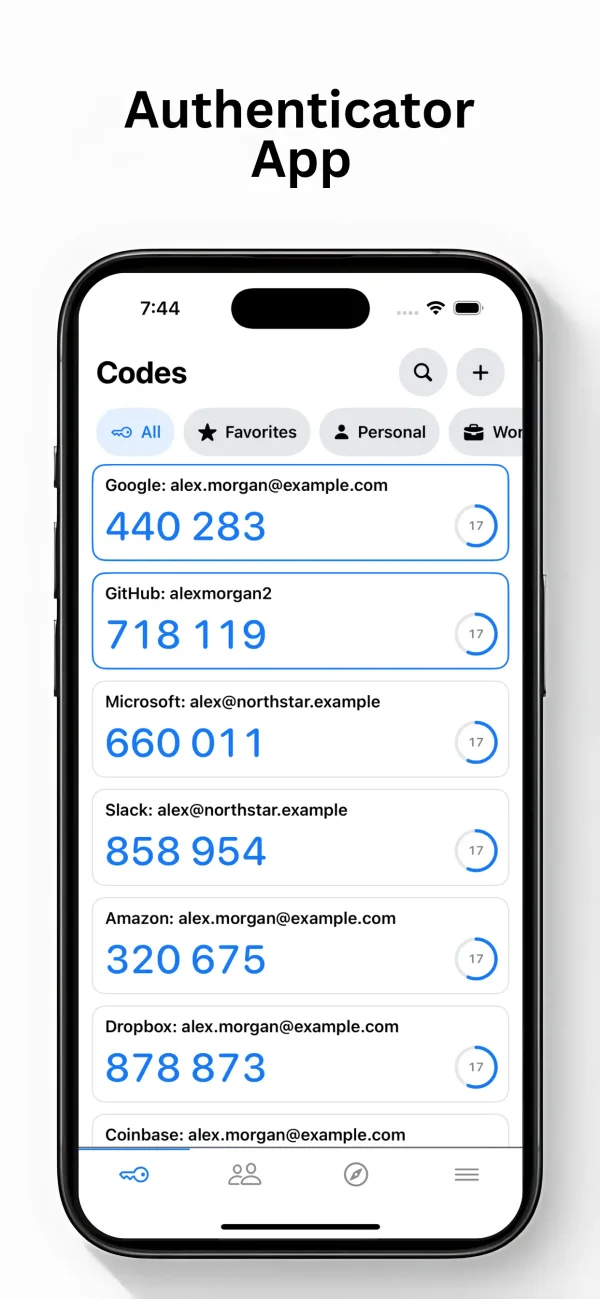
Authenticator app gives you everything you need to generate secure 2FA codes, protect your online accounts, and manage passwords in one place.
Includes essential tools for two-factor authentication, password storage, and secure sign-ins. Whether you’re protecting email, social media, work accounts, banking, shopping, or personal services — Authenticator helps keep your accounts secure and easy to access.
Useful for: individuals, students, professionals, businesses, travelers, families, security-conscious users, and anyone who wants stronger account protection.
You will find all the helpful tools:
• TOTP & HOTP Authentication Codes
• Fast QR Code Scanner
• Import QR Codes from Photos
• Manual Setup Key Entry
• SHA-1, SHA-256 & SHA-512 Support
• 6-Digit & 8-Digit Verification Codes
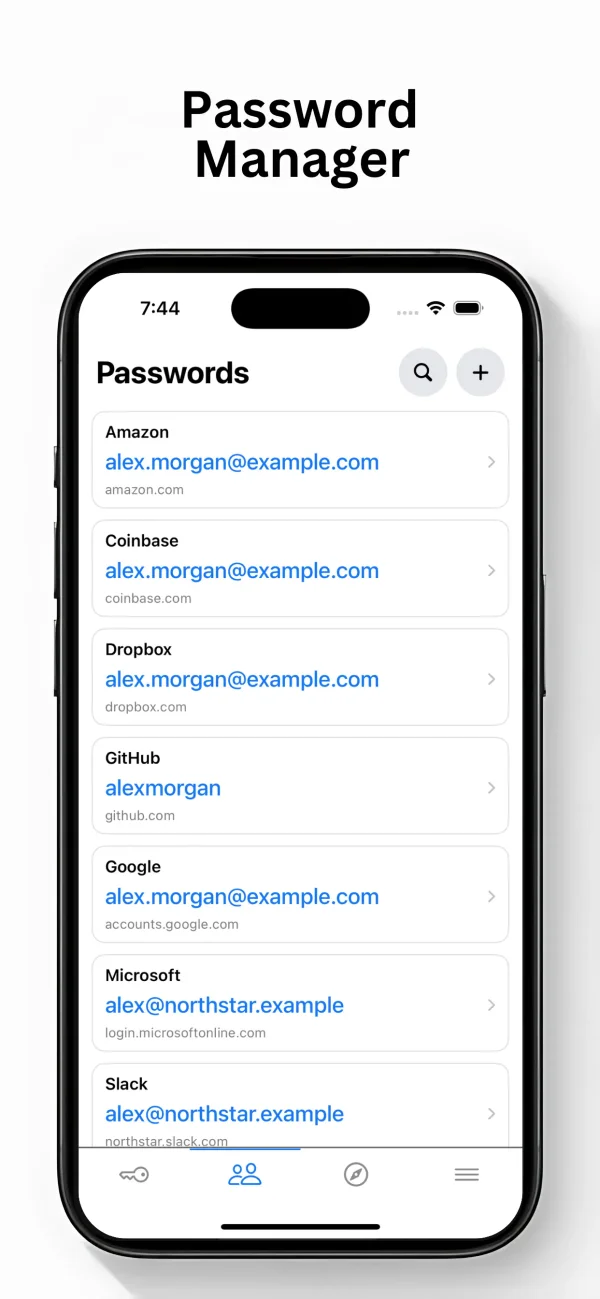
• Password Vault
• Password AutoFill in Apps & Websites
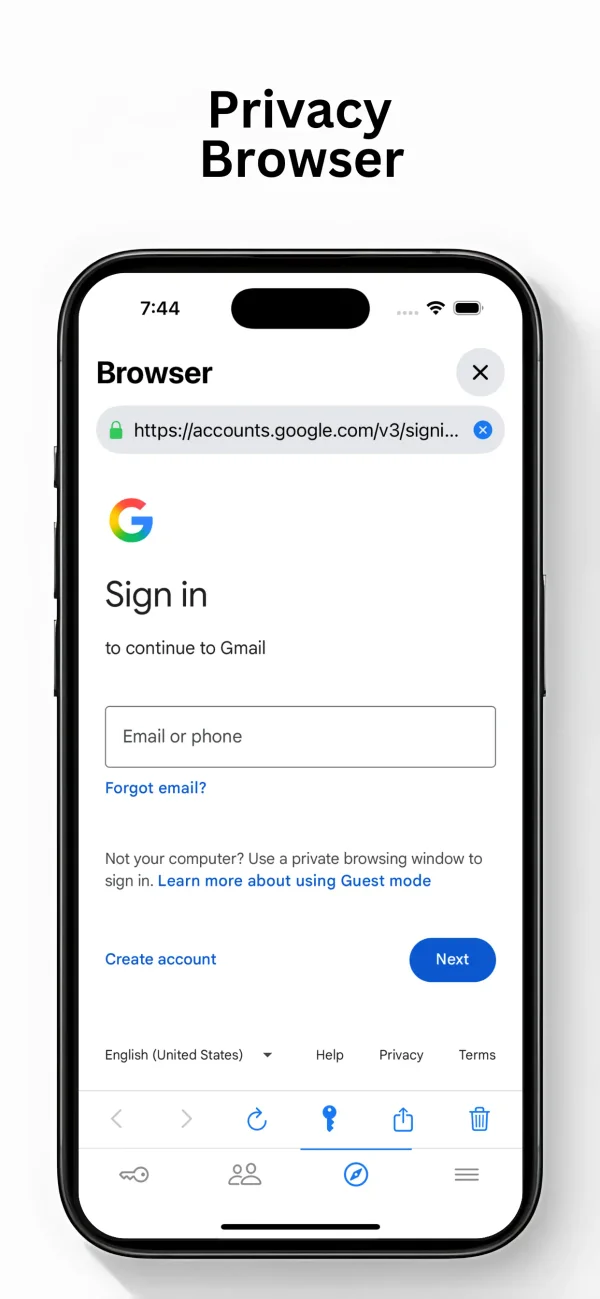
• Safari Extension for Multi-Page Sign-Ins
• Automatic Verification Code Filling
• Face ID, Touch ID & Device Passcode Protection
• Search, Favorites & Custom Folders
• Home Screen & Lock Screen Widgets
• Import & Export Tools
• Dark Mode
Two-Factor Authenticator: Scan a QR code or enter a setup key to generate secure verification codes for your online accounts.
Compatible with services that support standard TOTP or HOTP authentication, including email providers, social networks, cloud services, developer tools, financial services, and more.
Password Manager: Save usernames, passwords, and websites in your secure vault. Fill login details from the keyboard in Safari and other supported apps.
Authenticator for Safari: Sign in to websites directly from Safari, including websites that ask for your username and password on separate pages. Saved credentials are matched to the correct website before filling.
Security & Privacy: Protect your vault with Face ID, Touch ID, or your device passcode. Your authentication codes continue working offline, so you can access them without an internet connection.
Stay organized with folders, favorites, search, and widgets that make your most-used authentication codes easy to find.
Protect your accounts, manage your passwords, and sign in securely — all from one Authenticator app.
Terms & Conditions: https://draunt.com/terms
Privacy Policy: https://draunt.com/privacy
Privacidade do app
O que Draunt LLC declara na App Store sobre como este app lida com os dados.
-
Dados não coletados
O desenvolvedor não coleta nenhum dado deste app.
As práticas de privacidade podem variar, por exemplo, com base nos recursos que você usa ou na sua idade.
Informações
- Vendedor
- Draunt LLC
- Categoria
- Utilidades
- Versão
- 1.0
- Atualizado
- 24/08/2026
- Lançamento
- 24/08/2026
- Tamanho
- 4,9 MB
- Requer
- iOS 18.0 ou posterior
- Classificação etária
- +4
- Preço
- Grátis
- Compras no app
- Sim
- Idiomas
- Inglês
- Copyright
- © Draunt LLC
Você também pode gostar
-
 Xevora Cloud MessengerUtilidades
-
 Cloud Pulse MobileUtilidades
-
 ClipMemo・Gerenciador de áreaSeguro, rápido e sincronizado
-
 ViaPortal: Transferir ArquivosSeu cabo de dados sem fio
-
 Clean Gallery: Photo SorterUtilidades
-
 Anti Spy Sneak My Phone – WTMPUtilidades
-
 Guia de Ajustes do iPhoneBateria, Privacidade, Alertas
-
 Site Blocker for SafariBlock sites in Safari
-
 Alarm Clock:Smart wake-upUtilidades
-
 Rastreador de DispositivosLocalize um dispositivo