
Authenticator ۬
2FA, MFA, OTP & Authenticator
Được thiết kế cho iPhone, iPad
Miễn phí · Mua hàng trong ứng dụng
- Độ tuổi+4
- Danh mụcTiện Ích
- Nhà phát triểnDraunt LLC
- Ngôn ngữTiếng Anh
- Kích thước4,9 MB
Liên kết đến trang App Store chính thức
Download.org không lưu trữ tệp nào của Authenticator ۬. Nút này mở trang ứng dụng trên App Store, nơi Draunt LLC phát hành ứng dụng. Trang được kiểm tra lần cuối: 13/11/2026.
Ảnh chụp màn hình
Giới thiệu
Nhà phát triển chưa cung cấp nội dung này bằng ngôn ngữ của bạn.
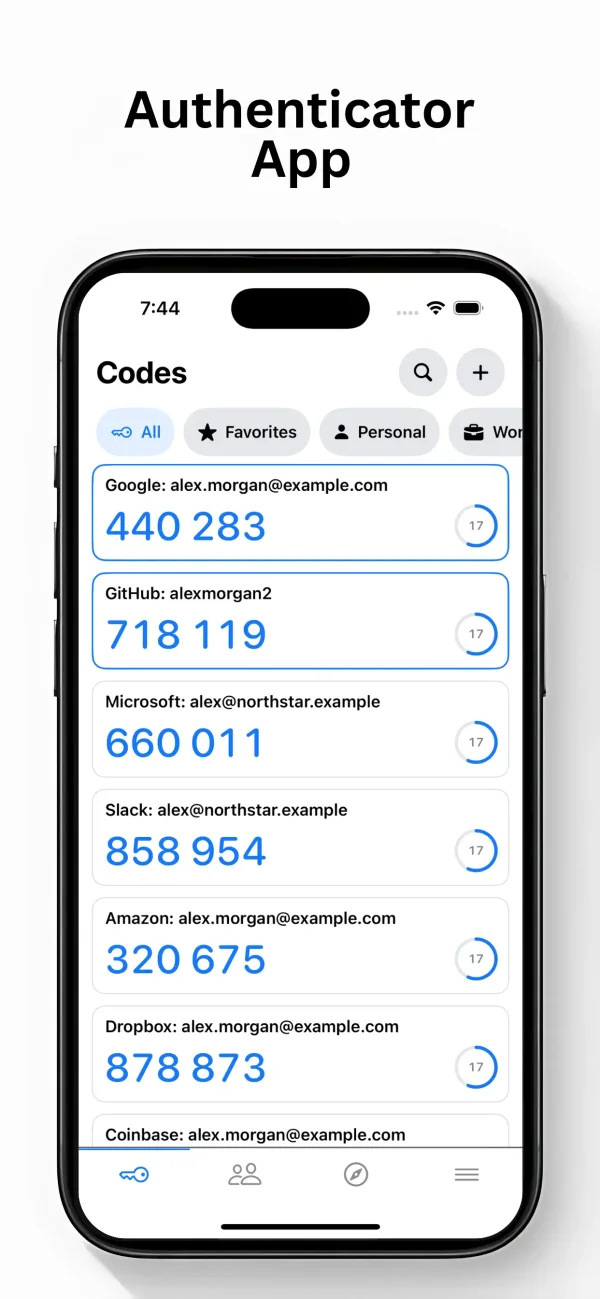
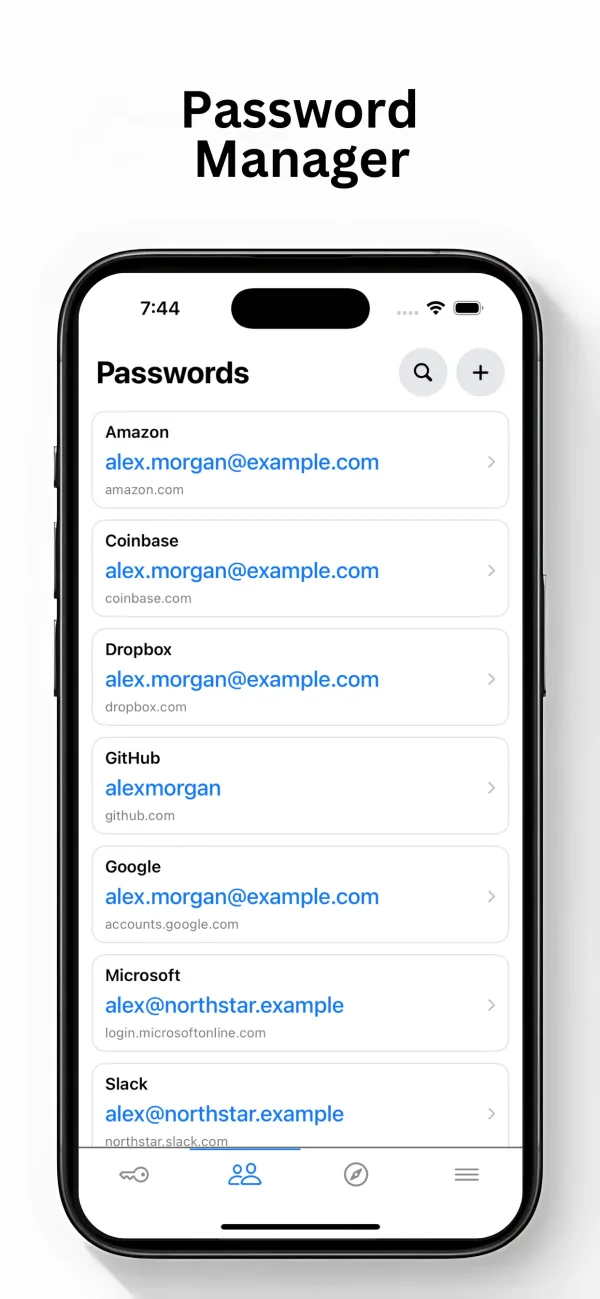
Authenticator app gives you everything you need to generate secure 2FA codes, protect your online accounts, and manage passwords in one place.
Includes essential tools for two-factor authentication, password storage, and secure sign-ins. Whether you’re protecting email, social media, work accounts, banking, shopping, or personal services — Authenticator helps keep your accounts secure and easy to access.
Useful for: individuals, students, professionals, businesses, travelers, families, security-conscious users, and anyone who wants stronger account protection.
You will find all the helpful tools:
• TOTP & HOTP Authentication Codes
• Fast QR Code Scanner
• Import QR Codes from Photos
• Manual Setup Key Entry
• SHA-1, SHA-256 & SHA-512 Support
• 6-Digit & 8-Digit Verification Codes
• Password Vault
• Password AutoFill in Apps & Websites
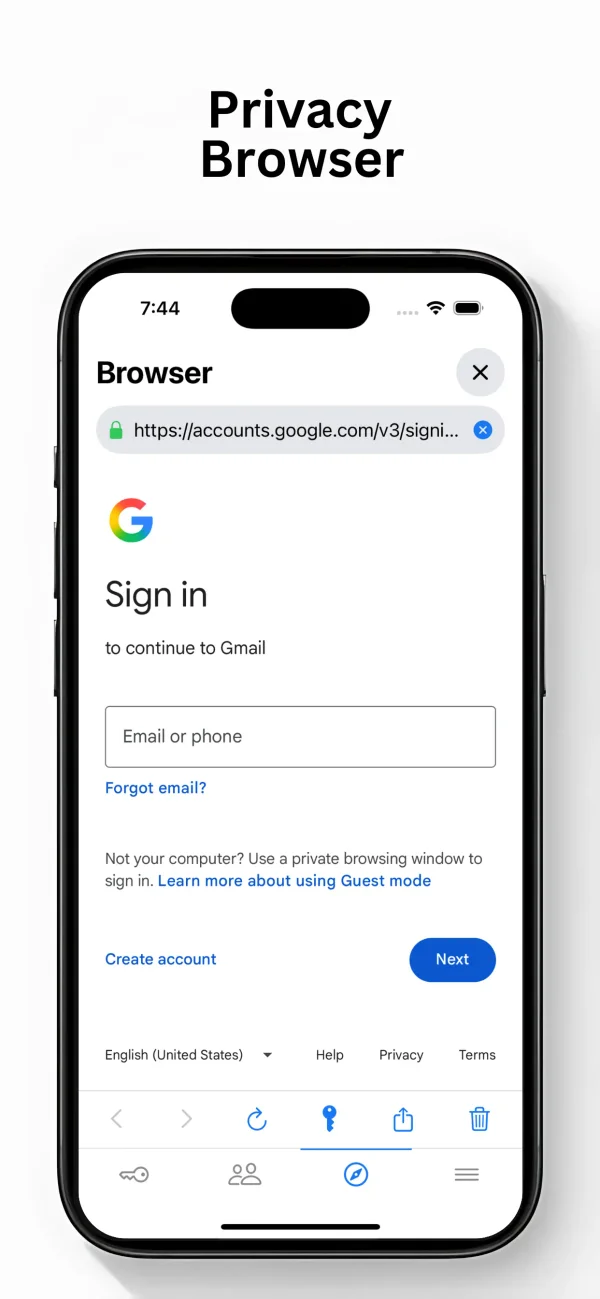
• Safari Extension for Multi-Page Sign-Ins
• Automatic Verification Code Filling
• Face ID, Touch ID & Device Passcode Protection
• Search, Favorites & Custom Folders
• Home Screen & Lock Screen Widgets
• Import & Export Tools
• Dark Mode
Two-Factor Authenticator: Scan a QR code or enter a setup key to generate secure verification codes for your online accounts.
Compatible with services that support standard TOTP or HOTP authentication, including email providers, social networks, cloud services, developer tools, financial services, and more.
Password Manager: Save usernames, passwords, and websites in your secure vault. Fill login details from the keyboard in Safari and other supported apps.
Authenticator for Safari: Sign in to websites directly from Safari, including websites that ask for your username and password on separate pages. Saved credentials are matched to the correct website before filling.
Security & Privacy: Protect your vault with Face ID, Touch ID, or your device passcode. Your authentication codes continue working offline, so you can access them without an internet connection.
Stay organized with folders, favorites, search, and widgets that make your most-used authentication codes easy to find.
Protect your accounts, manage your passwords, and sign in securely — all from one Authenticator app.
Terms & Conditions: https://draunt.com/terms
Privacy Policy: https://draunt.com/privacy
Quyền riêng tư của ứng dụng
Những gì Draunt LLC khai báo trên App Store về cách ứng dụng này xử lý dữ liệu.
-
Dữ liệu không được thu thập
Nhà phát triển không thu thập bất kỳ dữ liệu nào từ ứng dụng này.
Phương thức đảm bảo quyền riêng tư có thể khác nhau, chẳng hạn như tuỳ theo các tính năng bạn sử dụng hoặc độ tuổi của bạn.
Thông tin
- Người bán
- Draunt LLC
- Danh mục
- Tiện Ích
- Phiên bản
- 1.0
- Cập nhật
- 24/08/2026
- Phát hành
- 24/08/2026
- Kích thước
- 4,9 MB
- Yêu cầu
- iOS 18.0 trở lên
- Độ tuổi
- +4
- Giá
- Miễn phí
- Mua hàng trong ứng dụng
- Có
- Ngôn ngữ
- Tiếng Anh
- Bản quyền
- © Draunt LLC
Có thể bạn cũng thích
-
 Xevora Cloud MessengerTiện Ích
-
 Cloud Pulse MobileTiện Ích
-
 ClipMemo - Clipboard HelperTiện Ích
-
 ViaPortal: File TransferTiện Ích
-
 Clean Gallery: Photo SorterTiện Ích
-
 Anti Spy Sneak My Phone – WTMPTiện Ích
-
 Hướng Dẫn Cài Đặt & Mẹo HaySửa Pin, Bảo Mật, Thông Báo
-
 Site Blocker for SafariTiện Ích
-
 Alarm Clock:Smart wake-upTiện Ích
-
 Device Tracker: Find My DeviceTiện Ích