
Authenticator ۬
2FA, MFA, OTP & Authenticator
Designed for iPhone, iPad
In-app purchases
- Age rating+4
- CategoryUtilities
- DeveloperDraunt LLC
- LanguagesEnglish
- Size4.9 MB
Links to the official App Store page
Download.org hosts no file of Authenticator ۬. The button opens its official App Store page, published by Draunt LLC. Listing last checked on Nov 13, 2026.
Screenshots
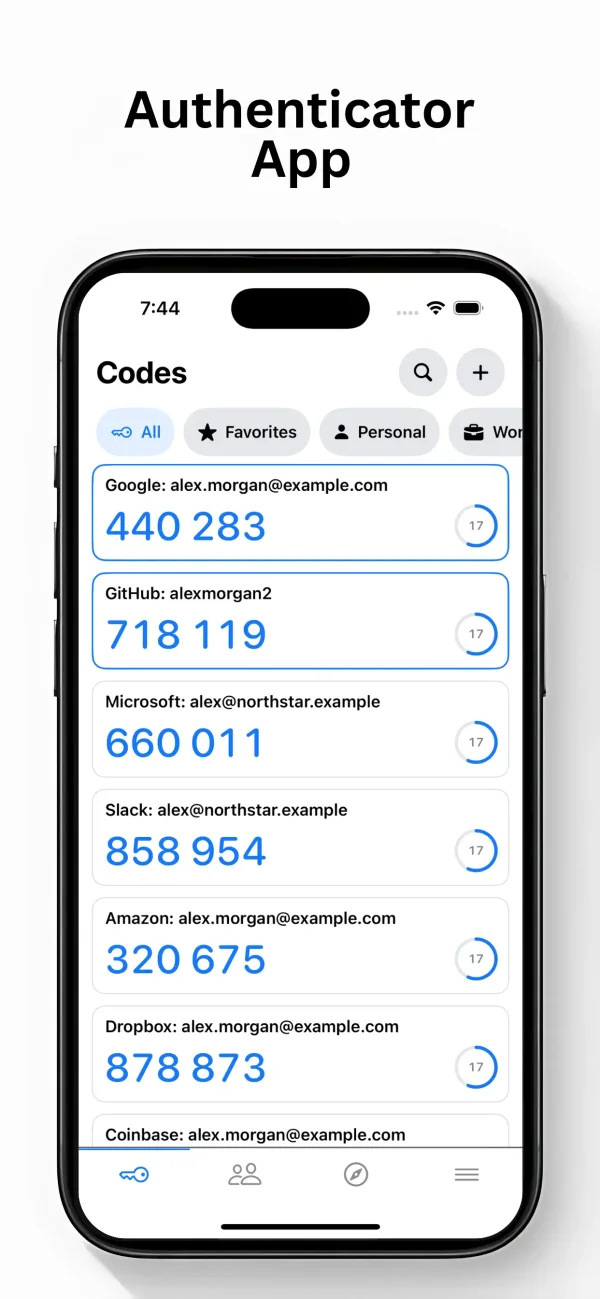
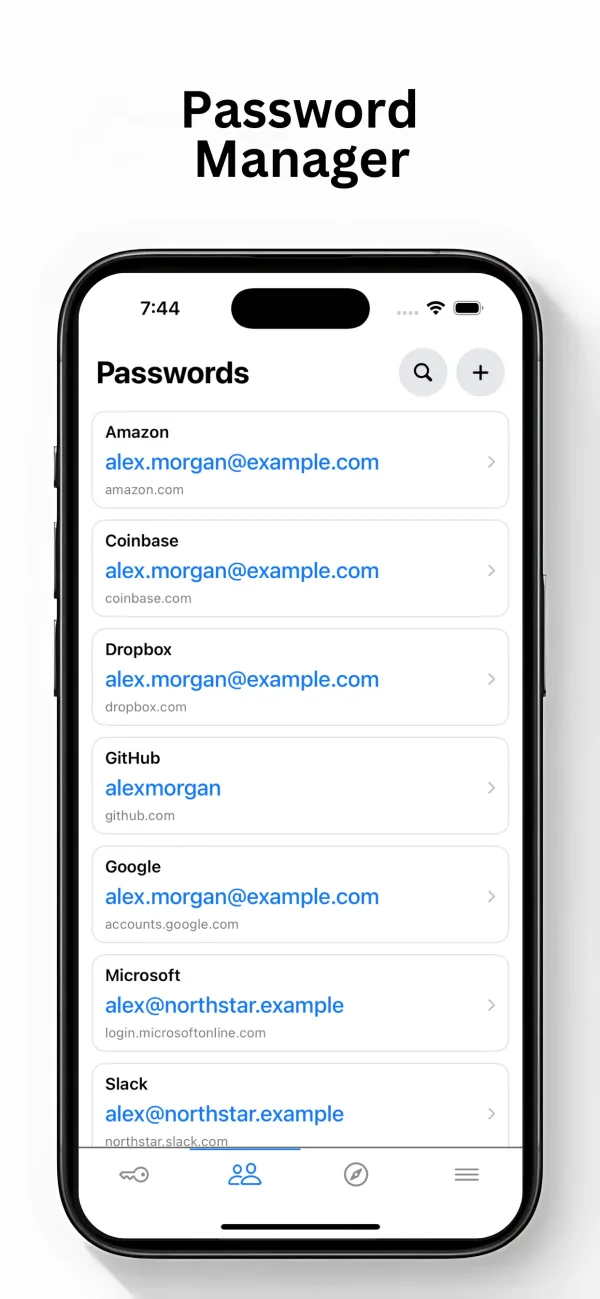
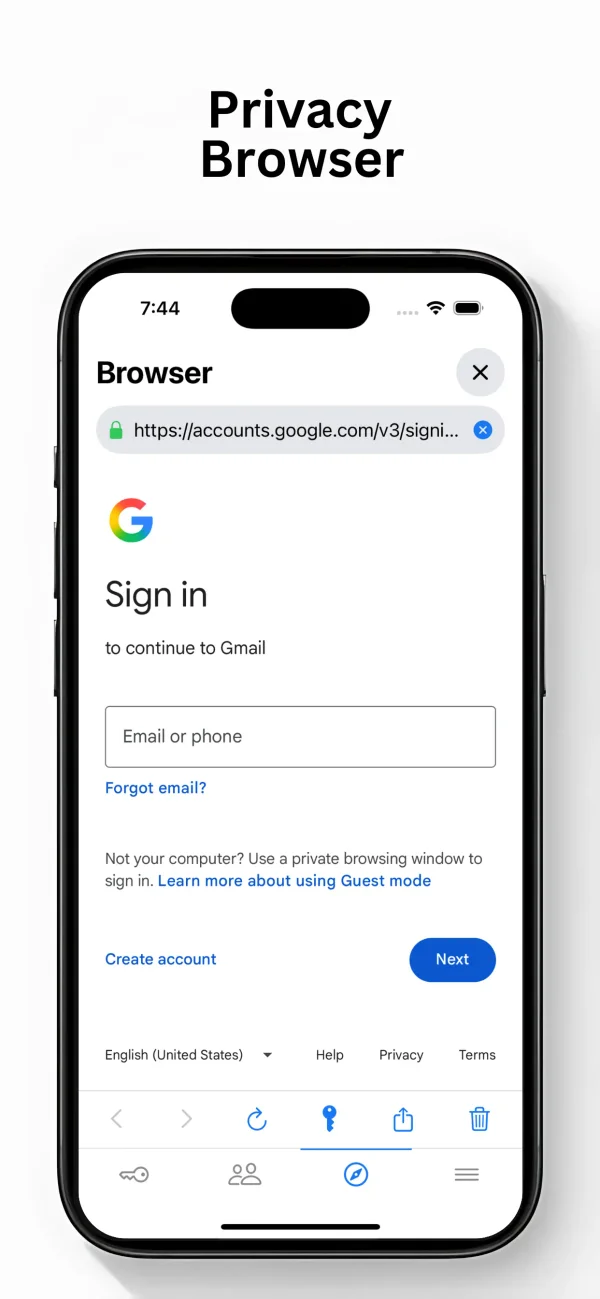
About
Authenticator app gives you everything you need to generate secure 2FA codes, protect your online accounts, and manage passwords in one place.
Includes essential tools for two-factor authentication, password storage, and secure sign-ins. Whether you’re protecting email, social media, work accounts, banking, shopping, or personal services — Authenticator helps keep your accounts secure and easy to access.
Useful for: individuals, students, professionals, businesses, travelers, families, security-conscious users, and anyone who wants stronger account protection.
You will find all the helpful tools:
• TOTP & HOTP Authentication Codes
• Fast QR Code Scanner
• Import QR Codes from Photos
• Manual Setup Key Entry
• SHA-1, SHA-256 & SHA-512 Support
• 6-Digit & 8-Digit Verification Codes
• Password Vault
• Password AutoFill in Apps & Websites
• Safari Extension for Multi-Page Sign-Ins
• Automatic Verification Code Filling
• Face ID, Touch ID & Device Passcode Protection
• Search, Favorites & Custom Folders
• Home Screen & Lock Screen Widgets
• Import & Export Tools
• Dark Mode
Two-Factor Authenticator: Scan a QR code or enter a setup key to generate secure verification codes for your online accounts.
Compatible with services that support standard TOTP or HOTP authentication, including email providers, social networks, cloud services, developer tools, financial services, and more.
Password Manager: Save usernames, passwords, and websites in your secure vault. Fill login details from the keyboard in Safari and other supported apps.
Authenticator for Safari: Sign in to websites directly from Safari, including websites that ask for your username and password on separate pages. Saved credentials are matched to the correct website before filling.
Security & Privacy: Protect your vault with Face ID, Touch ID, or your device passcode. Your authentication codes continue working offline, so you can access them without an internet connection.
Stay organized with folders, favorites, search, and widgets that make your most-used authentication codes easy to find.
Protect your accounts, manage your passwords, and sign in securely — all from one Authenticator app.
Terms & Conditions: https://draunt.com/terms
Privacy Policy: https://draunt.com/privacy
App privacy
What Draunt LLC declares on the App Store about how this app handles data.
-
Data not collected
The developer does not collect any data from this app.
Privacy practices may vary, for example with the features you use or your age.
Information
- Seller
- Draunt LLC
- Category
- Utilities
- Version
- 1.0
- Updated
- Aug 24, 2026
- Released
- Aug 24, 2026
- Size
- 4.9 MB
- Requires
- iOS 18.0 or later
- Age rating
- +4
- In-app purchases
- Yes
- Languages
- English
- Copyright
- © Draunt LLC
You might also like
-
 Xevora Cloud MessengerDesigned to Reward You
-
 Cloud Pulse MobileMulti-Cloud Update Tracker
-
 ClipMemo - Clipboard HelperAuto-categorise & quick paste
-
 ViaPortal: File Transferour Wireless Data Cable
-
 Clean Gallery: Photo SorterSwipe to Sort & Free Space
-
 Anti Spy Sneak My Phone – WTMPAnti-Theft & Spy Protection
-
 Settings Guide & TipsFix Battery, Wi-Fi & Privacy
-
 Site Blocker for SafariBlock Distracting Websites
-
 Alarm Clock:Smart wake-upUtilities
-
 Device Tracker: Find My DeviceLocate nearby Bluetooth device