- Classification d’âge4+
- CatégoriePhoto et vidéo
- DéveloppeurIlia Bogdanovski
- LanguesAnglais
- Taille25,8 Mo
Crop&Scale n’est peut-être pas disponible sur App Store pour le moment
La fiche de la boutique était inaccessible lors de notre dernière vérification. Le lien mène toujours à la page App Store officielle.
Captures d’écran

À propos
Le développeur n’a pas fourni ce texte dans votre langue.
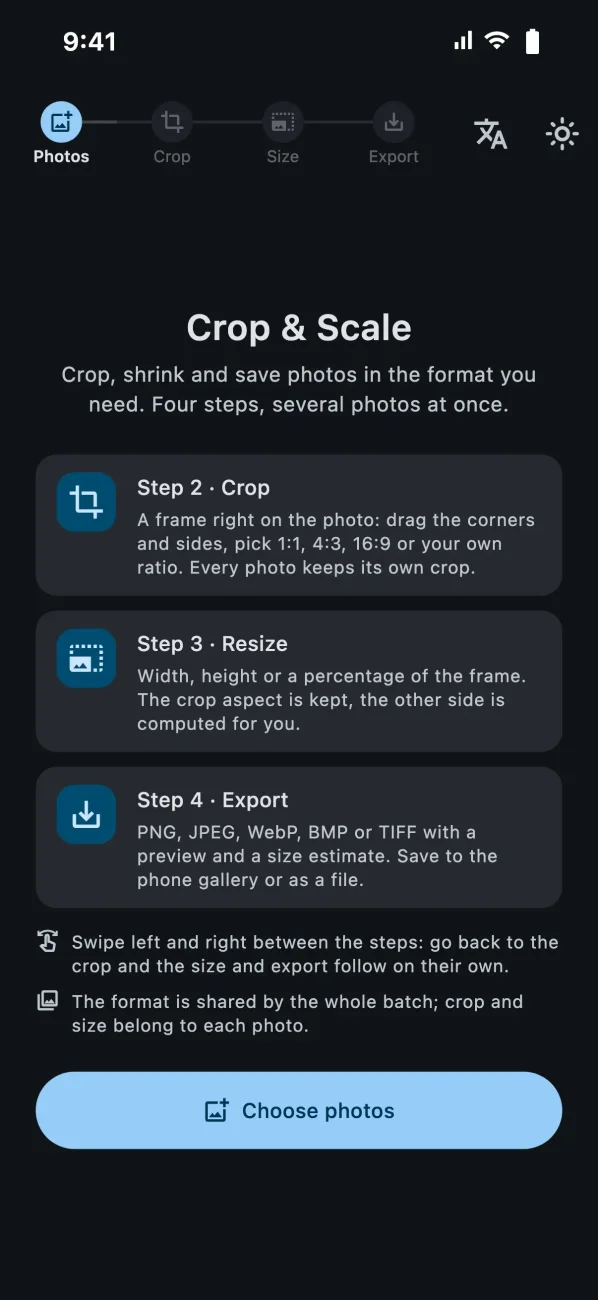
Crop&Scale is a simple tool for preparing images: open photos, crop each one right on the screen, pick a size and format, and save the whole batch at once.
CROP ON THE PHOTO
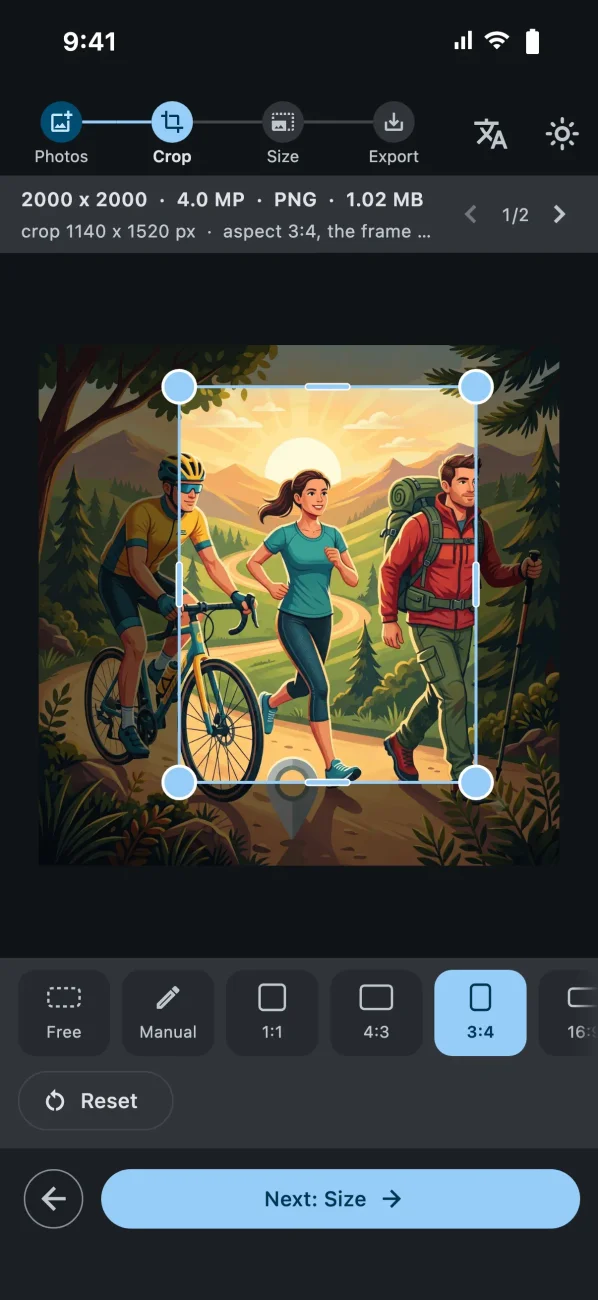
• Drag the frame, resize it by the corners and sides
• Presets: free, 1:1, 4:3, 3:4, 16:9, 9:16
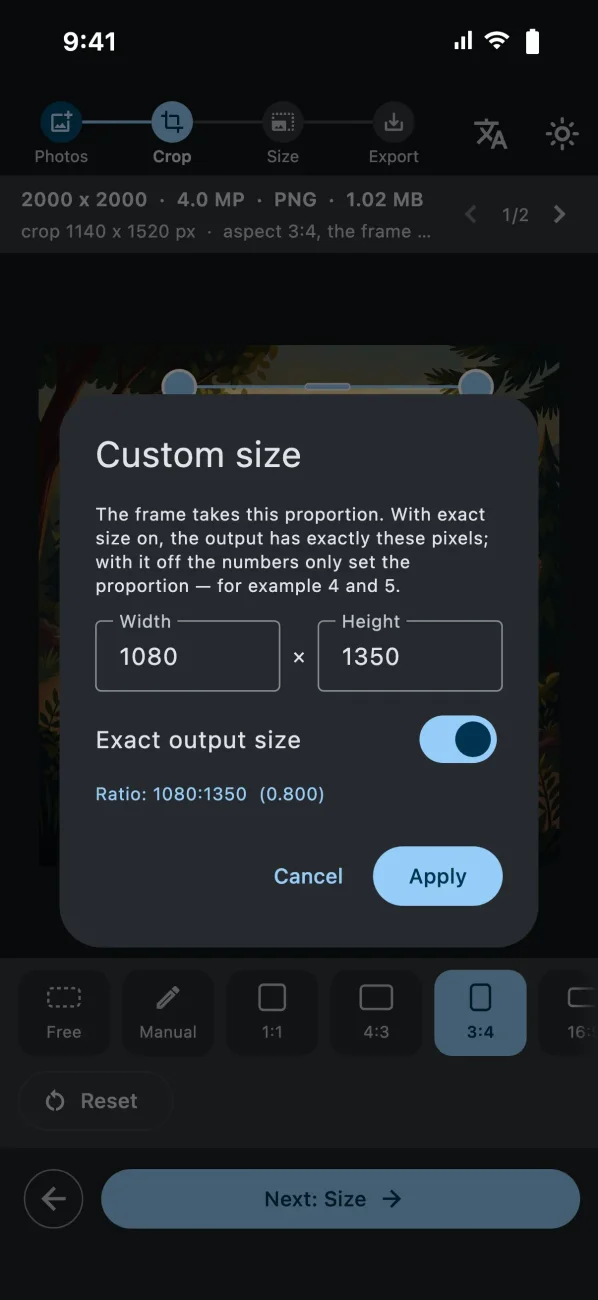
• Custom ratio from your own numbers, e.g. 244×377
• Every photo keeps its own crop and aspect ratio
RESIZE
• Set width or height in pixels, the other side follows the crop proportions
• Or scale by percent with a slider
• Output size in pixels is shown before saving
CONVERT
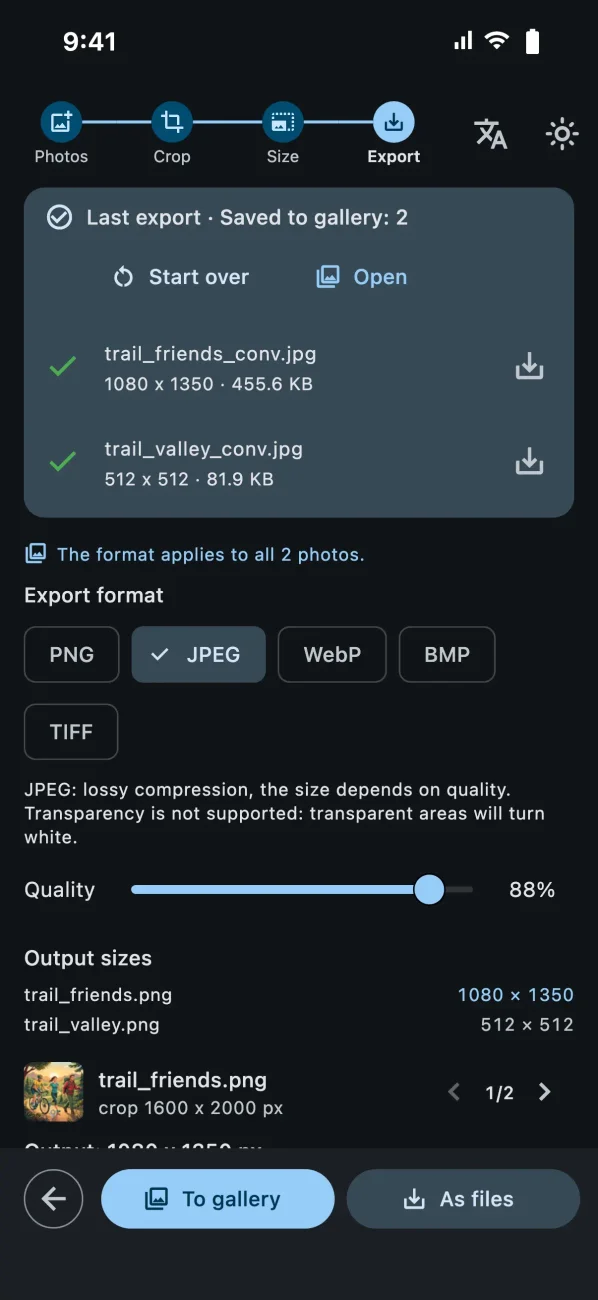
• PNG (lossless), JPEG, WebP, BMP, TIFF
• Quality slider for JPEG and WebP with a live preview and an estimated file size
• BMP 24 / 8 / 4 / 1 bit with optional dithering, and a compact header for e-ink displays
• Opens HEIC, JPEG, PNG, WebP, GIF, BMP, TIFF
BATCH EXPORT
• Several images are processed in parallel in the background, the interface stays responsive
• Save one photo with the system dialog, or a whole batch into a folder you choose
• Existing files are never overwritten
PRIVACY
• Everything happens on your device, nothing is uploaded
• Location and other EXIF metadata are stripped from saved files
• No ads, no accounts, no tracking
Light and dark themes, English and Russian interface.
Nouveautés
Version 1.0.0 · 13/10/2026
Crop & Scale 1.0 – a new step-by-step design.
• Four clear steps – Photos, Crop, Size, Export – that you swipe through. Go back to any step and the later ones update instantly.
• Save straight to your photo library, or export as files as before.
• Custom size: type the exact pixel dimensions you need, and the crop frame locks to that ratio.
• Made for iPad and iPhone Duo: on wide screens the photo and the controls sit side by side.
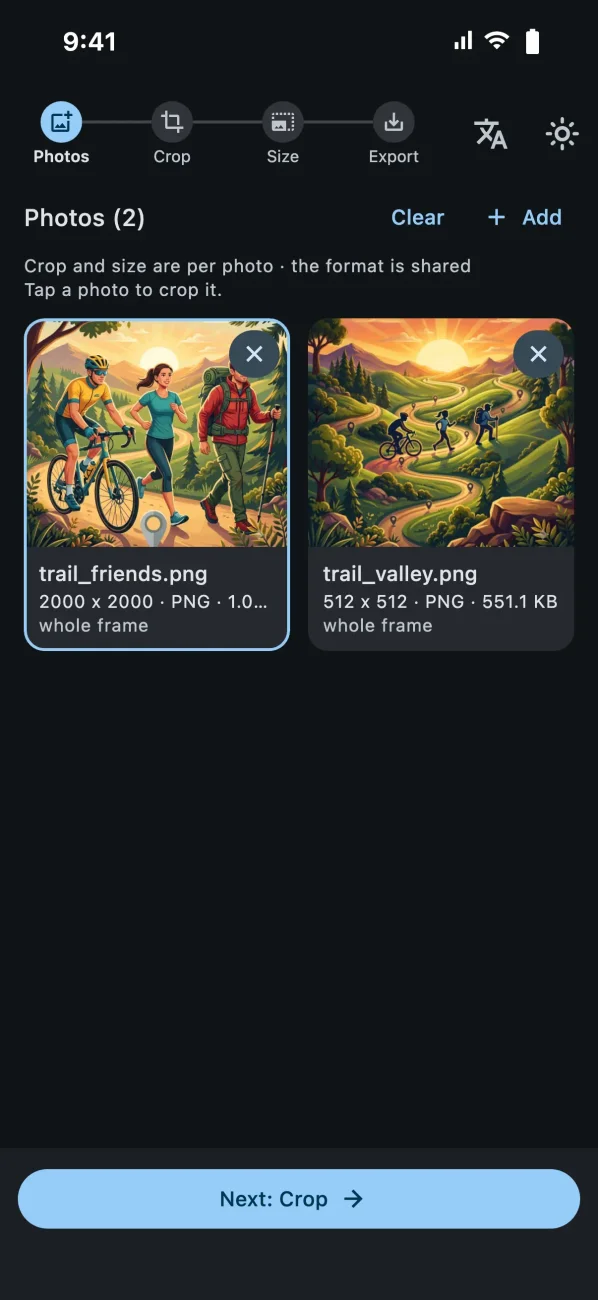
• Your photos are shown as a grid of cards.
• Start over after an export to begin a new batch in one tap.
• Fixed a crash when entering sizes for large photos and reduced memory use with big HEIC images.
• The number keyboard now closes when you tap outside it.
Confidentialité de l’application
Ce que Ilia Bogdanovski déclare sur l’App Store au sujet du traitement des données par cette application.
-
Données non collectées
Le développeur ne collecte aucune donnée à partir de cette application.
Les pratiques en matière de confidentialité peuvent varier, notamment en fonction des fonctionnalités que vous utilisez ou de votre âge.
Informations
- Vendeur
- Ilia Bogdanovski
- Catégorie
- Photo et vidéo
- Version
- 1.0.0
- Mis à jour
- 13/10/2026
- Publié
- 23/09/2026
- Taille
- 25,8 Mo
- Nécessite
- iOS 15.0 ou version ultérieure
- Classification d’âge
- 4+
- Langues
- Anglais
- Copyright
- © 2026 ExperimentalUi
Vous aimerez peut-être aussi
-
 Recadrage carré et margesRecadrez ou ajoutez des marges
-
 picsnip - Photo & Video ToolsPhoto et vidéo
-
 SnipShot: Crop & StraightenPhoto et vidéo
-
 PhotoCompact: Photo CompressorPhoto et vidéo
-
 Website Photo OptimizerPhoto et vidéo
-
 PhotoLite: Photo CompressorPhoto et vidéo
-
 Resize My PhotoTailles réseaux sociaux
-
 EncadraPhoto et vidéo
-
 Borders for Pictures: No CropPhoto et vidéo
-
 Passport Photo Booth: 2x2 IDPhoto et vidéo