Crop&Scale
Crop, resize & convert images
iPhone, iPad, iPod touch için tasarlandı
Ücretsiz
- Yaş sınırı4+
- KategoriFotoğraf ve Video
- GeliştiriciIlia Bogdanovski
- Dillerİngilizce
- Boyut25,8 MB
Resmi App Store sayfasına bağlanır
Download.org, Crop&Scale için hiçbir dosya barındırmaz. Düğme, uygulamanın App Store üzerindeki sayfasını açar; uygulamayı orada Ilia Bogdanovski yayınlar. Sayfanın son kontrolü: 18.11.2026.
Ekran görüntüleri

Hakkında
Geliştirici bu metni dilinizde sunmamış.
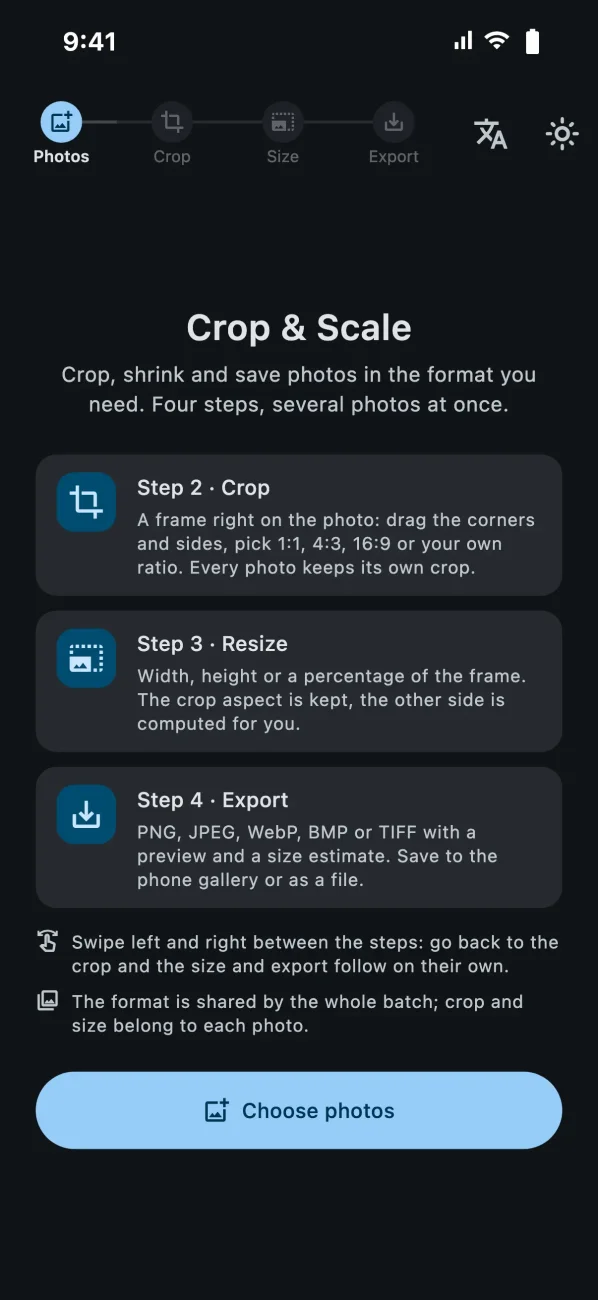
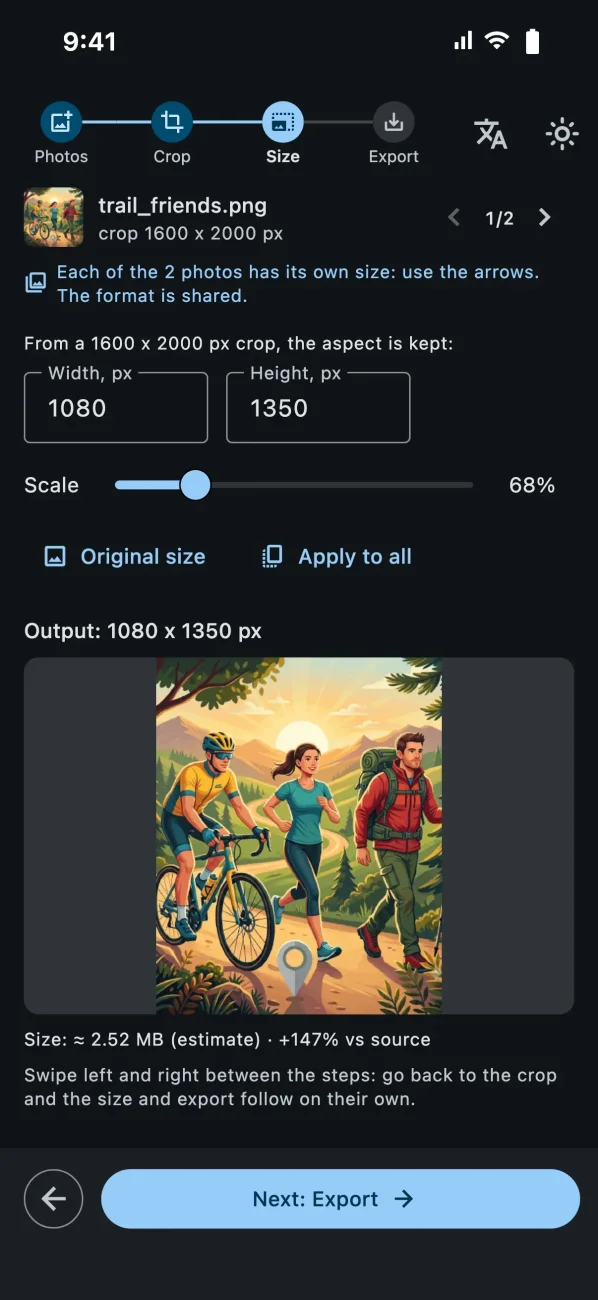
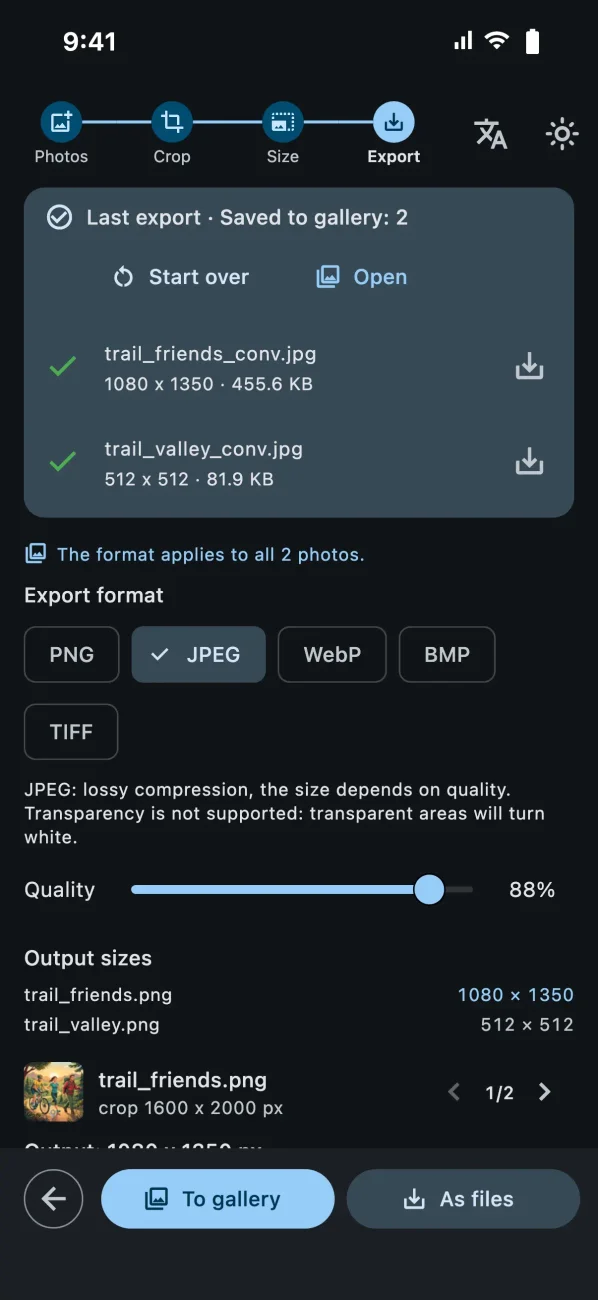
Crop&Scale is a simple tool for preparing images: open photos, crop each one right on the screen, pick a size and format, and save the whole batch at once.
CROP ON THE PHOTO
• Drag the frame, resize it by the corners and sides
• Presets: free, 1:1, 4:3, 3:4, 16:9, 9:16
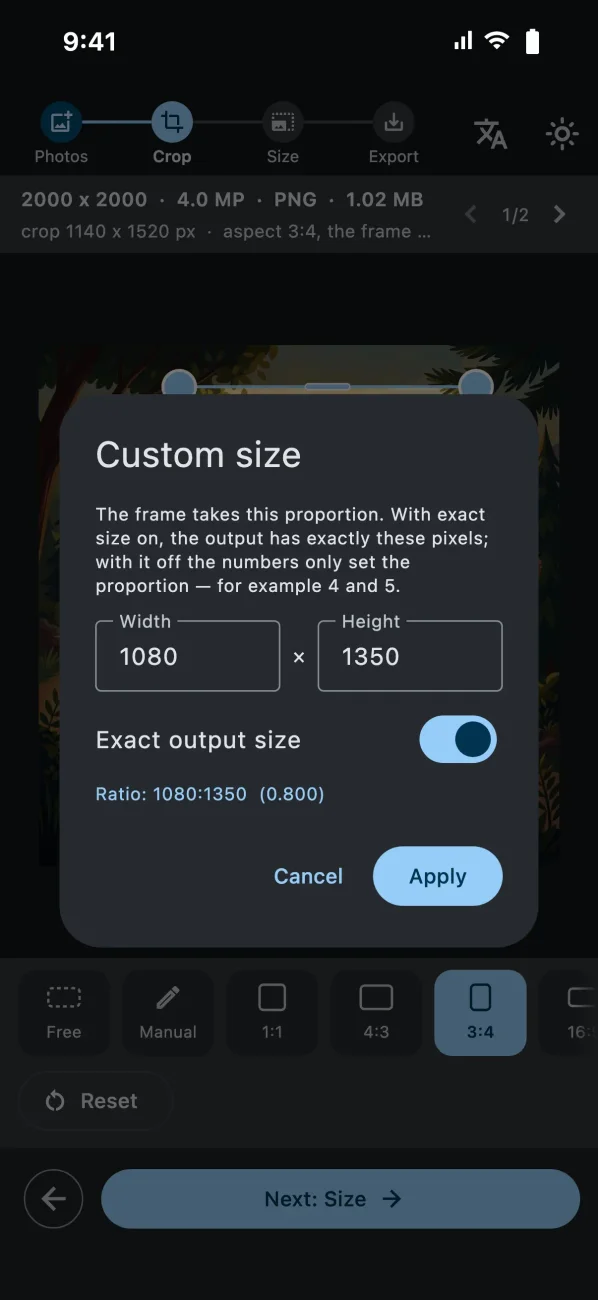
• Custom ratio from your own numbers, e.g. 244×377
• Every photo keeps its own crop and aspect ratio
RESIZE
• Set width or height in pixels, the other side follows the crop proportions
• Or scale by percent with a slider
• Output size in pixels is shown before saving
CONVERT
• PNG (lossless), JPEG, WebP, BMP, TIFF
• Quality slider for JPEG and WebP with a live preview and an estimated file size
• BMP 24 / 8 / 4 / 1 bit with optional dithering, and a compact header for e-ink displays
• Opens HEIC, JPEG, PNG, WebP, GIF, BMP, TIFF
BATCH EXPORT
• Several images are processed in parallel in the background, the interface stays responsive
• Save one photo with the system dialog, or a whole batch into a folder you choose
• Existing files are never overwritten
PRIVACY
• Everything happens on your device, nothing is uploaded
• Location and other EXIF metadata are stripped from saved files
• No ads, no accounts, no tracking
Light and dark themes, English and Russian interface.
Yenilikler
Sürüm 1.0.0 · 13.10.2026
Crop & Scale 1.0 – a new step-by-step design.
• Four clear steps – Photos, Crop, Size, Export – that you swipe through. Go back to any step and the later ones update instantly.
• Save straight to your photo library, or export as files as before.
• Custom size: type the exact pixel dimensions you need, and the crop frame locks to that ratio.
• Made for iPad and iPhone Duo: on wide screens the photo and the controls sit side by side.
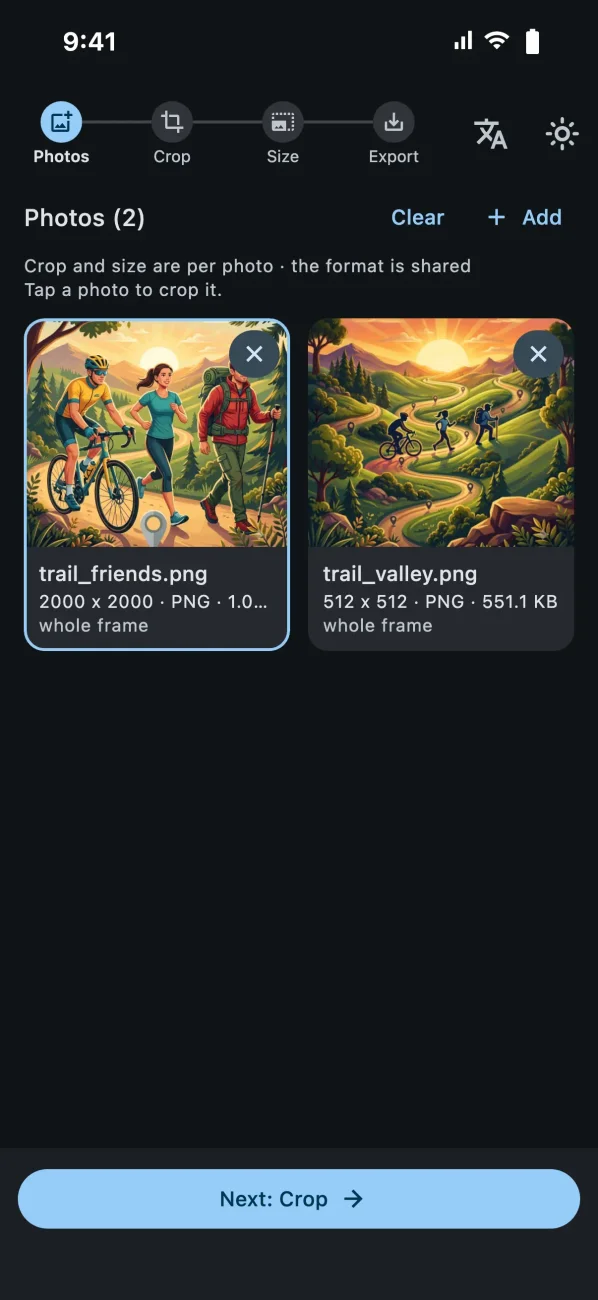
• Your photos are shown as a grid of cards.
• Start over after an export to begin a new batch in one tap.
• Fixed a crash when entering sizes for large photos and reduced memory use with big HEIC images.
• The number keyboard now closes when you tap outside it.
Uygulama gizliliği
Bu uygulamanın verileri nasıl işlediği hakkında Ilia Bogdanovski tarafından App Store üzerinde yapılan beyan.
-
Veri toplanmıyor
Geliştirici bu uygulamadan hiçbir veri toplamıyor.
Gizlilik uygulamaları, örneğin kullandığınız özelliklere veya yaşınıza göre değişiklik gösterebilir.
Bilgiler
- Satıcı
- Ilia Bogdanovski
- Kategori
- Fotoğraf ve Video
- Sürüm
- 1.0.0
- Güncellendi
- 13.10.2026
- Yayın tarihi
- 23.09.2026
- Boyut
- 25,8 MB
- Gereksinim
- iOS 15.0 veya sonrası
- Yaş sınırı
- 4+
- Fiyat
- Ücretsiz
- Diller
- İngilizce
- Telif hakkı
- © 2026 ExperimentalUi
Bunları da beğenebilirsiniz
-
 Toplu kare kırpma ve kenarlıkToplu kırpma veya kenarlık
-
 picsnip - Photo & Video ToolsFotoğraf ve Video
-
 SnipShot: Crop & StraightenFotoğraf ve Video
-
 PhotoCompact: Photo CompressorFotoğraf ve Video
-
 Website Photo OptimizerFotoğraf ve Video
-
 PhotoLite: Photo CompressorFotoğraf ve Video
-
 Resize My PhotoFotoğraf ve Video
-
 EncadraFotoğraf ve Video
-
 Borders for Pictures: No CropFotoğraf ve Video
-
 Passport Photo Booth: 2x2 IDFotoğraf ve Video