Crop&Scale
Crop, resize & convert images
Được thiết kế cho iPhone, iPad, iPod touch
Miễn phí
- Độ tuổi4+
- Danh mụcẢnh & Video
- Nhà phát triểnIlia Bogdanovski
- Ngôn ngữTiếng Anh
- Kích thước25,8 MB
Liên kết đến trang App Store chính thức
Download.org không lưu trữ tệp nào của Crop&Scale. Nút này mở trang ứng dụng trên App Store, nơi Ilia Bogdanovski phát hành ứng dụng. Trang được kiểm tra lần cuối: 18/11/2026.
Ảnh chụp màn hình

Giới thiệu
Nhà phát triển chưa cung cấp nội dung này bằng ngôn ngữ của bạn.
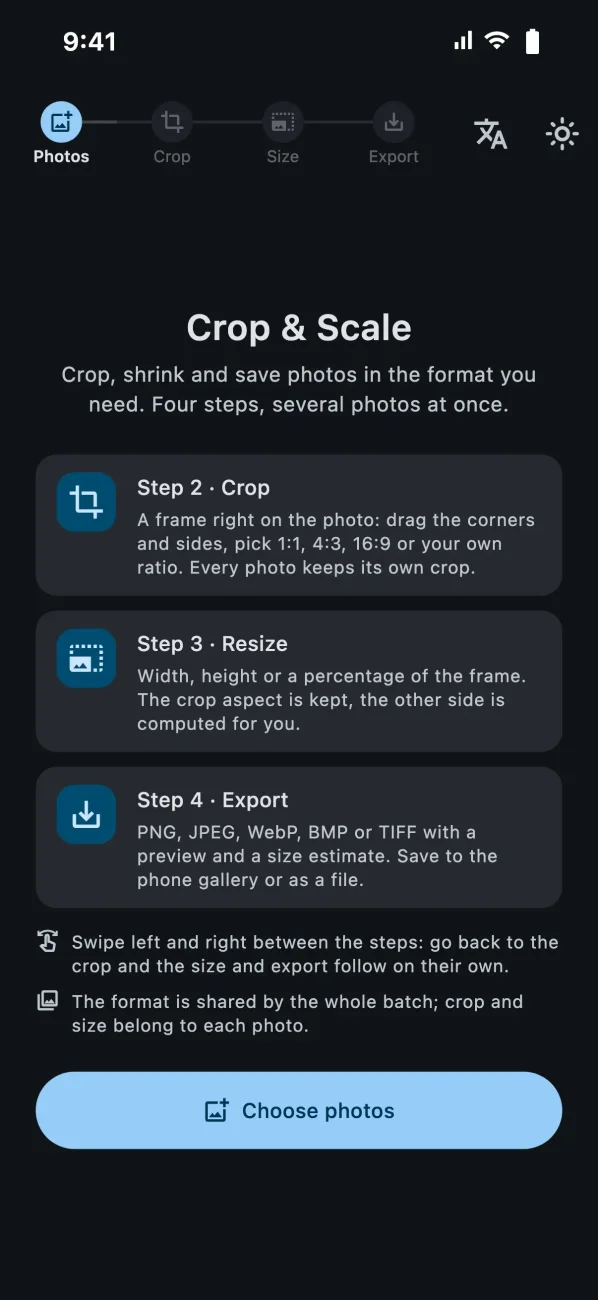
Crop&Scale is a simple tool for preparing images: open photos, crop each one right on the screen, pick a size and format, and save the whole batch at once.
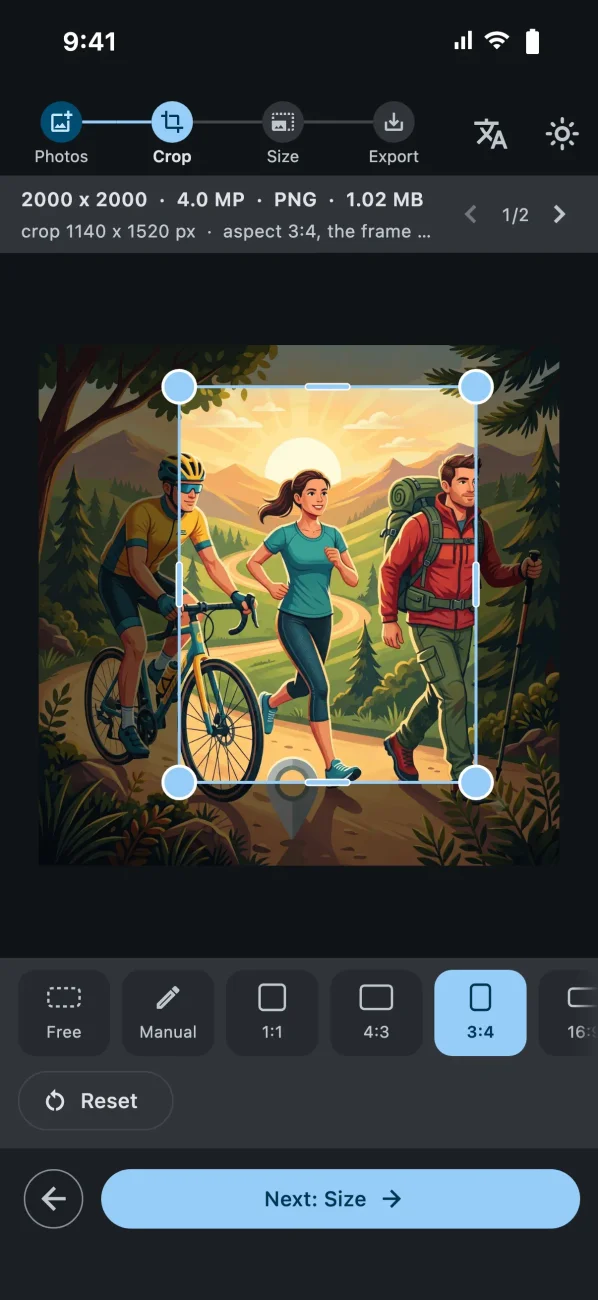
CROP ON THE PHOTO
• Drag the frame, resize it by the corners and sides
• Presets: free, 1:1, 4:3, 3:4, 16:9, 9:16
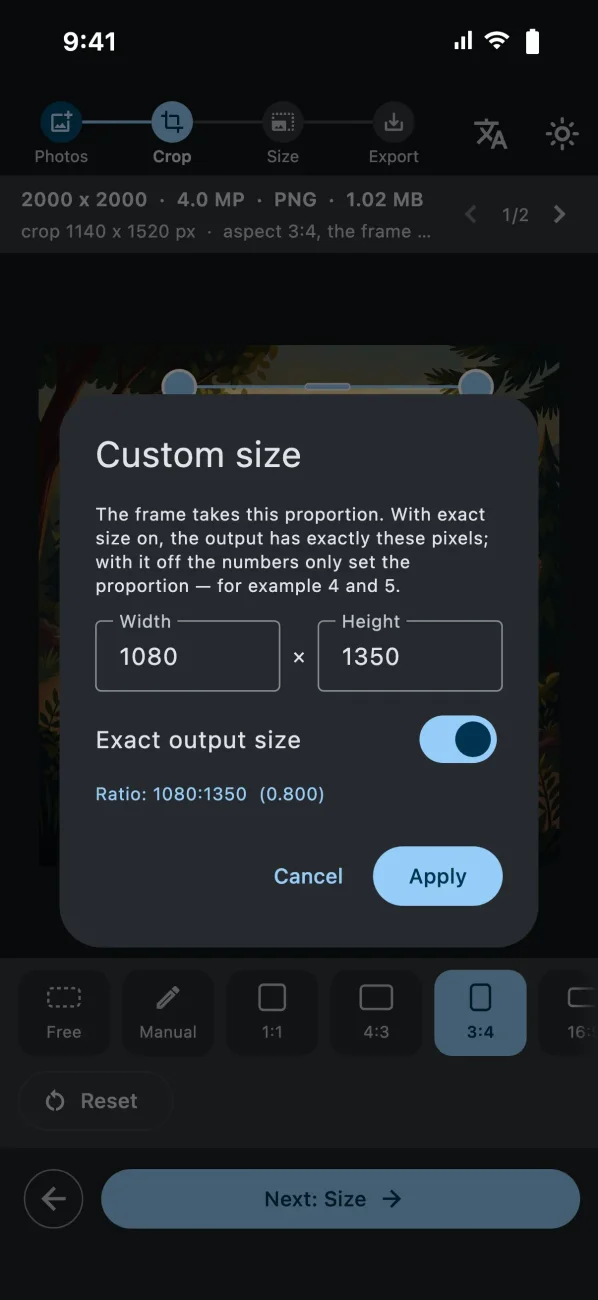
• Custom ratio from your own numbers, e.g. 244×377
• Every photo keeps its own crop and aspect ratio
RESIZE
• Set width or height in pixels, the other side follows the crop proportions
• Or scale by percent with a slider
• Output size in pixels is shown before saving
CONVERT
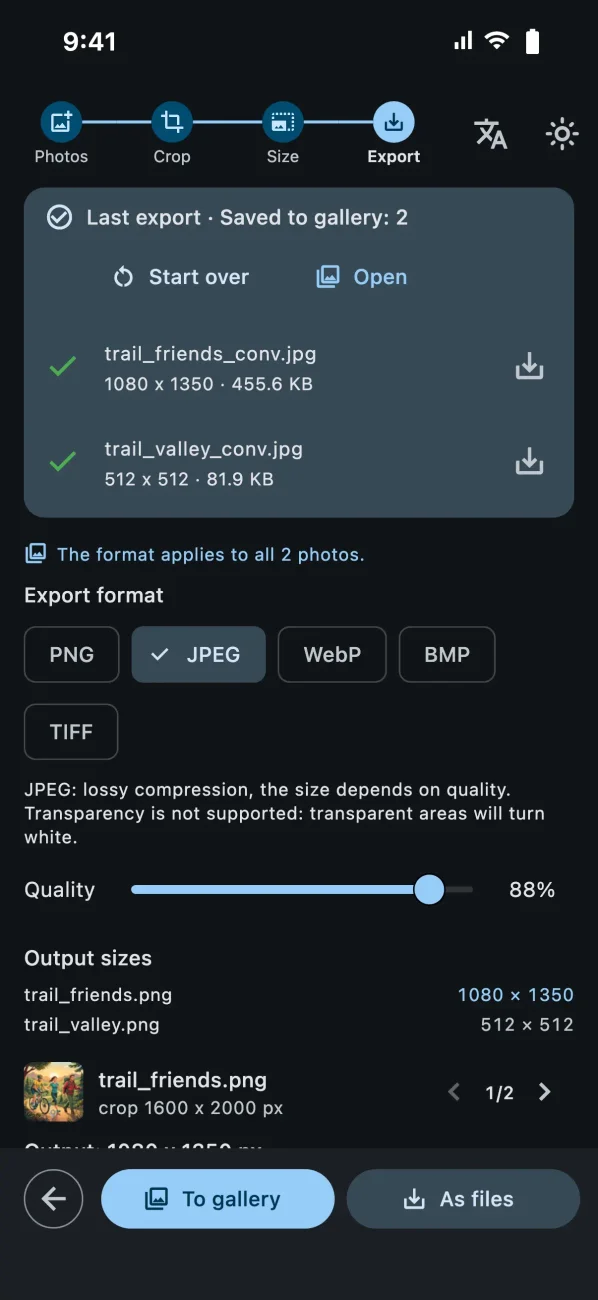
• PNG (lossless), JPEG, WebP, BMP, TIFF
• Quality slider for JPEG and WebP with a live preview and an estimated file size
• BMP 24 / 8 / 4 / 1 bit with optional dithering, and a compact header for e-ink displays
• Opens HEIC, JPEG, PNG, WebP, GIF, BMP, TIFF
BATCH EXPORT
• Several images are processed in parallel in the background, the interface stays responsive
• Save one photo with the system dialog, or a whole batch into a folder you choose
• Existing files are never overwritten
PRIVACY
• Everything happens on your device, nothing is uploaded
• Location and other EXIF metadata are stripped from saved files
• No ads, no accounts, no tracking
Light and dark themes, English and Russian interface.
Có gì mới
Phiên bản 1.0.0 · 13/10/2026
Crop & Scale 1.0 – a new step-by-step design.
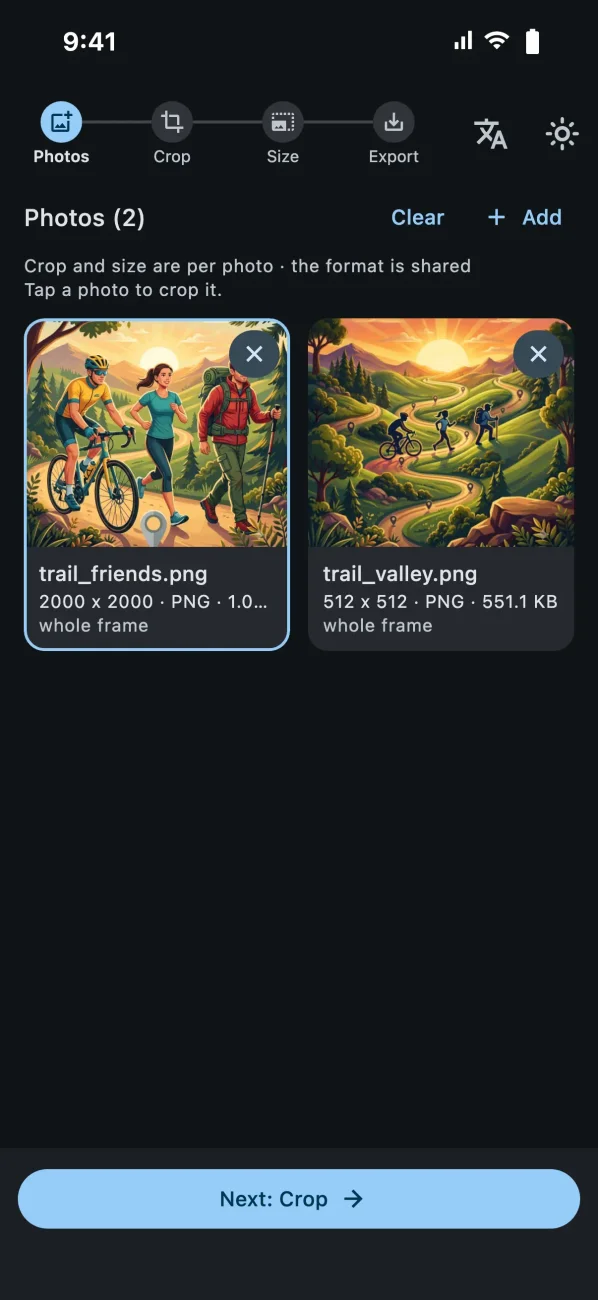
• Four clear steps – Photos, Crop, Size, Export – that you swipe through. Go back to any step and the later ones update instantly.
• Save straight to your photo library, or export as files as before.
• Custom size: type the exact pixel dimensions you need, and the crop frame locks to that ratio.
• Made for iPad and iPhone Duo: on wide screens the photo and the controls sit side by side.
• Your photos are shown as a grid of cards.
• Start over after an export to begin a new batch in one tap.
• Fixed a crash when entering sizes for large photos and reduced memory use with big HEIC images.
• The number keyboard now closes when you tap outside it.
Quyền riêng tư của ứng dụng
Những gì Ilia Bogdanovski khai báo trên App Store về cách ứng dụng này xử lý dữ liệu.
-
Dữ liệu không được thu thập
Nhà phát triển không thu thập bất kỳ dữ liệu nào từ ứng dụng này.
Phương thức đảm bảo quyền riêng tư có thể khác nhau, chẳng hạn như tuỳ theo các tính năng bạn sử dụng hoặc độ tuổi của bạn.
Thông tin
- Người bán
- Ilia Bogdanovski
- Danh mục
- Ảnh & Video
- Phiên bản
- 1.0.0
- Cập nhật
- 13/10/2026
- Phát hành
- 23/09/2026
- Kích thước
- 25,8 MB
- Yêu cầu
- iOS 15.0 trở lên
- Độ tuổi
- 4+
- Giá
- Miễn phí
- Ngôn ngữ
- Tiếng Anh
- Bản quyền
- © 2026 ExperimentalUi
Có thể bạn cũng thích
-
 Cắt vuông & thêm viềnCắt hàng loạt hoặc thêm viền
-
 picsnip - Photo & Video ToolsẢnh & Video
-
 SnipShot: Crop & StraightenẢnh & Video
-
 PhotoCompact: Photo CompressorẢnh & Video
-
 Website Photo OptimizerẢnh & Video
-
 PhotoLite: Photo CompressorẢnh & Video
-
 Resize My PhotoẢnh & Video
-
 EncadraẢnh & Video
-
 Borders for Pictures: No CropẢnh & Video
-
 Passport Photo Booth: 2x2 IDẢnh & Video