Drawing Projector Lite
Trace Photos & Sketches
Conçue pour iPhone, iPod touch
Gratuit · Achats intégrés
- Classification d’âge4+
- CatégorieGraphisme et design
- DéveloppeurJustinus Laurentius van den Berg
- LanguesAnglais
- Taille72,5 Mo
Renvoie vers la page App Store officielle
Download.org n’héberge aucun fichier de Drawing Projector Lite. Le bouton ouvre la page de l’application sur App Store, où Justinus Laurentius van den Berg la publie. Fiche vérifiée pour la dernière fois le 23/11/2026.
Captures d’écran
À propos
Le développeur n’a pas fourni ce texte dans votre langue.
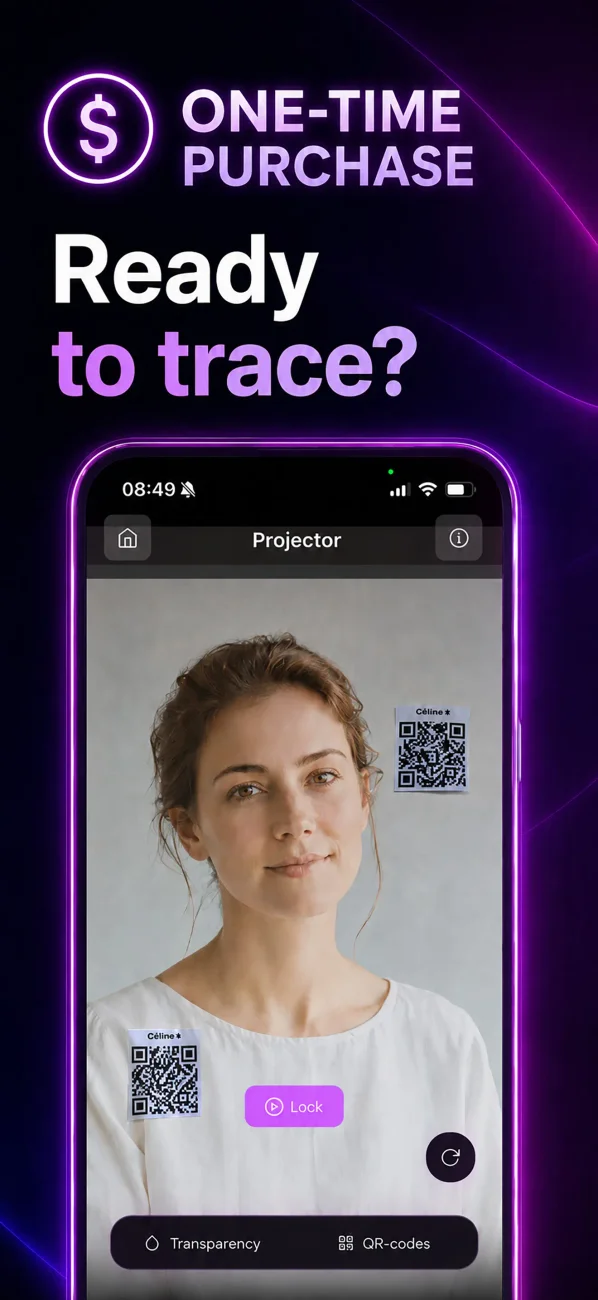
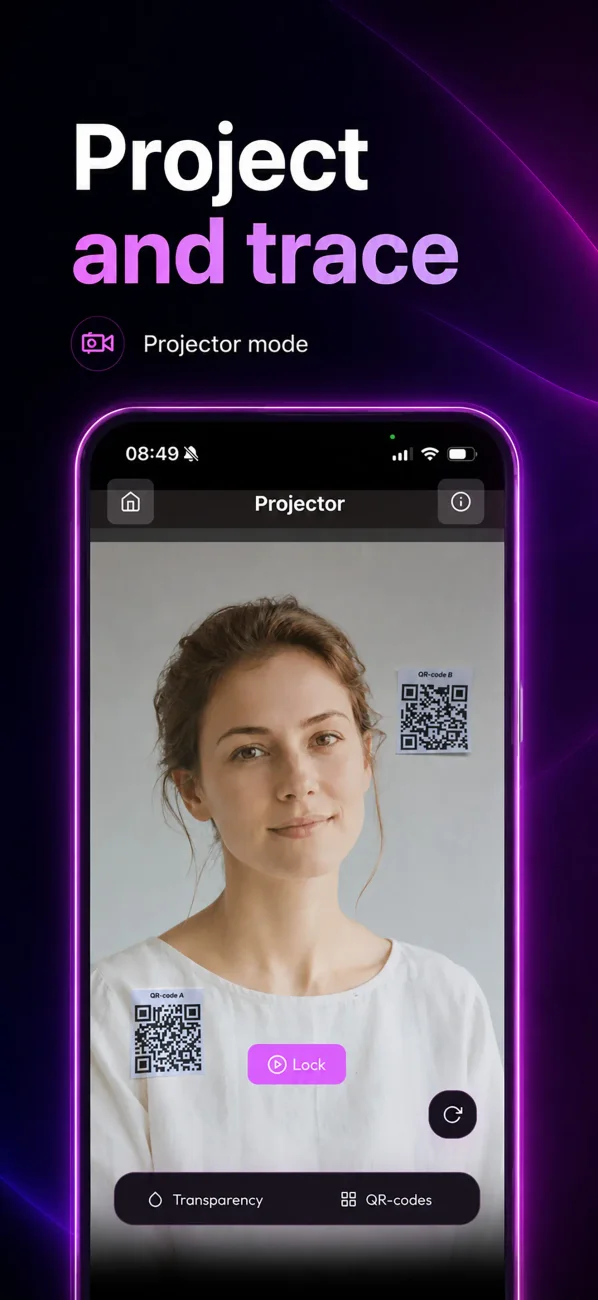
Drawing Projector Lite turns your phone into a simple AR projector that overlays any reference image onto your canvas, paper or sketchbook so you can trace and sketch without grids, tracing paper or hours of measuring.
Made for people who just want it to work:
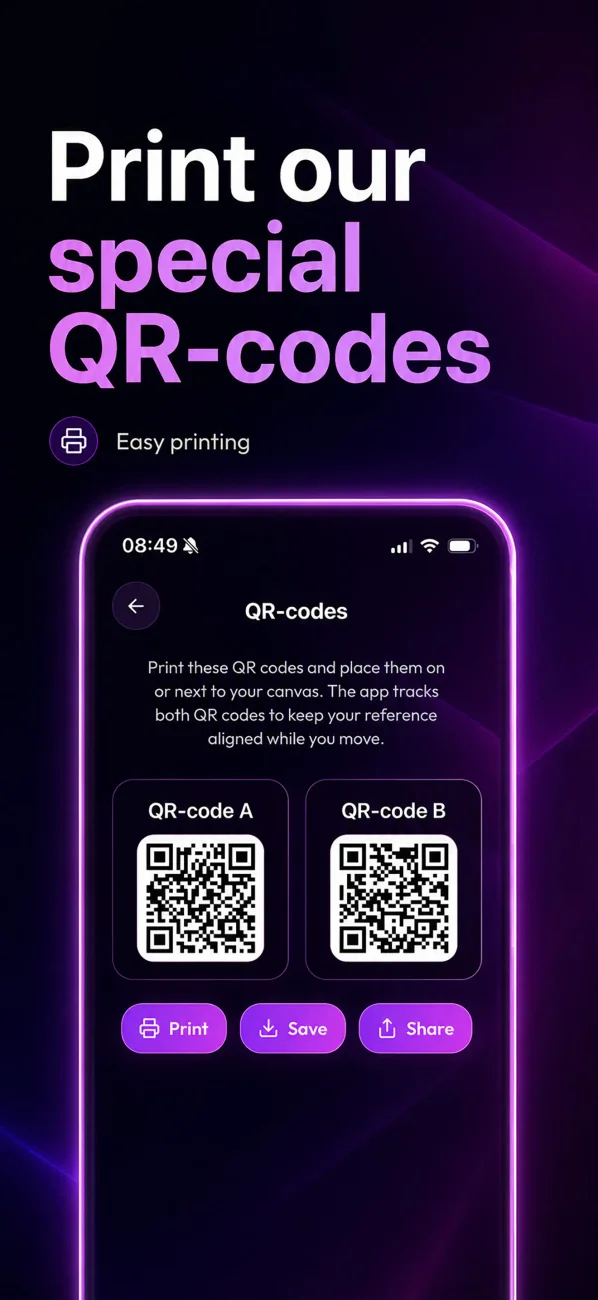
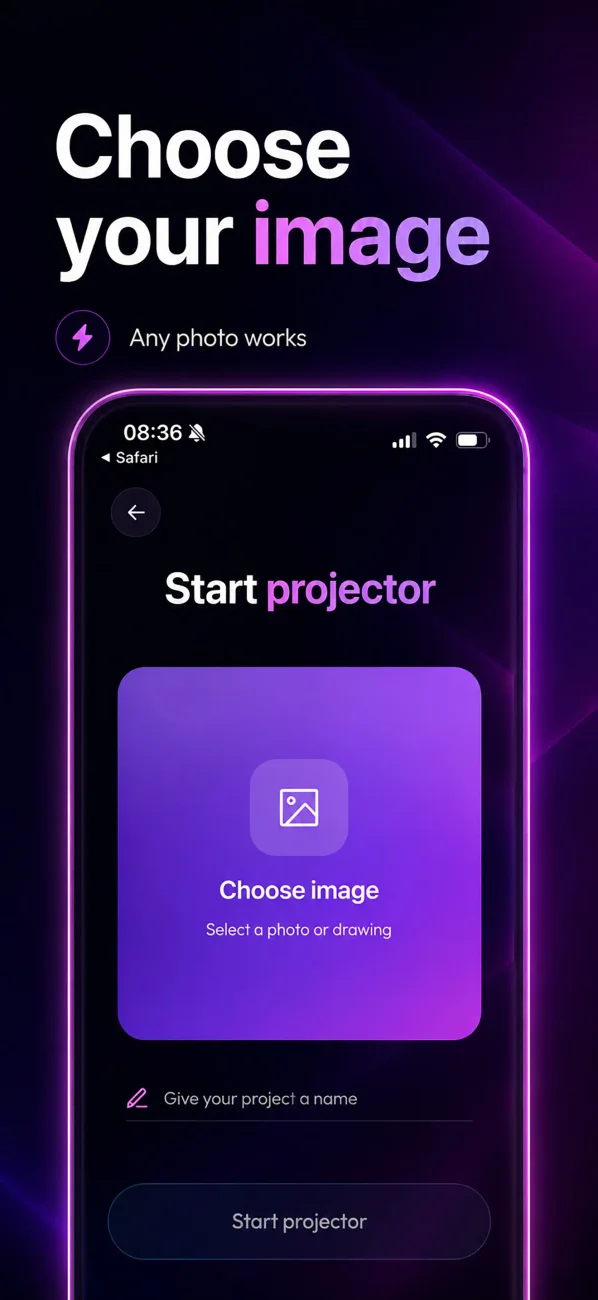
• Simple: pick an image, draw markers or print QR-codes, point your camera, start drawing.
• Lightweight: fast to open, easy to use, no clutter.
• One-time purchase: pay once, use forever. No subscriptions. No ads.
WHAT YOU CAN DO
• Project any photo from your library onto your canvas.
• Rotate, scale and lock the overlay to fit perfectly.
• Use optional marker drawing or QR markers for an extra-stable projection.
PERFECT FOR
• Artists tracing reference photos onto canvas.
• Hobby artists doing portraits, pet art, lettering and more.
• Beginners who want to skip the gridding step.
WHY DRAWING PROJECTOR LITE
We built the version we wished existed: no monthly fee, no upsell walls, no AI gimmick: just a focused AR tool that does one thing well.
Nouveautés
Version 2.2.0 · 19/11/2026
New tools for projecting with a phone stand
• Line drawing — trace outlines instead of the full photo
• Values — light to dark in a few grey tones
• Colour areas — flat shapes, numbered from dark to light
• Step by step — build your drawing from rough to detailed
• Compare — check your work against the original
• Time-lapse — capture your progress as you draw
Confidentialité de l’application
Ce que Justinus Laurentius van den Berg déclare sur l’App Store au sujet du traitement des données par cette application.
-
Données établissant un lien avec vous
Peuvent être collectées et liées à votre identité.
- Coordonnées
- Contenu utilisateur
- Identifiants
- Données d’utilisation
- Diagnostic
Les pratiques en matière de confidentialité peuvent varier, notamment en fonction des fonctionnalités que vous utilisez ou de votre âge.
Informations
- Vendeur
- Justinus Laurentius van den Berg
- Catégorie
- Graphisme et design
- Version
- 2.2.0
- Mis à jour
- 19/11/2026
- Publié
- 15/05/2026
- Taille
- 72,5 Mo
- Nécessite
- iOS 15.1 ou version ultérieure
- Classification d’âge
- 4+
- Prix
- Gratuit
- Achats intégrés
- Oui
- Langues
- Anglais
- Copyright
- © 2026 Justinus Laurentius
Vous aimerez peut-être aussi
-
 Projecteur Dessin AR: CalquerCroquis, anime et contours
-
 Projecteur de Dessin - TracezCroquis, Styles IA & Modèles
-
 AR Drawing Projector: Draw ArtGraphisme et design
-
 AR Dessin Projecteur: CalquerDécalquer photo & apprendre
-
 Drawing Projector: AR Draw ArtGraphisme et design
-
 Tracer: AR TracingGraphisme et design
-
 Trace Drawing ProjectorGraphisme et design
-
 Drawello:Learn Drawing & traceGraphisme et design
-
 Trace Drawing & Projector - ARGraphisme et design
-
 Projecteur Dessin AR: DraweeCroquis, drawing & projector