
Ejectify
Eject all drives in one click
Conçue pour iPhone, iPad, Mac
Gratuit · Achats intégrés
- Classification d’âge4+
- CatégorieUtilitaires
- DéveloppeurAlexander Fitterling
- LanguesAnglais+ 29 de plus
- Taille1,6 Mo
Renvoie vers la page App Store officielle
Download.org n’héberge aucun fichier de Ejectify. Le bouton ouvre la page de l’application sur App Store, où Alexander Fitterling la publie. Fiche vérifiée pour la dernière fois le 21/11/2026.
Captures d’écran

À propos
Le développeur n’a pas fourni ce texte dans votre langue.
Ejectify for iPhone is the companion to Ejectify on your Mac. It shows every external drive plugged into your Mac and lets you eject any of them without getting up.
EVERY MAC, EVERY DRIVE
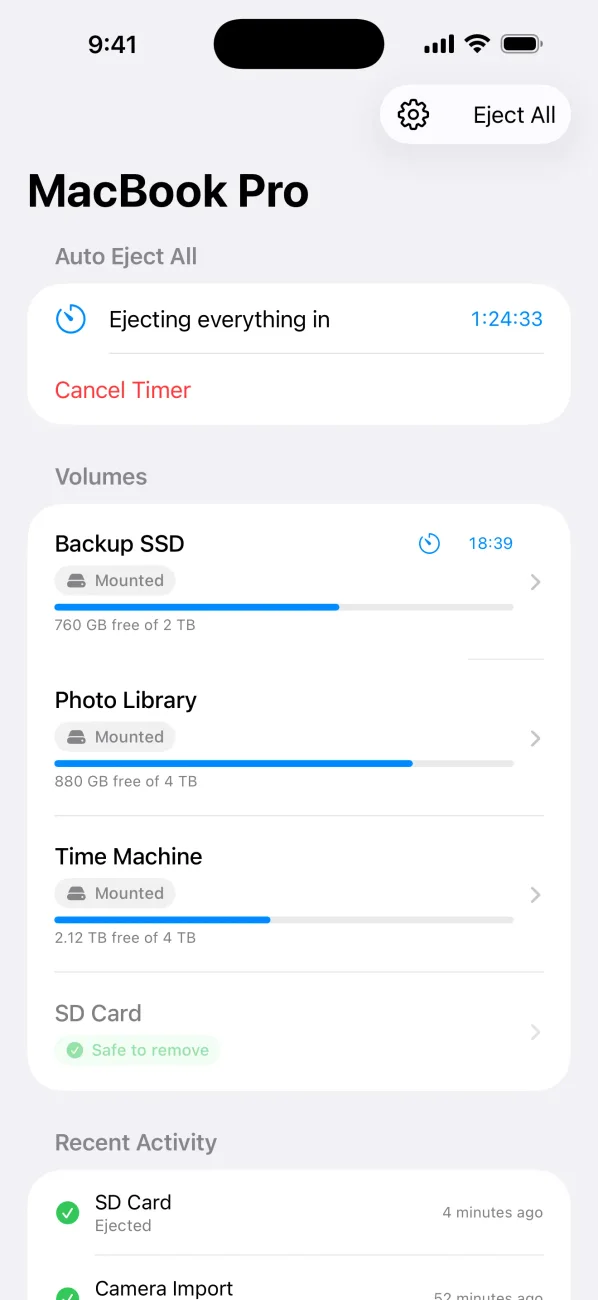
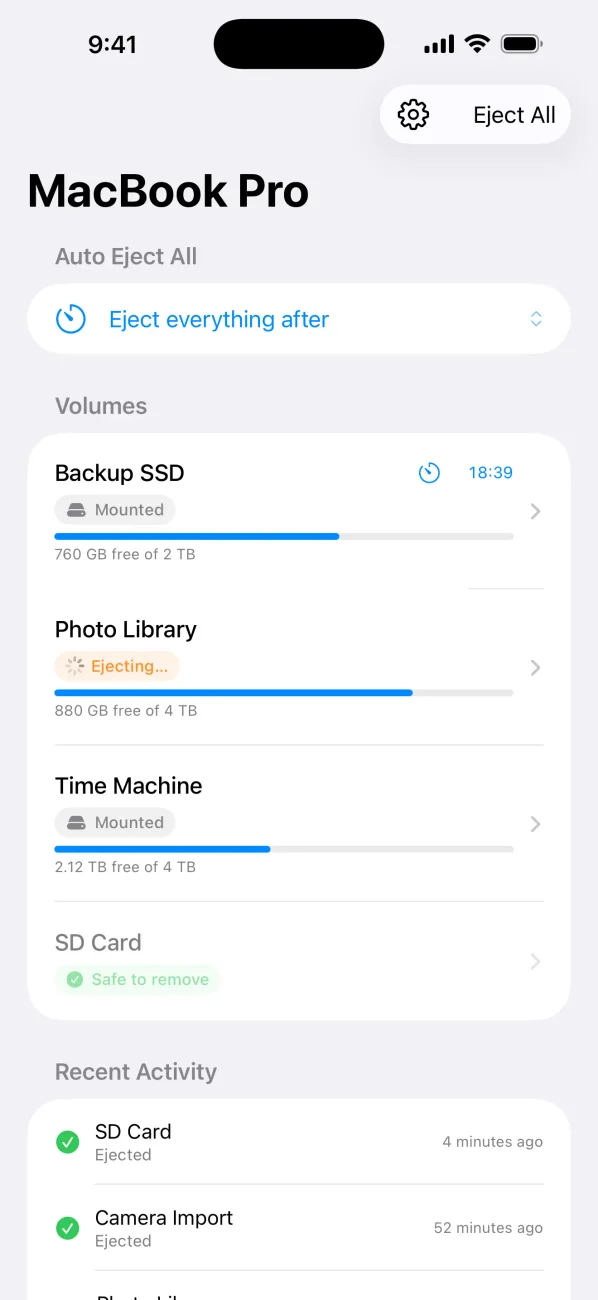
Each Mac running Ejectify appears with its drives, how full they are, and whether it's online right now. Turn on "Allow control from my iPhone" on the Mac and it shows up here.
EJECT FROM ANYWHERE
Tap a drive to eject it, or eject everything at once. Your Mac does the work and reports back — including when a drive refuses because something is still using it, and what that something was.
KNOW WHEN IT'S SAFE TO UNPLUG
A notification arrives the moment a drive is unmounted, whether you asked for it from here, from the Mac's menu bar, from a timer, or from an AI assistant. It arrives even if this app has been force-quit.
AUTO EJECT ON A TIMER
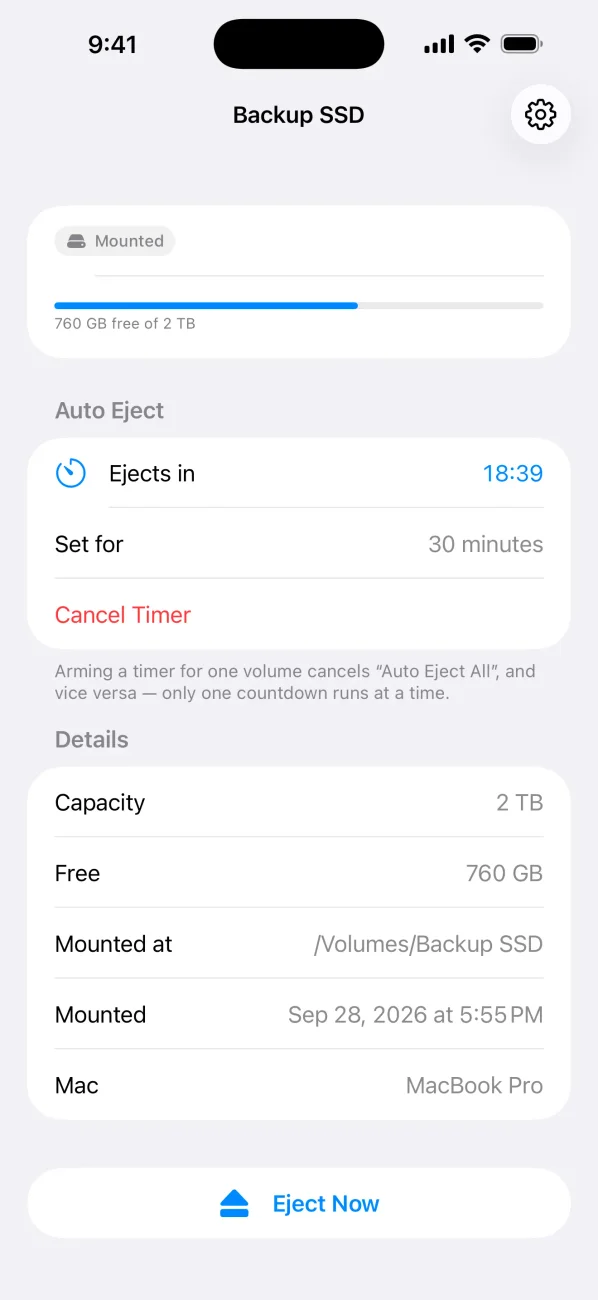
Arm a countdown for one drive or for all of them and watch it tick down. Part of the same one-time Auto Eject unlock as the Mac — buy it once, on either platform, and it works on both.
YOUR MAC, AI-CAPABLE
Ejectify on the Mac also speaks MCP (Model Context Protocol). Switch on "Allow AI assistants to control this Mac" and Claude or ChatGPT can list your drives and eject them for you — "eject my backup drive" is the whole interaction. Ask from your desk, tap from your phone, or let a timer handle it; every eject shows up here the same way, with the same notification.
PRIVATE BY CONSTRUCTION
Everything syncs through your own iCloud private database — your Apple account, Apple's infrastructure, no server of ours in the middle. No account to create, no tracking, nothing collected. The AI connector on the Mac never leaves the machine: it talks to Ejectify over a private local socket, only while you've switched it on, and only Claude and ChatGPT are accepted.
Requires Ejectify on a Mac running macOS 12 or later, signed into the same iCloud account.
Nouveautés
Version 1.4.7 · 13/11/2026
• Recent Activity now shows why an eject failed in full, including the drive type (e.g. “USB · HDD · LaCie Mobile Drive”).
• Works with the new diagnostics and repeated-ejection options in Ejectify 1.4.7 for Mac.
Confidentialité de l’application
Ce que Alexander Fitterling déclare sur l’App Store au sujet du traitement des données par cette application.
-
Données établissant un lien avec vous
Peuvent être collectées et liées à votre identité.
- Identifiants
- Données d’utilisation
- Autres données
-
Données n’établissant aucun lien avec vous
Peuvent être collectées, mais ne sont pas liées à votre identité.
- Diagnostic
Les pratiques en matière de confidentialité peuvent varier, notamment en fonction des fonctionnalités que vous utilisez ou de votre âge.
Informations
- Vendeur
- Alexander Fitterling
- Catégorie
- Utilitaires
- Version
- 1.4.7
- Mis à jour
- 13/11/2026
- Publié
- 23/06/2026
- Taille
- 1,6 Mo
- Nécessite
- iOS 17.0 ou version ultérieure
- Classification d’âge
- 4+
- Prix
- Gratuit
- Achats intégrés
- Oui
- Langues
- Anglais, Arabe, Tchèque, Danois, Néerlandais, Finnois, Français, Allemand, Grec, Hébreu, Hindi, Hongrois + 18 de plus
- Copyright
- © 2026 Alex Fitterling
Vous aimerez peut-être aussi
-
 Réduction du bruit - CleanfyVoix claire dans vos vidéos
-
 Ejecta : Eau, Haut-parleurLe son chasse la poussière
-
 DriveShelfUtilitaires
-
 Gateway Config AppConfigurez vos Mats !
-
 Clesqo: Clean, Scan, OrganizeUtilitaires
-
 Water Eject | Speaker CleanerUtilitaires
-
 BlockR: Spam Call BlockerUtilitaires
-
 dB Toolkit : SonomètreUne preuve, pas un chiffre
-
 DuoIoTUtilitaires
-
 SweetSpot Signal FinderUtilitaires