
Ejectify
Eject all drives in one click
Được thiết kế cho iPhone, iPad, Mac
Miễn phí · Mua hàng trong ứng dụng
- Độ tuổi4+
- Danh mụcTiện Ích
- Nhà phát triểnAlexander Fitterling
- Ngôn ngữTiếng Anh+ 29 ngôn ngữ khác
- Kích thước1,6 MB
Liên kết đến trang App Store chính thức
Download.org không lưu trữ tệp nào của Ejectify. Nút này mở trang ứng dụng trên App Store, nơi Alexander Fitterling phát hành ứng dụng. Trang được kiểm tra lần cuối: 21/11/2026.
Ảnh chụp màn hình

Giới thiệu
Nhà phát triển chưa cung cấp nội dung này bằng ngôn ngữ của bạn.
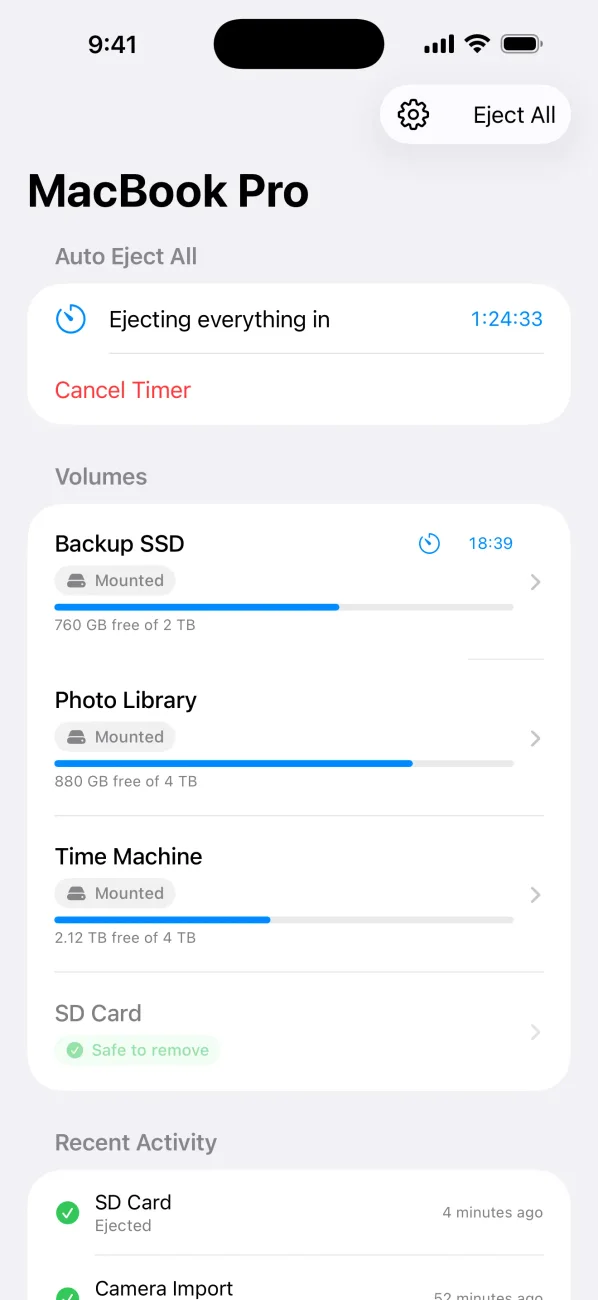
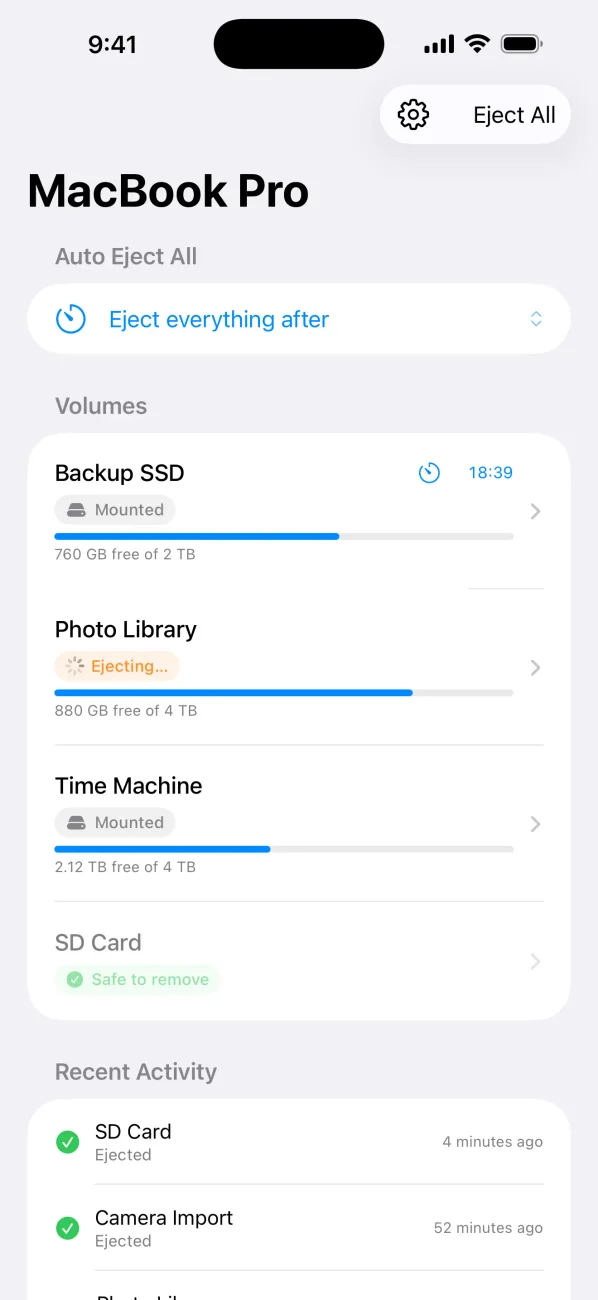
Ejectify for iPhone is the companion to Ejectify on your Mac. It shows every external drive plugged into your Mac and lets you eject any of them without getting up.
EVERY MAC, EVERY DRIVE
Each Mac running Ejectify appears with its drives, how full they are, and whether it's online right now. Turn on "Allow control from my iPhone" on the Mac and it shows up here.
EJECT FROM ANYWHERE
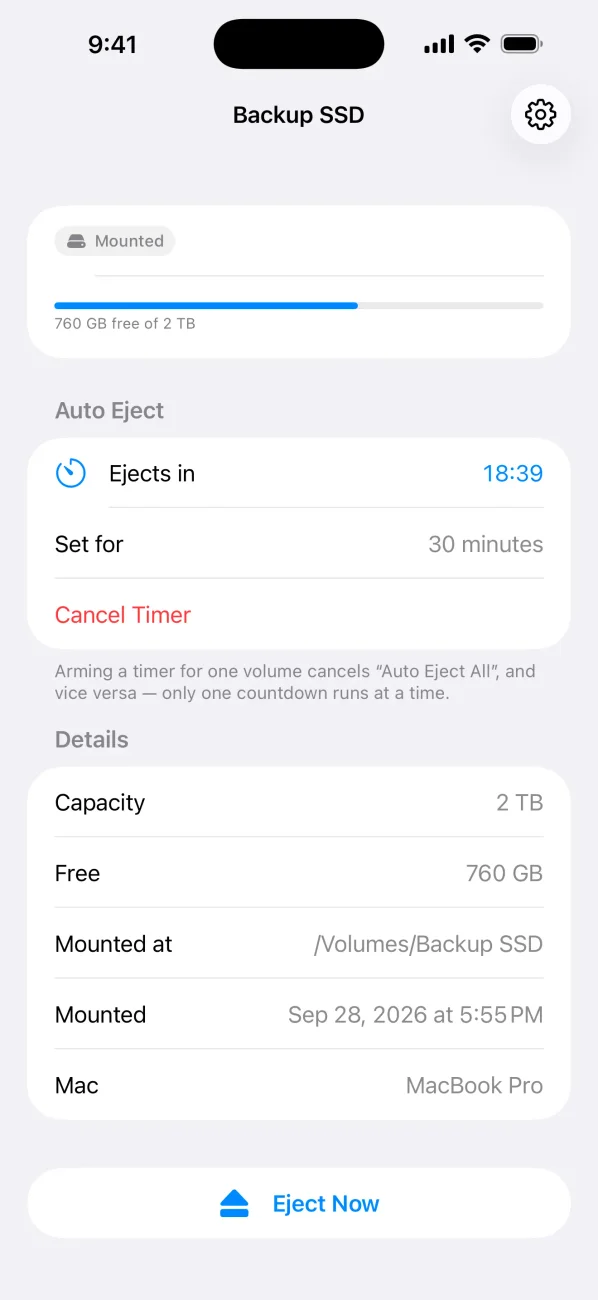
Tap a drive to eject it, or eject everything at once. Your Mac does the work and reports back — including when a drive refuses because something is still using it, and what that something was.
KNOW WHEN IT'S SAFE TO UNPLUG
A notification arrives the moment a drive is unmounted, whether you asked for it from here, from the Mac's menu bar, from a timer, or from an AI assistant. It arrives even if this app has been force-quit.
AUTO EJECT ON A TIMER
Arm a countdown for one drive or for all of them and watch it tick down. Part of the same one-time Auto Eject unlock as the Mac — buy it once, on either platform, and it works on both.
YOUR MAC, AI-CAPABLE
Ejectify on the Mac also speaks MCP (Model Context Protocol). Switch on "Allow AI assistants to control this Mac" and Claude or ChatGPT can list your drives and eject them for you — "eject my backup drive" is the whole interaction. Ask from your desk, tap from your phone, or let a timer handle it; every eject shows up here the same way, with the same notification.
PRIVATE BY CONSTRUCTION
Everything syncs through your own iCloud private database — your Apple account, Apple's infrastructure, no server of ours in the middle. No account to create, no tracking, nothing collected. The AI connector on the Mac never leaves the machine: it talks to Ejectify over a private local socket, only while you've switched it on, and only Claude and ChatGPT are accepted.
Requires Ejectify on a Mac running macOS 12 or later, signed into the same iCloud account.
Có gì mới
Phiên bản 1.4.7 · 13/11/2026
• Recent Activity now shows why an eject failed in full, including the drive type (e.g. “USB · HDD · LaCie Mobile Drive”).
• Works with the new diagnostics and repeated-ejection options in Ejectify 1.4.7 for Mac.
Quyền riêng tư của ứng dụng
Những gì Alexander Fitterling khai báo trên App Store về cách ứng dụng này xử lý dữ liệu.
-
Dữ liệu liên kết với bạn
Có thể được thu thập và liên kết với danh tính của bạn.
- Mã định danh
- Dữ liệu sử dụng
- Dữ liệu khác
-
Dữ liệu không liên kết với bạn
Có thể được thu thập nhưng không liên kết với danh tính của bạn.
- Chẩn đoán
Phương thức đảm bảo quyền riêng tư có thể khác nhau, chẳng hạn như tuỳ theo các tính năng bạn sử dụng hoặc độ tuổi của bạn.
Thông tin
- Người bán
- Alexander Fitterling
- Danh mục
- Tiện Ích
- Phiên bản
- 1.4.7
- Cập nhật
- 13/11/2026
- Phát hành
- 23/06/2026
- Kích thước
- 1,6 MB
- Yêu cầu
- iOS 17.0 trở lên
- Độ tuổi
- 4+
- Giá
- Miễn phí
- Mua hàng trong ứng dụng
- Có
- Ngôn ngữ
- Tiếng Anh, Tiếng Ả Rập, Tiếng Séc, Tiếng Đan Mạch, Tiếng Hà Lan, Tiếng Phần Lan, Tiếng Pháp, Tiếng Đức, Tiếng Hy Lạp, Tiếng Do Thái, Hindi, Tiếng Hungary + 18 ngôn ngữ khác
- Bản quyền
- © 2026 Alex Fitterling
Có thể bạn cũng thích
-
 Audio Denoiser - CleanfyTiện Ích
-
 Ejecta: Water Eject & CleanerTiện Ích
-
 DriveShelfTiện Ích
-
 Gateway Config AppTiện Ích
-
 Clesqo: Clean, Scan, OrganizeTiện Ích
-
 Water Eject | Speaker CleanerTiện Ích
-
 BlockR: Spam Call BlockerTiện Ích
-
 dB Toolkit: Sound Level MeterTiện Ích
-
 DuoIoTTiện Ích
-
 SweetSpot Signal FinderTiện Ích