- 対象年齢4+
- カテゴリユーティリティ
- 開発元Alexander Fitterling
- 言語英語ほか29言語
- サイズ1.6 MB
App Storeの公式ページにリンクしています
Download.orgはEjectifyのファイルを一切ホストしていません。ボタンを押すと、Alexander Fitterlingが公開しているApp Storeのアプリページが開きます。ページの最終確認:2026/11/21。
スクリーンショット

概要
開発元はこのテキストをお使いの言語で提供していません。
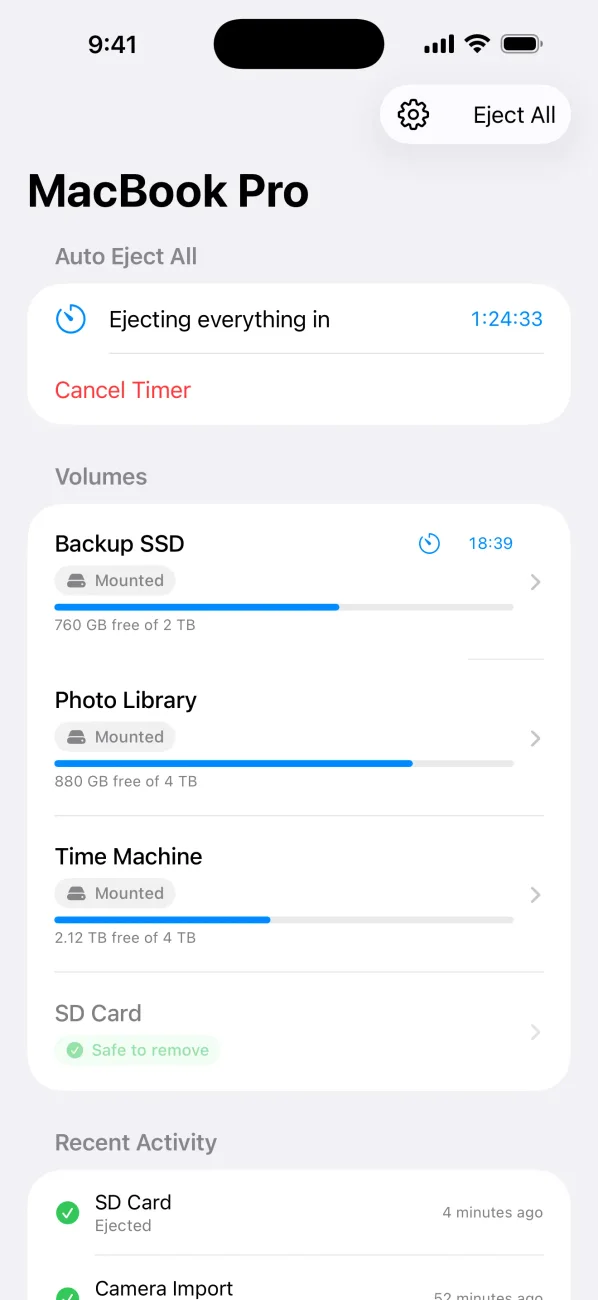
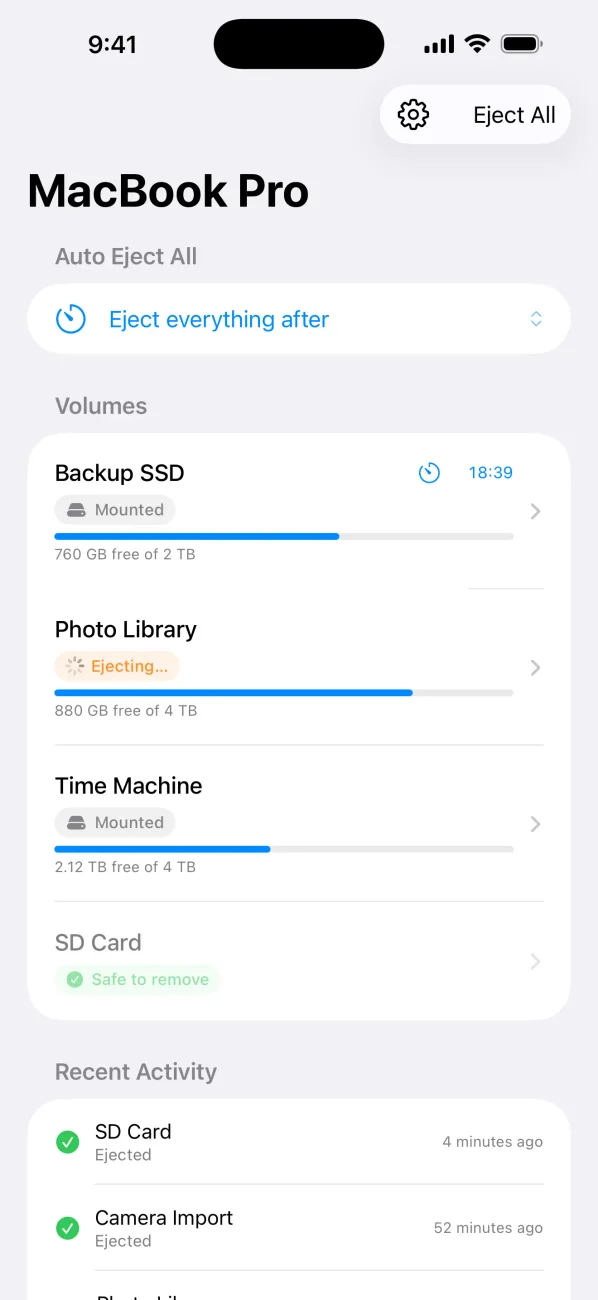
Ejectify for iPhone is the companion to Ejectify on your Mac. It shows every external drive plugged into your Mac and lets you eject any of them without getting up.
EVERY MAC, EVERY DRIVE
Each Mac running Ejectify appears with its drives, how full they are, and whether it's online right now. Turn on "Allow control from my iPhone" on the Mac and it shows up here.
EJECT FROM ANYWHERE
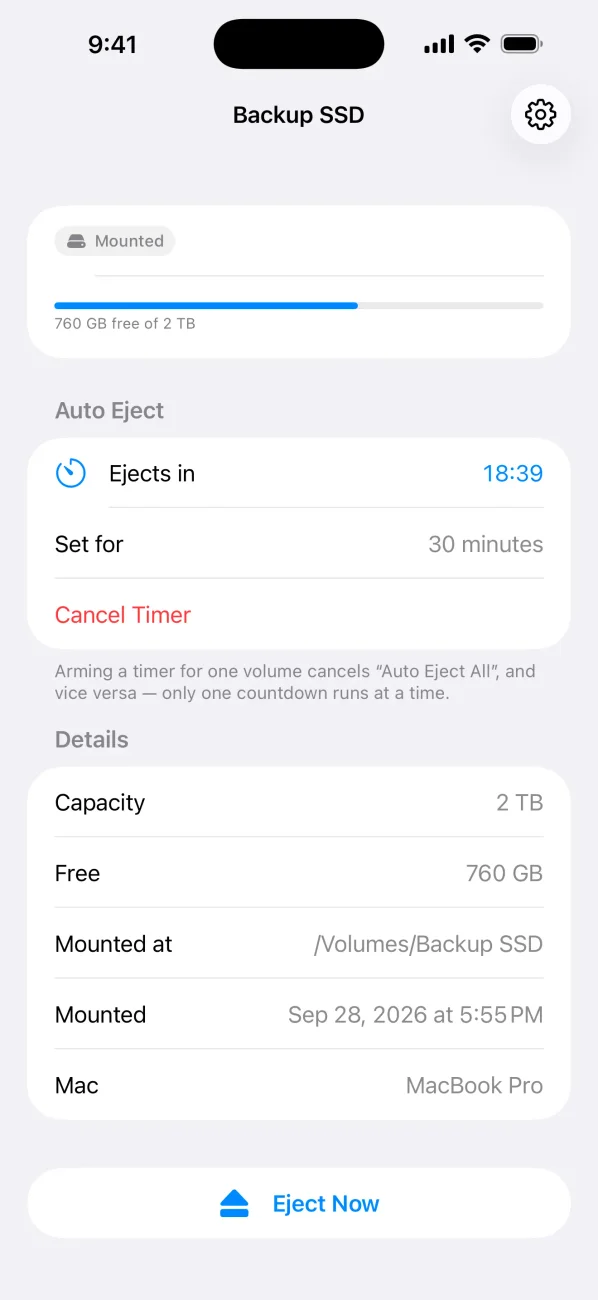
Tap a drive to eject it, or eject everything at once. Your Mac does the work and reports back — including when a drive refuses because something is still using it, and what that something was.
KNOW WHEN IT'S SAFE TO UNPLUG
A notification arrives the moment a drive is unmounted, whether you asked for it from here, from the Mac's menu bar, from a timer, or from an AI assistant. It arrives even if this app has been force-quit.
AUTO EJECT ON A TIMER
Arm a countdown for one drive or for all of them and watch it tick down. Part of the same one-time Auto Eject unlock as the Mac — buy it once, on either platform, and it works on both.
YOUR MAC, AI-CAPABLE
Ejectify on the Mac also speaks MCP (Model Context Protocol). Switch on "Allow AI assistants to control this Mac" and Claude or ChatGPT can list your drives and eject them for you — "eject my backup drive" is the whole interaction. Ask from your desk, tap from your phone, or let a timer handle it; every eject shows up here the same way, with the same notification.
PRIVATE BY CONSTRUCTION
Everything syncs through your own iCloud private database — your Apple account, Apple's infrastructure, no server of ours in the middle. No account to create, no tracking, nothing collected. The AI connector on the Mac never leaves the machine: it talks to Ejectify over a private local socket, only while you've switched it on, and only Claude and ChatGPT are accepted.
Requires Ejectify on a Mac running macOS 12 or later, signed into the same iCloud account.
新機能
バージョン 1.4.7 · 2026/11/13
• Recent Activity now shows why an eject failed in full, including the drive type (e.g. “USB · HDD · LaCie Mobile Drive”).
• Works with the new diagnostics and repeated-ejection options in Ejectify 1.4.7 for Mac.
アプリのプライバシー
このアプリのデータの取り扱いについて、Alexander FitterlingがApp Storeで申告している内容です。
-
ユーザーに関連付けられたデータ
収集され、ユーザーの識別情報に関連付けられる場合があります。
- ID
- 使用状況データ
- その他のデータ
-
ユーザーに関連付けられないデータ
収集される場合がありますが、ユーザーの識別情報には関連付けられません。
- 診断
プライバシーの取り扱いは、ご利用の機能やお客様の年齢などに応じて異なる場合があります。
情報
- 販売元
- Alexander Fitterling
- カテゴリ
- ユーティリティ
- バージョン
- 1.4.7
- 更新日
- 2026/11/13
- リリース
- 2026/6/23
- サイズ
- 1.6 MB
- 必要条件
- iOS 17.0以降
- 対象年齢
- 4+
- 価格
- 無料
- アプリ内課金
- あり
- 言語
- 英語, アラビア語, チェコ語, デンマーク語, オランダ語, フィンランド語, フランス語, ドイツ語, ギリシャ語, ヘブライ, ヒンディー語, ハンガリー語 ほか18言語
- 著作権
- © 2026 Alex Fitterling