
FrameFlip
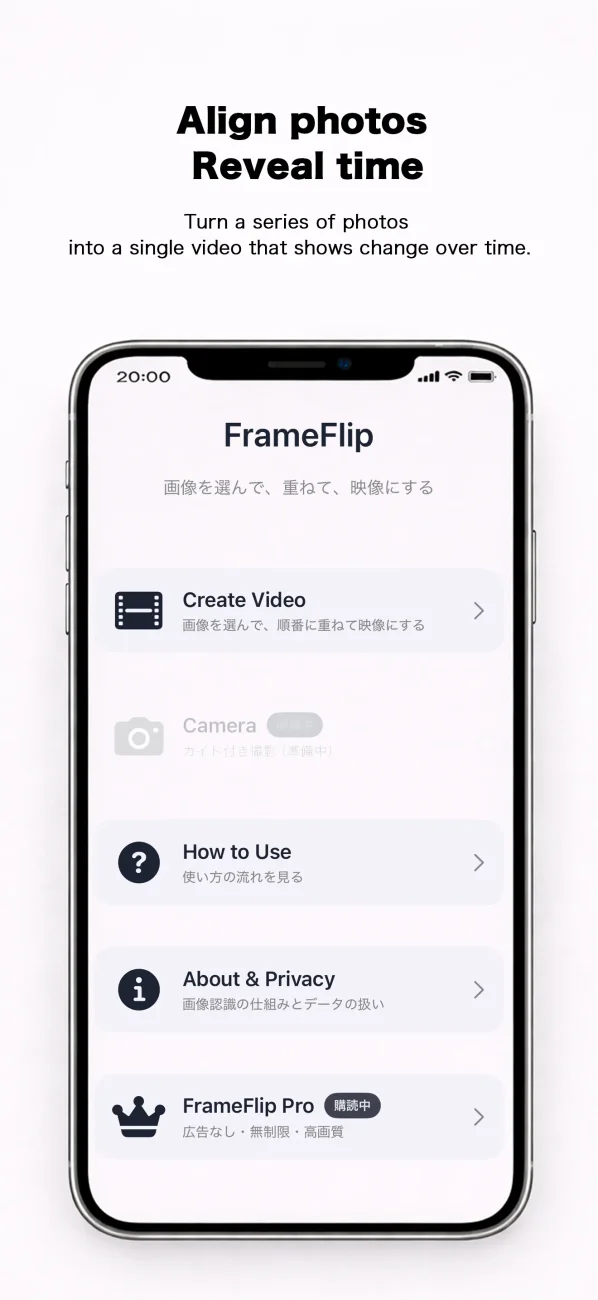
Align photos. Change over time
Conçue pour iPhone, iPad
Gratuit · Achats intégrés
- Classification d’âge4+
- CatégoriePhoto et vidéo
- DéveloppeurYUTAKA MIMURA
- LanguesAnglais+ 1 de plus
- Taille7,5 Mo
Renvoie vers la page App Store officielle
Download.org n’héberge aucun fichier de FrameFlip. Le bouton ouvre la page de l’application sur App Store, où YUTAKA MIMURA la publie. Fiche vérifiée pour la dernière fois le 08/11/2026.
Captures d’écran
À propos
Le développeur n’a pas fourni ce texte dans votre langue.
---------------- FrameFlip ----------------
Align photos. Change over time
FrameFlip automatically aligns
multiple photos to a single
reference image and exports
the result as a short MP4 video.
By using a person’s face
or a selected part of an object
as the reference,
photos are aligned to the
same position and scale,
making changes over time
easy to see.
This makes FrameFlip suitable for
growth records, travel memories,
and visualizing creative processes.
-------------- Key Features --------------
■ Automatic face and object alignment
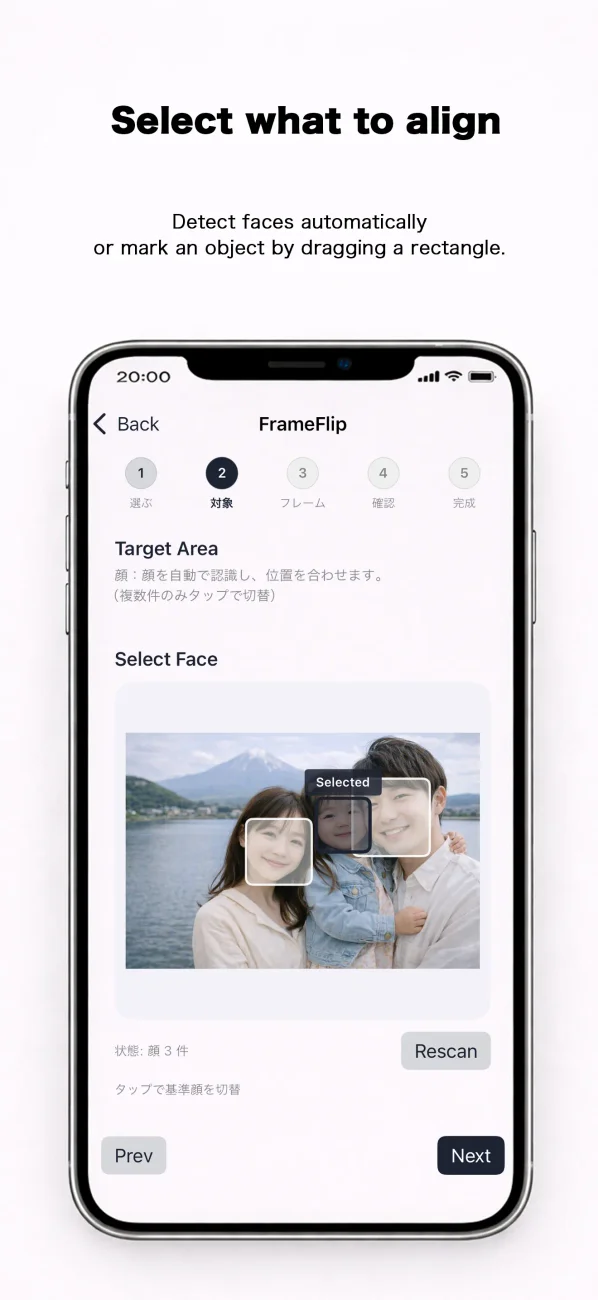
When using Face mode,
faces are detected automatically.
When using Object mode,
simply drag to select
the reference area.
No complex settings are required.
The app handles alignment automatically.
■ Simple, step-by-step workflow
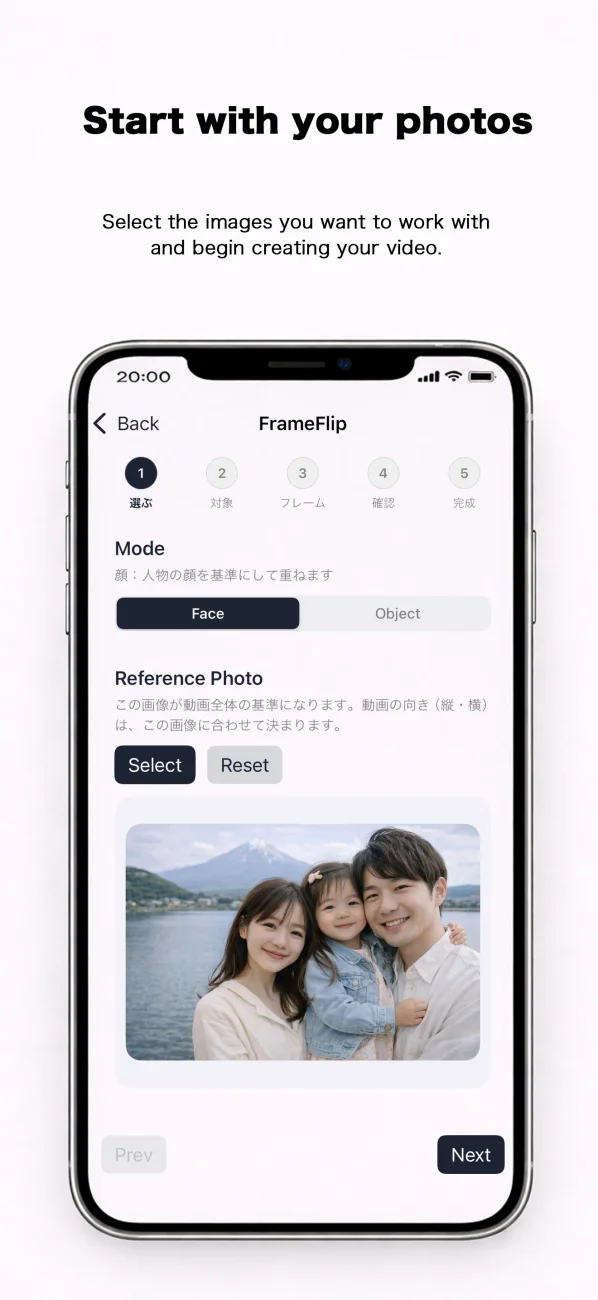
Just choose a reference image
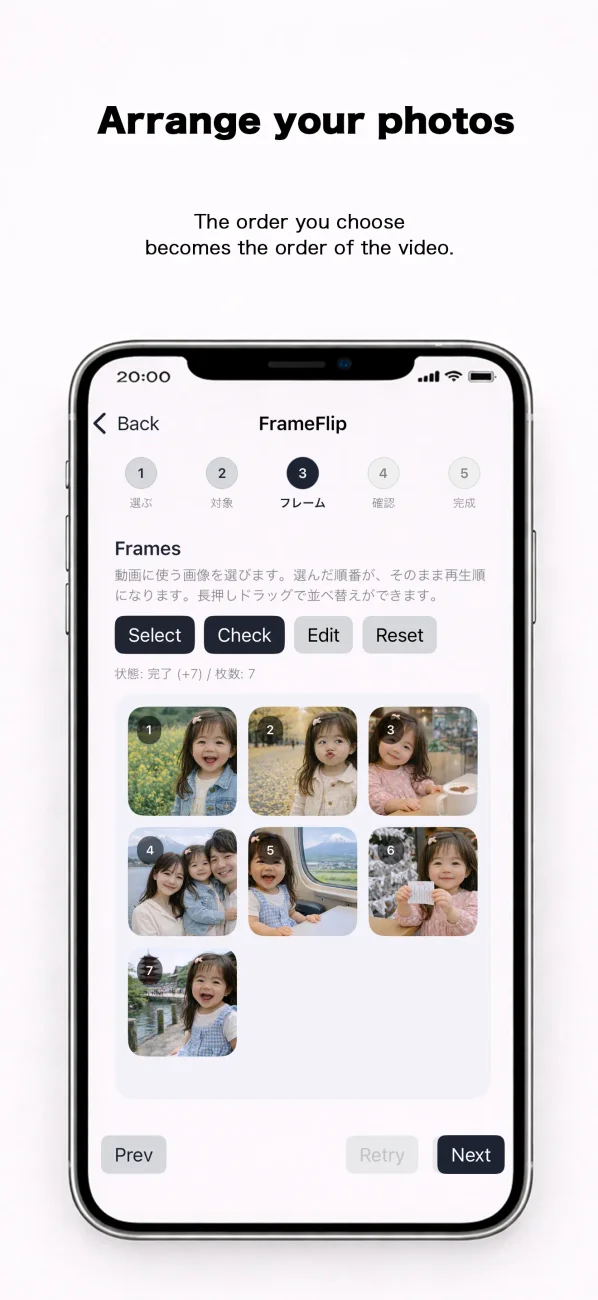
and select the frame images.
The guided interface makes it easy
to use, even for first-time users.
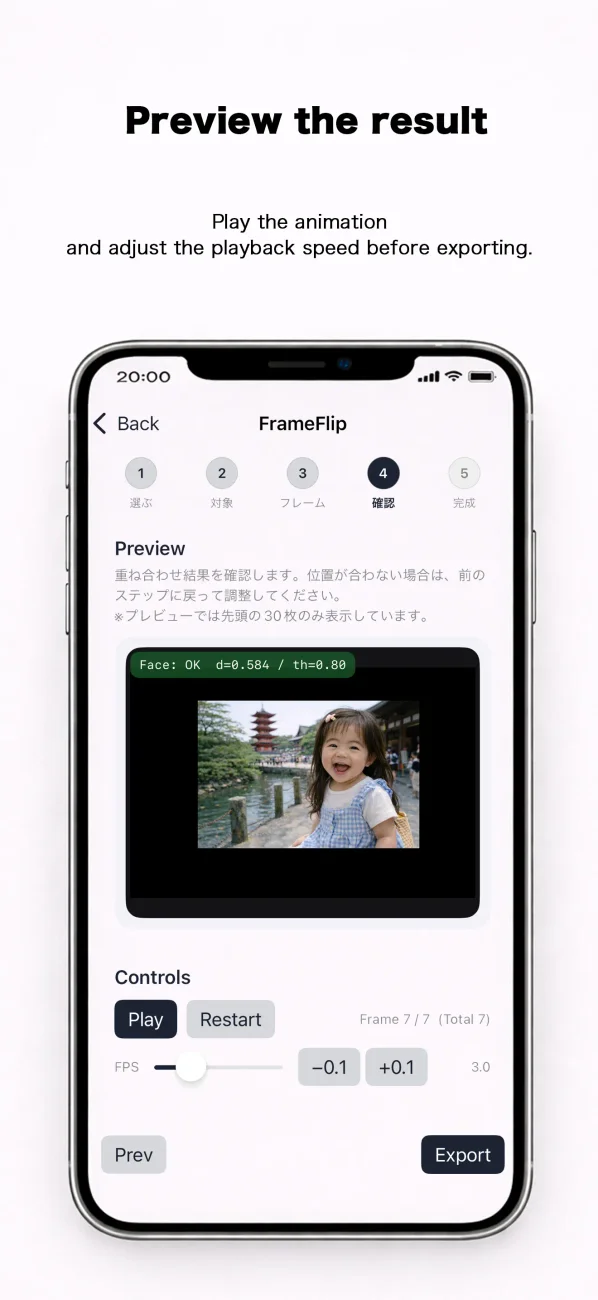
■ Preview before exporting
Check the alignment result
in the preview first.
If everything looks good,
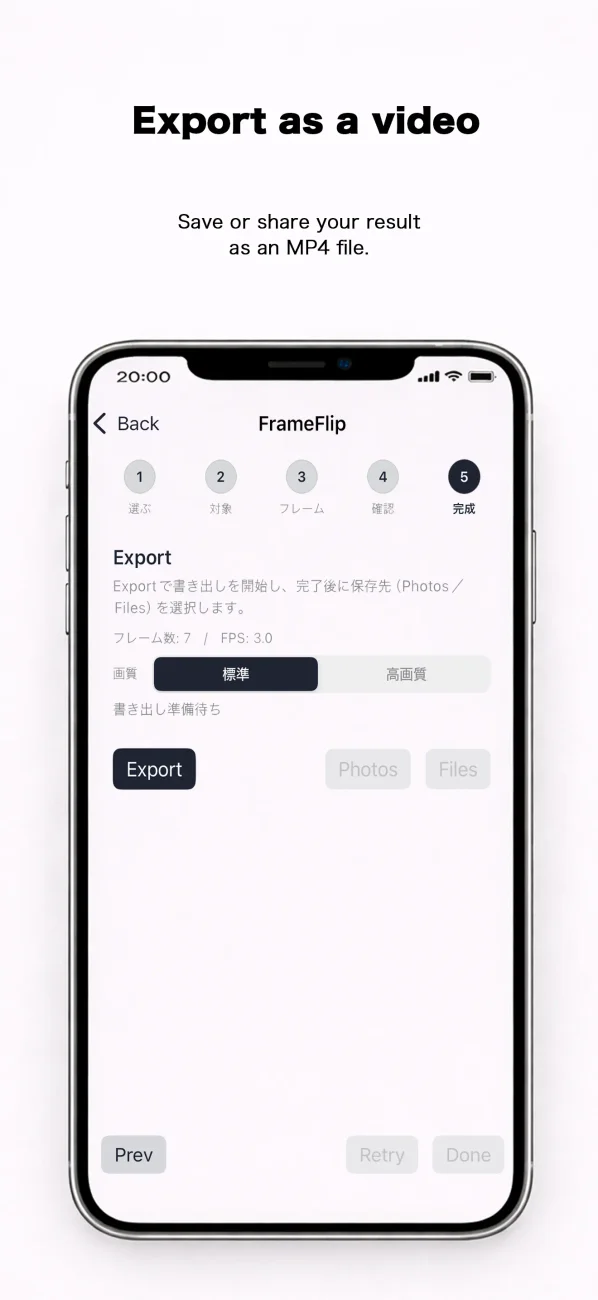
export it as an MP4 video.
■ Videos ready for Photos and social apps
Exported videos can be saved
directly to the Photos app,
or shared easily with
social and messaging apps.
■ No account required
No account registration
or login is needed.
You can start using the app
right after installing it.
--------------- How to Use ---------------
1. Select one reference photo
2. Choose a face or object as the target
3. Select multiple frame photos
4. Preview and export the video
■ Recommended Uses
- Create a growth record
from photos taken over time
- Visualize changes during a trip
- Show the progress of artwork
or creative projects
- Record changes or assembly
of objects
------------ Privacy & Terms ------------
■ Privacy
With FrameFlip,
all photo processing and
video generation are performed
entirely on your device.
Selected photos and
generated videos are never
sent to external servers.
Privacy Policy:
https://www.atlascope.idatabase.info/app/en/privacy.html
■ Free Version and Pro
FrameFlip (Free) provides
access to the basic features.
FrameFlip Pro offers additional features,
including ad removal,
unlimited exports,
and high-quality video export options.
Please refer to the Terms of Use below
for the conditions applicable to both
the free version and FrameFlip Pro.
Terms of Use:
https://www.atlascope.idatabase.info/app/en/terms.html
--------------------------------------------
Just line up your photos,
and see time take shape.
Tell a new story
with your photos using FrameFlip.
Nouveautés
Version 2.1 · 21/06/2026
Fixed a bug.
Confidentialité de l’application
Ce que YUTAKA MIMURA déclare sur l’App Store au sujet du traitement des données par cette application.
-
Données utilisées pour vous suivre
Peuvent être utilisées pour vous suivre sur des applications et des sites web appartenant à d’autres sociétés.
- Emplacement
- Identifiants
- Données d’utilisation
- Diagnostic
-
Données établissant un lien avec vous
Peuvent être collectées et liées à votre identité.
- Emplacement
- Identifiants
- Données d’utilisation
- Diagnostic
-
Données n’établissant aucun lien avec vous
Peuvent être collectées, mais ne sont pas liées à votre identité.
- Diagnostic
Les pratiques en matière de confidentialité peuvent varier, notamment en fonction des fonctionnalités que vous utilisez ou de votre âge.
Informations
- Vendeur
- YUTAKA MIMURA
- Catégorie
- Photo et vidéo
- Version
- 2.1
- Mis à jour
- 21/06/2026
- Publié
- 22/01/2026
- Taille
- 7,5 Mo
- Nécessite
- iOS 18.2 ou version ultérieure
- Classification d’âge
- 4+
- Prix
- Gratuit
- Achats intégrés
- Oui
- Langues
- Anglais, Japonais
- Copyright
- © 2026 Atlascope
Vous aimerez peut-être aussi
-
 Motion Stitch: Aligner PhotosMontage Image vers Film Pro
-
 MorphMovie: Face Morph VideoPhoto et vidéo
-
 Pet Video Editor - Tagged PawsPhoto et vidéo
-
 Align: Stop Motion CameraPhoto et vidéo
-
 TimerlayerPhoto et vidéo
-
 yanflowPhoto et vidéo
-
 Nuno : Selfie quotidienUn selfie par jour en accéléré
-
 ReelAlign : Éditeur Match CutTenues & avant-après fluides
-
 Autoframe: Progress PicsPhoto et vidéo
-
 ProgressCam: Photos de suiviPhotos avant/après alignées