
FrameFlip
Align photos. Change over time
iPhone, iPad için tasarlandı
Ücretsiz · Uygulama içi satın alma
- Yaş sınırı4+
- KategoriFotoğraf ve Video
- GeliştiriciYUTAKA MIMURA
- Dillerİngilizce+ 1 dil daha
- Boyut7,5 MB
Resmi App Store sayfasına bağlanır
Download.org, FrameFlip için hiçbir dosya barındırmaz. Düğme, uygulamanın App Store üzerindeki sayfasını açar; uygulamayı orada YUTAKA MIMURA yayınlar. Sayfanın son kontrolü: 08.11.2026.
Ekran görüntüleri
Hakkında
Geliştirici bu metni dilinizde sunmamış.
---------------- FrameFlip ----------------
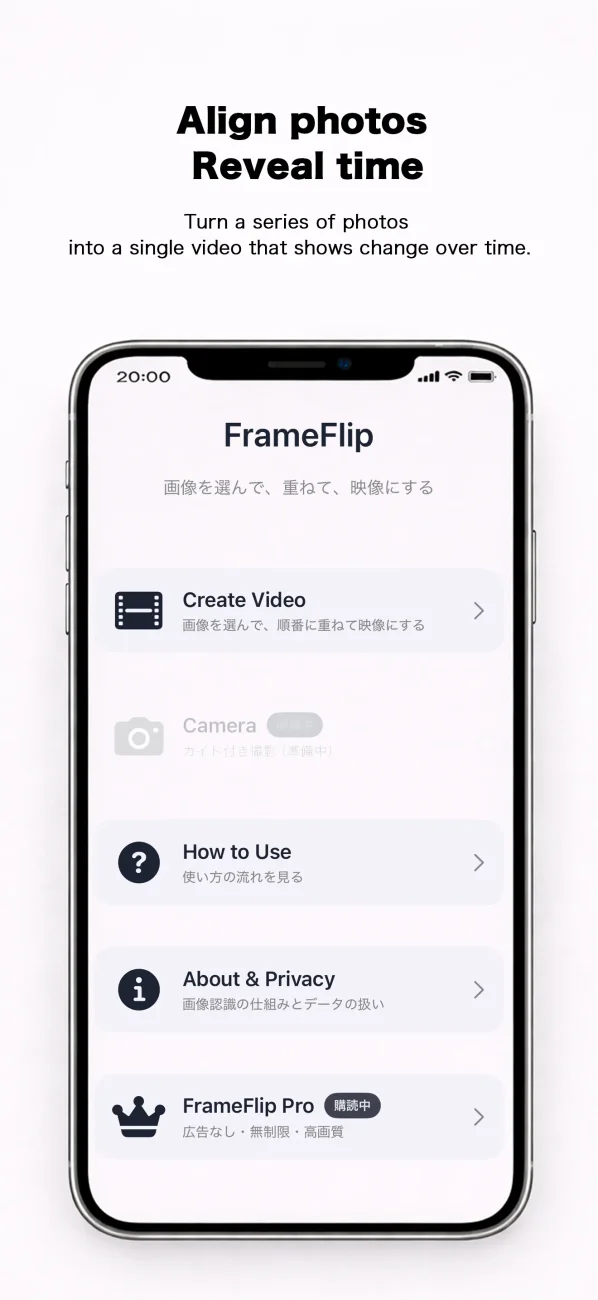
Align photos. Change over time
FrameFlip automatically aligns
multiple photos to a single
reference image and exports
the result as a short MP4 video.
By using a person’s face
or a selected part of an object
as the reference,
photos are aligned to the
same position and scale,
making changes over time
easy to see.
This makes FrameFlip suitable for
growth records, travel memories,
and visualizing creative processes.
-------------- Key Features --------------
■ Automatic face and object alignment
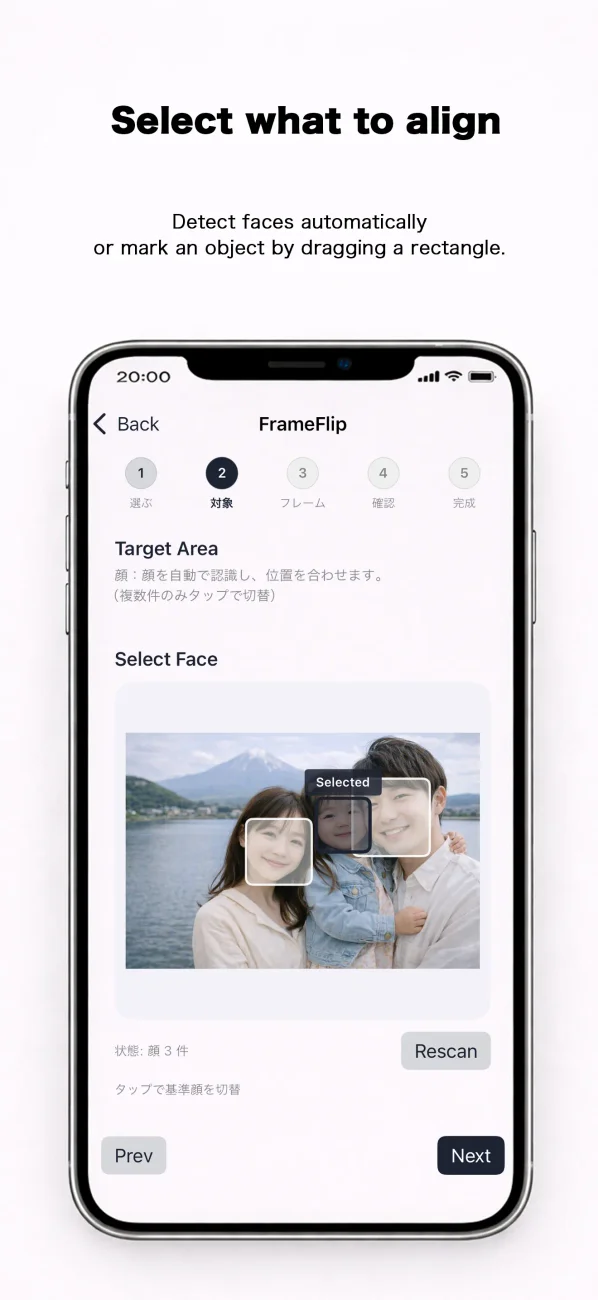
When using Face mode,
faces are detected automatically.
When using Object mode,
simply drag to select
the reference area.
No complex settings are required.
The app handles alignment automatically.
■ Simple, step-by-step workflow
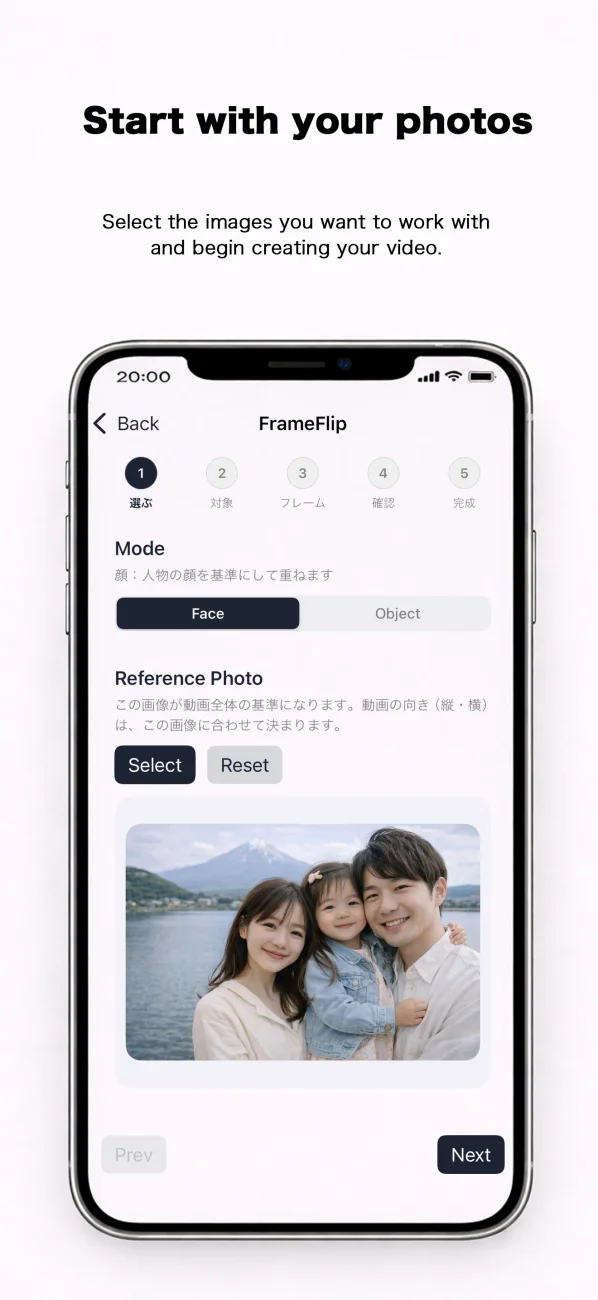
Just choose a reference image
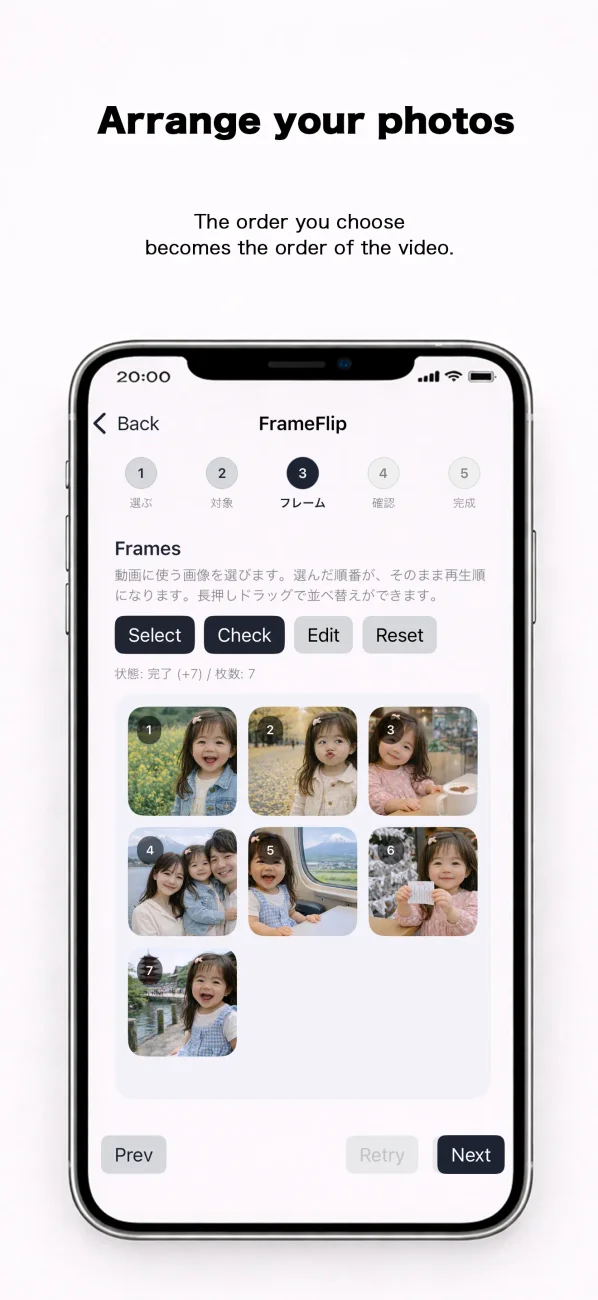
and select the frame images.
The guided interface makes it easy
to use, even for first-time users.
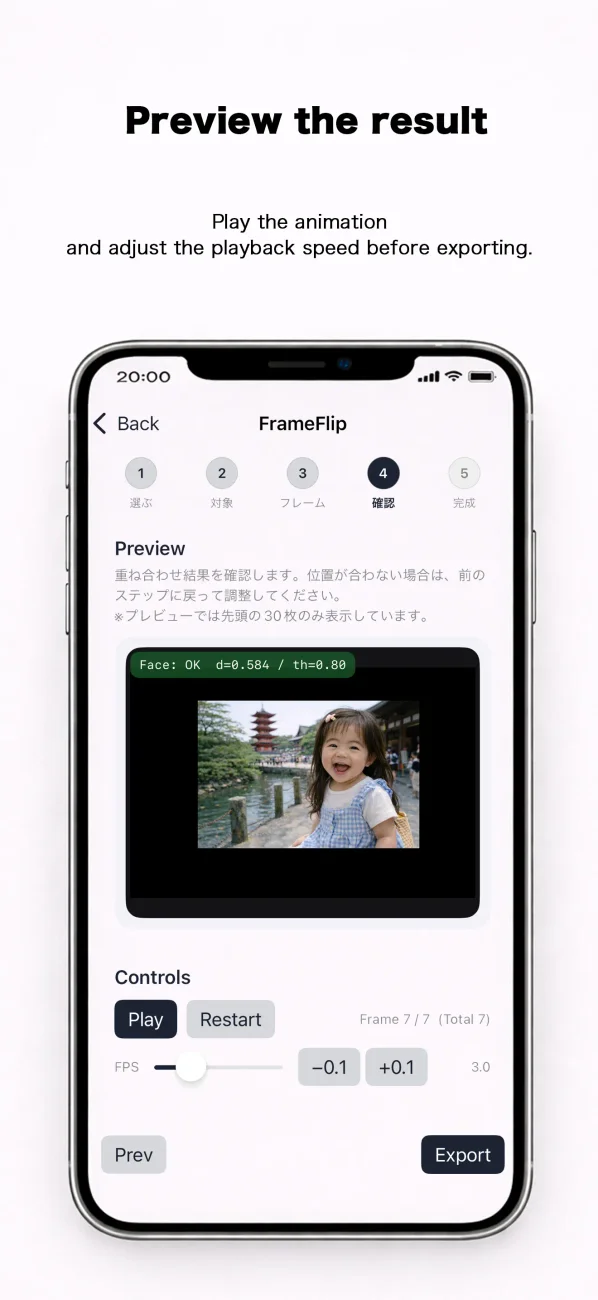
■ Preview before exporting
Check the alignment result
in the preview first.
If everything looks good,
export it as an MP4 video.
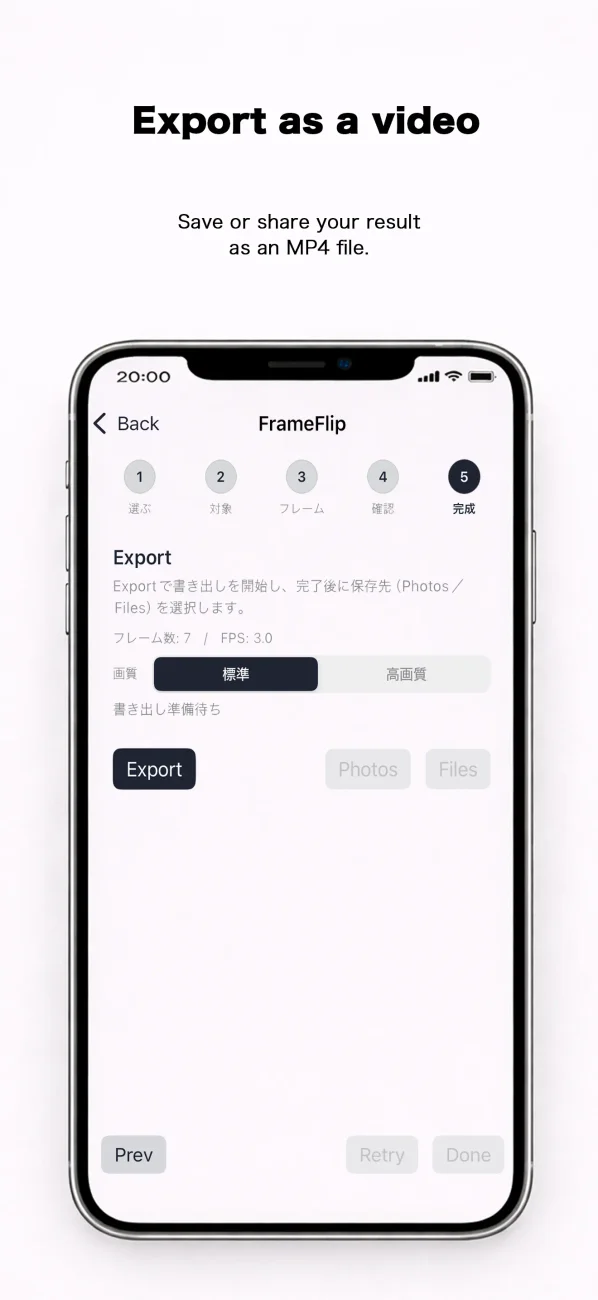
■ Videos ready for Photos and social apps
Exported videos can be saved
directly to the Photos app,
or shared easily with
social and messaging apps.
■ No account required
No account registration
or login is needed.
You can start using the app
right after installing it.
--------------- How to Use ---------------
1. Select one reference photo
2. Choose a face or object as the target
3. Select multiple frame photos
4. Preview and export the video
■ Recommended Uses
- Create a growth record
from photos taken over time
- Visualize changes during a trip
- Show the progress of artwork
or creative projects
- Record changes or assembly
of objects
------------ Privacy & Terms ------------
■ Privacy
With FrameFlip,
all photo processing and
video generation are performed
entirely on your device.
Selected photos and
generated videos are never
sent to external servers.
Privacy Policy:
https://www.atlascope.idatabase.info/app/en/privacy.html
■ Free Version and Pro
FrameFlip (Free) provides
access to the basic features.
FrameFlip Pro offers additional features,
including ad removal,
unlimited exports,
and high-quality video export options.
Please refer to the Terms of Use below
for the conditions applicable to both
the free version and FrameFlip Pro.
Terms of Use:
https://www.atlascope.idatabase.info/app/en/terms.html
--------------------------------------------
Just line up your photos,
and see time take shape.
Tell a new story
with your photos using FrameFlip.
Yenilikler
Sürüm 2.1 · 21.06.2026
Fixed a bug.
Uygulama gizliliği
Bu uygulamanın verileri nasıl işlediği hakkında YUTAKA MIMURA tarafından App Store üzerinde yapılan beyan.
-
Sizi izlemek için kullanılan veriler
Başka şirketlere ait uygulamalarda ve web sitelerinde sizi izlemek için kullanılabilir.
- Konum
- Tanımlayıcılar
- Kullanım verileri
- Tanılama
-
Sizinle ilişkilendirilen veriler
Toplanabilir ve kimliğinizle ilişkilendirilebilir.
- Konum
- Tanımlayıcılar
- Kullanım verileri
- Tanılama
-
Sizinle ilişkilendirilmeyen veriler
Toplanabilir ancak kimliğinizle ilişkilendirilmez.
- Tanılama
Gizlilik uygulamaları, örneğin kullandığınız özelliklere veya yaşınıza göre değişiklik gösterebilir.
Bilgiler
- Satıcı
- YUTAKA MIMURA
- Kategori
- Fotoğraf ve Video
- Sürüm
- 2.1
- Güncellendi
- 21.06.2026
- Yayın tarihi
- 22.01.2026
- Boyut
- 7,5 MB
- Gereksinim
- iOS 18.2 veya sonrası
- Yaş sınırı
- 4+
- Fiyat
- Ücretsiz
- Uygulama içi satın alma
- Evet
- Diller
- İngilizce, Japonca
- Telif hakkı
- © 2026 Atlascope
Bunları da beğenebilirsiniz
-
 Motion Stitch: Foto HizalamaFotoğraf Sabitleme & Timelapse
-
 MorphMovie: Face Morph VideoFotoğraf ve Video
-
 Pet Video Editor - Tagged PawsFotoğraf ve Video
-
 Align: Stop Motion CameraFotoğraf ve Video
-
 TimerlayerFotoğraf ve Video
-
 yanflowFotoğraf ve Video
-
 Nuno: Daily SelfieFotoğraf ve Video
-
 ReelAlign: Match Cut EditorFotoğraf ve Video
-
 Autoframe: Progress PicsFotoğraf ve Video
-
 ProgressCam: İlerlemeHizalı önce/sonra fotoğraflar