
FrameFlip
Align photos. Change over time
Designed for iPhone, iPad
In-app purchases
- Age rating4+
- CategoryPhoto & Video
- DeveloperYUTAKA MIMURA
- LanguagesEnglish+ 1 more
- Size7.5 MB
Links to the official App Store page
Download.org hosts no file of FrameFlip. The button opens its official App Store page, published by YUTAKA MIMURA. Listing last checked on Nov 8, 2026.
Screenshots
About
---------------- FrameFlip ----------------
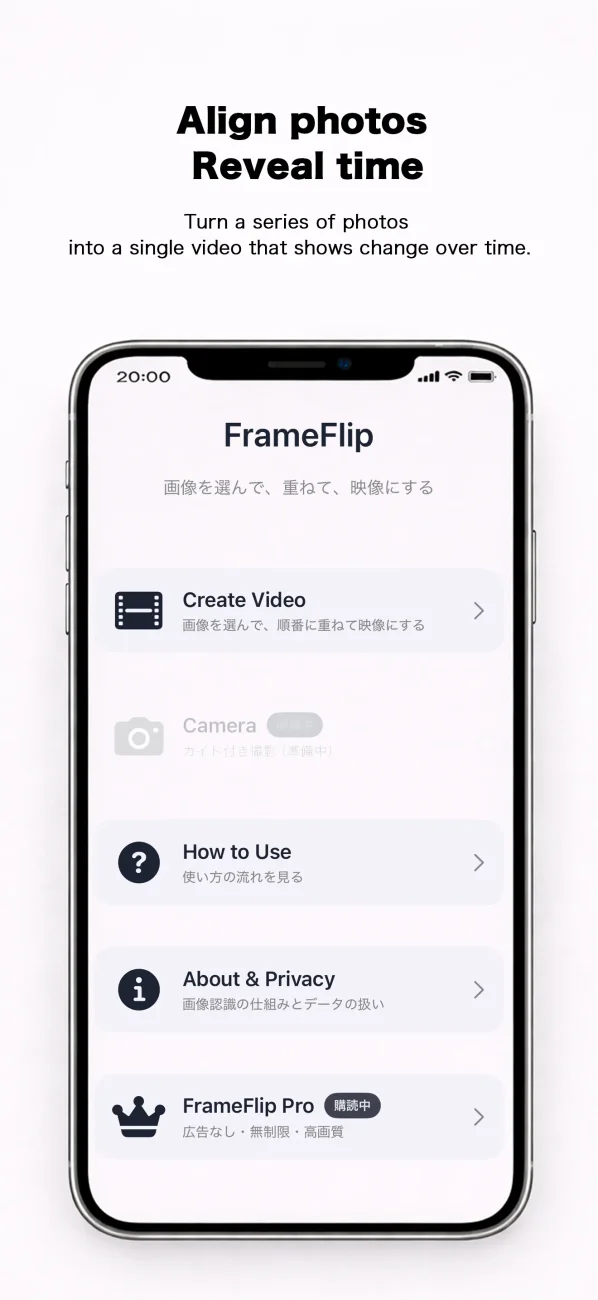
Align photos. Change over time
FrameFlip automatically aligns
multiple photos to a single
reference image and exports
the result as a short MP4 video.
By using a person’s face
or a selected part of an object
as the reference,
photos are aligned to the
same position and scale,
making changes over time
easy to see.
This makes FrameFlip suitable for
growth records, travel memories,
and visualizing creative processes.
-------------- Key Features --------------
■ Automatic face and object alignment
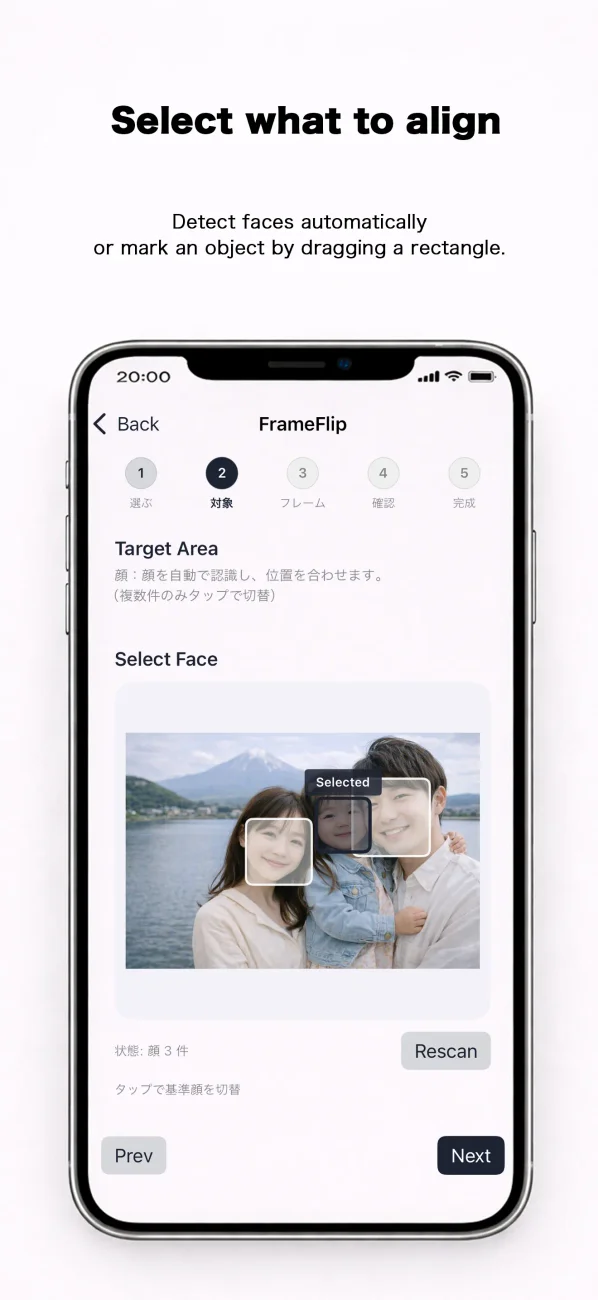
When using Face mode,
faces are detected automatically.
When using Object mode,
simply drag to select
the reference area.
No complex settings are required.
The app handles alignment automatically.
■ Simple, step-by-step workflow
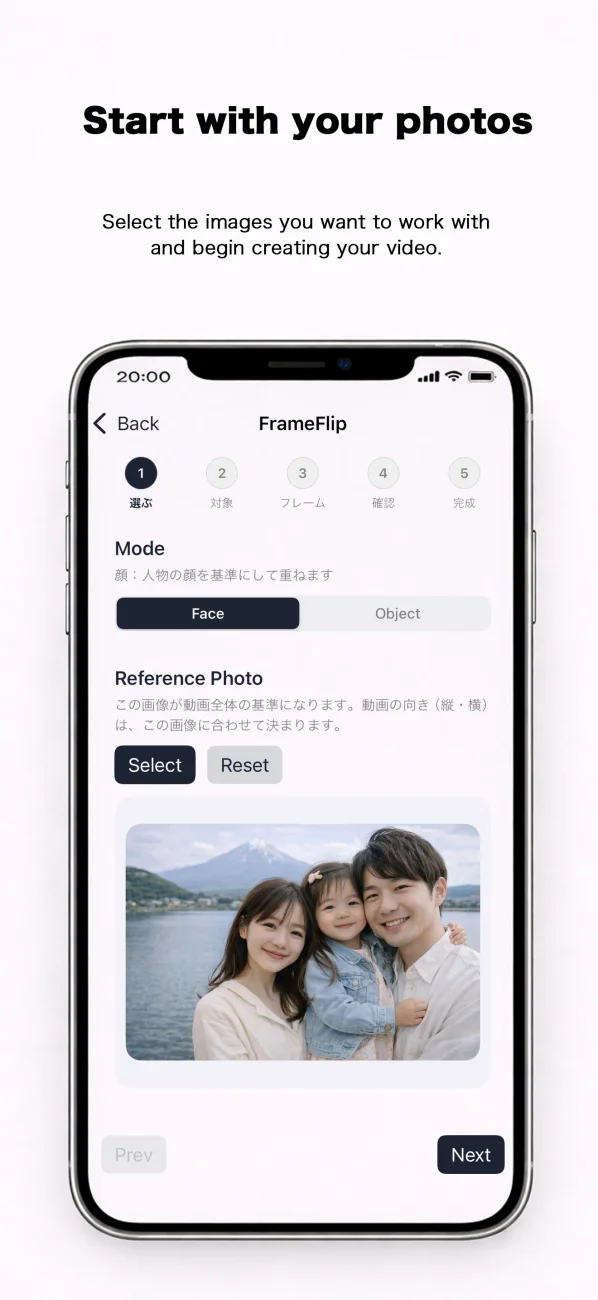
Just choose a reference image
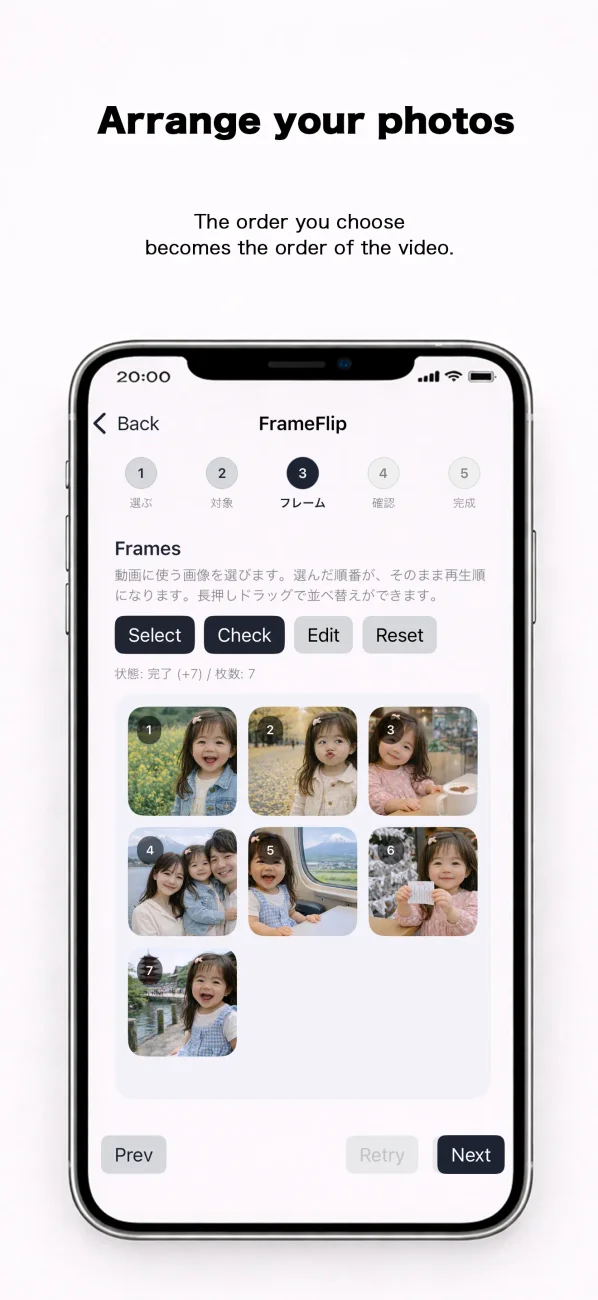
and select the frame images.
The guided interface makes it easy
to use, even for first-time users.
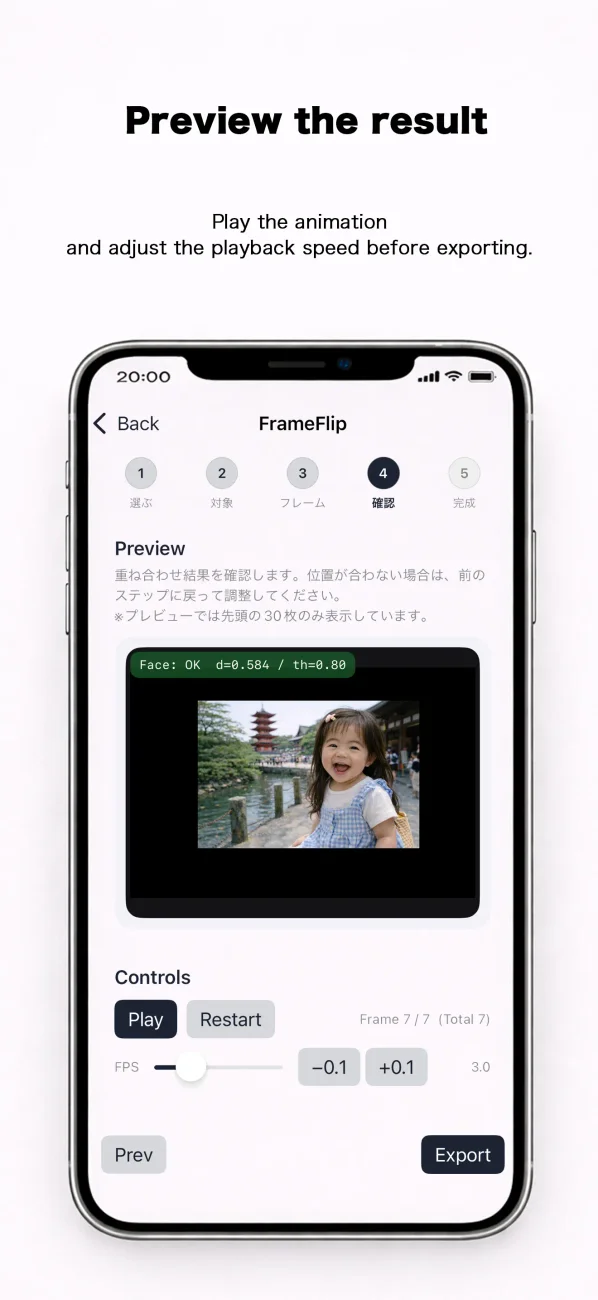
■ Preview before exporting
Check the alignment result
in the preview first.
If everything looks good,
export it as an MP4 video.
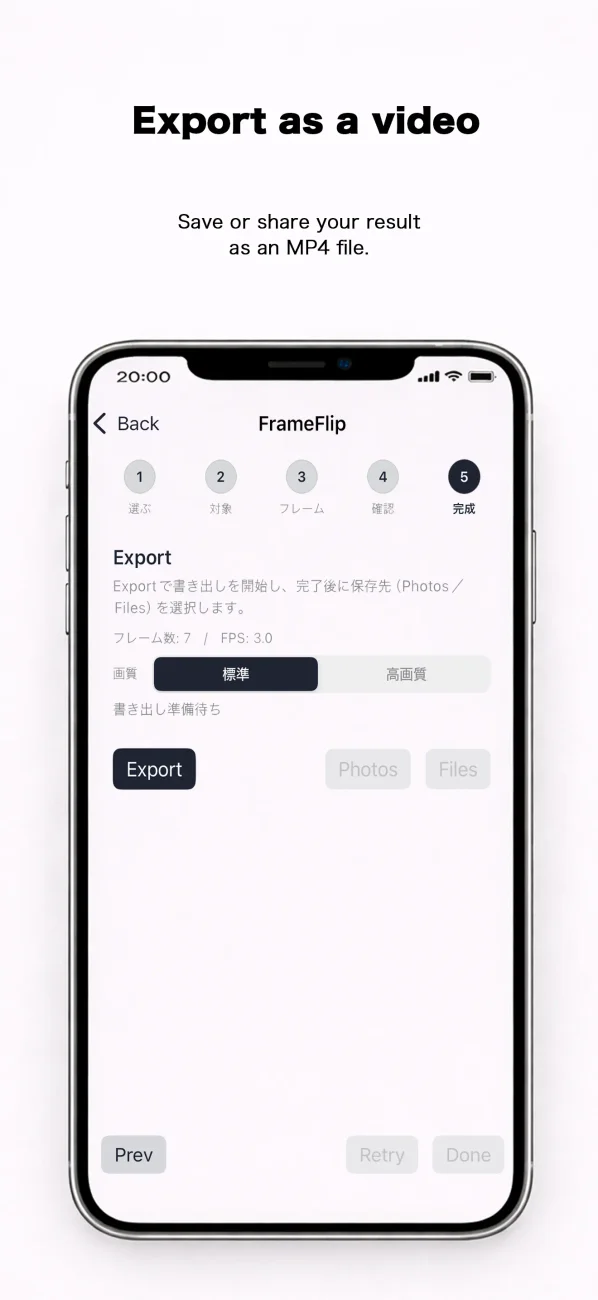
■ Videos ready for Photos and social apps
Exported videos can be saved
directly to the Photos app,
or shared easily with
social and messaging apps.
■ No account required
No account registration
or login is needed.
You can start using the app
right after installing it.
--------------- How to Use ---------------
1. Select one reference photo
2. Choose a face or object as the target
3. Select multiple frame photos
4. Preview and export the video
■ Recommended Uses
- Create a growth record
from photos taken over time
- Visualize changes during a trip
- Show the progress of artwork
or creative projects
- Record changes or assembly
of objects
------------ Privacy & Terms ------------
■ Privacy
With FrameFlip,
all photo processing and
video generation are performed
entirely on your device.
Selected photos and
generated videos are never
sent to external servers.
Privacy Policy:
https://www.atlascope.idatabase.info/app/en/privacy.html
■ Free Version and Pro
FrameFlip (Free) provides
access to the basic features.
FrameFlip Pro offers additional features,
including ad removal,
unlimited exports,
and high-quality video export options.
Please refer to the Terms of Use below
for the conditions applicable to both
the free version and FrameFlip Pro.
Terms of Use:
https://www.atlascope.idatabase.info/app/en/terms.html
--------------------------------------------
Just line up your photos,
and see time take shape.
Tell a new story
with your photos using FrameFlip.
What’s new
Version 2.1 · Jun 21, 2026
Fixed a bug.
App privacy
What YUTAKA MIMURA declares on the App Store about how this app handles data.
-
Data used to track you
May be used to track you across apps and websites owned by other companies.
- Location
- Identifiers
- Usage data
- Diagnostics
-
Data linked to you
May be collected and linked to your identity.
- Location
- Identifiers
- Usage data
- Diagnostics
-
Data not linked to you
May be collected but is not linked to your identity.
- Diagnostics
Privacy practices may vary, for example with the features you use or your age.
Information
- Seller
- YUTAKA MIMURA
- Category
- Photo & Video
- Version
- 2.1
- Updated
- Jun 21, 2026
- Released
- Jan 22, 2026
- Size
- 7.5 MB
- Requires
- iOS 18.2 or later
- Age rating
- 4+
- In-app purchases
- Yes
- Languages
- English, Japanese
- Copyright
- © 2026 Atlascope
You might also like
-
 Motion Stitch: Align PhotosStop Frame & Timelapse Maker
-
 MorphMovie: Face Morph VideoPhoto Morphing & Transitions
-
 Pet Video Editor - Tagged PawsAuto Edit, Share, Save Space
-
 Align: Stop Motion CameraPhoto & Video
-
 TimerlayerLayer Time · Capture Change
-
 yanflowFace Timelapse Creator
-
 Nuno: Daily SelfieYour daily time-lapse selfie.
-
 ReelAlign: Match Cut EditorOutfit & Before-After Reels
-
 Autoframe: Progress PicsBefore & After Comparison
-
 ProgressCam: Progress PhotosAligned before & after shots