
FrameFlip
Align photos. Change over time
Được thiết kế cho iPhone, iPad
Miễn phí · Mua hàng trong ứng dụng
- Độ tuổi4+
- Danh mụcẢnh & Video
- Nhà phát triểnYUTAKA MIMURA
- Ngôn ngữTiếng Anh+ 1 ngôn ngữ khác
- Kích thước7,5 MB
Liên kết đến trang App Store chính thức
Download.org không lưu trữ tệp nào của FrameFlip. Nút này mở trang ứng dụng trên App Store, nơi YUTAKA MIMURA phát hành ứng dụng. Trang được kiểm tra lần cuối: 08/11/2026.
Ảnh chụp màn hình
Giới thiệu
Nhà phát triển chưa cung cấp nội dung này bằng ngôn ngữ của bạn.
---------------- FrameFlip ----------------
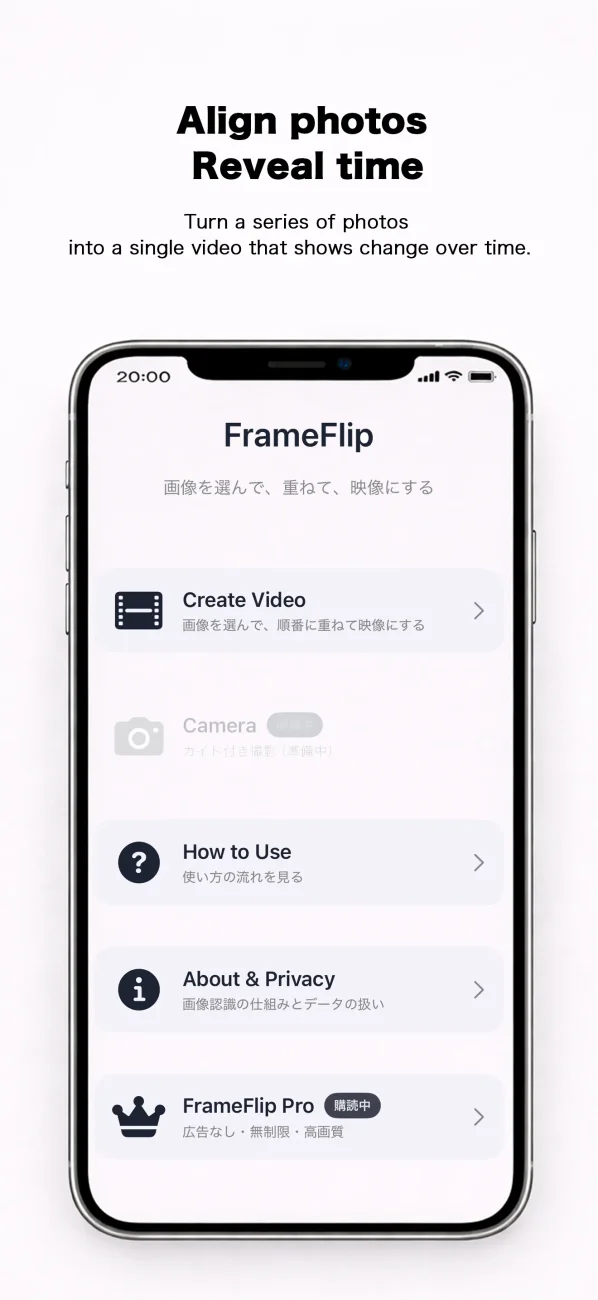
Align photos. Change over time
FrameFlip automatically aligns
multiple photos to a single
reference image and exports
the result as a short MP4 video.
By using a person’s face
or a selected part of an object
as the reference,
photos are aligned to the
same position and scale,
making changes over time
easy to see.
This makes FrameFlip suitable for
growth records, travel memories,
and visualizing creative processes.
-------------- Key Features --------------
■ Automatic face and object alignment
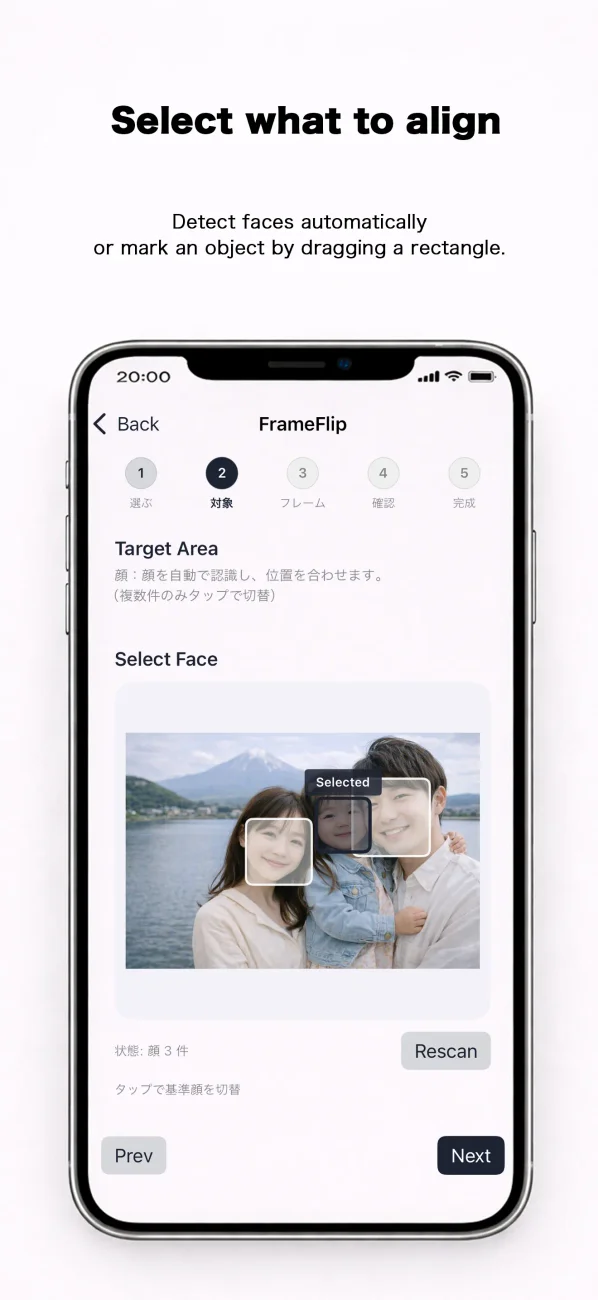
When using Face mode,
faces are detected automatically.
When using Object mode,
simply drag to select
the reference area.
No complex settings are required.
The app handles alignment automatically.
■ Simple, step-by-step workflow
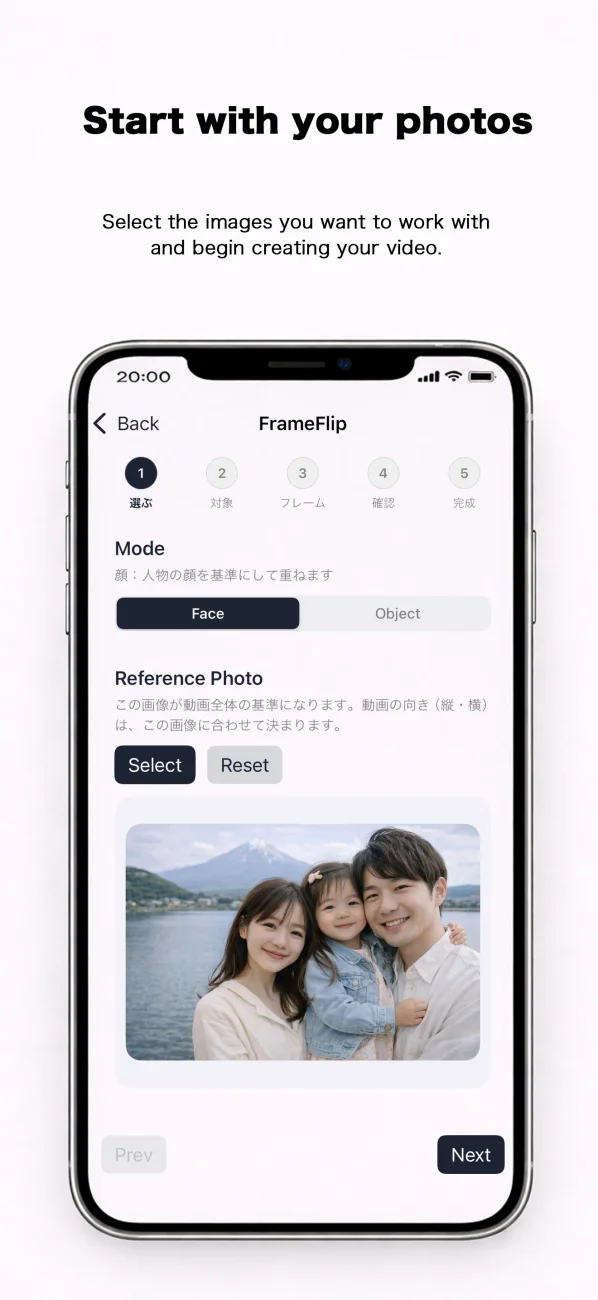
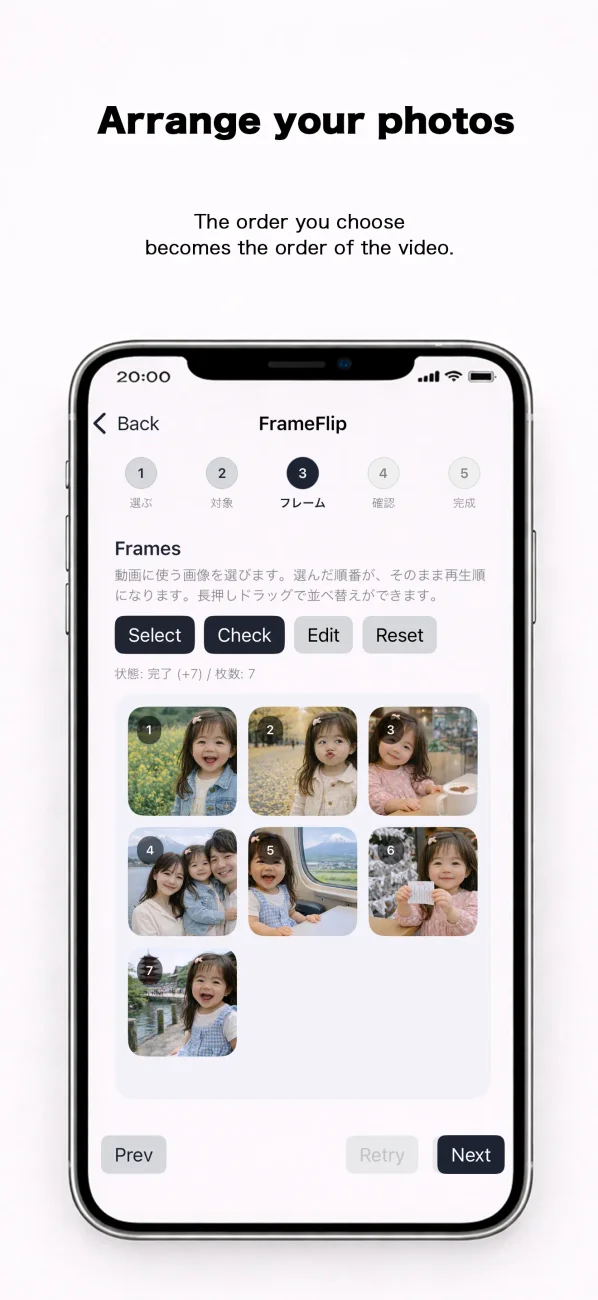
Just choose a reference image
and select the frame images.
The guided interface makes it easy
to use, even for first-time users.
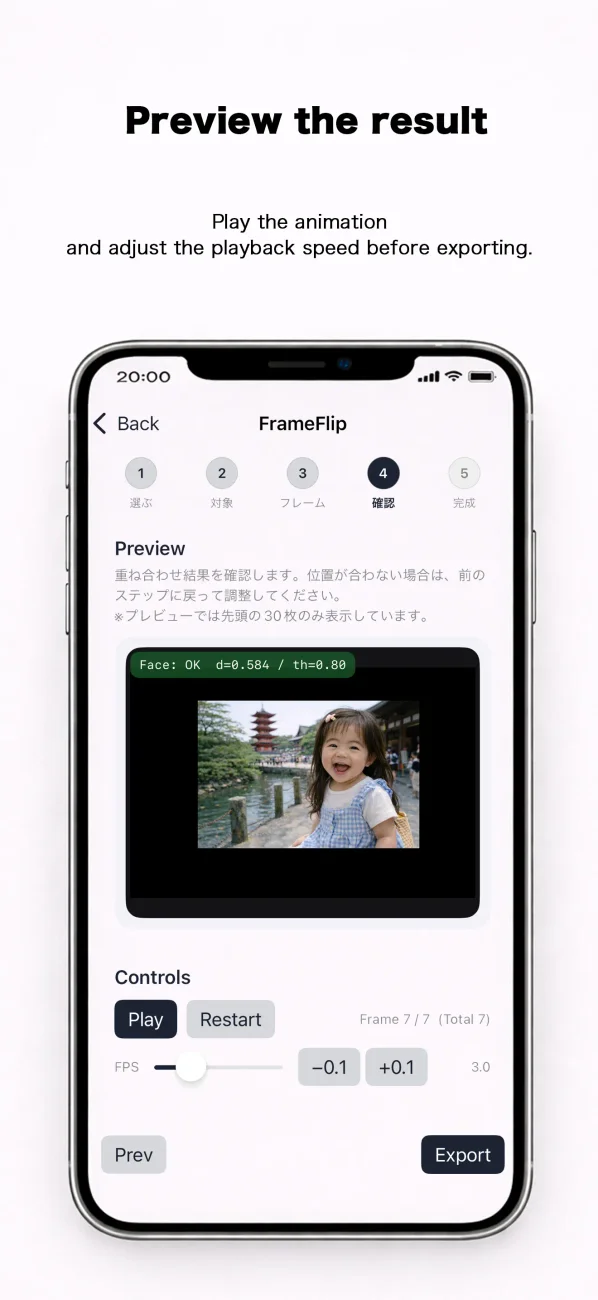
■ Preview before exporting
Check the alignment result
in the preview first.
If everything looks good,
export it as an MP4 video.
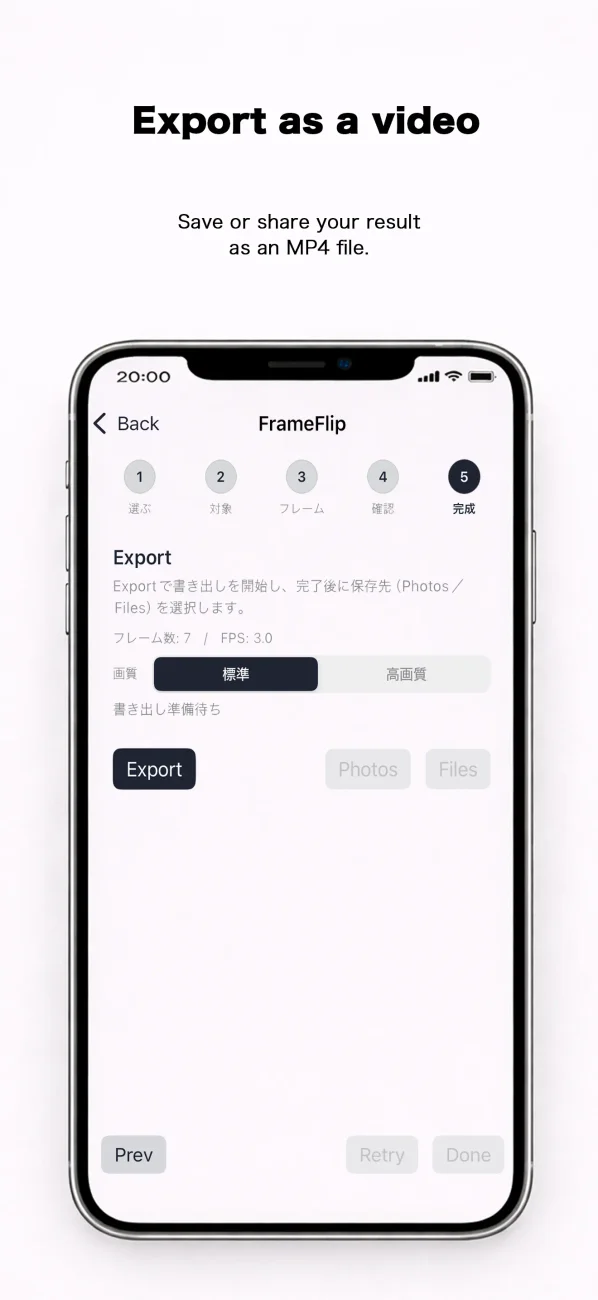
■ Videos ready for Photos and social apps
Exported videos can be saved
directly to the Photos app,
or shared easily with
social and messaging apps.
■ No account required
No account registration
or login is needed.
You can start using the app
right after installing it.
--------------- How to Use ---------------
1. Select one reference photo
2. Choose a face or object as the target
3. Select multiple frame photos
4. Preview and export the video
■ Recommended Uses
- Create a growth record
from photos taken over time
- Visualize changes during a trip
- Show the progress of artwork
or creative projects
- Record changes or assembly
of objects
------------ Privacy & Terms ------------
■ Privacy
With FrameFlip,
all photo processing and
video generation are performed
entirely on your device.
Selected photos and
generated videos are never
sent to external servers.
Privacy Policy:
https://www.atlascope.idatabase.info/app/en/privacy.html
■ Free Version and Pro
FrameFlip (Free) provides
access to the basic features.
FrameFlip Pro offers additional features,
including ad removal,
unlimited exports,
and high-quality video export options.
Please refer to the Terms of Use below
for the conditions applicable to both
the free version and FrameFlip Pro.
Terms of Use:
https://www.atlascope.idatabase.info/app/en/terms.html
--------------------------------------------
Just line up your photos,
and see time take shape.
Tell a new story
with your photos using FrameFlip.
Có gì mới
Phiên bản 2.1 · 21/06/2026
Fixed a bug.
Quyền riêng tư của ứng dụng
Những gì YUTAKA MIMURA khai báo trên App Store về cách ứng dụng này xử lý dữ liệu.
-
Dữ liệu được sử dụng để theo dõi bạn
Có thể được sử dụng để theo dõi bạn trên các ứng dụng và trang web do công ty khác sở hữu.
- Vị trí
- Mã định danh
- Dữ liệu sử dụng
- Chẩn đoán
-
Dữ liệu liên kết với bạn
Có thể được thu thập và liên kết với danh tính của bạn.
- Vị trí
- Mã định danh
- Dữ liệu sử dụng
- Chẩn đoán
-
Dữ liệu không liên kết với bạn
Có thể được thu thập nhưng không liên kết với danh tính của bạn.
- Chẩn đoán
Phương thức đảm bảo quyền riêng tư có thể khác nhau, chẳng hạn như tuỳ theo các tính năng bạn sử dụng hoặc độ tuổi của bạn.
Thông tin
- Người bán
- YUTAKA MIMURA
- Danh mục
- Ảnh & Video
- Phiên bản
- 2.1
- Cập nhật
- 21/06/2026
- Phát hành
- 22/01/2026
- Kích thước
- 7,5 MB
- Yêu cầu
- iOS 18.2 trở lên
- Độ tuổi
- 4+
- Giá
- Miễn phí
- Mua hàng trong ứng dụng
- Có
- Ngôn ngữ
- Tiếng Anh, Tiếng Nhật
- Bản quyền
- © 2026 Atlascope
Có thể bạn cũng thích
-
 Motion Stitch: Căn Chỉnh ẢnhKhớp hình, xuất video ổn định
-
 MorphMovie: Face Morph VideoẢnh & Video
-
 Pet Video Editor - Tagged PawsẢnh & Video
-
 Align: Stop Motion CameraẢnh & Video
-
 TimerlayerẢnh & Video
-
 yanflowẢnh & Video
-
 Nuno: Daily SelfieẢnh & Video
-
 ReelAlign: Match Cut EditorẢnh & Video
-
 Autoframe: Progress PicsẢnh & Video
-
 ProgressCam: Progress PhotosẢnh & Video