
Griddal: Carousel & Grid Maker
Swipe Layouts & Photo Splits
Conçue pour iPhone
Gratuit · Achats intégrés
- Classification d’âge4+
- CatégoriePhoto et vidéo
- DéveloppeurFoobar Creative
- LanguesAnglais+ 37 de plus
- Taille43,9 Mo
Renvoie vers la page App Store officielle
Download.org n’héberge aucun fichier de Griddal: Carousel & Grid Maker. Le bouton ouvre la page de l’application sur App Store, où Foobar Creative la publie. Fiche vérifiée pour la dernière fois le 12/11/2026.
Captures d’écran


À propos
Le développeur n’a pas fourni ce texte dans votre langue.
Griddal turns one photo into content that looks right the moment you post it.
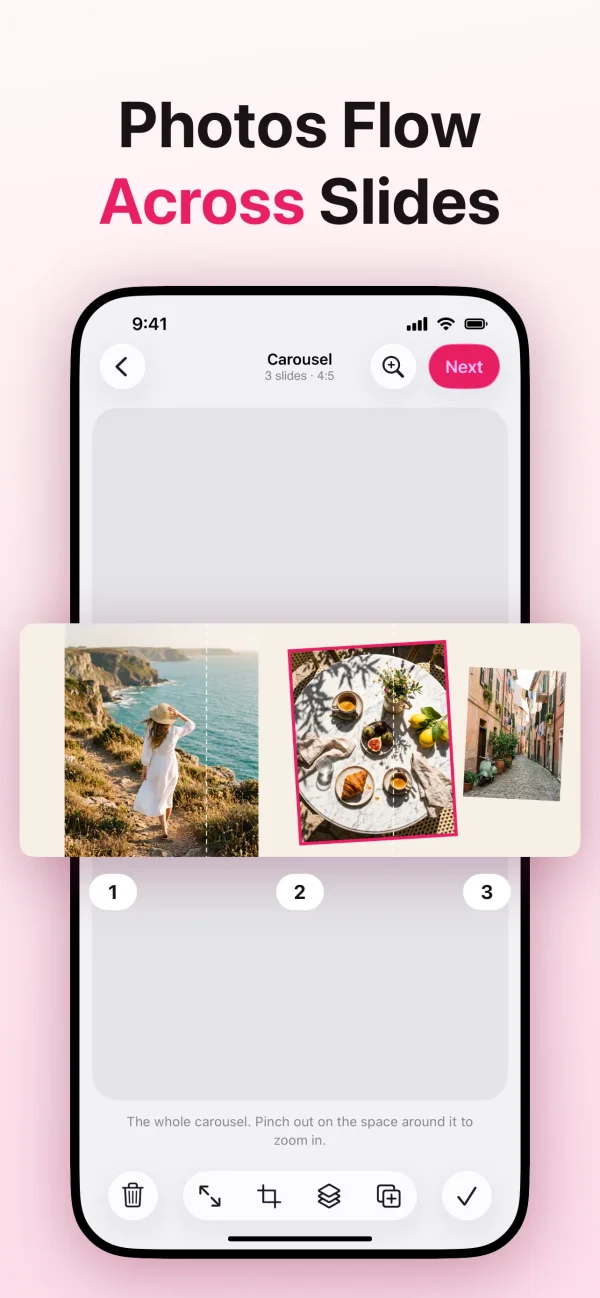
Make seamless carousels. Start with one wide canvas, add your photos, then drag, pinch and rotate them across the slide seams so the swipe flows as one continuous image. Choose 2 to 10 slides in 4:5, 3:4 or 1:1. Edge snapping keeps everything aligned, and a built-in crop tool fine-tunes each frame.
Export that lines up. Every slide saves at 1080 px wide, drawn from your full-resolution photos so the seams match on the feed. Preview the swipe before you export, then Save All to Photos with slide 1 first in your Recents, or share straight away.
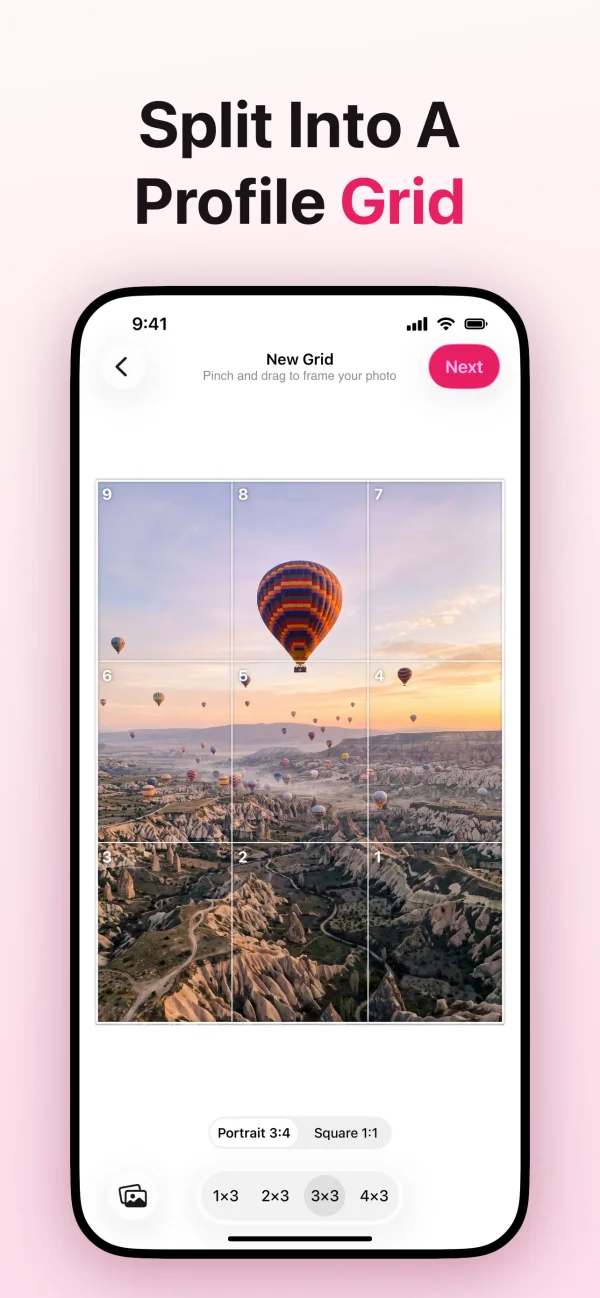
Split a photo into a profile grid. Turn one image into a clean grid, from 3x1 up to 3x5 tiles, in 3:4 (the current profile grid shape) or 1:1. Older square splitters leave you cropped on a modern profile. Griddal does not.
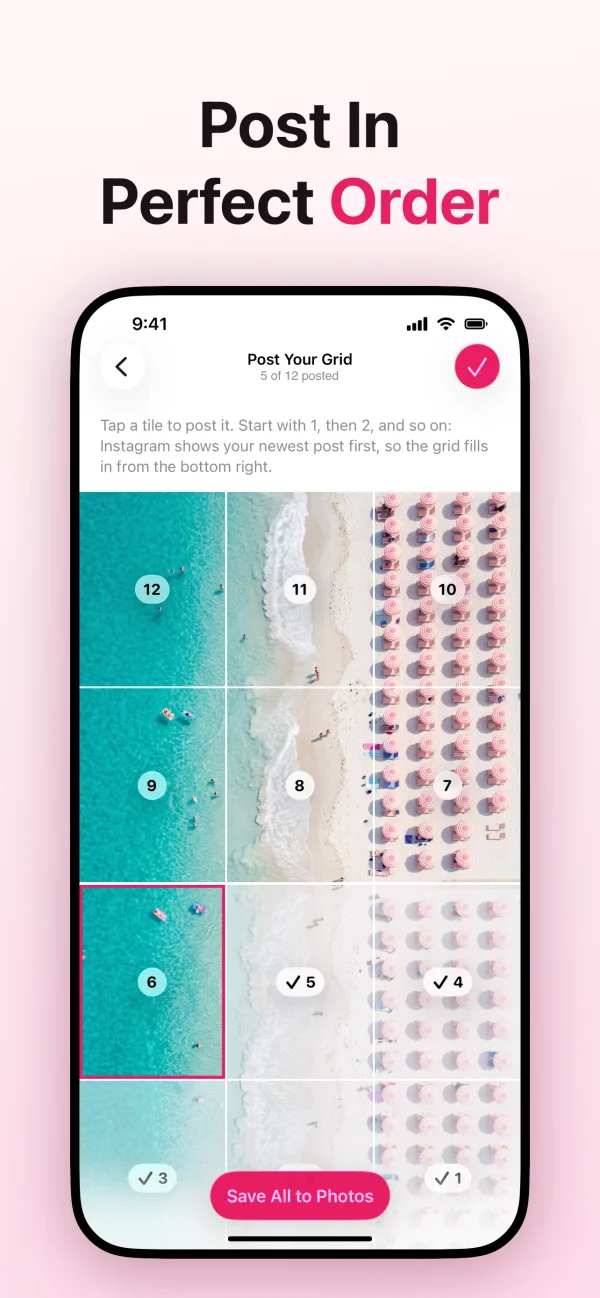
Post in the right order. Tiles are numbered in posting order, starting bottom right. Tap a tile to share it, mark it posted as you go, and resume later without losing your place.
Private by design. Griddal works offline with no account and no sign-up. Your projects stay on your device. No ads, no tracking, no watermark on your exports.
Built to be fast and crisp, not another slow template gallery.
Instagram and IG are trademarks of Instagram
Nouveautés
Version 2.0 · 19/10/2026
New in 2.0:
- Seamless carousels: spread one wide photo across 2 to 10 slides so the swipe lines up, in 4:5, 3:4 or 1:1.
- Layer, drag, pinch and rotate multiple photos across the slide seams, with edge snapping and a crop tool.
- Profile grid splits in 3:4 (the current profile shape) or 1:1, with tiles numbered in posting order.
Confidentialité de l’application
Ce que Foobar Creative déclare sur l’App Store au sujet du traitement des données par cette application.
-
Données n’établissant aucun lien avec vous
Peuvent être collectées, mais ne sont pas liées à votre identité.
- Achats
- Diagnostic
Les pratiques en matière de confidentialité peuvent varier, notamment en fonction des fonctionnalités que vous utilisez ou de votre âge.
Informations
- Vendeur
- Foobar Creative
- Catégorie
- Photo et vidéo
- Version
- 2.0
- Mis à jour
- 19/10/2026
- Publié
- 03/08/2017
- Taille
- 43,9 Mo
- Nécessite
- iOS 18.0 ou version ultérieure
- Classification d’âge
- 4+
- Prix
- Gratuit
- Achats intégrés
- Oui
- Langues
- Anglais, Arabe, Azéri, Bulgare, Catalan, Croate, Tchèque, Danois, Néerlandais, Finnois, Français, Allemand + 26 de plus
- Copyright
- © 2017 Foobar Creative
Vous aimerez peut-être aussi
-
 Split the Pic: New Grid layoutGrid Photo Maker
-
 Tall Grid Maker: 9 Cut ImagesProfile Picture Photo Layout
-
 Photo Grid: Split Grid PostsPhoto et vidéo
-
 Grids Maker - Grid Photo SplitPhoto et vidéo
-
 Grid Maker & No Crop PhotoPhoto et vidéo
-
 Grid Maker - GridzillaPhoto et vidéo
-
 PhotoSplit for InstagramPhoto et vidéo
-
 Créateur Grille Mise en PageFeed Preview and Layout
-
 Grid・Photo Split for InstagramPhoto et vidéo
-
 Grid - Grille Post Photo SplitCarrousel, panorama et découpe