Label Butcher
The Smart Mailing Label Carver
Conçue pour iPhone, iPad, Mac
Gratuit · Achats intégrés
- Classification d’âge4+
- CatégorieUtilitaires
- DéveloppeurParker Vaughey
- LanguesAnglais
- Taille6,9 Mo
Renvoie vers la page App Store officielle
Download.org n’héberge aucun fichier de Label Butcher. Le bouton ouvre la page de l’application sur App Store, où Parker Vaughey la publie. Fiche vérifiée pour la dernière fois le 16/11/2026.
Captures d’écran


À propos
Le développeur n’a pas fourni ce texte dans votre langue.
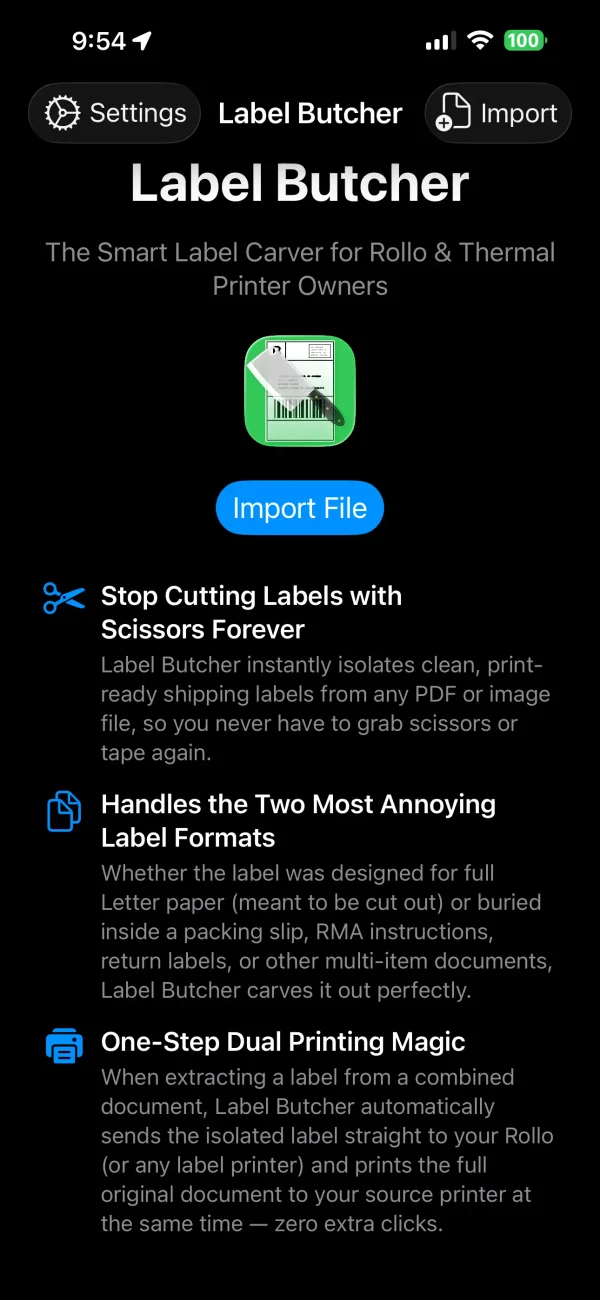
Label Butcher: The Smart Label Carver for Rollo & Thermal Printer Owners
Stop Cutting Labels with Scissors Forever
Butcher instantly isolates clean, print-ready shipping labels from any PDF or image file, so you never have to grab scissors or tape again. Just import, confirm, and print.
Handles the Two Most Annoying Label Formats
Whether the label was designed for full Letter paper (meant to be cut out) or buried inside a packing slip, RMA instructions, return labels, or other multi-item documents, Label Butcher carves it out perfectly every time.
One-Step Dual Printing
When extracting a label from a combined document, Label Butcher automatically sends the isolated 4×6 label straight to your Rollo (or any thermal label printer) and prints the full original document to your regular page printer at the same time — zero extra clicks.
HOW IT WORKS
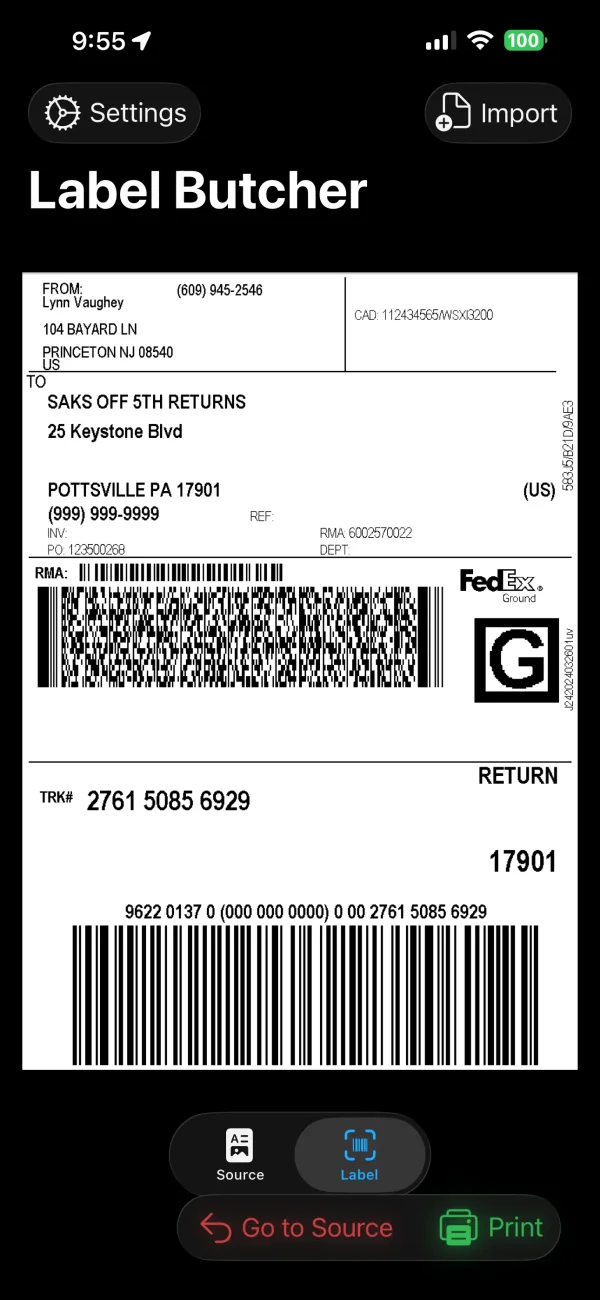
1. Import a shipping label PDF or photo (or use "Open In" from any app)
2. Label Butcher auto-detects the label using barcode and text recognition
3. Adjust the boundary if needed, then tap OK to crop
4. Hit Print — label goes to your thermal printer, pages go to your page printer
FEATURES
• Auto-detects shipping labels using advanced Vision AI (barcode + text recognition)
• Adjustable bounding box with drag handles for manual fine-tuning
• Auto-rotates and scales labels to fit 4×6" thermal printers perfectly
• Dual-printer workflow: thermal label + full-page printer simultaneously
• Supports PDF, PNG, JPEG, HEIC, and TIFF files
• Open files via Import or the Share sheet from Mail, Safari, Files, and more
• Works with Rollo, DYMO, Brother, and any AirPrint-compatible printer
• Direct printing on Mac — no print dialog, labels go straight to the printer
• Diagnostic overlays to see exactly what the detection engine finds
• Progressive onboarding tips guide you through the workflow
PRIVACY FIRST
Label Butcher processes everything on your device. No accounts, no cloud uploads, no tracking, no ads. Your documents never leave your phone or Mac.
BUILT FOR
• eBay, Amazon, and Mercari sellers processing returns
• Small business owners handling RMA and return shipping
• Anyone tired of cutting labels out of full-page PDFs with scissors
• Rollo, DYMO, and thermal printer owners who want a faster workflow
Works on iPhone, iPad, and Mac.
Nouveautés
Version 1.2.2 · 19/07/2026
Fixes a bug in PDFs with more than two(2) pages.
Confidentialité de l’application
Ce que Parker Vaughey déclare sur l’App Store au sujet du traitement des données par cette application.
-
Données non collectées
Le développeur ne collecte aucune donnée à partir de cette application.
Les pratiques en matière de confidentialité peuvent varier, notamment en fonction des fonctionnalités que vous utilisez ou de votre âge.
Informations
- Vendeur
- Parker Vaughey
- Catégorie
- Utilitaires
- Version
- 1.2.2
- Mis à jour
- 19/07/2026
- Publié
- 28/05/2026
- Taille
- 6,9 Mo
- Nécessite
- iOS 26.5 ou version ultérieure
- Classification d’âge
- 4+
- Prix
- Gratuit
- Achats intégrés
- Oui
- Langues
- Anglais
- Copyright
- © 2026 Parker E. Vaughey
Vous aimerez peut-être aussi
-
 Label FixerUtilitaires
-
 Half-Page Label PrinterUtilitaires
-
 LabelHustle - PDF CropperUtilitaires
-
 SpeakhbyUtilitaires
-
 CropletUtilitaires
-
 Easy Return LabelUtilitaires
-
 Pocket Label ConverterBordereau A4 en étiquette 4×6
-
 Excel to PDF Converter | XLSXUtilitaires
-
 Crop and PrintUtilitaires
-
 Ecriture Special Copier CollerBelle Police Texte Aesthetic