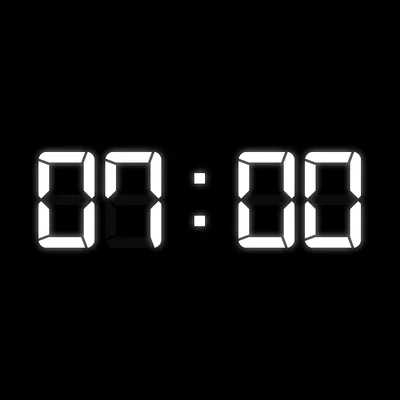
Millisecond Clock
The Most Accurate Clock
Conçue pour iPhone, iPad, iPod touch
Gratuit · Achats intégrés
- Classification d’âge4+
- CatégorieStyle de vie
- DéveloppeurChia-Chun Hsieh
- LanguesAnglais+ 3 de plus
- Taille4,0 Mo
Renvoie vers la page App Store officielle
Download.org n’héberge aucun fichier de Millisecond Clock. Le bouton ouvre la page de l’application sur App Store, où Chia-Chun Hsieh la publie. Fiche vérifiée pour la dernière fois le 12/11/2026.
Captures d’écran

À propos
Le développeur n’a pas fourni ce texte dans votre langue.
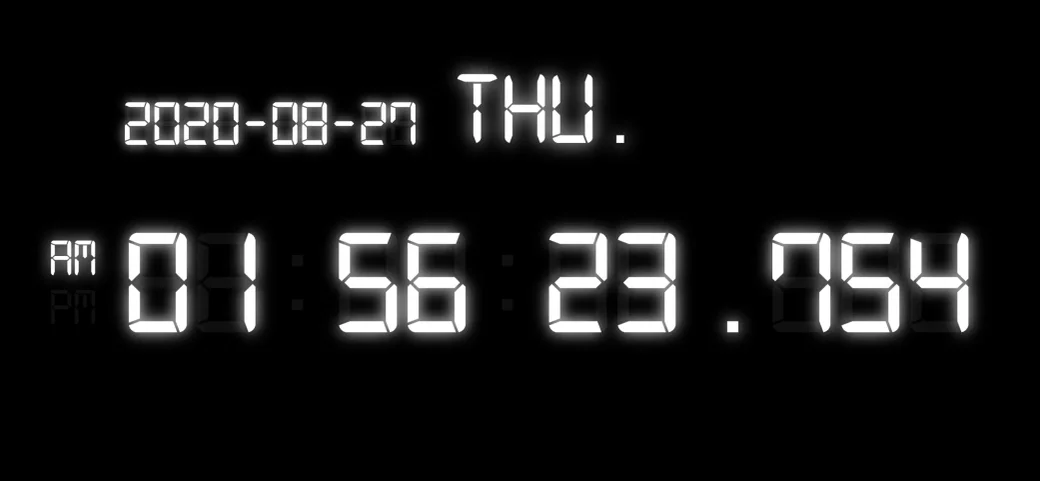
Millisecond Clock shows the exact time down to 1/1000 of a second, accurate enough to measure real delay in cameras, video streams, and network connections.
Point a camera at the screen and compare it to another display: the difference in milliseconds tells you exactly how much latency you are dealing with.
Beyond precision, Millisecond Clock is a clock you can make your own. Every part of it, from color and font to position on screen, is yours to design.
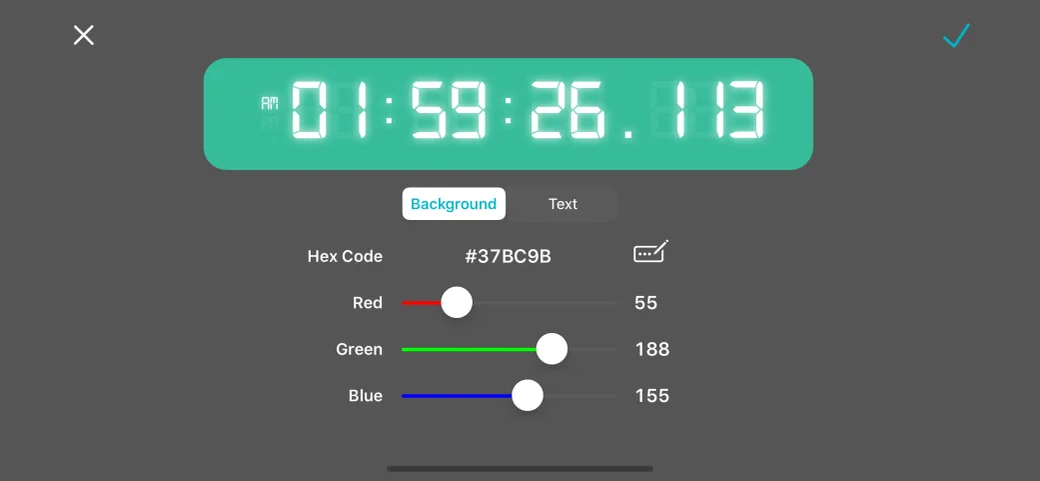
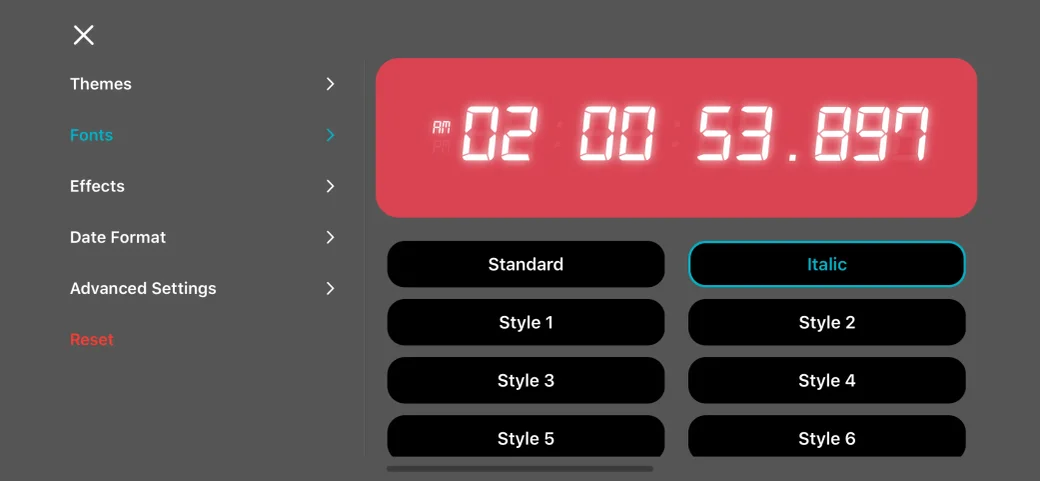
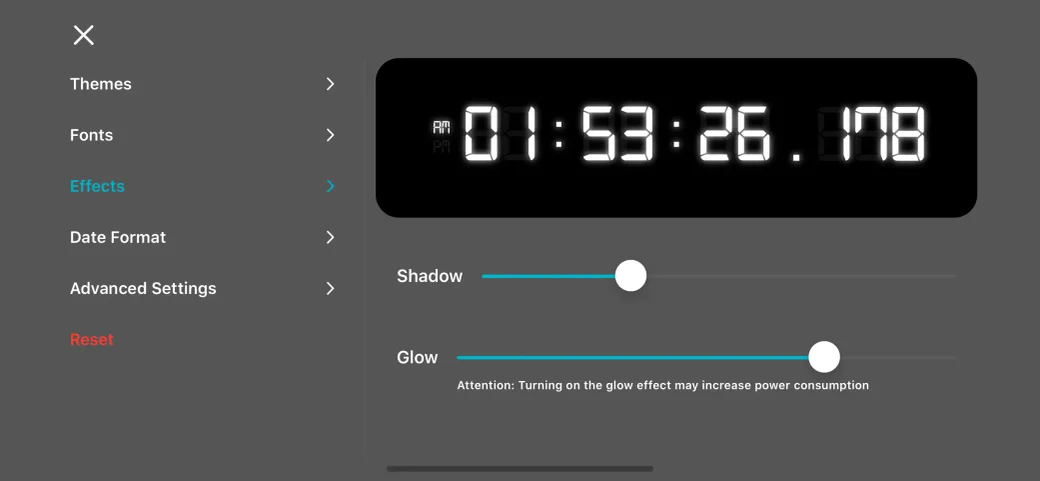
DESIGN YOUR CLOCK- 13 built-in color themes, or create unlimited custom themes with the full color picker
- 30 fonts, from the classic digital LED look to elegant serif and rounded styles
- Adjustable glow and shadow effects for extra depth
- Drag the clock, date, and weekday anywhere on screen, and resize each one independently
STAY ON TIME, YOUR WAY- 12-hour or 24-hour time, with an optional blinking colon
- 9 date formats to match how you write dates
- Show or hide the date and day of the week
- Toggle the millisecond display on or off
BUILT TO STAY ON SCREEN- Keeps your screen awake so the clock is always visible
- A true universal app, designed for both iPhone and iPad
Millisecond Clock is free to use, supported by ads.
A one-time in-app purchase removes ads and unlocks every premium theme, no subscription required.
Nouveautés
Version 2.4.0 · 03/09/2026
- Resizing the time, date, and weekday on the main screen now works correctly, and your adjustments are saved.
- "Reset Settings" no longer removes your purchases. Remove Ads and Unlock Themes stay active after a reset.
- Color picker: the red, green, and blue sliders now respond reliably, and adjusting one channel no longer moves the others. Short hex codes (such as #FFF) are now supported.
- The preview clock in Settings now follows your 12- or 24-hour preference and correctly shows 12 (instead of 00) at noon and midnight.
- Fixed a case where the loading indicator could stay on screen after a purchase or restore didn't finish; purchases and restores are now more reliable.
- General stability improvements and fixes for several rare crashes.
Confidentialité de l’application
Ce que Chia-Chun Hsieh déclare sur l’App Store au sujet du traitement des données par cette application.
-
Données utilisées pour vous suivre
Peuvent être utilisées pour vous suivre sur des applications et des sites web appartenant à d’autres sociétés.
- Identifiants
-
Données n’établissant aucun lien avec vous
Peuvent être collectées, mais ne sont pas liées à votre identité.
- Identifiants
- Diagnostic
Les pratiques en matière de confidentialité peuvent varier, notamment en fonction des fonctionnalités que vous utilisez ou de votre âge.
Informations
- Vendeur
- Chia-Chun Hsieh
- Catégorie
- Style de vie
- Version
- 2.4.0
- Mis à jour
- 03/09/2026
- Publié
- 27/08/2020
- Taille
- 4,0 Mo
- Nécessite
- iOS 15.0 ou version ultérieure
- Classification d’âge
- 4+
- Prix
- Gratuit
- Achats intégrés
- Oui
- Langues
- Anglais, Japonais, Chinois simplifié, Chinois traditionnel
- Copyright
- © 2020-2026 Shrimp Studio
Vous aimerez peut-être aussi
-
 ms clock - millisecond clockStyle de vie
-
 bnClockStyle de vie
-
 Digital Clock - Bedside WidgetDisplay for nightstand or desk
-
 Horloge numérique et widgetcompte à rebours · veille
-
 Round Millisecond ClockStyle de vie
-
 ClockByClocksHorloge Fabriquer une horloge
-
 Clock+ :Digital Clock & AlarmStyle de vie
-
 Flip Clock: Horloge à voletsMinuteur, sommeil, bruits doux
-
 PX Clock - See the timeStyle de vie
-
 Super Flip Clock: Horloge ZenMinuteur Pomodoro et thèmes