Millisecond Clock
The Most Accurate Clock
Dirancang untuk iPhone, iPad, iPod touch
Gratis · Pembelian dalam aplikasi
- Batasan usia4+
- KategoriGaya Hidup
- PengembangChia-Chun Hsieh
- BahasaInggris+ 3 lainnya
- Ukuran4,0 MB
Tertaut ke halaman resmi App Store
Download.org tidak menyimpan file Millisecond Clock apa pun. Tombol ini membuka halaman aplikasi di App Store, tempat Chia-Chun Hsieh menerbitkannya. Halaman terakhir diperiksa pada 12/11/2026.
Tangkapan layar

Tentang
Pengembang belum menyediakan teks ini dalam bahasa Anda.
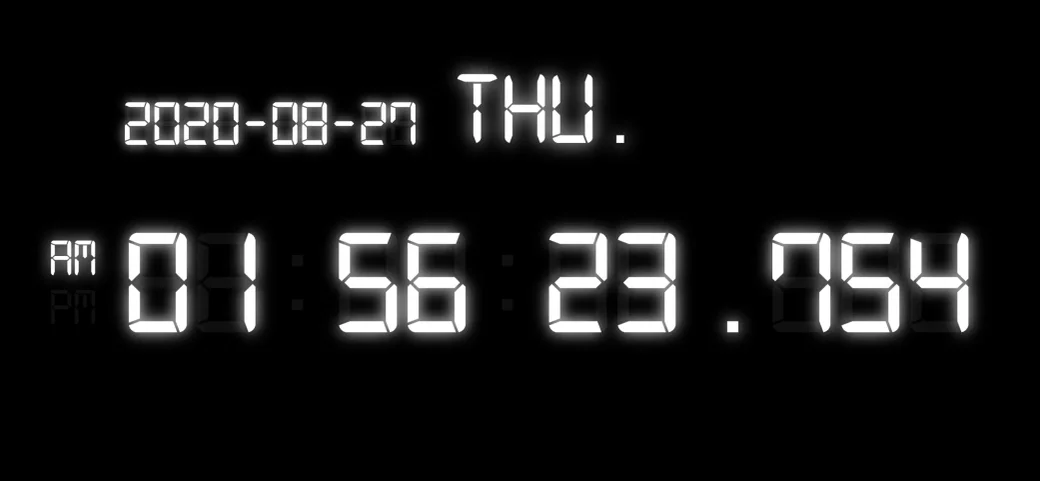
Millisecond Clock shows the exact time down to 1/1000 of a second, accurate enough to measure real delay in cameras, video streams, and network connections.
Point a camera at the screen and compare it to another display: the difference in milliseconds tells you exactly how much latency you are dealing with.
Beyond precision, Millisecond Clock is a clock you can make your own. Every part of it, from color and font to position on screen, is yours to design.
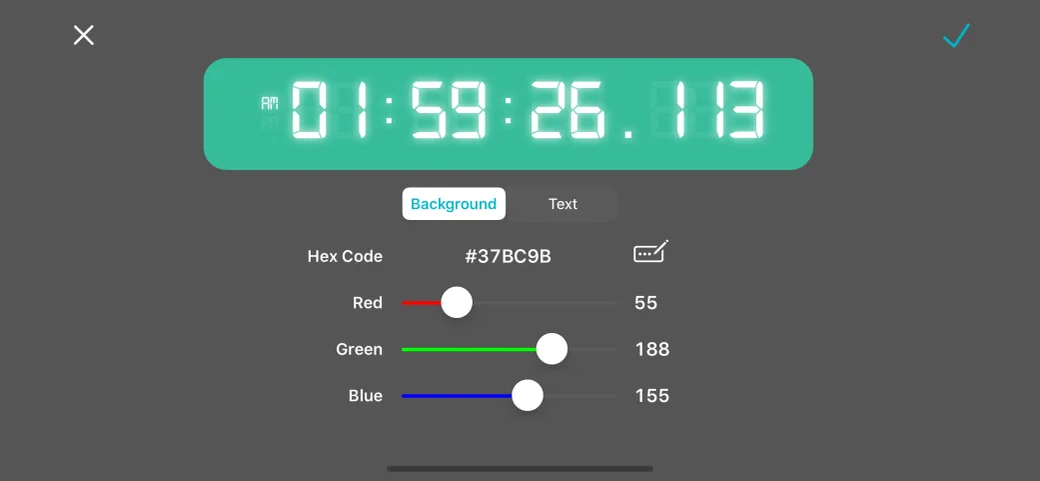
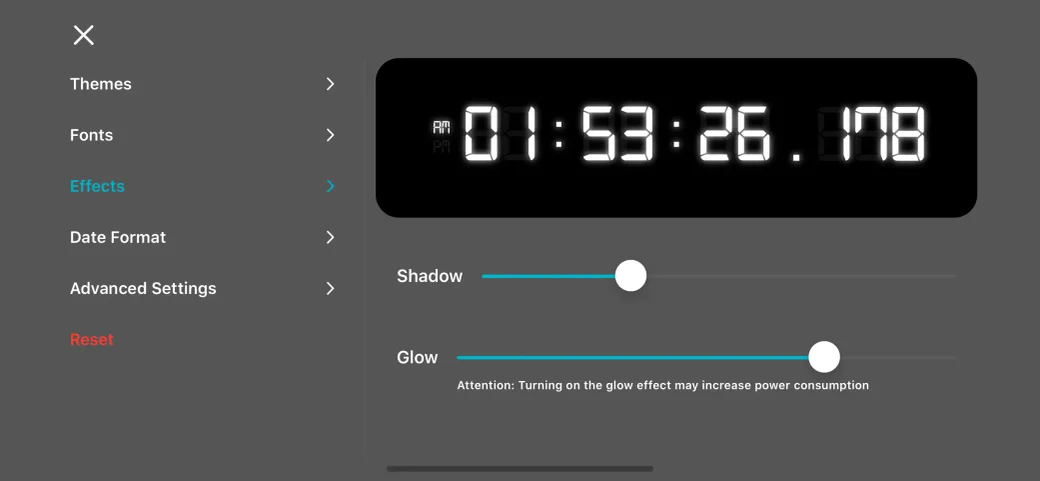
DESIGN YOUR CLOCK- 13 built-in color themes, or create unlimited custom themes with the full color picker
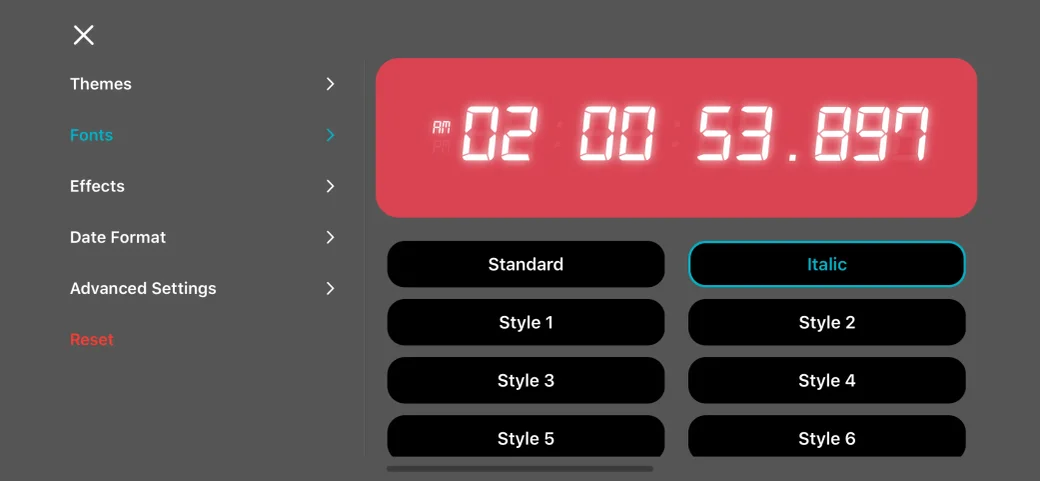
- 30 fonts, from the classic digital LED look to elegant serif and rounded styles
- Adjustable glow and shadow effects for extra depth
- Drag the clock, date, and weekday anywhere on screen, and resize each one independently
STAY ON TIME, YOUR WAY- 12-hour or 24-hour time, with an optional blinking colon
- 9 date formats to match how you write dates
- Show or hide the date and day of the week
- Toggle the millisecond display on or off
BUILT TO STAY ON SCREEN- Keeps your screen awake so the clock is always visible
- A true universal app, designed for both iPhone and iPad
Millisecond Clock is free to use, supported by ads.
A one-time in-app purchase removes ads and unlocks every premium theme, no subscription required.
Yang baru
Versi 2.4.0 · 3/9/2026
- Resizing the time, date, and weekday on the main screen now works correctly, and your adjustments are saved.
- "Reset Settings" no longer removes your purchases. Remove Ads and Unlock Themes stay active after a reset.
- Color picker: the red, green, and blue sliders now respond reliably, and adjusting one channel no longer moves the others. Short hex codes (such as #FFF) are now supported.
- The preview clock in Settings now follows your 12- or 24-hour preference and correctly shows 12 (instead of 00) at noon and midnight.
- Fixed a case where the loading indicator could stay on screen after a purchase or restore didn't finish; purchases and restores are now more reliable.
- General stability improvements and fixes for several rare crashes.
Privasi aplikasi
Yang dinyatakan Chia-Chun Hsieh di App Store tentang cara aplikasi ini menangani data.
-
Data yang digunakan untuk melacak Anda
Dapat digunakan untuk melacak Anda di aplikasi dan situs web milik perusahaan lain.
- Pengenal
-
Data yang tidak ditautkan dengan Anda
Dapat dikumpulkan, tetapi tidak ditautkan dengan identitas Anda.
- Pengenal
- Diagnostik
Praktik privasi dapat bervariasi, misalnya berdasarkan fitur yang Anda gunakan atau usia Anda.
Informasi
- Penjual
- Chia-Chun Hsieh
- Kategori
- Gaya Hidup
- Versi
- 2.4.0
- Diperbarui
- 3/9/2026
- Dirilis
- 27/8/2020
- Ukuran
- 4,0 MB
- Memerlukan
- iOS 15.0 atau yang lebih baru
- Batasan usia
- 4+
- Harga
- Gratis
- Pembelian dalam aplikasi
- Ya
- Bahasa
- Inggris, Jepang, Tionghoa Sederhana, Tionghoa Tradisional
- Hak cipta
- © 2020-2026 Shrimp Studio
Mungkin Anda juga suka
-
 ms clock - millisecond clockGaya Hidup
-
 bnClockGaya Hidup
-
 Digital Clock - Bedside WidgetDisplay for nightstand or desk
-
 Nightstand Desk Clock & WidgetGaya Hidup
-
 Round Millisecond ClockGaya Hidup
-
 ClockbyClocksMembuat jam dari jam
-
 Clock+ :Digital Clock & AlarmGaya Hidup
-
 Flip Clock: Calm Desk TimerGaya Hidup
-
 PX Clock - See the timeGaya Hidup
-
 Super Flip: Jam MejaTimer Pomodoro, fokus & tema