
Nero Receiver
The best DLNA streaming player
Conçue pour iPhone, iPad, Mac, iPod touch
Gratuit · Achats intégrés
- Classification d’âge4+
- CatégoriePhoto et vidéo
- DéveloppeurNero AG
- LanguesAnglais+ 14 de plus
- Taille15,8 Mo
Renvoie vers la page App Store officielle
Download.org n’héberge aucun fichier de Nero Receiver. Le bouton ouvre la page de l’application sur App Store, où Nero AG la publie. Fiche vérifiée pour la dernière fois le 12/11/2026.
Captures d’écran
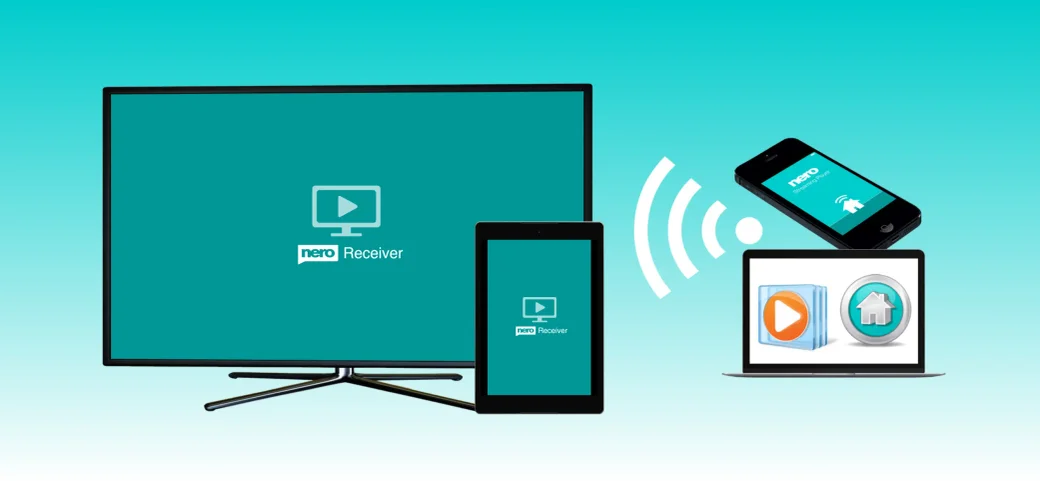
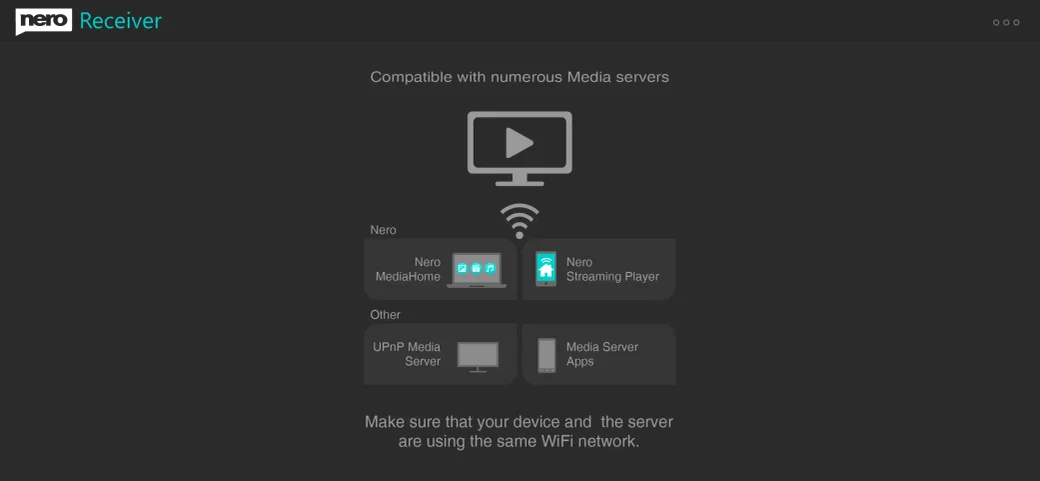

À propos
Le développeur n’a pas fourni ce texte dans votre langue.
Stream videos, photos & music via your PC in your home network and play your media wirelessly on your mobile device with super easy to use Nero Receiver App. Also stream media files between different mobile devices within the same WiFi network – even platform independent. E.g. use Nero Streaming Player App on one mobile device as a wireless media controller and via Nero Receiver App let your second mobile device become your wireless media player. Nero Receiver App is also compatible with numerous other UPnP / DLNA media servers and media player apps.
* Stream videos, photos & music to your tablet in the garden!
* Listen to PC music playlists on your smartphone in the bedroom!
* Friends came over? Show some photos & slideshows sitting on the couch!
Nero Receiver provides you with an easy and high quality solution!
- Play photos, videos & music stored on the PC to your mobile device
- Stream music and music playlists
- Stream photos and slideshows
- Cast single videos or several videos in a row
- Play any media file from Media Player® to your tablet or mobile
- Cast media files using any UPnP / DLNA media servers
- Pause or stop media playback and skip titles using your smartphone
Special features in combination with Nero MediaHome®:
- AI Tags: automatic categorize your photos by content
- Transcoding: always stream in device-compatible format
- Face Recognition: automatic categorization of your photo library by persons
- Geotagging: sort photos by places you have visited
- Themed Slideshows: stream slideshows with automatic intro/outro, transitions & music
How to stream to Nero Receiver App via Nero MediaHome:
1. Open Nero MediaHome on your PC.
2. In the upper right corner you'll find a screen symbol as ‘Play To’ device selection window.
3. Select your tablet or smartphone from the list.
4. Select a video, photo, a slideshow, or a music playlist in Nero MediaHome.
5. Press play in Nero MediaHome & start enjoying your content around the house on your mobile device!
For how to proceed with other UPNP / DLNA media servers check out Nero Know HowApp under FAQ 'Nero Receiver'.
Please note:
Your PC and mobile device need to be on the same WiFi. It is highly recommended to use only in private and secured wireless networks.
Nouveautés
Version 1.0.32 · 13/01/2026
Fixed minor issues and improved performance.
Confidentialité de l’application
Ce que Nero AG déclare sur l’App Store au sujet du traitement des données par cette application.
-
Données utilisées pour vous suivre
Peuvent être utilisées pour vous suivre sur des applications et des sites web appartenant à d’autres sociétés.
- Données d’utilisation
-
Données n’établissant aucun lien avec vous
Peuvent être collectées, mais ne sont pas liées à votre identité.
- Données d’utilisation
Les pratiques en matière de confidentialité peuvent varier, notamment en fonction des fonctionnalités que vous utilisez ou de votre âge.
Informations
- Vendeur
- Nero AG
- Catégorie
- Photo et vidéo
- Version
- 1.0.32
- Mis à jour
- 13/01/2026
- Publié
- 05/10/2014
- Taille
- 15,8 Mo
- Nécessite
- iOS 11.0 ou version ultérieure
- Classification d’âge
- 4+
- Prix
- Gratuit
- Achats intégrés
- Oui
- Langues
- Anglais, Tchèque, Néerlandais, Français, Allemand, Italien, Japonais, Coréen, Polonais, Portugais, Russe, Chinois simplifié + 3 de plus
- Copyright
- © 2026 Nero AG
Vous aimerez peut-être aussi
-
 TV Cast for DLNA Smart TVPhoto et vidéo
-
 Conflux - Video PlayerPhoto et vidéo
-
 Screen Mirroring App - TV CastPhoto et vidéo
-
 Tubio - Des vidéos web à la TVSmart TV, Cast, DLNA
-
 TV AssistPhoto et vidéo
-
 Smart Mirror | TV & DeviceCast Screen, View Stream Video
-
 video player - Sweet JuiceVideo and audio player
-
 TV Cast Pro for DLNA Smart TVPhoto et vidéo
-
 Smart TV Cast : Photo, VidéoPhotos et vidéos sur la TV
-
 Photo Video Cast to ChromecastPhoto et vidéo