
Nero Receiver
The best DLNA streaming player
iPhone, iPad, Mac, iPod touch向けに設計
無料 · アプリ内課金
- 対象年齢4+
- カテゴリ写真/ビデオ
- 開発元Nero AG
- 言語英語ほか14言語
- サイズ15.8 MB
App Storeの公式ページにリンクしています
Download.orgはNero Receiverのファイルを一切ホストしていません。ボタンを押すと、Nero AGが公開しているApp Storeのアプリページが開きます。ページの最終確認:2026/11/12。
スクリーンショット
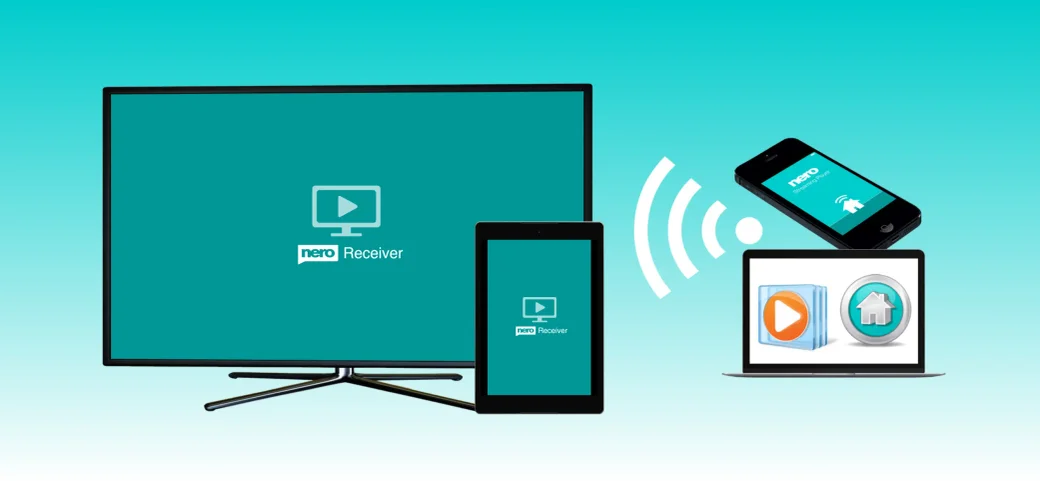
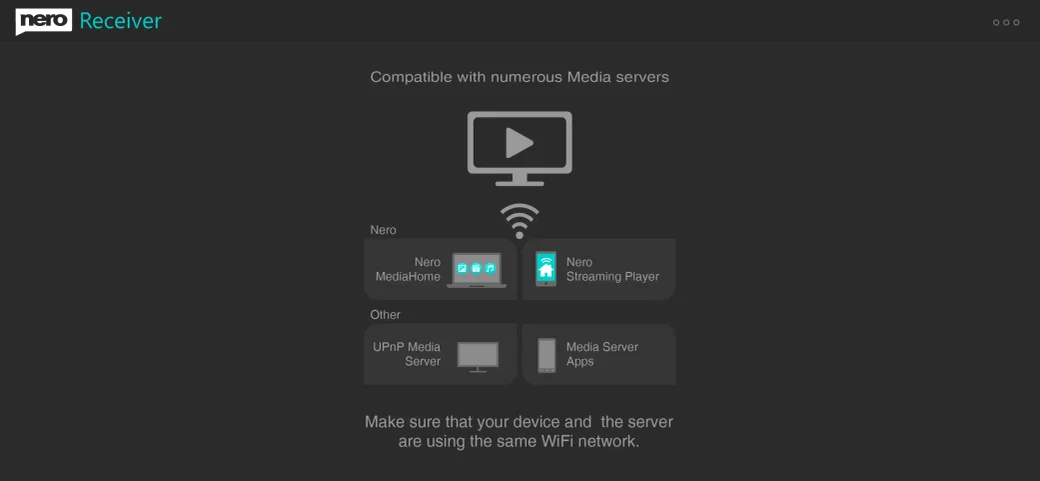

概要
開発元はこのテキストをお使いの言語で提供していません。
Stream videos, photos & music via your PC in your home network and play your media wirelessly on your mobile device with super easy to use Nero Receiver App. Also stream media files between different mobile devices within the same WiFi network – even platform independent. E.g. use Nero Streaming Player App on one mobile device as a wireless media controller and via Nero Receiver App let your second mobile device become your wireless media player. Nero Receiver App is also compatible with numerous other UPnP / DLNA media servers and media player apps.
* Stream videos, photos & music to your tablet in the garden!
* Listen to PC music playlists on your smartphone in the bedroom!
* Friends came over? Show some photos & slideshows sitting on the couch!
Nero Receiver provides you with an easy and high quality solution!
- Play photos, videos & music stored on the PC to your mobile device
- Stream music and music playlists
- Stream photos and slideshows
- Cast single videos or several videos in a row
- Play any media file from Media Player® to your tablet or mobile
- Cast media files using any UPnP / DLNA media servers
- Pause or stop media playback and skip titles using your smartphone
Special features in combination with Nero MediaHome®:
- AI Tags: automatic categorize your photos by content
- Transcoding: always stream in device-compatible format
- Face Recognition: automatic categorization of your photo library by persons
- Geotagging: sort photos by places you have visited
- Themed Slideshows: stream slideshows with automatic intro/outro, transitions & music
How to stream to Nero Receiver App via Nero MediaHome:
1. Open Nero MediaHome on your PC.
2. In the upper right corner you'll find a screen symbol as ‘Play To’ device selection window.
3. Select your tablet or smartphone from the list.
4. Select a video, photo, a slideshow, or a music playlist in Nero MediaHome.
5. Press play in Nero MediaHome & start enjoying your content around the house on your mobile device!
For how to proceed with other UPNP / DLNA media servers check out Nero Know HowApp under FAQ 'Nero Receiver'.
Please note:
Your PC and mobile device need to be on the same WiFi. It is highly recommended to use only in private and secured wireless networks.
新機能
バージョン 1.0.32 · 2026/1/13
Fixed minor issues and improved performance.
アプリのプライバシー
このアプリのデータの取り扱いについて、Nero AGがApp Storeで申告している内容です。
-
ユーザーのトラッキングに使用されるデータ
他社のアプリやウェブサイトを横断してユーザーをトラッキングする目的で使用される場合があります。
- 使用状況データ
-
ユーザーに関連付けられないデータ
収集される場合がありますが、ユーザーの識別情報には関連付けられません。
- 使用状況データ
プライバシーの取り扱いは、ご利用の機能やお客様の年齢などに応じて異なる場合があります。
情報
- 販売元
- Nero AG
- カテゴリ
- 写真/ビデオ
- バージョン
- 1.0.32
- 更新日
- 2026/1/13
- リリース
- 2014/10/5
- サイズ
- 15.8 MB
- 必要条件
- iOS 11.0以降
- 対象年齢
- 4+
- 価格
- 無料
- アプリ内課金
- あり
- 言語
- 英語, チェコ語, オランダ語, フランス語, ドイツ語, イタリア語, 日本語, 韓国語, ポーランド語, ポルトガル語, ロシア語, 簡体字中国語 ほか3言語
- 著作権
- © 2026 Nero AG
こちらもおすすめ
-
 TV Cast for DLNA Smart TV写真/ビデオ
-
 Conflux - Video Player全形式・NAS・クラウド対応
-
 Screen Mirroring App - TV Cast写真/ビデオ
-
 Tubio - Cast Web Videos to TVSmart TV, Cast, DLNA
-
 TV Assist写真、ビデオ、音楽をテレビにキャスト
-
 Smart Mirror | TV & Device写真/ビデオ
-
 video player - Sweet Juice写真/ビデオ
-
 TV Cast Pro for DLNA Smart TV写真/ビデオ
-
 Smart TV Cast: Photo & Video写真/ビデオ
-
 Photo Video Cast to Chromecast写真/ビデオ