Nero Receiver
The best DLNA streaming player
Designed for iPhone, iPad, Mac, iPod touch
Free · In-app purchases
- Age rating4+
- CategoryPhoto & Video
- DeveloperNero AG
- LanguagesEnglish+ 14 more
- Size15.8 MB
Links to the official App Store page
Download.org hosts no file of Nero Receiver. The button opens its official App Store page, published by Nero AG. Listing last checked on Nov 12, 2026.
Screenshots

About
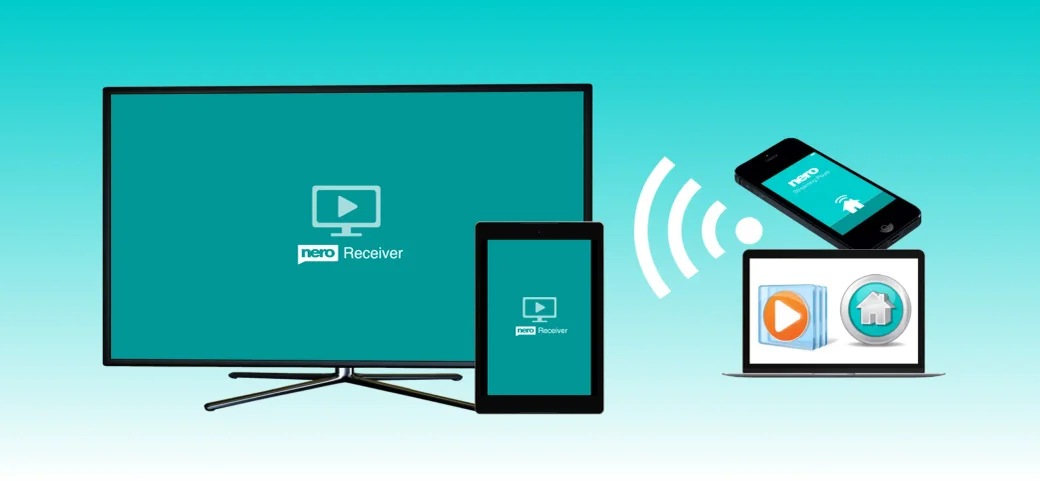
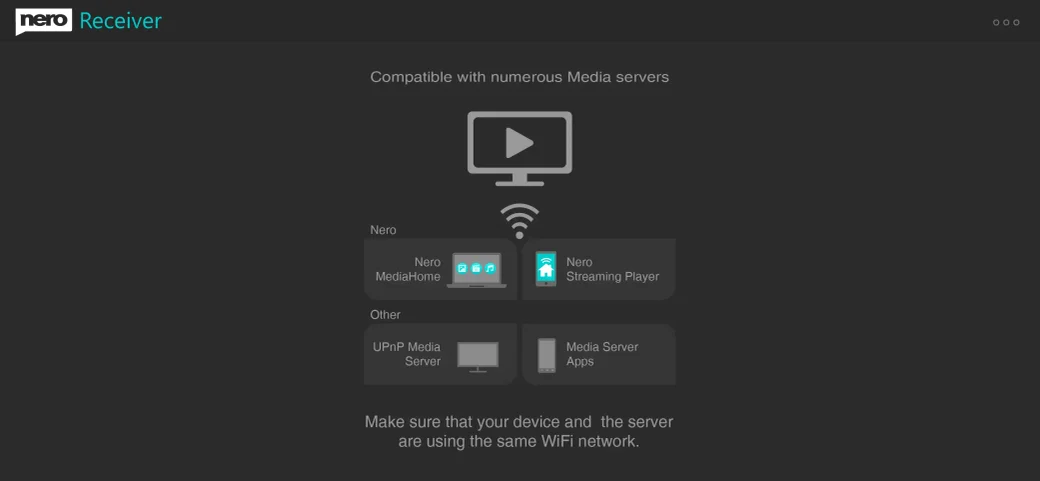
Stream videos, photos & music via your PC in your home network and play your media wirelessly on your mobile device with super easy to use Nero Receiver App. Also stream media files between different mobile devices within the same WiFi network – even platform independent. E.g. use Nero Streaming Player App on one mobile device as a wireless media controller and via Nero Receiver App let your second mobile device become your wireless media player. Nero Receiver App is also compatible with numerous other UPnP / DLNA media servers and media player apps.
* Stream videos, photos & music to your tablet in the garden!
* Listen to PC music playlists on your smartphone in the bedroom!
* Friends came over? Show some photos & slideshows sitting on the couch!
Nero Receiver provides you with an easy and high quality solution!
- Play photos, videos & music stored on the PC to your mobile device
- Stream music and music playlists
- Stream photos and slideshows
- Cast single videos or several videos in a row
- Play any media file from Media Player® to your tablet or mobile
- Cast media files using any UPnP / DLNA media servers
- Pause or stop media playback and skip titles using your smartphone
Special features in combination with Nero MediaHome®:
- AI Tags: automatic categorize your photos by content
- Transcoding: always stream in device-compatible format
- Face Recognition: automatic categorization of your photo library by persons
- Geotagging: sort photos by places you have visited
- Themed Slideshows: stream slideshows with automatic intro/outro, transitions & music
How to stream to Nero Receiver App via Nero MediaHome:
1. Open Nero MediaHome on your PC.
2. In the upper right corner you'll find a screen symbol as ‘Play To’ device selection window.
3. Select your tablet or smartphone from the list.
4. Select a video, photo, a slideshow, or a music playlist in Nero MediaHome.
5. Press play in Nero MediaHome & start enjoying your content around the house on your mobile device!
For how to proceed with other UPNP / DLNA media servers check out Nero Know HowApp under FAQ 'Nero Receiver'.
Please note:
Your PC and mobile device need to be on the same WiFi. It is highly recommended to use only in private and secured wireless networks.
What’s new
Version 1.0.32 · Jan 13, 2026
Fixed minor issues and improved performance.
App privacy
What Nero AG declares on the App Store about how this app handles data.
-
Data used to track you
May be used to track you across apps and websites owned by other companies.
- Usage data
-
Data not linked to you
May be collected but is not linked to your identity.
- Usage data
Privacy practices may vary, for example with the features you use or your age.
Information
- Seller
- Nero AG
- Category
- Photo & Video
- Version
- 1.0.32
- Updated
- Jan 13, 2026
- Released
- Oct 5, 2014
- Size
- 15.8 MB
- Requires
- iOS 11.0 or later
- Age rating
- 4+
- Price
- Free
- In-app purchases
- Yes
- Languages
- English, Czech, Dutch, French, German, Italian, Japanese, Korean, Polish, Portuguese, Russian, Simplified Chinese + 3 more
- Copyright
- © 2026 Nero AG
You might also like
-
 TV Cast for DLNA Smart TVBest Movie Stream Browser App
-
 Conflux - Video PlayerAll-Format Player · NAS Cloud
-
 Screen Mirroring App - TV CastSmart Mirror & Miracast Share
-
 Tubio - Cast Web Videos to TVSmart TV, Cast, DLNA
-
 TV AssistCast photo, video, music to TV
-
 Smart Mirror | TV & DeviceScreen Mirroring to Any Device
-
 video player - Sweet JuiceVideo and audio player
-
 TV Cast Pro for DLNA Smart TVBest Movie Stream Browser App
-
 Smart TV Cast: Photo & VideoPhotos & videos on your TV
-
 Photo Video Cast to ChromecastYour Media Library on your TV