- Classification d’âge4+
- CatégorieStyle de vie
- DéveloppeurArena Phone BD Ltd
- LanguesAnglais
- Taille36,9 Mo
Renvoie vers la page App Store officielle
Download.org n’héberge aucun fichier de OSRMS APP. Le bouton ouvre la page de l’application sur App Store, où Arena Phone BD Ltd la publie. Fiche vérifiée pour la dernière fois le 17/11/2026.
Captures d’écran
À propos
Le développeur n’a pas fourni ce texte dans votre langue.
The OSRMS app is used to manage outsourced resources and the Out Source Resource (OSR) can manage their daily activities through this app.
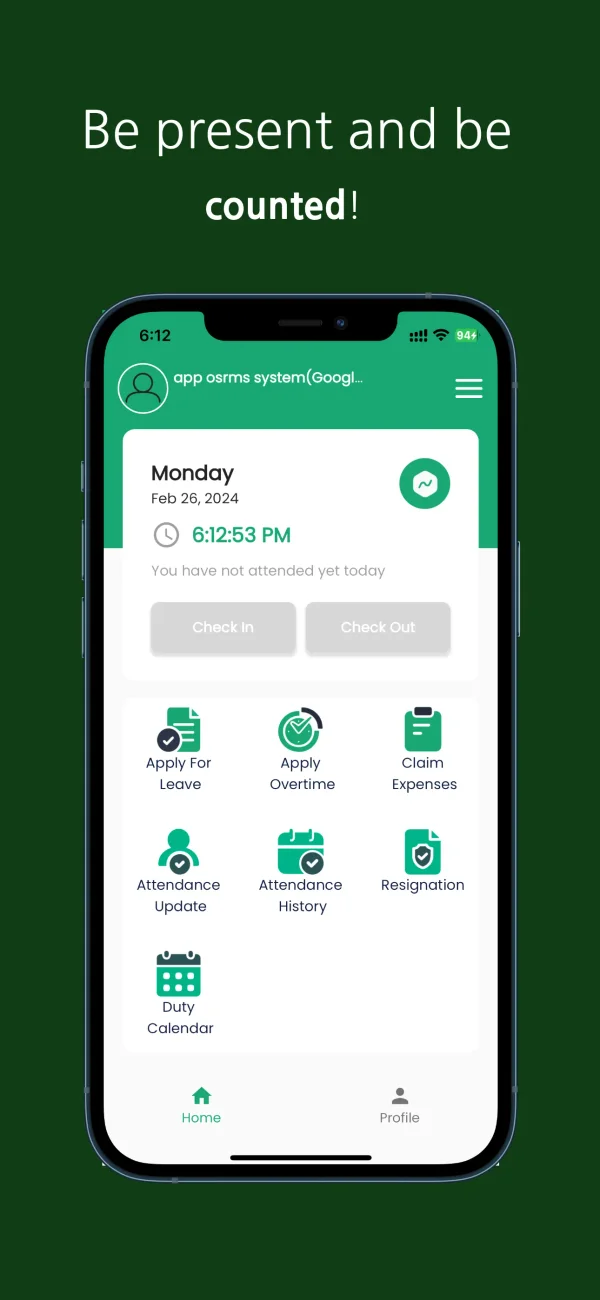
The check-in and check-out feature is used for marking the attendance of OSR. While they start working click “Check-in” and while leaving work click “Check-out”. The time and location will be stored on the OSRMS database automatically.
If the OSR wants any leave go to “Apply for Leave” and select the types of leave (Casual, Sick, Annual) then submit the leave request. The leave request will be sent to the vendor and after reviewing from LM, the vendor will accept or reject the leave request.
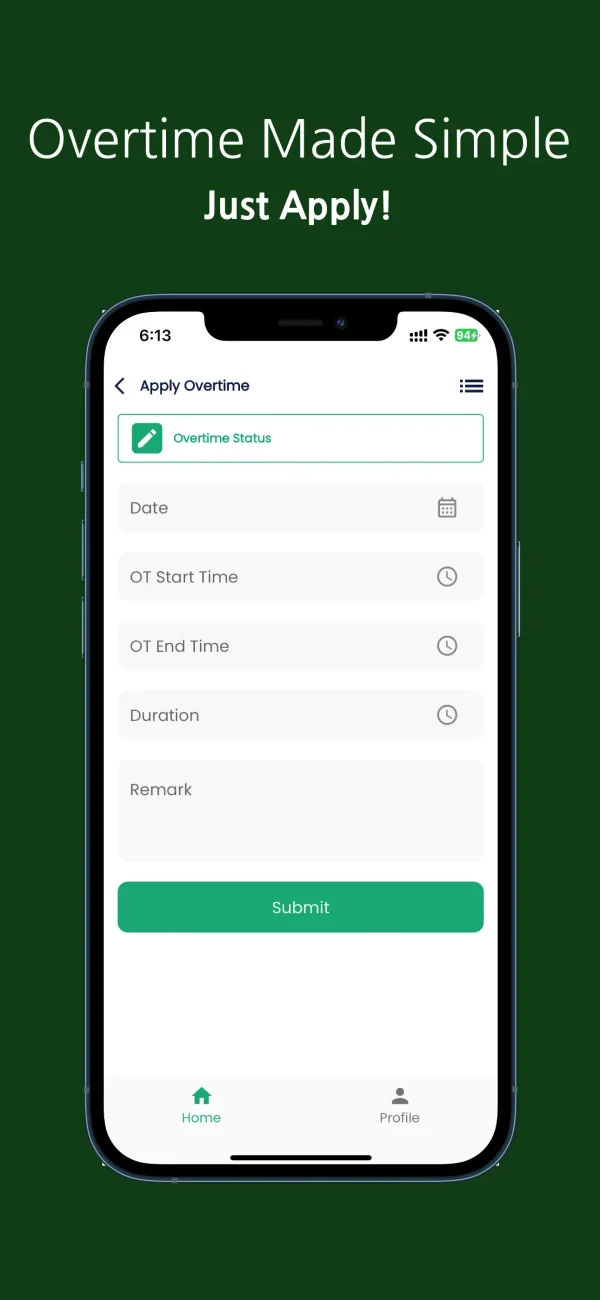
Overtime claims could be performed from this feature by OSR. Click the “Apply Overtime” and select the date, start time, end time, and duration, and write the reason for overtime. Click the “Submit” button. The request will be reviewed and the OSR will be notified, if is it accepted or rejected.
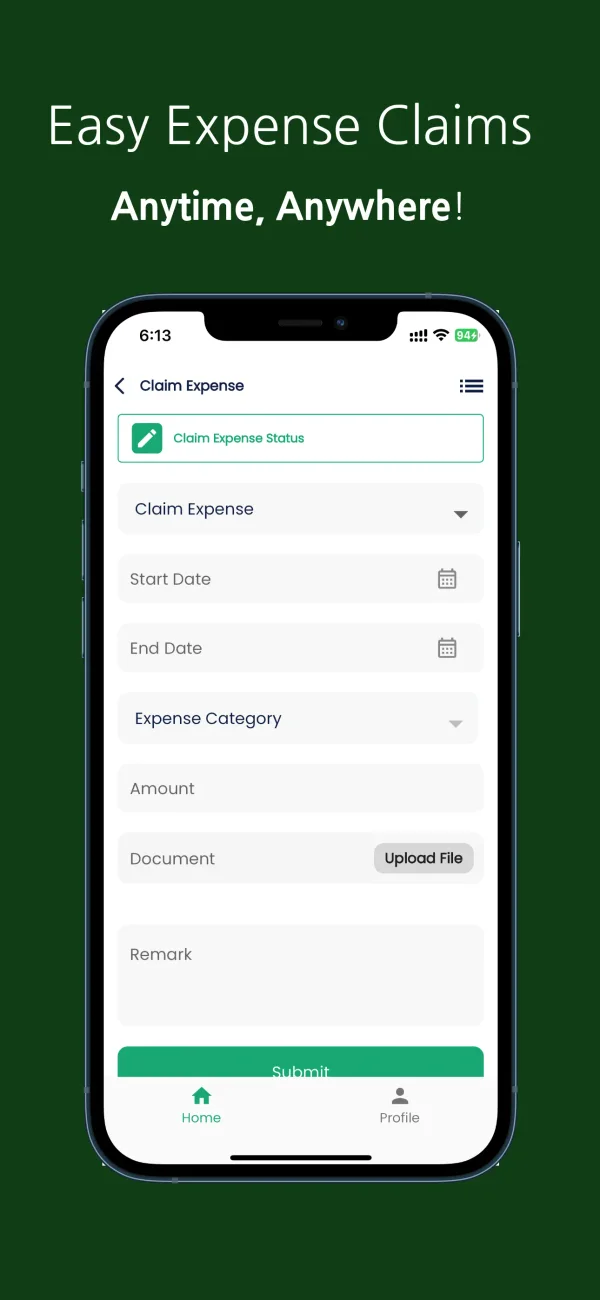
If the OSR wants to claim expenses, click the “Claim Expenses” and select the fields that are mentioned in the expenses claim form, then submit it. The request will be reviewed and the OSR will be notified, if is it accepted or rejected.
If any OSR fails to give the check-in / check-out response. They need to send requests for attendance updates. Click “Attendance Update” and fill up the date and time. Submit it by clicking “Apply”. The request will be reviewed and the OSR will be notified, if is it accepted or rejected.
The OSR could check the attendance history by clicking “Attendance History”.
The duty calendar will show the duty time of OSR that is managed or selected from the vendor end.
If the OSR wants to resign from their job, go to the Resignation feature fill in the date and reason for resign then submit it.
Nouveautés
Version 4.2.0 · 17/09/2025
- v~4.2.0
- Add OSR code in toolbar
- Fixed overtime issue
Confidentialité de l’application
Ce que Arena Phone BD Ltd déclare sur l’App Store au sujet du traitement des données par cette application.
-
Données non collectées
Le développeur ne collecte aucune donnée à partir de cette application.
Les pratiques en matière de confidentialité peuvent varier, notamment en fonction des fonctionnalités que vous utilisez ou de votre âge.
Informations
- Vendeur
- Arena Phone BD Ltd
- Catégorie
- Style de vie
- Version
- 4.2.0
- Mis à jour
- 17/09/2025
- Publié
- 06/03/2024
- Taille
- 36,9 Mo
- Nécessite
- iOS 12.0 ou version ultérieure
- Classification d’âge
- 4+
- Prix
- Gratuit
- Langues
- Anglais
- Copyright
- © Arena Phone BD Ltd