- 対象年齢4+
- カテゴリライフスタイル
- 開発元Arena Phone BD Ltd
- 言語英語
- サイズ36.9 MB
App Storeの公式ページにリンクしています
Download.orgはOSRMS APPのファイルを一切ホストしていません。ボタンを押すと、Arena Phone BD Ltdが公開しているApp Storeのアプリページが開きます。ページの最終確認:2026/11/17。
スクリーンショット
概要
開発元はこのテキストをお使いの言語で提供していません。
The OSRMS app is used to manage outsourced resources and the Out Source Resource (OSR) can manage their daily activities through this app.
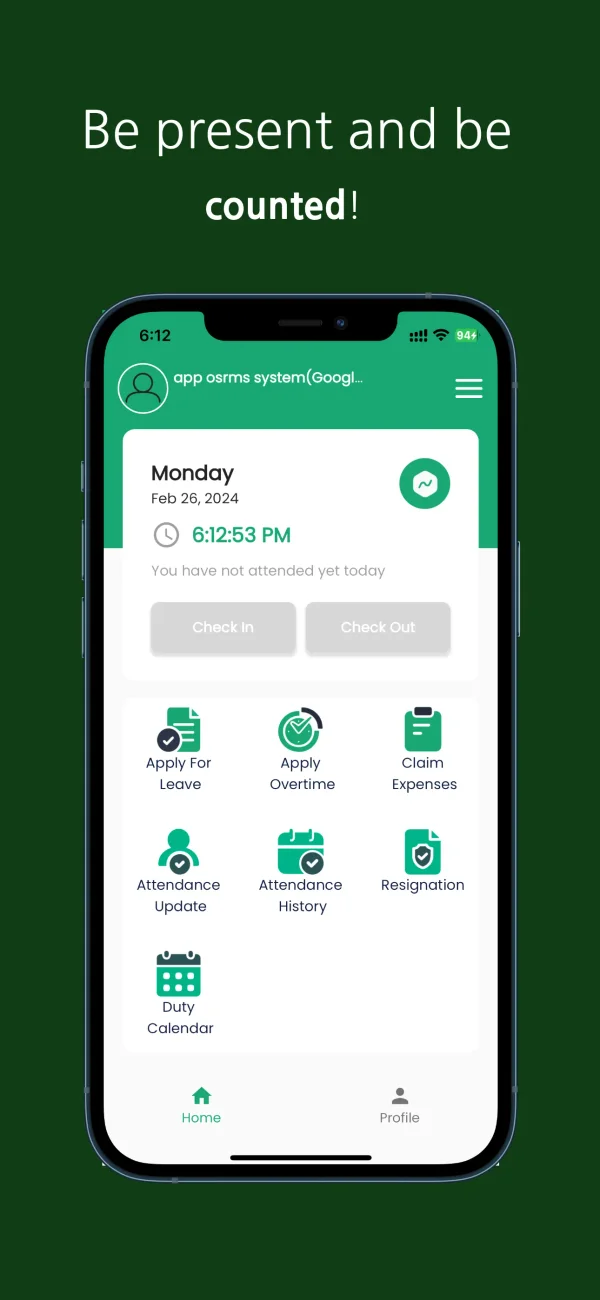
The check-in and check-out feature is used for marking the attendance of OSR. While they start working click “Check-in” and while leaving work click “Check-out”. The time and location will be stored on the OSRMS database automatically.
If the OSR wants any leave go to “Apply for Leave” and select the types of leave (Casual, Sick, Annual) then submit the leave request. The leave request will be sent to the vendor and after reviewing from LM, the vendor will accept or reject the leave request.
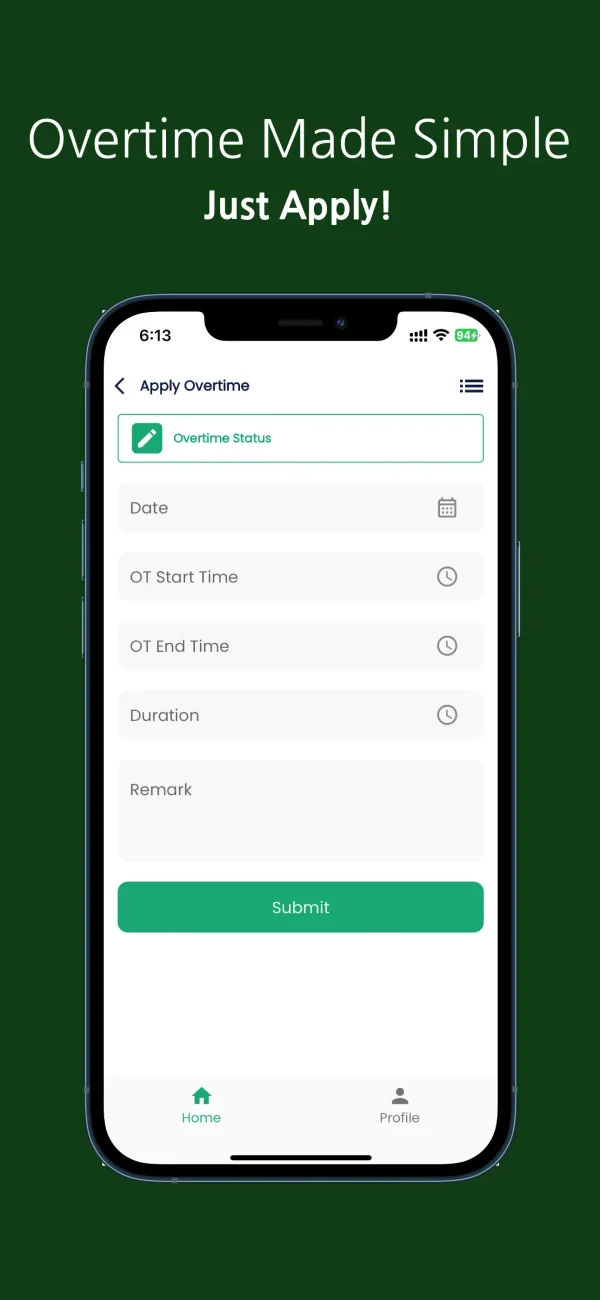
Overtime claims could be performed from this feature by OSR. Click the “Apply Overtime” and select the date, start time, end time, and duration, and write the reason for overtime. Click the “Submit” button. The request will be reviewed and the OSR will be notified, if is it accepted or rejected.
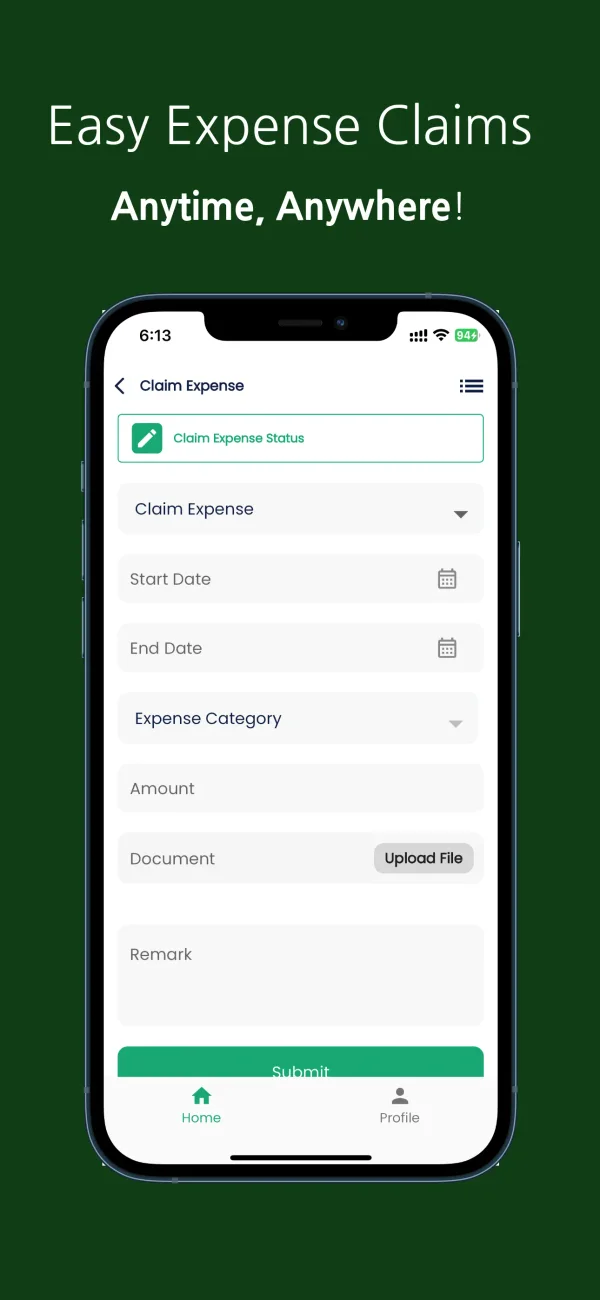
If the OSR wants to claim expenses, click the “Claim Expenses” and select the fields that are mentioned in the expenses claim form, then submit it. The request will be reviewed and the OSR will be notified, if is it accepted or rejected.
If any OSR fails to give the check-in / check-out response. They need to send requests for attendance updates. Click “Attendance Update” and fill up the date and time. Submit it by clicking “Apply”. The request will be reviewed and the OSR will be notified, if is it accepted or rejected.
The OSR could check the attendance history by clicking “Attendance History”.
The duty calendar will show the duty time of OSR that is managed or selected from the vendor end.
If the OSR wants to resign from their job, go to the Resignation feature fill in the date and reason for resign then submit it.
新機能
バージョン 4.2.0 · 2025/9/17
- v~4.2.0
- Add OSR code in toolbar
- Fixed overtime issue
アプリのプライバシー
このアプリのデータの取り扱いについて、Arena Phone BD LtdがApp Storeで申告している内容です。
-
データの収集なし
開発元はこのアプリからデータを収集しません。
プライバシーの取り扱いは、ご利用の機能やお客様の年齢などに応じて異なる場合があります。
情報
- 販売元
- Arena Phone BD Ltd
- カテゴリ
- ライフスタイル
- バージョン
- 4.2.0
- 更新日
- 2025/9/17
- リリース
- 2024/3/6
- サイズ
- 36.9 MB
- 必要条件
- iOS 12.0以降
- 対象年齢
- 4+
- 価格
- 無料
- 言語
- 英語
- 著作権
- © Arena Phone BD Ltd