
- Độ tuổi4+
- Danh mụcLối Sống
- Nhà phát triểnArena Phone BD Ltd
- Ngôn ngữTiếng Anh
- Kích thước36,9 MB
Liên kết đến trang App Store chính thức
Download.org không lưu trữ tệp nào của OSRMS APP. Nút này mở trang ứng dụng trên App Store, nơi Arena Phone BD Ltd phát hành ứng dụng. Trang được kiểm tra lần cuối: 17/11/2026.
Ảnh chụp màn hình
Giới thiệu
Nhà phát triển chưa cung cấp nội dung này bằng ngôn ngữ của bạn.
The OSRMS app is used to manage outsourced resources and the Out Source Resource (OSR) can manage their daily activities through this app.
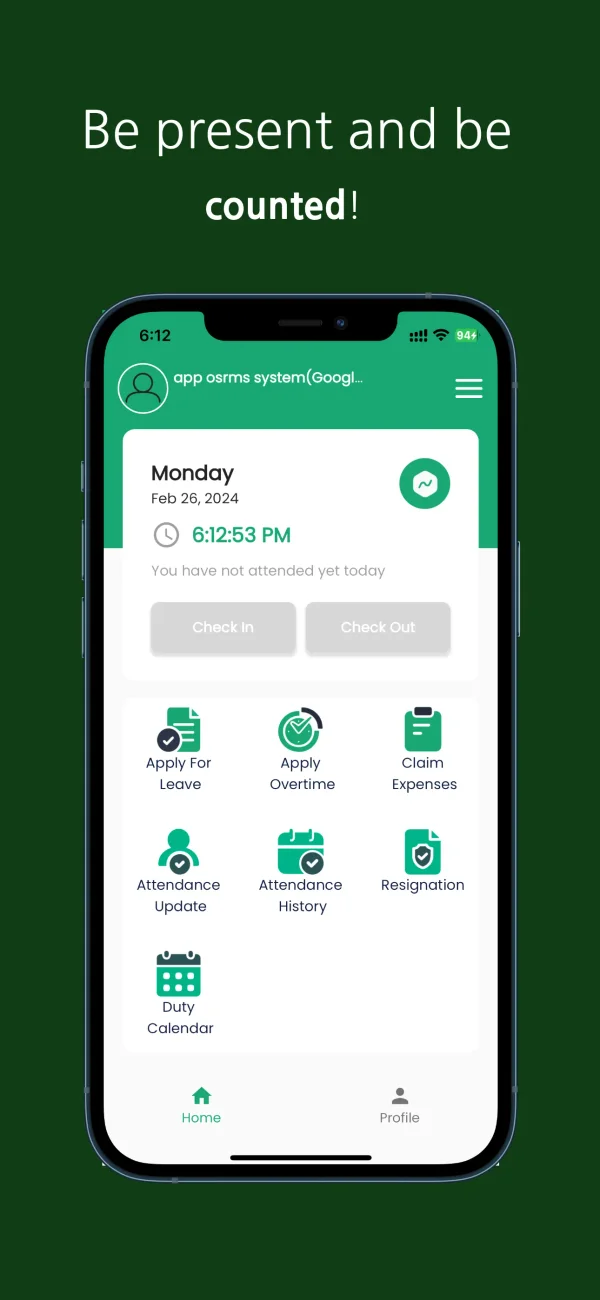
The check-in and check-out feature is used for marking the attendance of OSR. While they start working click “Check-in” and while leaving work click “Check-out”. The time and location will be stored on the OSRMS database automatically.
If the OSR wants any leave go to “Apply for Leave” and select the types of leave (Casual, Sick, Annual) then submit the leave request. The leave request will be sent to the vendor and after reviewing from LM, the vendor will accept or reject the leave request.
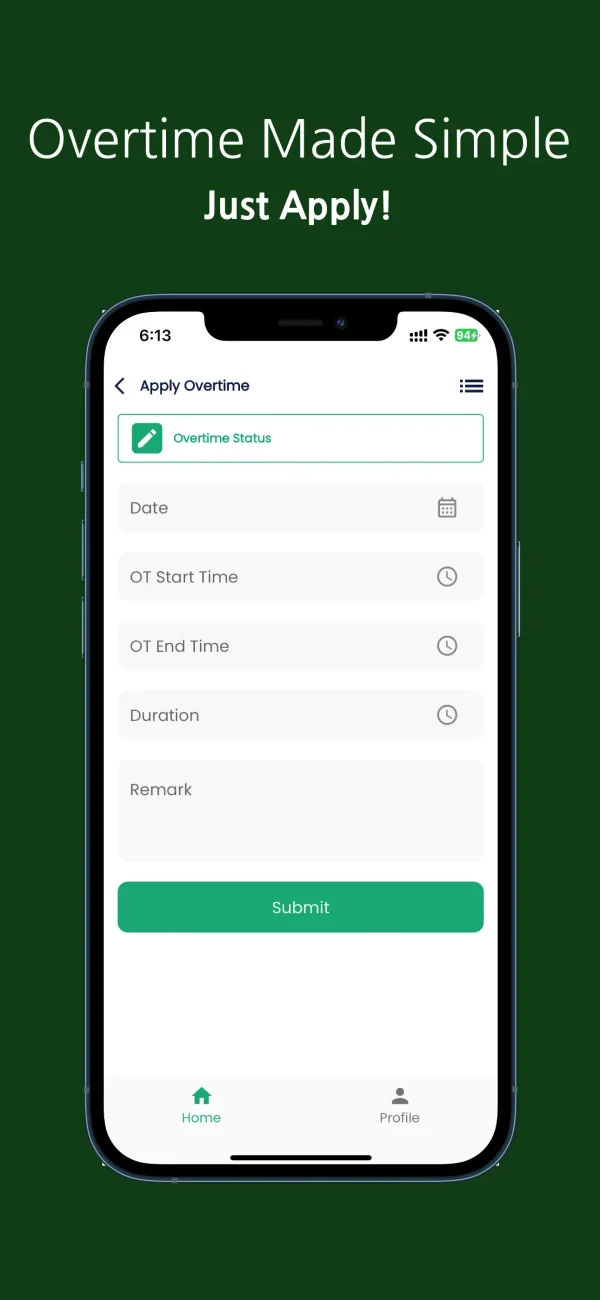
Overtime claims could be performed from this feature by OSR. Click the “Apply Overtime” and select the date, start time, end time, and duration, and write the reason for overtime. Click the “Submit” button. The request will be reviewed and the OSR will be notified, if is it accepted or rejected.
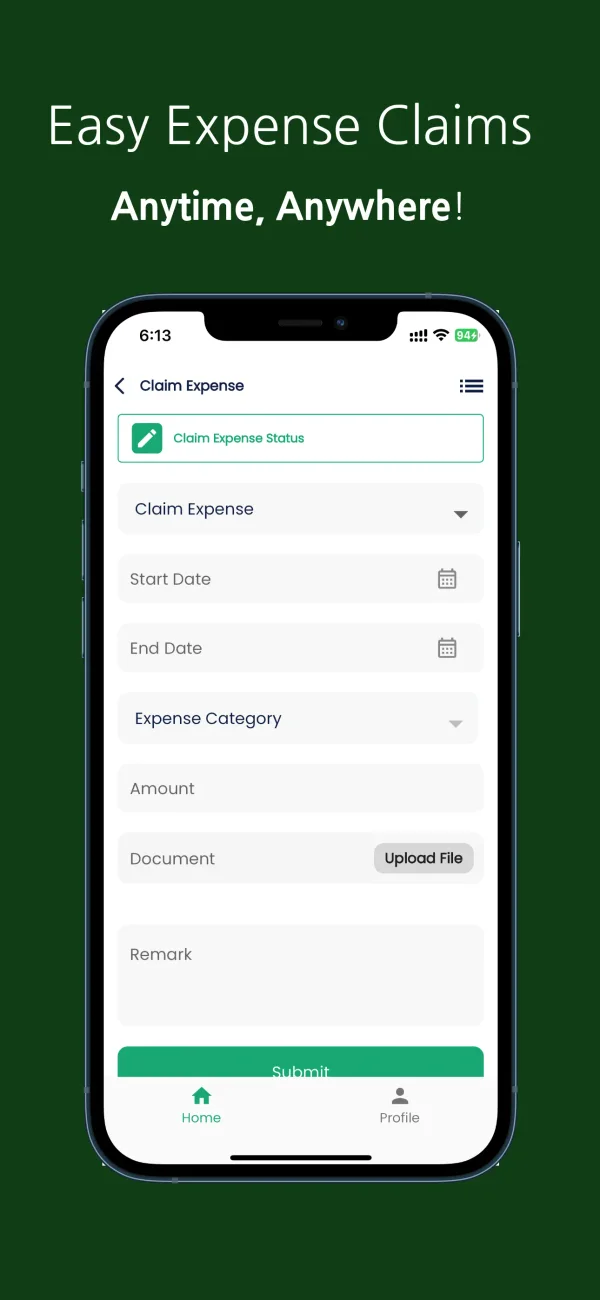
If the OSR wants to claim expenses, click the “Claim Expenses” and select the fields that are mentioned in the expenses claim form, then submit it. The request will be reviewed and the OSR will be notified, if is it accepted or rejected.
If any OSR fails to give the check-in / check-out response. They need to send requests for attendance updates. Click “Attendance Update” and fill up the date and time. Submit it by clicking “Apply”. The request will be reviewed and the OSR will be notified, if is it accepted or rejected.
The OSR could check the attendance history by clicking “Attendance History”.
The duty calendar will show the duty time of OSR that is managed or selected from the vendor end.
If the OSR wants to resign from their job, go to the Resignation feature fill in the date and reason for resign then submit it.
Có gì mới
Phiên bản 4.2.0 · 17/09/2025
- v~4.2.0
- Add OSR code in toolbar
- Fixed overtime issue
Quyền riêng tư của ứng dụng
Những gì Arena Phone BD Ltd khai báo trên App Store về cách ứng dụng này xử lý dữ liệu.
-
Dữ liệu không được thu thập
Nhà phát triển không thu thập bất kỳ dữ liệu nào từ ứng dụng này.
Phương thức đảm bảo quyền riêng tư có thể khác nhau, chẳng hạn như tuỳ theo các tính năng bạn sử dụng hoặc độ tuổi của bạn.
Thông tin
- Người bán
- Arena Phone BD Ltd
- Danh mục
- Lối Sống
- Phiên bản
- 4.2.0
- Cập nhật
- 17/09/2025
- Phát hành
- 06/03/2024
- Kích thước
- 36,9 MB
- Yêu cầu
- iOS 12.0 trở lên
- Độ tuổi
- 4+
- Giá
- Miễn phí
- Ngôn ngữ
- Tiếng Anh
- Bản quyền
- © Arena Phone BD Ltd