- Batasan usia4+
- KategoriGaya Hidup
- PengembangArena Phone BD Ltd
- BahasaInggris
- Ukuran36,9 MB
Tertaut ke halaman resmi App Store
Download.org tidak menyimpan file OSRMS APP apa pun. Tombol ini membuka halaman aplikasi di App Store, tempat Arena Phone BD Ltd menerbitkannya. Halaman terakhir diperiksa pada 17/11/2026.
Tangkapan layar
Tentang
Pengembang belum menyediakan teks ini dalam bahasa Anda.
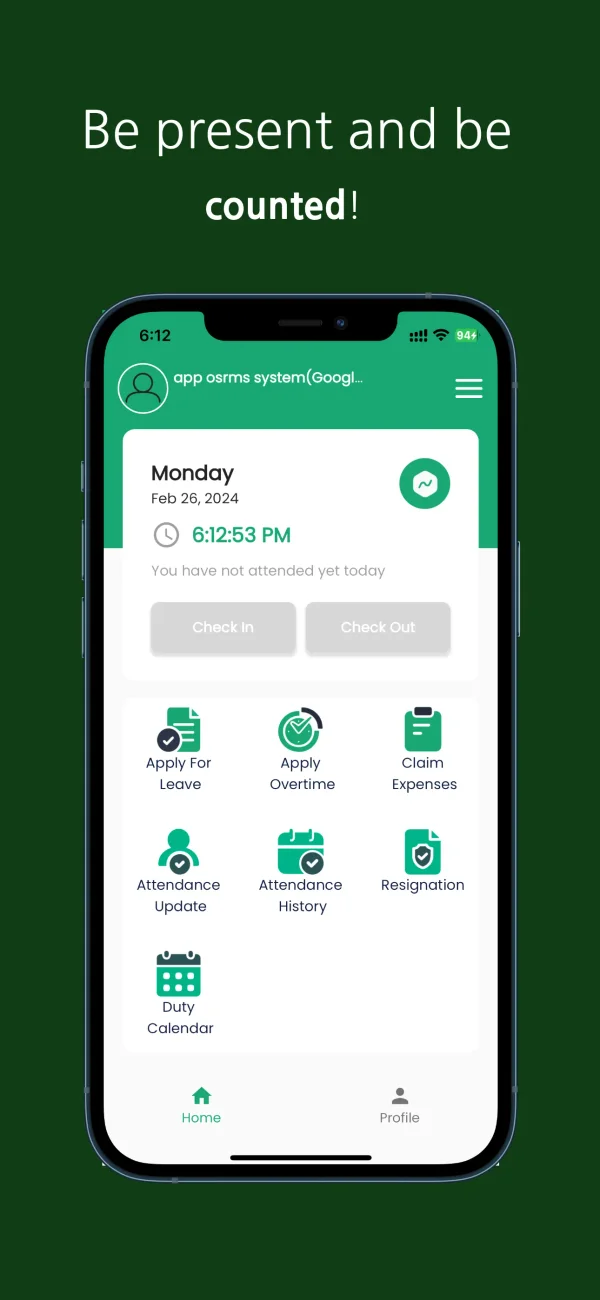
The OSRMS app is used to manage outsourced resources and the Out Source Resource (OSR) can manage their daily activities through this app.
The check-in and check-out feature is used for marking the attendance of OSR. While they start working click “Check-in” and while leaving work click “Check-out”. The time and location will be stored on the OSRMS database automatically.
If the OSR wants any leave go to “Apply for Leave” and select the types of leave (Casual, Sick, Annual) then submit the leave request. The leave request will be sent to the vendor and after reviewing from LM, the vendor will accept or reject the leave request.
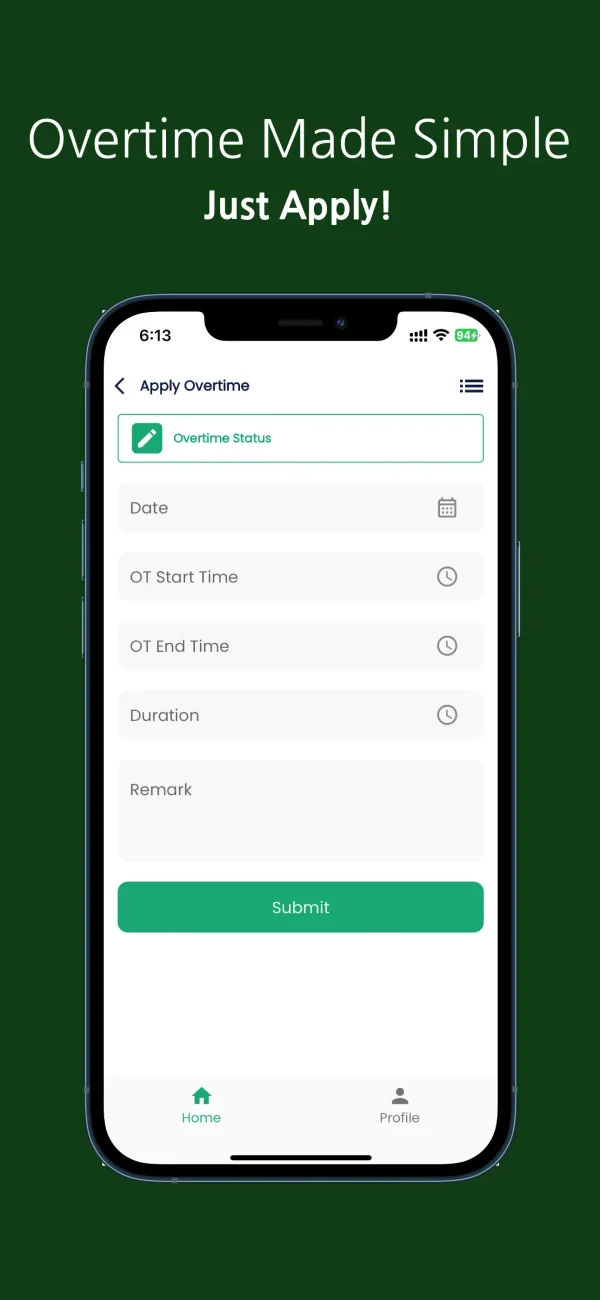
Overtime claims could be performed from this feature by OSR. Click the “Apply Overtime” and select the date, start time, end time, and duration, and write the reason for overtime. Click the “Submit” button. The request will be reviewed and the OSR will be notified, if is it accepted or rejected.
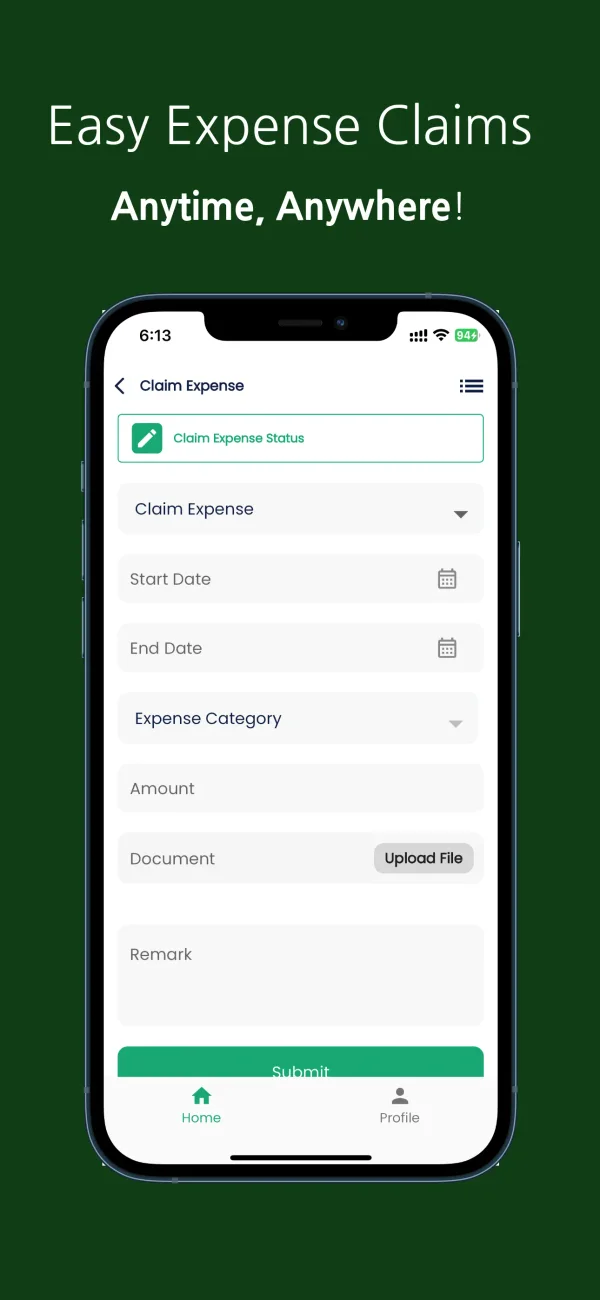
If the OSR wants to claim expenses, click the “Claim Expenses” and select the fields that are mentioned in the expenses claim form, then submit it. The request will be reviewed and the OSR will be notified, if is it accepted or rejected.
If any OSR fails to give the check-in / check-out response. They need to send requests for attendance updates. Click “Attendance Update” and fill up the date and time. Submit it by clicking “Apply”. The request will be reviewed and the OSR will be notified, if is it accepted or rejected.
The OSR could check the attendance history by clicking “Attendance History”.
The duty calendar will show the duty time of OSR that is managed or selected from the vendor end.
If the OSR wants to resign from their job, go to the Resignation feature fill in the date and reason for resign then submit it.
Yang baru
Versi 4.2.0 · 17/9/2025
- v~4.2.0
- Add OSR code in toolbar
- Fixed overtime issue
Privasi aplikasi
Yang dinyatakan Arena Phone BD Ltd di App Store tentang cara aplikasi ini menangani data.
-
Data tidak dikumpulkan
Pengembang tidak mengumpulkan data apa pun dari aplikasi ini.
Praktik privasi dapat bervariasi, misalnya berdasarkan fitur yang Anda gunakan atau usia Anda.
Informasi
- Penjual
- Arena Phone BD Ltd
- Kategori
- Gaya Hidup
- Versi
- 4.2.0
- Diperbarui
- 17/9/2025
- Dirilis
- 6/3/2024
- Ukuran
- 36,9 MB
- Memerlukan
- iOS 12.0 atau yang lebih baru
- Batasan usia
- 4+
- Harga
- Gratis
- Bahasa
- Inggris
- Hak cipta
- © Arena Phone BD Ltd