
- Classification d’âge4+
- CatégoriePhoto et vidéo
- DéveloppeurChristopher Krueger
- LanguesAnglais
- Taille2,8 Mo
RetroAlign n’est peut-être pas disponible sur App Store pour le moment
La fiche de la boutique était inaccessible lors de notre dernière vérification. Le lien mène toujours à la page App Store officielle.
Captures d’écran
À propos
Le développeur n’a pas fourni ce texte dans votre langue.
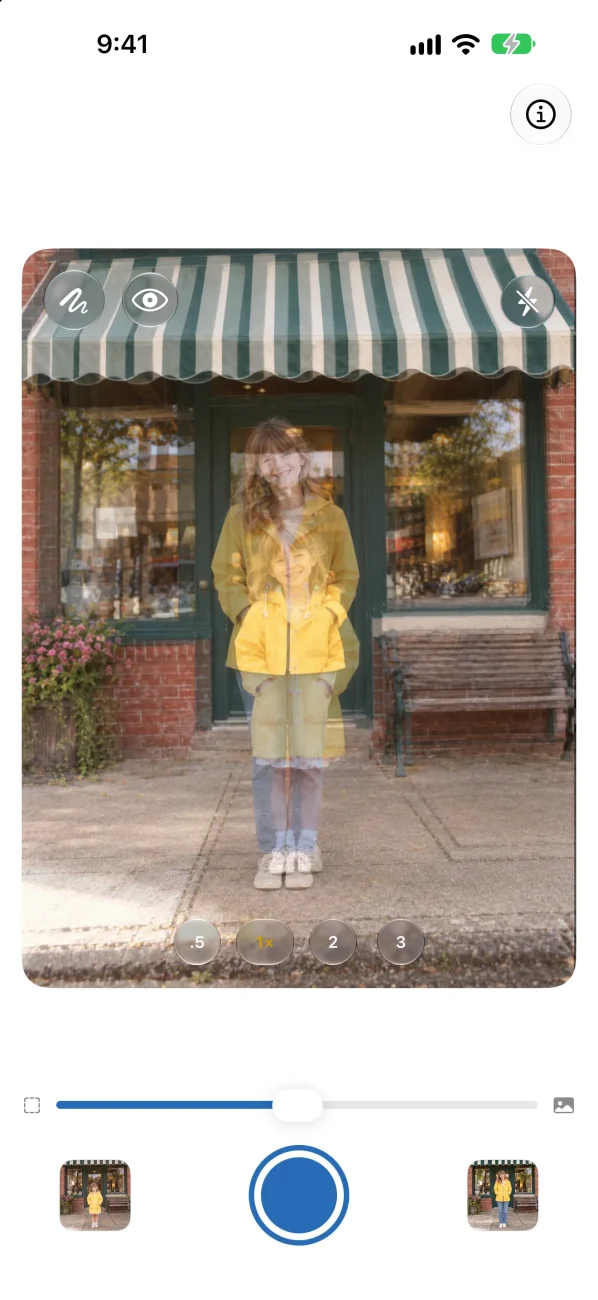
RetroAlign helps you capture perfectly aligned photos by overlaying reference images on your camera view. Perfect for photographers, artists, and anyone who needs precise alignment when recreating shots.
KEY FEATURES:
• Overlay Reference Photos - Select any photo from your library and overlay it on your live camera view
• Adjustable Transparency - Use the slider to fine-tune overlay opacity for perfect alignment
• Real Lens Zoom - Switch between your iPhone's cameras, pinch to zoom, and tap to focus
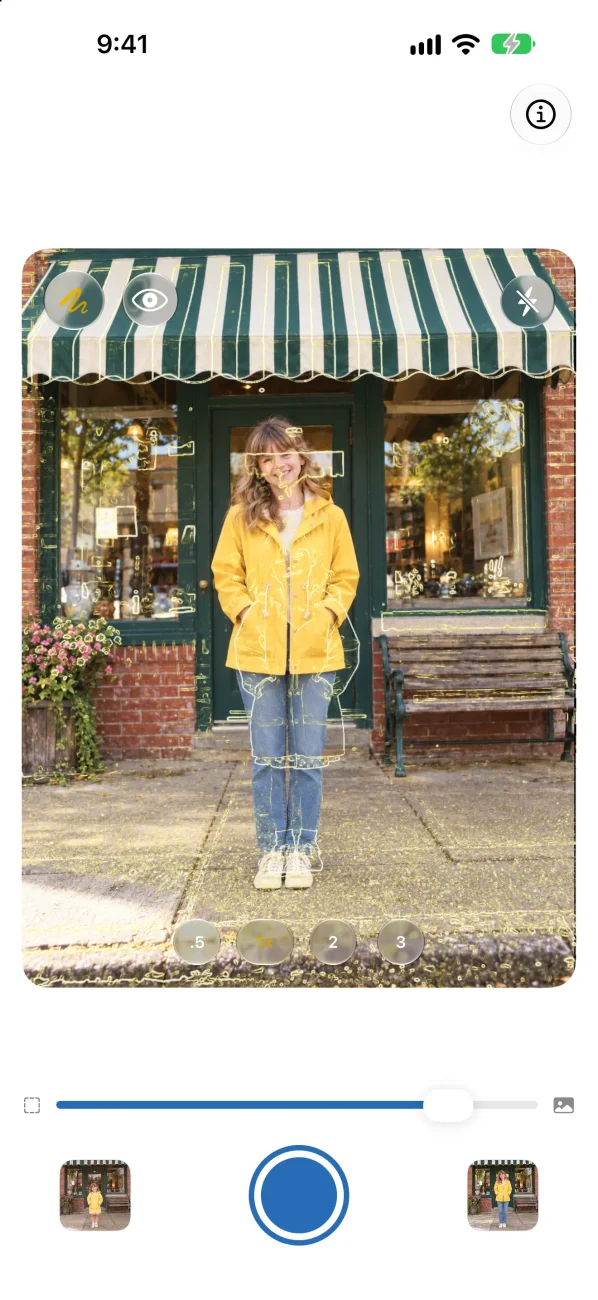
• Outline Mode - See the reference as an outline instead of a faded photo
• Flash Control - Cycle through off, on, and auto flash modes
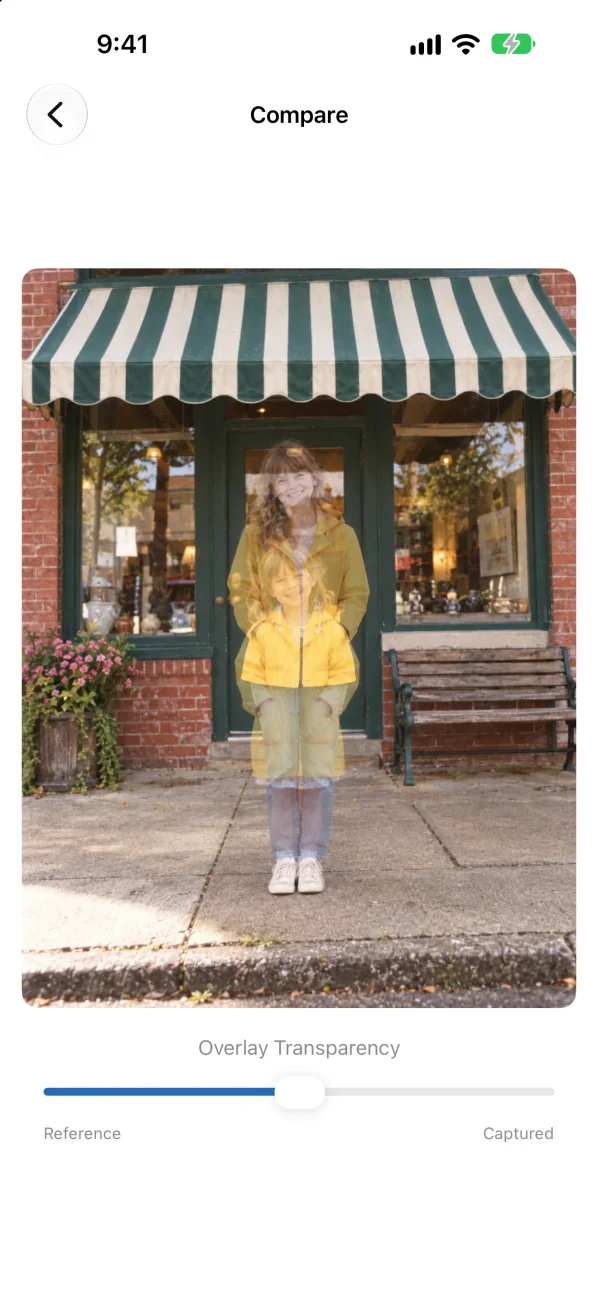
• Side-by-Side Comparison - Compare your captured photo with the reference image
• Auto-Save - Photos automatically save to your camera roll
PERFECT FOR:
• Photographers recreating shots
• Artists aligning new work with references
• Anyone needing precise camera alignment
• Before/after comparisons
• Matching angles and compositions
HOW IT WORKS:
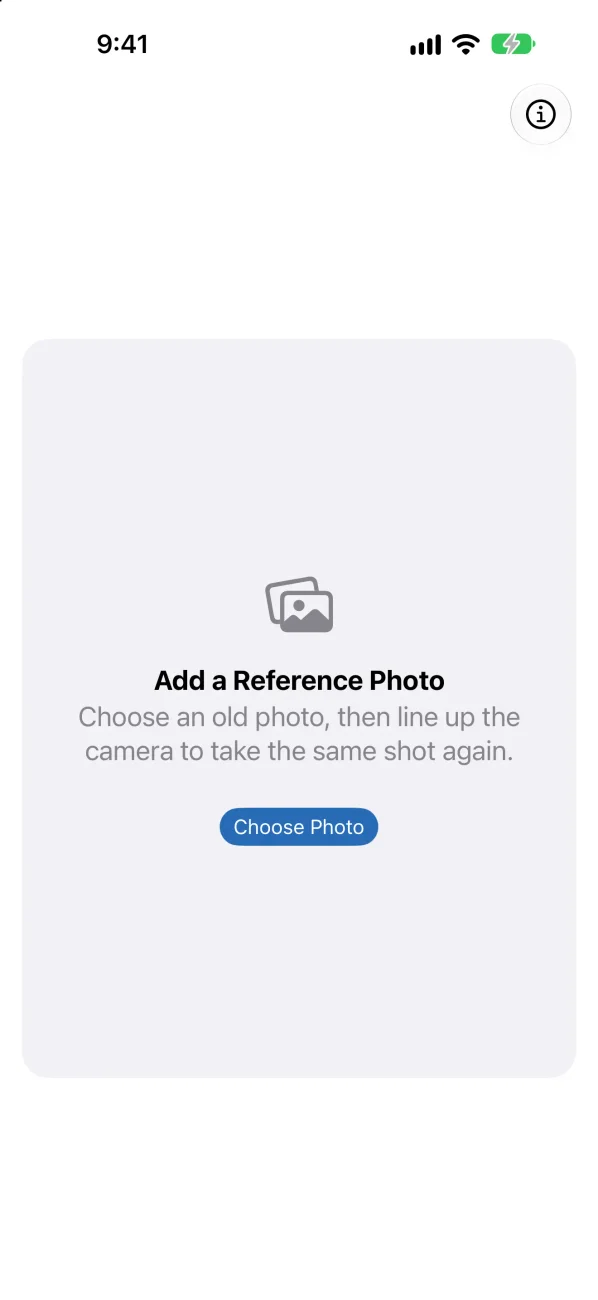
1. Select a reference photo from your library
2. Adjust overlay transparency to see both images
3. Align your camera view with the reference
4. Zoom with your iPhone's lenses for precision
5. Capture your perfectly aligned photo
6. Compare and save
Simple, intuitive, and designed for precision.
Nouveautés
Version 1.1 · 26/10/2026
• Support for iPhone Duo: the layout adapts when folded or unfolded, with landscape on the large screen
• Full-quality photos (up to 24 MP, HEIC) with flash, matching what the viewfinder shows
• Real lens zoom: switch between your iPhone's cameras and pinch to zoom
• Tap to focus and set exposure
• New outline overlay, and press and hold to peek at the reference
• Simpler, Camera-style controls, now in landscape too
• Take photos with the volume buttons or Camera Control
• Remembers your last reference photo and overlay settings
Confidentialité de l’application
Ce que Christopher Krueger déclare sur l’App Store au sujet du traitement des données par cette application.
-
Données non collectées
Le développeur ne collecte aucune donnée à partir de cette application.
Les pratiques en matière de confidentialité peuvent varier, notamment en fonction des fonctionnalités que vous utilisez ou de votre âge.
Informations
- Vendeur
- Christopher Krueger
- Catégorie
- Photo et vidéo
- Version
- 1.1
- Mis à jour
- 26/10/2026
- Publié
- 17/12/2025
- Taille
- 2,8 Mo
- Nécessite
- iOS 17 ou version ultérieure
- Classification d’âge
- 4+
- Langues
- Anglais
- Copyright
- © 2025 TheNewHobbyist
Vous aimerez peut-être aussi
-
 SameSpot: Before & AfterPhoto et vidéo
-
 Then & Now: Auto-Align CameraPhoto et vidéo
-
 Stack: Before & After PhotosPhoto et vidéo
-
 Align: Stop Motion CameraPhoto et vidéo
-
 Handpick: Photo OrganizerPhoto et vidéo
-
 PicturePresenterPhoto et vidéo
-
 ALIGNCAM Onion SkinPhoto et vidéo
-
 ReShoot: Before & After CameraPhoto et vidéo
-
 OverCam - Calque photoTracer, aligner, reproduire
-
 AlignShot: SuperpositionRepère et calques