
- Batasan usia4+
- KategoriFoto & Video
- PengembangChristopher Krueger
- BahasaInggris
- Ukuran2,8 MB
RetroAlign mungkin sedang tidak tersedia di App Store
Halaman di toko tidak dapat dijangkau saat terakhir kami periksa. Tautan tetap mengarah ke halaman resmi App Store.
Tangkapan layar
Tentang
Pengembang belum menyediakan teks ini dalam bahasa Anda.
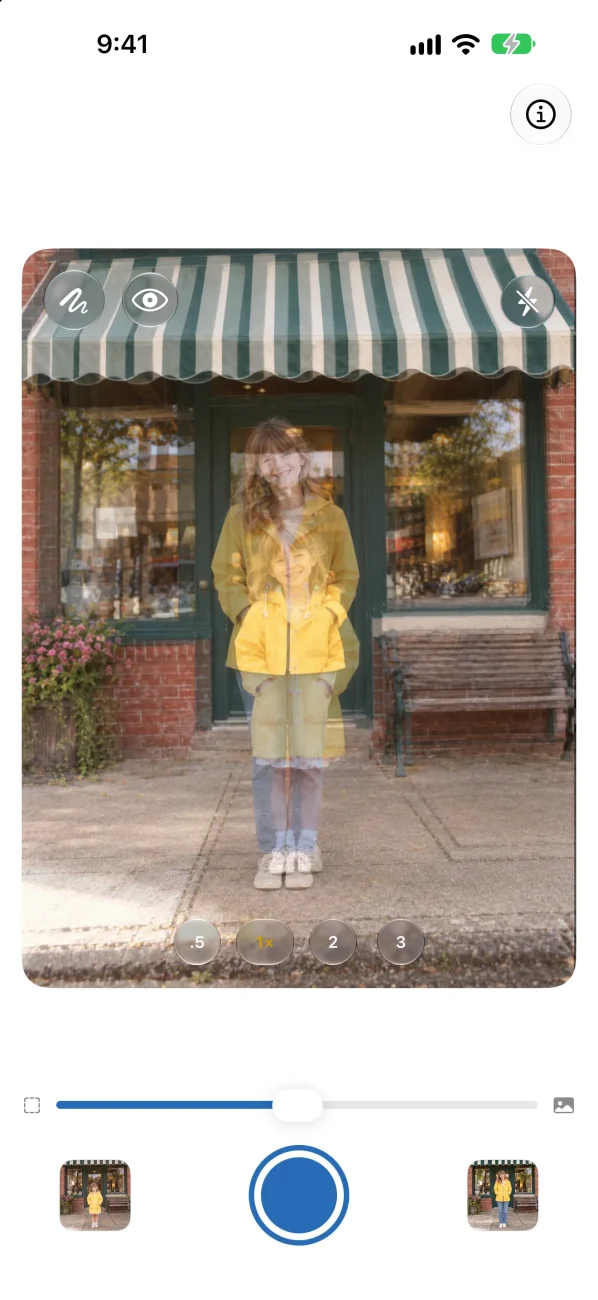
RetroAlign helps you capture perfectly aligned photos by overlaying reference images on your camera view. Perfect for photographers, artists, and anyone who needs precise alignment when recreating shots.
KEY FEATURES:
• Overlay Reference Photos - Select any photo from your library and overlay it on your live camera view
• Adjustable Transparency - Use the slider to fine-tune overlay opacity for perfect alignment
• Real Lens Zoom - Switch between your iPhone's cameras, pinch to zoom, and tap to focus
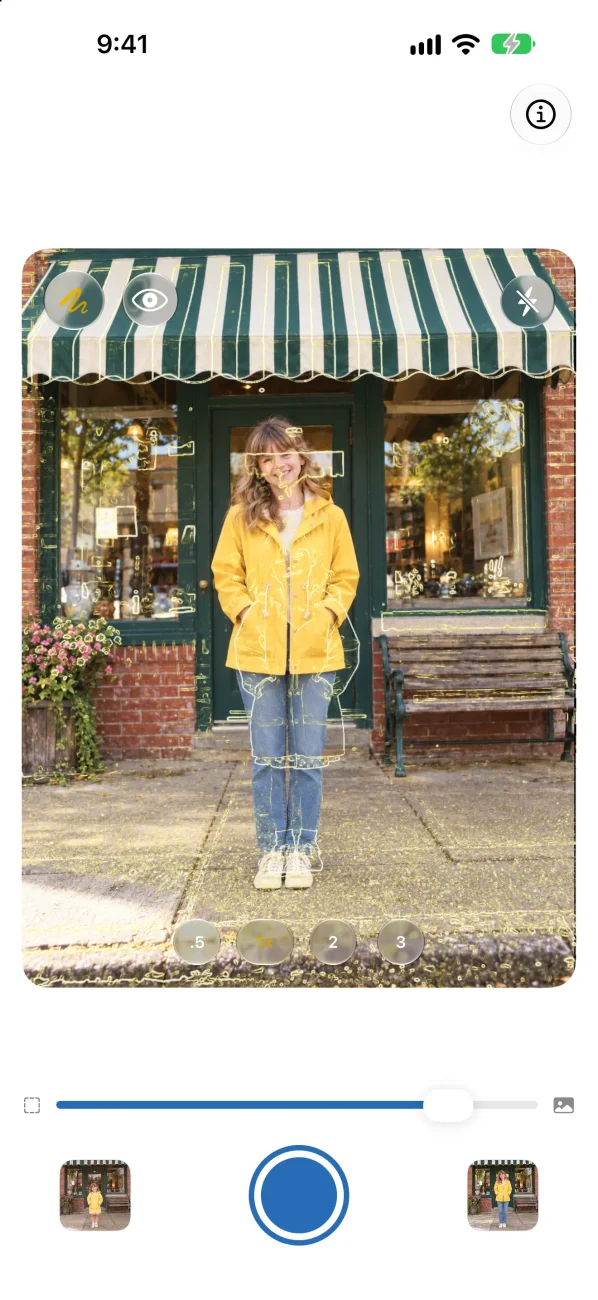
• Outline Mode - See the reference as an outline instead of a faded photo
• Flash Control - Cycle through off, on, and auto flash modes
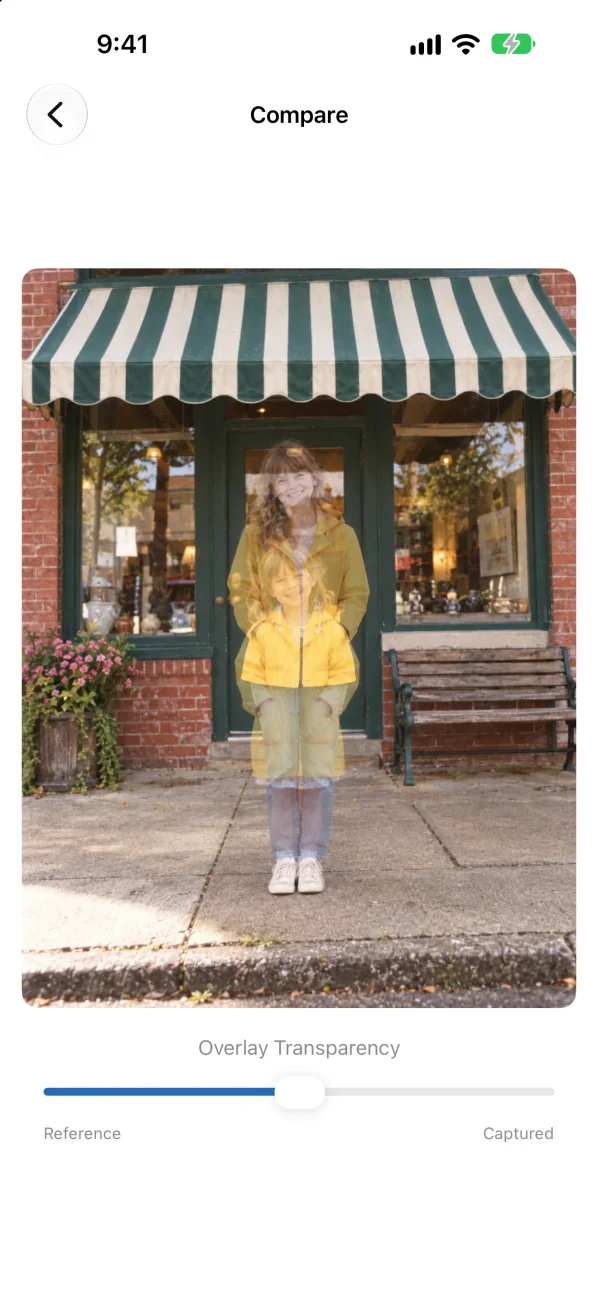
• Side-by-Side Comparison - Compare your captured photo with the reference image
• Auto-Save - Photos automatically save to your camera roll
PERFECT FOR:
• Photographers recreating shots
• Artists aligning new work with references
• Anyone needing precise camera alignment
• Before/after comparisons
• Matching angles and compositions
HOW IT WORKS:
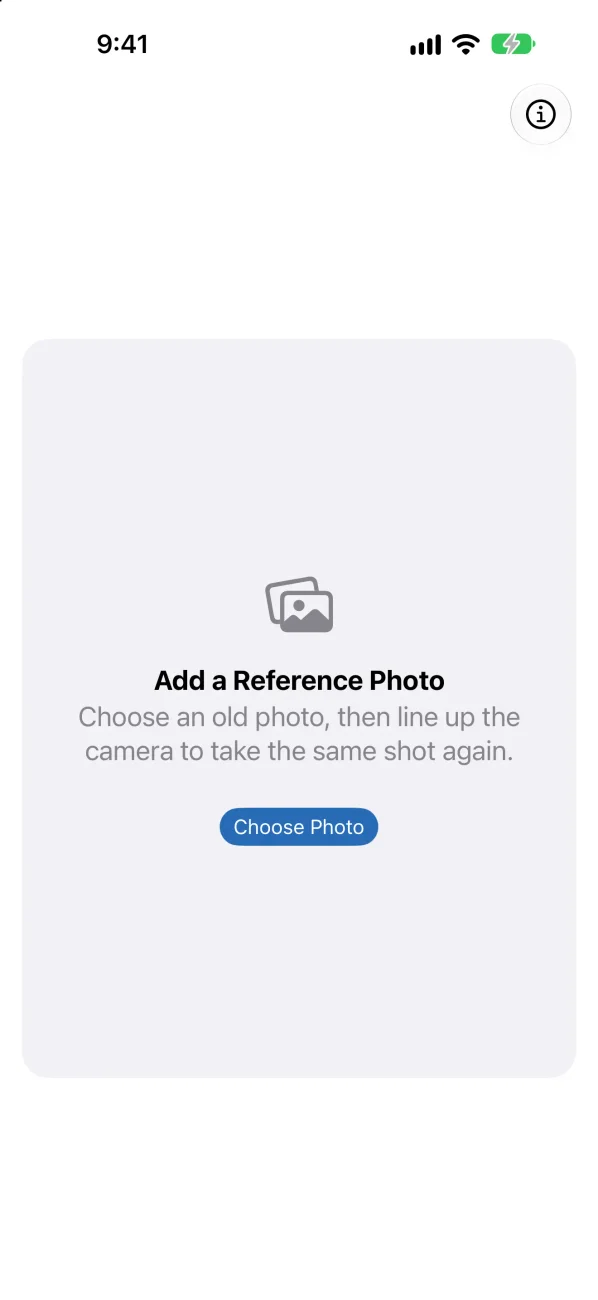
1. Select a reference photo from your library
2. Adjust overlay transparency to see both images
3. Align your camera view with the reference
4. Zoom with your iPhone's lenses for precision
5. Capture your perfectly aligned photo
6. Compare and save
Simple, intuitive, and designed for precision.
Yang baru
Versi 1.1 · 26/10/2026
• Support for iPhone Duo: the layout adapts when folded or unfolded, with landscape on the large screen
• Full-quality photos (up to 24 MP, HEIC) with flash, matching what the viewfinder shows
• Real lens zoom: switch between your iPhone's cameras and pinch to zoom
• Tap to focus and set exposure
• New outline overlay, and press and hold to peek at the reference
• Simpler, Camera-style controls, now in landscape too
• Take photos with the volume buttons or Camera Control
• Remembers your last reference photo and overlay settings
Privasi aplikasi
Yang dinyatakan Christopher Krueger di App Store tentang cara aplikasi ini menangani data.
-
Data tidak dikumpulkan
Pengembang tidak mengumpulkan data apa pun dari aplikasi ini.
Praktik privasi dapat bervariasi, misalnya berdasarkan fitur yang Anda gunakan atau usia Anda.
Informasi
- Penjual
- Christopher Krueger
- Kategori
- Foto & Video
- Versi
- 1.1
- Diperbarui
- 26/10/2026
- Dirilis
- 17/12/2025
- Ukuran
- 2,8 MB
- Memerlukan
- iOS 17 atau yang lebih baru
- Batasan usia
- 4+
- Bahasa
- Inggris
- Hak cipta
- © 2025 TheNewHobbyist
Mungkin Anda juga suka
-
 SameSpot: Before & AfterFoto & Video
-
 Then & Now: Auto-Align CameraFoto & Video
-
 Stack: Before & After PhotosFoto & Video
-
 Align: Stop Motion CameraFoto & Video
-
 Handpick: Photo OrganizerFoto & Video
-
 PicturePresenterFoto & Video
-
 ALIGNCAM Onion SkinFoto & Video
-
 ReShoot: Before & After CameraFoto & Video
-
 OverCam - Kamera Tumpang FotoSamakan pose & komposisi foto
-
 AlignShot: foto presisiPanduan referensi dan lapisan