
- Classification d’âge17+
- CatégorieProductivité
- DéveloppeurPBD LLC
- LanguesAnglais
- Taille17,3 Mo
Renvoie vers la page App Store officielle
Download.org n’héberge aucun fichier de Shotup AI. Le bouton ouvre la page de l’application sur App Store, où PBD LLC la publie. Fiche vérifiée pour la dernière fois le 29/11/2026.
Captures d’écran




À propos
Le développeur n’a pas fourni ce texte dans votre langue.
Shotup AI learns and remembers your screenshots.
It understands the context and visuals of your shots, and answers any questions about them in chat.
We all take screenshots — of posts, articles, restaurants, maps, design inspiration - things we considered important to save and revisit later. However, many of them end up forgotten, buried deep in our photo album. Rarely do we scroll through hundreds of images to find the one we need. What if you had a second brain — a photographic memory - that could remember not just the image but the entire context of every screenshot you’ve ever taken?
We are introducing Shotup AI. It doesn’t just store your screenshots — it learns from them. Whether you’re trying to recall an article or a social media post with tips, life hacks, or restaurant recommendations, Shotup AI gives you the references and insights you need based on the stored screenshot knowledge. It’s more than a chatting AI. It’s your backup memory.
How it works:
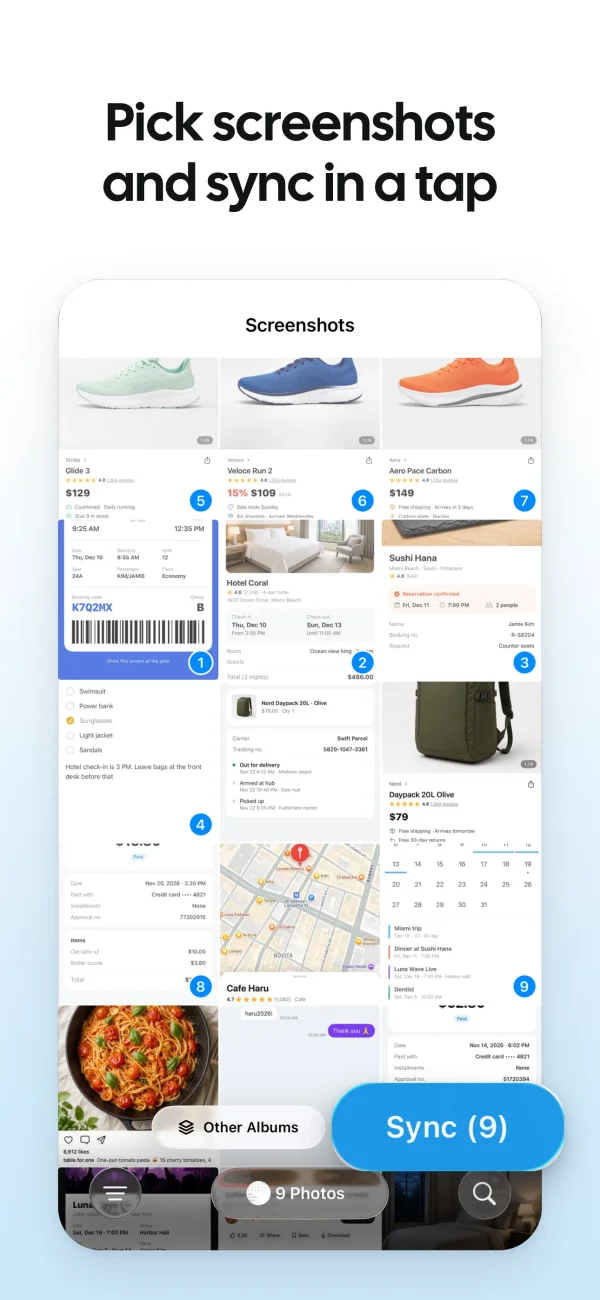
1. Select and sync screenshots you want the AI to remember.
2. The AI learns the context and visuals of the selected screenshots, and organizes key information.
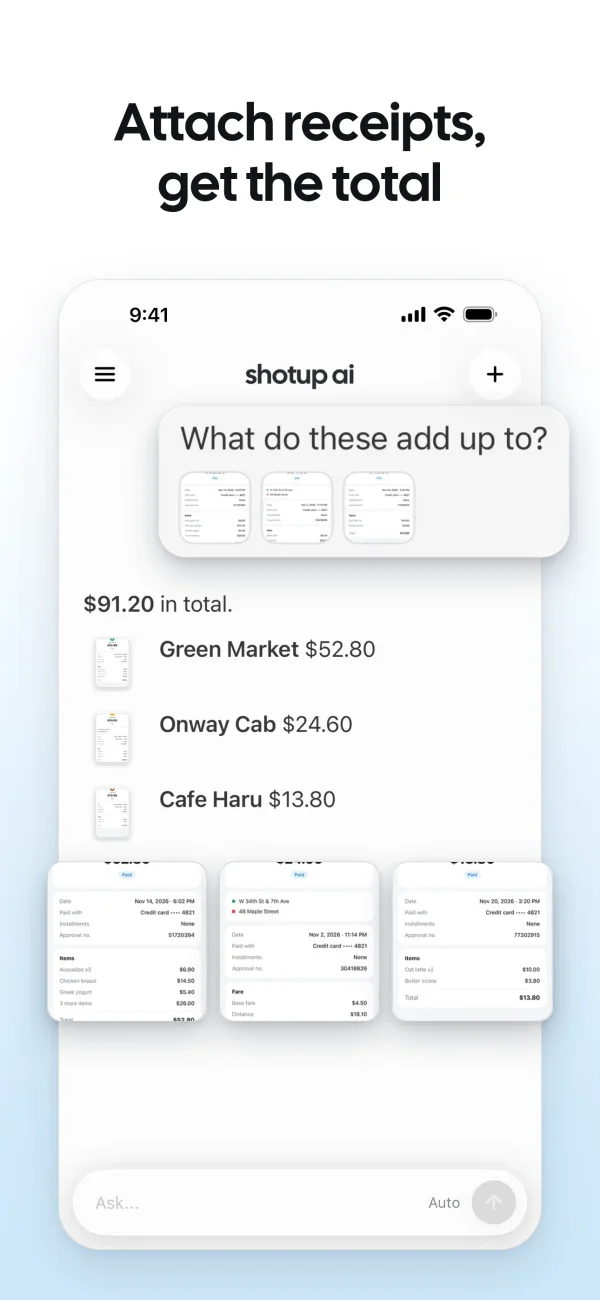
3. Ask anything about the synced shots. Shotup AI will answer based on the relevant knowledge it learned from your screenshots.
4. You can also pick from 'Suggested Questions,' the question options Shotup AI generated based on the screenshot information it learned.
For shoppers: Take screenshots of nice jacket or shoes you saw on Amazon, the brand websites or even on the instagram ads. Shotup AI will organize and list down all the items you took from different sites.
For students: Take screenshots of your note, online articles, life hacks or tips so Shotup AI can give you reminders and summarize relevant information whenever you need.
For designers: Take screenshots of design references, art pieces, mood board, fonts, color codes and more. Shotup AI will suggest relevant shots you took when you need inspiration from your past savings. You can ask - "Show me the warm cozy interior design references I saved." and it will find the right screenshots from you synced list.
For everyone: Take screenshots of nice restaurants on Google Map, so it can suggest nice restaurants around there when you ask later. You can also take screenshots of your Whatsapp chat so it remembers your meeting schedule, time and location.
Support & Feedback: hello@shotup.ai
---
Terms of Use: https://www.apple.com/legal/internet-services/itunes/dev/stdeula/
Privacy Policy: https://www.shotup.ai/termsandprivacy
Nouveautés
Version 3.5 · 28/11/2026
- Shots you just synced appear in the library while Shotup is still reading them.
- Open a shot and the note area waits until the note is ready.
- Sync brings you back to the chat as soon as the upload finishes.
Confidentialité de l’application
Ce que PBD LLC déclare sur l’App Store au sujet du traitement des données par cette application.
-
Données n’établissant aucun lien avec vous
Peuvent être collectées, mais ne sont pas liées à votre identité.
- Coordonnées
- Contacts
- Contenu utilisateur
- Historique de recherche
- Historique de navigation
- Identifiants
- Données d’utilisation
- Diagnostic
Les pratiques en matière de confidentialité peuvent varier, notamment en fonction des fonctionnalités que vous utilisez ou de votre âge.
Informations
- Vendeur
- PBD LLC
- Catégorie
- Productivité
- Version
- 3.5
- Mis à jour
- 28/11/2026
- Publié
- 07/01/2025
- Taille
- 17,3 Mo
- Nécessite
- iOS 17.0 ou version ultérieure
- Classification d’âge
- 17+
- Prix
- Gratuit
- Langues
- Anglais
- Copyright
- © Shotup AI 2026
Vous aimerez peut-être aussi
-
 Screenshot AI: Gallery CleanerPlace libre avec recherche IA
-
 Stupid NotesProductivité
-
 Kiro - Screenshot AIProductivité
-
 camp - organize screenshotsProductivité
-
 SnapStash - AI Screenshot orgProductivité
-
 Captureist – screenshot toolProductivité
-
 Stash : Organiseur de capturesTri par IA, recherche de texte
-
 Screenshot Organizer - VisuelOrganisateur Manager Gallérie
-
 Eyeball: Links Log & RemindersProductivité
-
 01 LightProductivité