
- Độ tuổi17+
- Danh mụcHiệu Suất
- Nhà phát triểnPBD LLC
- Ngôn ngữTiếng Anh
- Kích thước17,3 MB
Liên kết đến trang App Store chính thức
Download.org không lưu trữ tệp nào của Shotup AI. Nút này mở trang ứng dụng trên App Store, nơi PBD LLC phát hành ứng dụng. Trang được kiểm tra lần cuối: 29/11/2026.
Ảnh chụp màn hình




Giới thiệu
Nhà phát triển chưa cung cấp nội dung này bằng ngôn ngữ của bạn.
Shotup AI learns and remembers your screenshots.
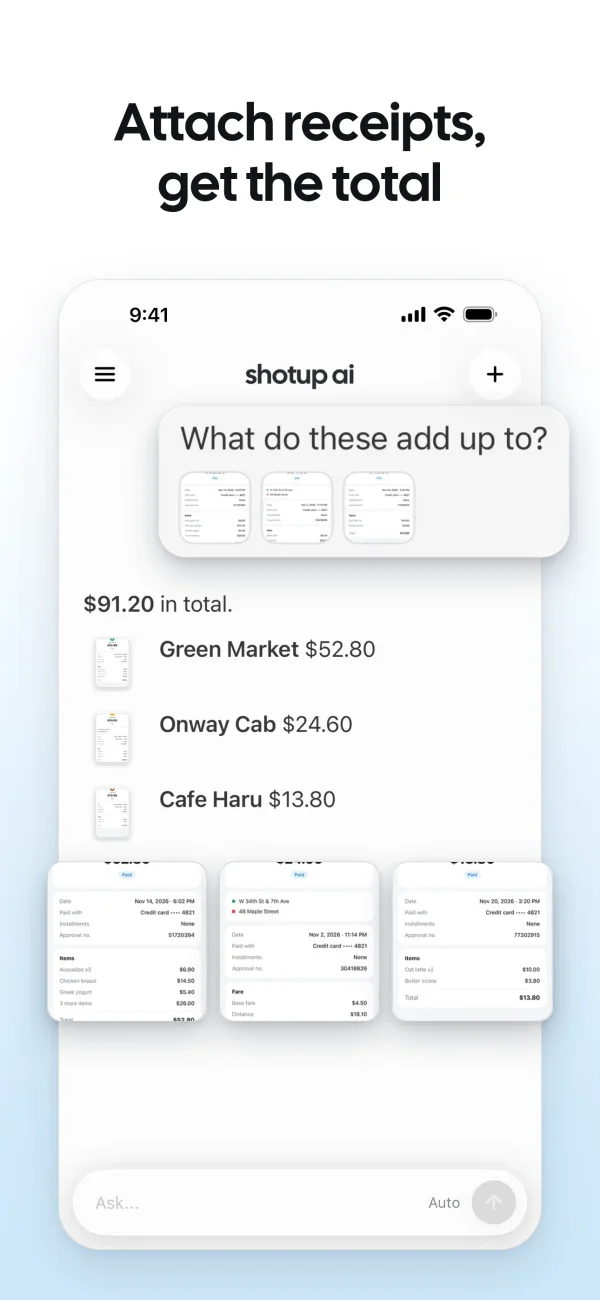
It understands the context and visuals of your shots, and answers any questions about them in chat.
We all take screenshots — of posts, articles, restaurants, maps, design inspiration - things we considered important to save and revisit later. However, many of them end up forgotten, buried deep in our photo album. Rarely do we scroll through hundreds of images to find the one we need. What if you had a second brain — a photographic memory - that could remember not just the image but the entire context of every screenshot you’ve ever taken?
We are introducing Shotup AI. It doesn’t just store your screenshots — it learns from them. Whether you’re trying to recall an article or a social media post with tips, life hacks, or restaurant recommendations, Shotup AI gives you the references and insights you need based on the stored screenshot knowledge. It’s more than a chatting AI. It’s your backup memory.
How it works:
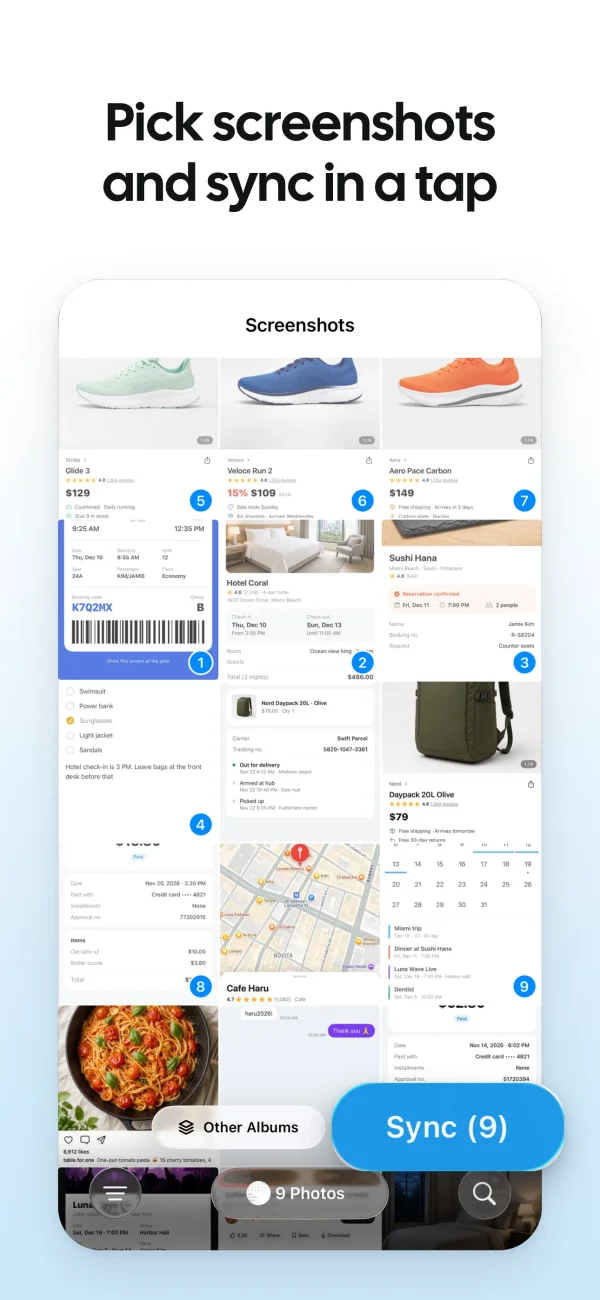
1. Select and sync screenshots you want the AI to remember.
2. The AI learns the context and visuals of the selected screenshots, and organizes key information.
3. Ask anything about the synced shots. Shotup AI will answer based on the relevant knowledge it learned from your screenshots.
4. You can also pick from 'Suggested Questions,' the question options Shotup AI generated based on the screenshot information it learned.
For shoppers: Take screenshots of nice jacket or shoes you saw on Amazon, the brand websites or even on the instagram ads. Shotup AI will organize and list down all the items you took from different sites.
For students: Take screenshots of your note, online articles, life hacks or tips so Shotup AI can give you reminders and summarize relevant information whenever you need.
For designers: Take screenshots of design references, art pieces, mood board, fonts, color codes and more. Shotup AI will suggest relevant shots you took when you need inspiration from your past savings. You can ask - "Show me the warm cozy interior design references I saved." and it will find the right screenshots from you synced list.
For everyone: Take screenshots of nice restaurants on Google Map, so it can suggest nice restaurants around there when you ask later. You can also take screenshots of your Whatsapp chat so it remembers your meeting schedule, time and location.
Support & Feedback: hello@shotup.ai
---
Terms of Use: https://www.apple.com/legal/internet-services/itunes/dev/stdeula/
Privacy Policy: https://www.shotup.ai/termsandprivacy
Có gì mới
Phiên bản 3.5 · 28/11/2026
- Shots you just synced appear in the library while Shotup is still reading them.
- Open a shot and the note area waits until the note is ready.
- Sync brings you back to the chat as soon as the upload finishes.
Quyền riêng tư của ứng dụng
Những gì PBD LLC khai báo trên App Store về cách ứng dụng này xử lý dữ liệu.
-
Dữ liệu không liên kết với bạn
Có thể được thu thập nhưng không liên kết với danh tính của bạn.
- Thông tin liên hệ
- Danh bạ
- Nội dung của người dùng
- Lịch sử tìm kiếm
- Lịch sử duyệt web
- Mã định danh
- Dữ liệu sử dụng
- Chẩn đoán
Phương thức đảm bảo quyền riêng tư có thể khác nhau, chẳng hạn như tuỳ theo các tính năng bạn sử dụng hoặc độ tuổi của bạn.
Thông tin
- Người bán
- PBD LLC
- Danh mục
- Hiệu Suất
- Phiên bản
- 3.5
- Cập nhật
- 28/11/2026
- Phát hành
- 07/01/2025
- Kích thước
- 17,3 MB
- Yêu cầu
- iOS 17.0 trở lên
- Độ tuổi
- 17+
- Giá
- Miễn phí
- Ngôn ngữ
- Tiếng Anh
- Bản quyền
- © Shotup AI 2026
Có thể bạn cũng thích
-
 Screenshot AI: Gallery CleanerHiệu Suất
-
 Stupid NotesHiệu Suất
-
 Kiro - Screenshot AIHiệu Suất
-
 camp - organize screenshotsHiệu Suất
-
 SnapStash - AI Screenshot orgHiệu Suất
-
 Captureist – screenshot toolHiệu Suất
-
 Stash: AI Screenshot OrganizerHiệu Suất
-
 Screenshot Organizer - VisuelHiệu Suất
-
 Eyeball: Links Log & RemindersHiệu Suất
-
 01 LightHiệu Suất