- Classification d’âge4+
- CatégorieUtilitaires
- DéveloppeurNeel Makhecha
- LanguesAnglais
- Taille17,4 Mo
Renvoie vers la page App Store officielle
Download.org n’héberge aucun fichier de Surface Time. Le bouton ouvre la page de l’application sur App Store, où Neel Makhecha la publie. Fiche vérifiée pour la dernière fois le 14/11/2026.
Captures d’écran

À propos
Le développeur n’a pas fourni ce texte dans votre langue.
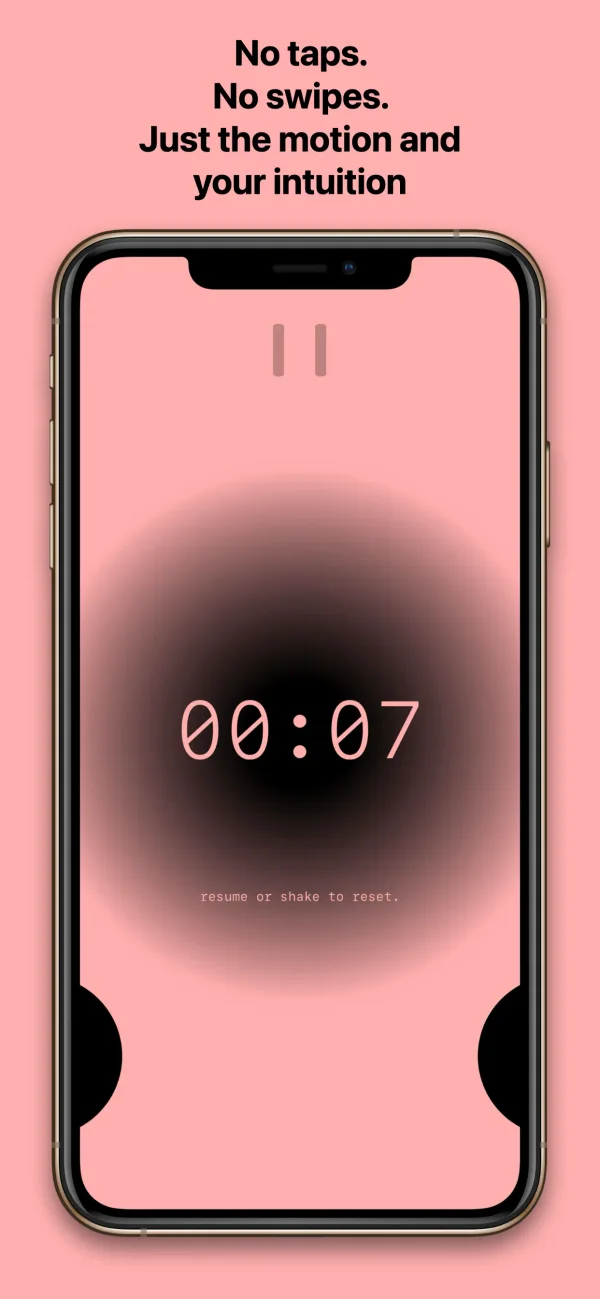
Timer apps are usually always simple with few buttons, but Surface takes this simplicity to the next level. With no buttons, taps, or swipes, the timer just turns on and off. It is designed to intuitively encourage you to put your phone down. The timer values peek from a small circle, and as you move your iPhone across angles, the circle expands with subtle haptics, nudging you to keep going and rest your phone on the surface facing down.
The hidden yet visible options for Settings and Goals are not only designed to prevent opening when you might accidentally touch or swipe when flipping your phone, but are also intentionally uninviting for you to interact. However, the moment you choose to do interact, it transforms itself into a beautiful control. A control that encourages you to make a gesture and intentionally reveal the hidden features.
The app is mainly aimed to help you stay focused in your work while keeping your phone at arms reach. But it is truly versatile, and I personally found myself using this everywhere. For instance in the kitchen, when my hands are dirty and I don't want to touch the screen or shout at my voice assistants, or to monitor my workouts with intervals. I'm sure there are many more ways to use this!
For basic timer features, you'll never have to touch the screen or press any buttons. Just flip your iPhone back up to reveal the screen and the timer pauses. Then, you can shake to reset or flip back down to resume.
Notifications:
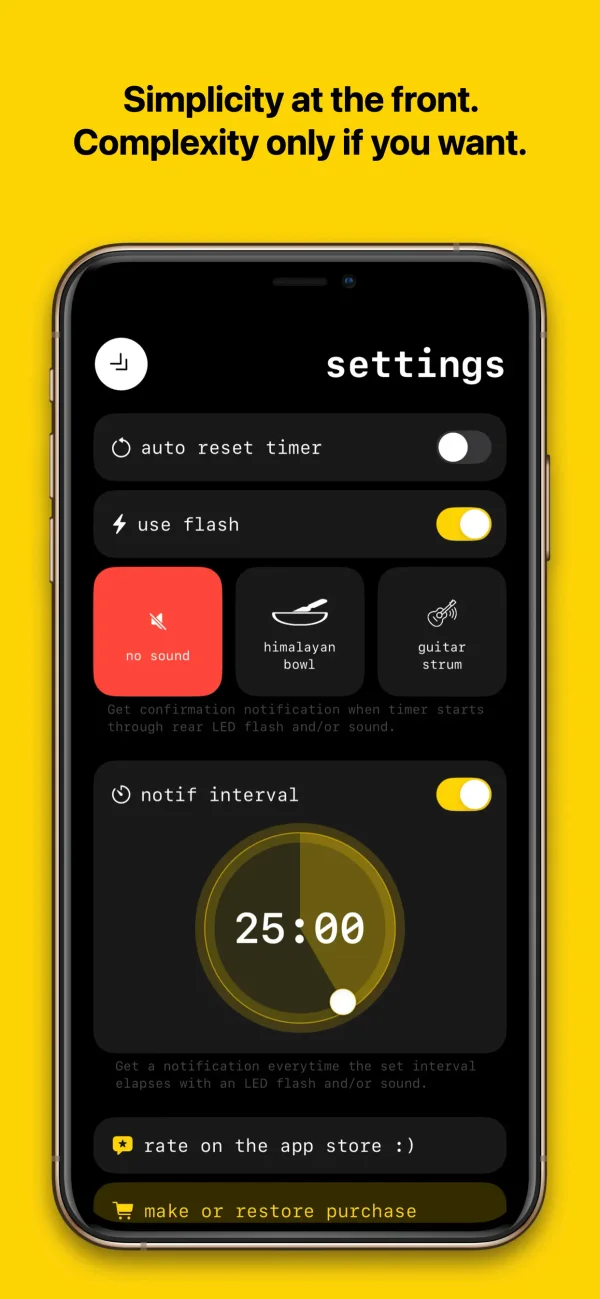
Surface uses backside LED flash to signal when timer begins.
You can also set periodic notifications using LED flash or using calming sounds, such as of Himalayan Bowl or Guitar Strum to keep rough track of duration without looking at your timer.
Goals:
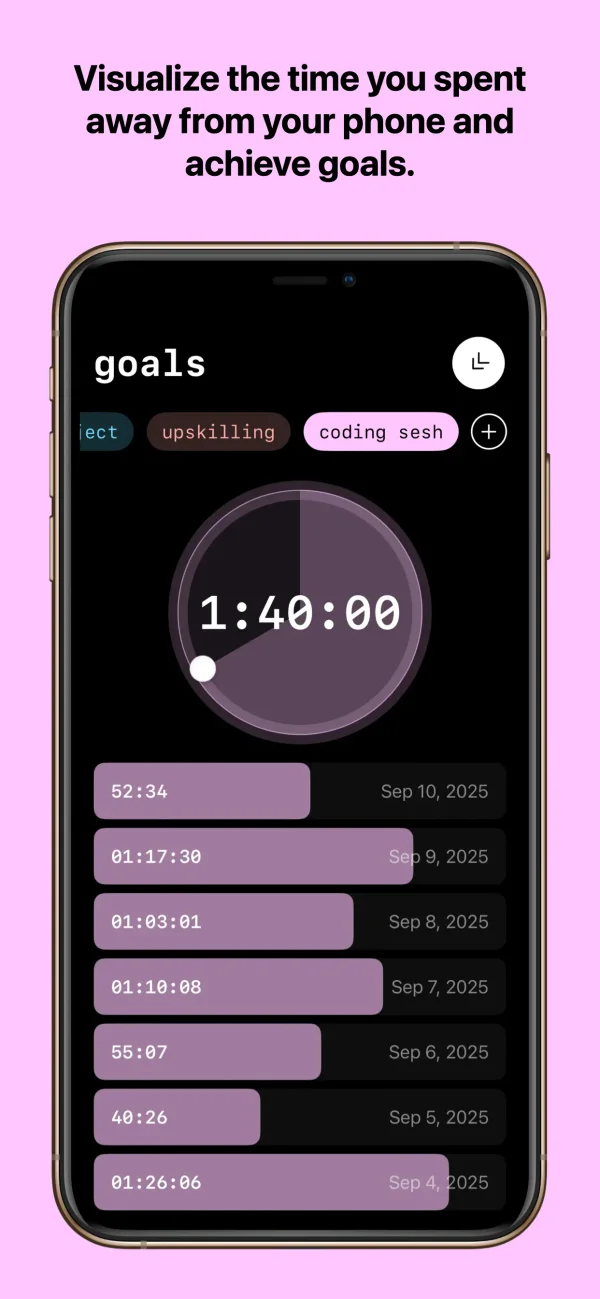
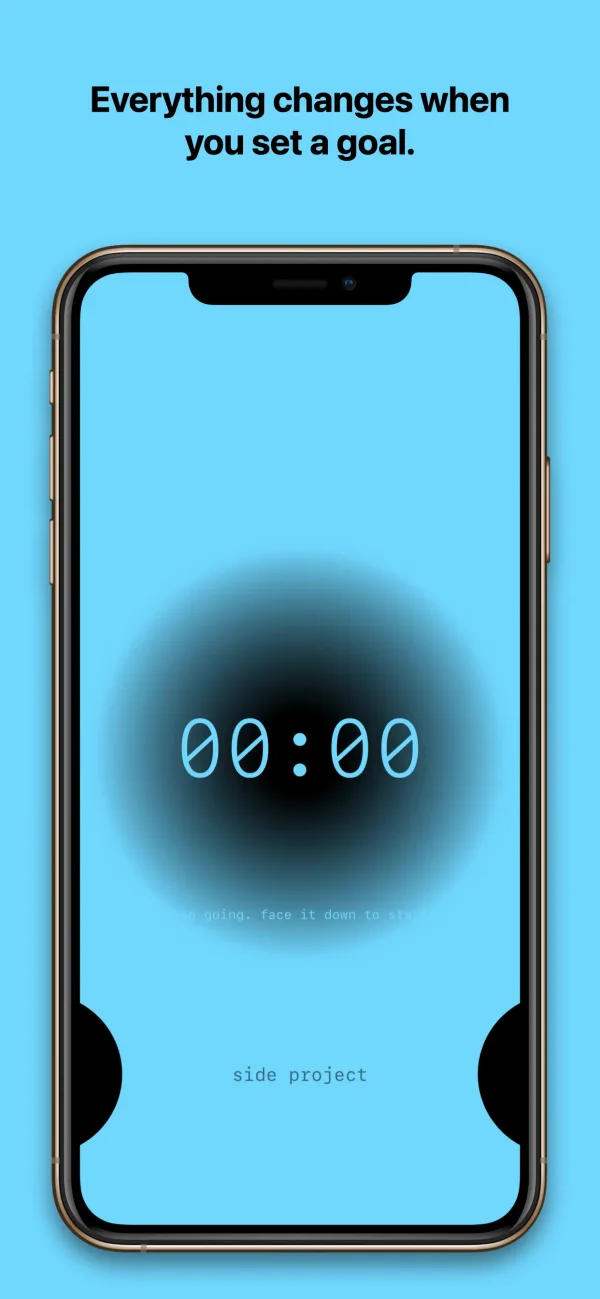
By default, your surface time per day is always saved and visible from the Goals view. You can adjust this goal to whatever duration you want. Plus, you can create custom everyday color-coded goals for different tasks and monitor your everyday progress.
Nouveautés
Version 1.1.1 · 16/09/2025
- Bug fixes and minor improvements
Confidentialité de l’application
Ce que Neel Makhecha déclare sur l’App Store au sujet du traitement des données par cette application.
-
Données n’établissant aucun lien avec vous
Peuvent être collectées, mais ne sont pas liées à votre identité.
- Achats
Les pratiques en matière de confidentialité peuvent varier, notamment en fonction des fonctionnalités que vous utilisez ou de votre âge.
Informations
- Vendeur
- Neel Makhecha
- Catégorie
- Utilitaires
- Version
- 1.1.1
- Mis à jour
- 16/09/2025
- Publié
- 03/09/2025
- Taille
- 17,4 Mo
- Nécessite
- iOS 17.6 ou version ultérieure
- Classification d’âge
- 4+
- Prix
- Gratuit
- Langues
- Anglais
- Copyright
- © 2025 Neel Makhecha
Vous aimerez peut-être aussi
-
 Fill-TimerUtilitaires
-
 Minimal Hourglass - Sand TimerUtilitaires
-
 GraphCalcPro2GoGraphing calculator and more!
-
 Taptic d/Deaf SupportUtilitaires
-
 FlipTimer - Retourne & FocusRetournez, concentrez-vous
-
 Onlywins TrackerUtilitaires
-
 Real HourglassUn minuteur sablier élégant
-
 Tahir BrowserUtilitaires
-
 RAR Extractor - Unzip FileUtilitaires