
- Classification d’âge4+
- CatégorieProductivité
- DéveloppeurKadeem Jeffery
- LanguesAnglais
- Taille5,2 Mo
T2Do n’est peut-être pas disponible sur App Store pour le moment
La fiche de la boutique était inaccessible lors de notre dernière vérification. Le lien mène toujours à la page App Store officielle.
Captures d’écran
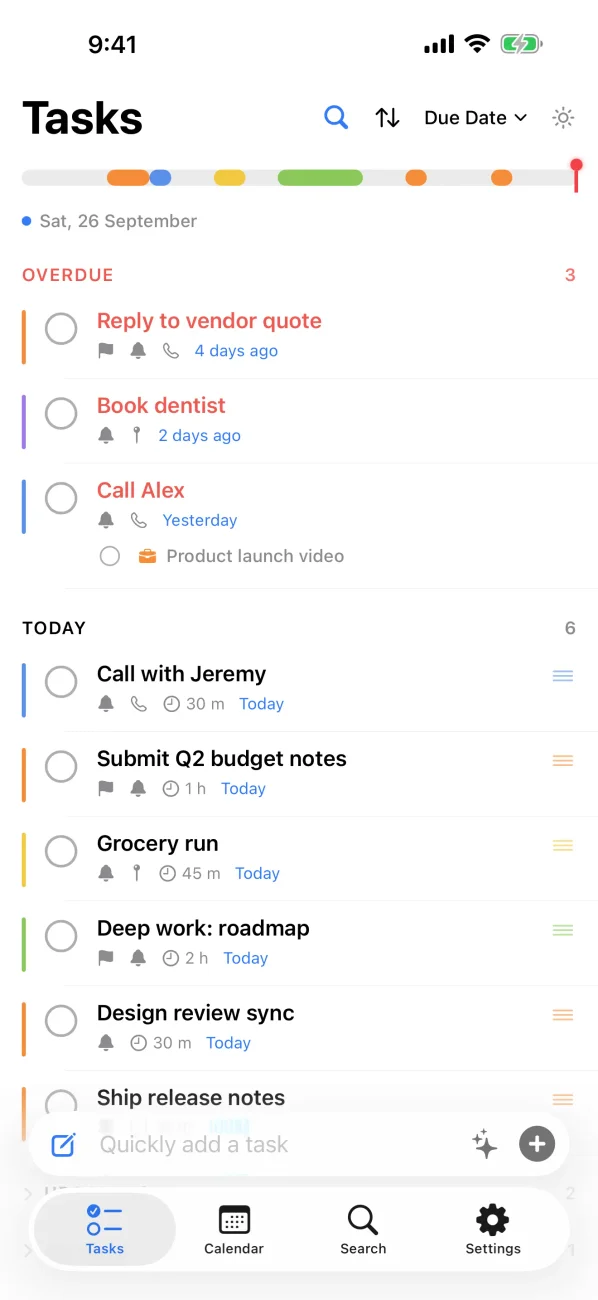
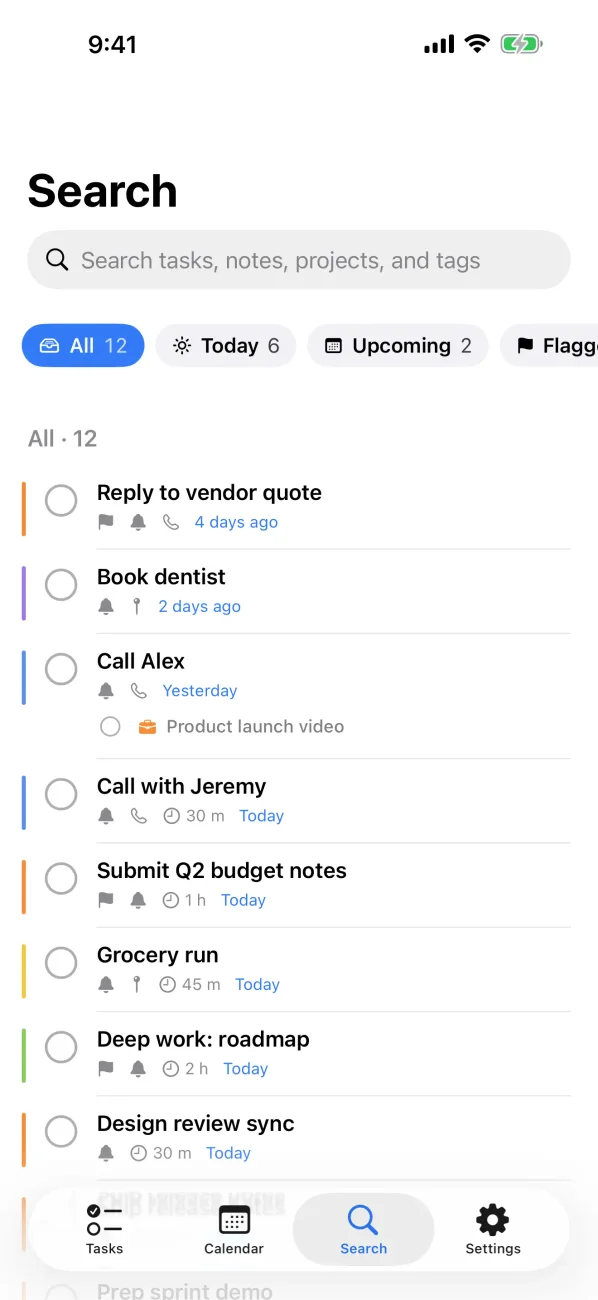
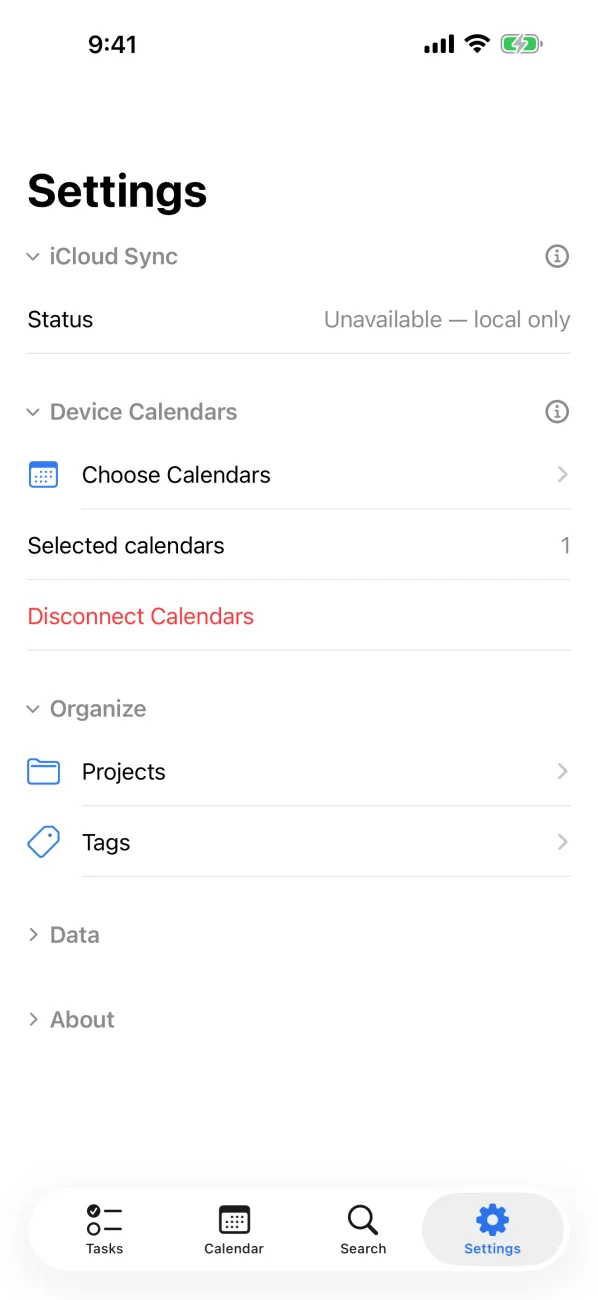

À propos
Le développeur n’a pas fourni ce texte dans votre langue.
Turn a busy day into a clear plan with T2Do. Keep track of what needs doing, decide when to do it, and see your tasks alongside events from your device calendars.
PLAN YOUR DAY
Organize tasks into overdue, today, upcoming, and undated sections. Schedule time blocks to make room for the work that matters.
SEE YOUR SCHEDULE
Use the Calendar tab to see planned tasks and events from the calendars you choose. Optional calendar access works with calendars already configured in Apple Calendar, including iCloud, Google, and Outlook. T2Do displays events without changing them.
KEEP THE DETAILS TOGETHER
Add notes, projects, tags, flags, subtasks, locations, and phone details to your tasks. Search by title, project, or notes to find what you need.
REMEMBER WHAT'S NEXT
Set due dates and scheduled blocks, with local notifications to help you stay on track. Add Home Screen widgets for focus, today, and upcoming tasks.
SYNC WITH ICLOUD
Keep task data in sync across your devices when iCloud is available. You can also use T2Do locally without connecting calendars. No separate T2Do account is required.
Nouveautés
Version 1.5 · 25/11/2026
A full Calendar view, direct event editing, and iPhone Duo support.
• Day, Week, and Month views: switch scopes in the Calendar tab, scroll 3-day or 7-column weeks, and tap any empty slot to create a task or calendar event.
• Move and resize calendar events: drag writable events on the Day and Week grids, or drag them between days in Month view, with "This Event Only" or "All Future Events" choices for repeating events.
• New Event in Month view: long-press or double-tap a day to add an all-day event next to New Task.
• Built for iPhone Duo: unfolded two-column layout and Quick Add positioned clear of the floating tab bar.
• Smarter reminders and widgets: complete a task or jump straight to it from a notification, hide widget task titles when locked, and undo accidental swipe-deletes.
• Fixes across Quick Add, time-zone due dates, monthly repeating tasks, daylight saving shifts, and iCloud sync.
Confidentialité de l’application
Ce que Kadeem Jeffery déclare sur l’App Store au sujet du traitement des données par cette application.
-
Données non collectées
Le développeur ne collecte aucune donnée à partir de cette application.
Les pratiques en matière de confidentialité peuvent varier, notamment en fonction des fonctionnalités que vous utilisez ou de votre âge.
Informations
- Vendeur
- Kadeem Jeffery
- Catégorie
- Productivité
- Version
- 1.5
- Mis à jour
- 25/11/2026
- Publié
- 22/09/2026
- Taille
- 5,2 Mo
- Nécessite
- iOS 18.0 ou version ultérieure
- Classification d’âge
- 4+
- Langues
- Anglais
- Copyright
- © 2026 Kadeem Jeffery
Vous aimerez peut-être aussi
-
 Clutch: Screenshot to ReminderProductivité
-
 Cozydo - Calm Task & HabitsProductivité
-
 Filex AI: Gestion FichierOrganise et Numérise
-
 Remainder: Timebox To Do ListProductivité
-
 AnkiLockProductivité
-
 Envi MMISProductivité
-
 DriveOn by BytecurveProductivité
-
 Agenda, Planner, Tâches: AlignTDAH, focus & tâches visuelles
-
 2FA Authenticator • Auth App+Productivité
-
 Global Pet SecurityProductivité