
- Độ tuổi4+
- Danh mụcHiệu Suất
- Nhà phát triểnKadeem Jeffery
- Ngôn ngữTiếng Anh
- Kích thước5,2 MB
T2Do hiện có thể không có trên App Store
Ở lần kiểm tra gần nhất, chúng tôi không truy cập được trang trên cửa hàng. Liên kết vẫn dẫn đến trang App Store chính thức.
Ảnh chụp màn hình

Giới thiệu
Nhà phát triển chưa cung cấp nội dung này bằng ngôn ngữ của bạn.
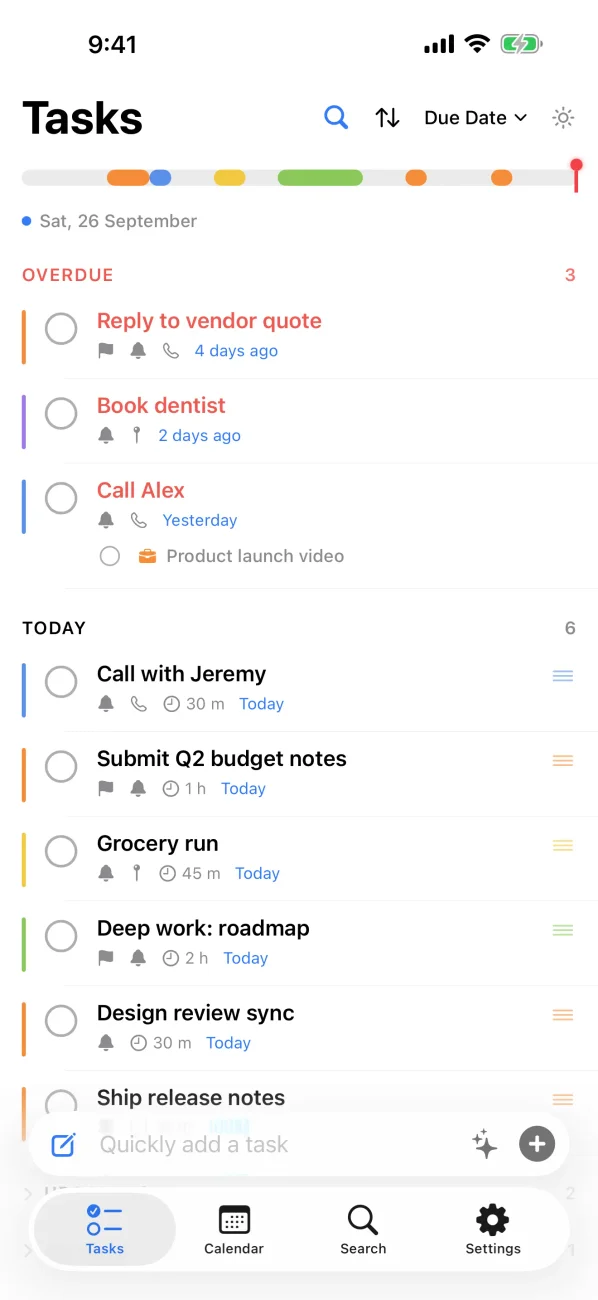
Turn a busy day into a clear plan with T2Do. Keep track of what needs doing, decide when to do it, and see your tasks alongside events from your device calendars.
PLAN YOUR DAY
Organize tasks into overdue, today, upcoming, and undated sections. Schedule time blocks to make room for the work that matters.
SEE YOUR SCHEDULE
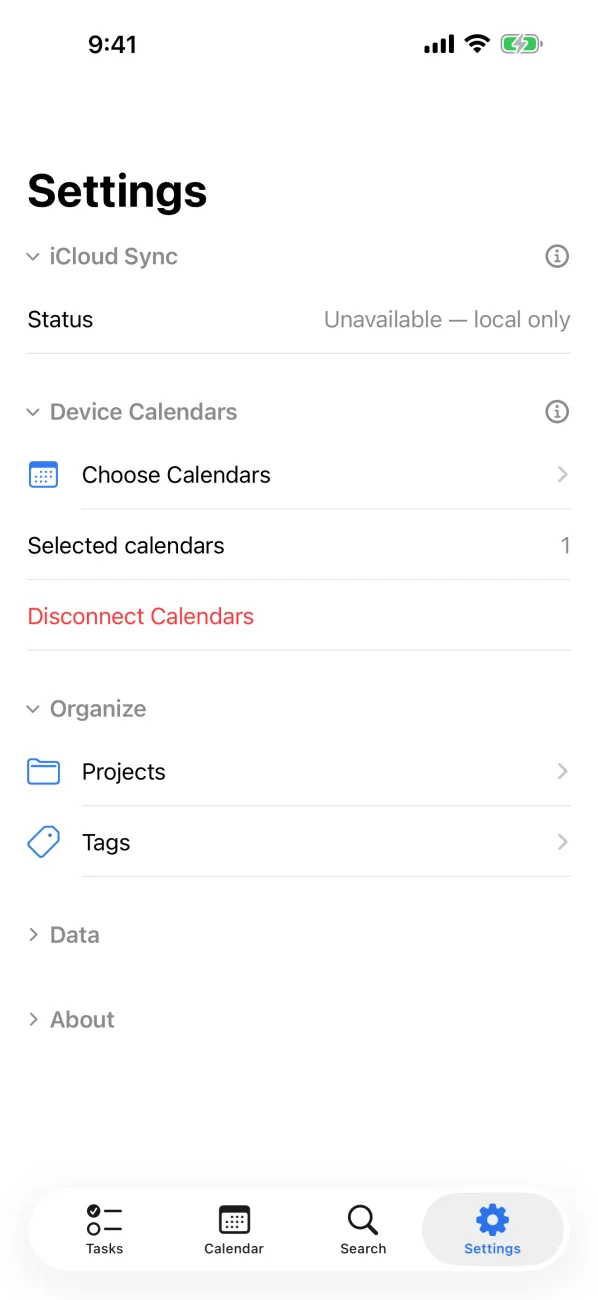
Use the Calendar tab to see planned tasks and events from the calendars you choose. Optional calendar access works with calendars already configured in Apple Calendar, including iCloud, Google, and Outlook. T2Do displays events without changing them.
KEEP THE DETAILS TOGETHER
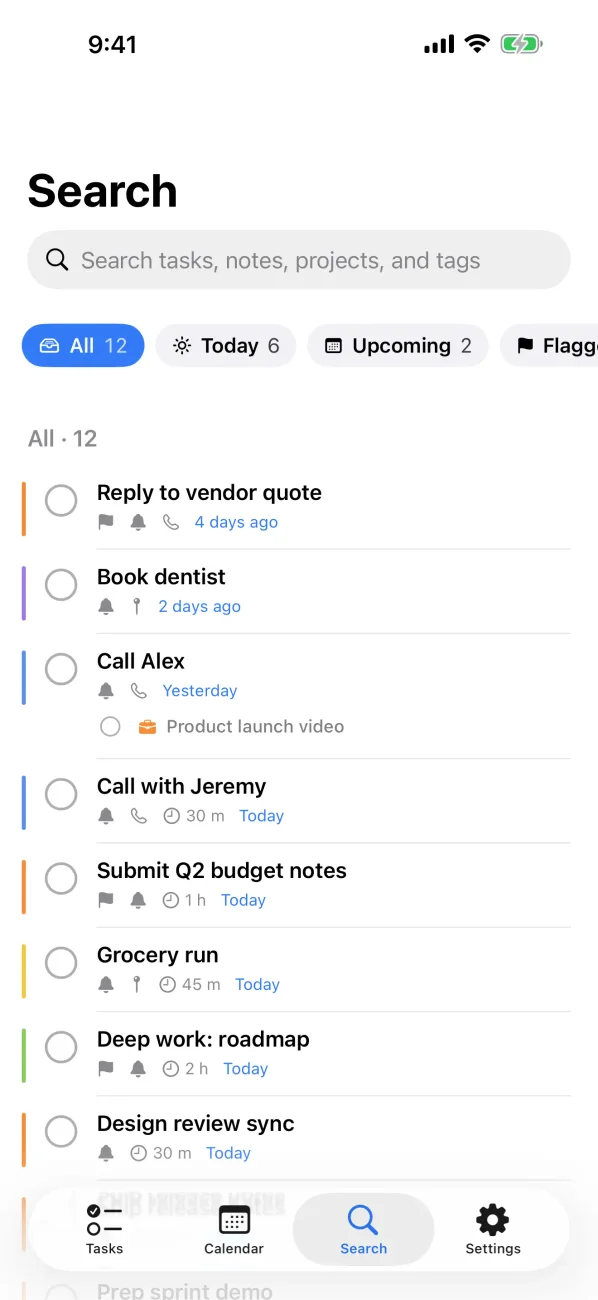
Add notes, projects, tags, flags, subtasks, locations, and phone details to your tasks. Search by title, project, or notes to find what you need.
REMEMBER WHAT'S NEXT
Set due dates and scheduled blocks, with local notifications to help you stay on track. Add Home Screen widgets for focus, today, and upcoming tasks.
SYNC WITH ICLOUD
Keep task data in sync across your devices when iCloud is available. You can also use T2Do locally without connecting calendars. No separate T2Do account is required.
Có gì mới
Phiên bản 1.5 · 25/11/2026
A full Calendar view, direct event editing, and iPhone Duo support.
• Day, Week, and Month views: switch scopes in the Calendar tab, scroll 3-day or 7-column weeks, and tap any empty slot to create a task or calendar event.
• Move and resize calendar events: drag writable events on the Day and Week grids, or drag them between days in Month view, with "This Event Only" or "All Future Events" choices for repeating events.
• New Event in Month view: long-press or double-tap a day to add an all-day event next to New Task.
• Built for iPhone Duo: unfolded two-column layout and Quick Add positioned clear of the floating tab bar.
• Smarter reminders and widgets: complete a task or jump straight to it from a notification, hide widget task titles when locked, and undo accidental swipe-deletes.
• Fixes across Quick Add, time-zone due dates, monthly repeating tasks, daylight saving shifts, and iCloud sync.
Quyền riêng tư của ứng dụng
Những gì Kadeem Jeffery khai báo trên App Store về cách ứng dụng này xử lý dữ liệu.
-
Dữ liệu không được thu thập
Nhà phát triển không thu thập bất kỳ dữ liệu nào từ ứng dụng này.
Phương thức đảm bảo quyền riêng tư có thể khác nhau, chẳng hạn như tuỳ theo các tính năng bạn sử dụng hoặc độ tuổi của bạn.
Thông tin
- Người bán
- Kadeem Jeffery
- Danh mục
- Hiệu Suất
- Phiên bản
- 1.5
- Cập nhật
- 25/11/2026
- Phát hành
- 22/09/2026
- Kích thước
- 5,2 MB
- Yêu cầu
- iOS 18.0 trở lên
- Độ tuổi
- 4+
- Ngôn ngữ
- Tiếng Anh
- Bản quyền
- © 2026 Kadeem Jeffery
Có thể bạn cũng thích
-
 Clutch: Screenshot to ReminderHiệu Suất
-
 Cozydo - Calm Task & HabitsHiệu Suất
-
 Filex AI: File ManagerHiệu Suất
-
 Remainder: Timebox To Do ListHiệu Suất
-
 AnkiLockHiệu Suất
-
 Envi MMISHiệu Suất
-
 DriveOn by BytecurveHiệu Suất
-
 Lịch & Kế hoạch ngày: AlignLời nhắc, thói quen, tập trung
-
 2FA Authenticator • Auth App+Hiệu Suất
-
 Global Pet SecurityHiệu Suất