
Table Memo
Memo of spread sheet form
Conçue pour iPhone, iPod touch
Achats intégrés
- Classification d’âge4+
- CatégorieÉconomie et entreprise
- DéveloppeurRYOICHI KAWAHARA
- LanguesAnglais+ 1 de plus
- Taille5,2 Mo
Table Memo n’est peut-être pas disponible sur App Store pour le moment
La fiche de la boutique était inaccessible lors de notre dernière vérification. Le lien mène toujours à la page App Store officielle.
Captures d’écran

À propos
Le développeur n’a pas fourni ce texte dans votre langue.
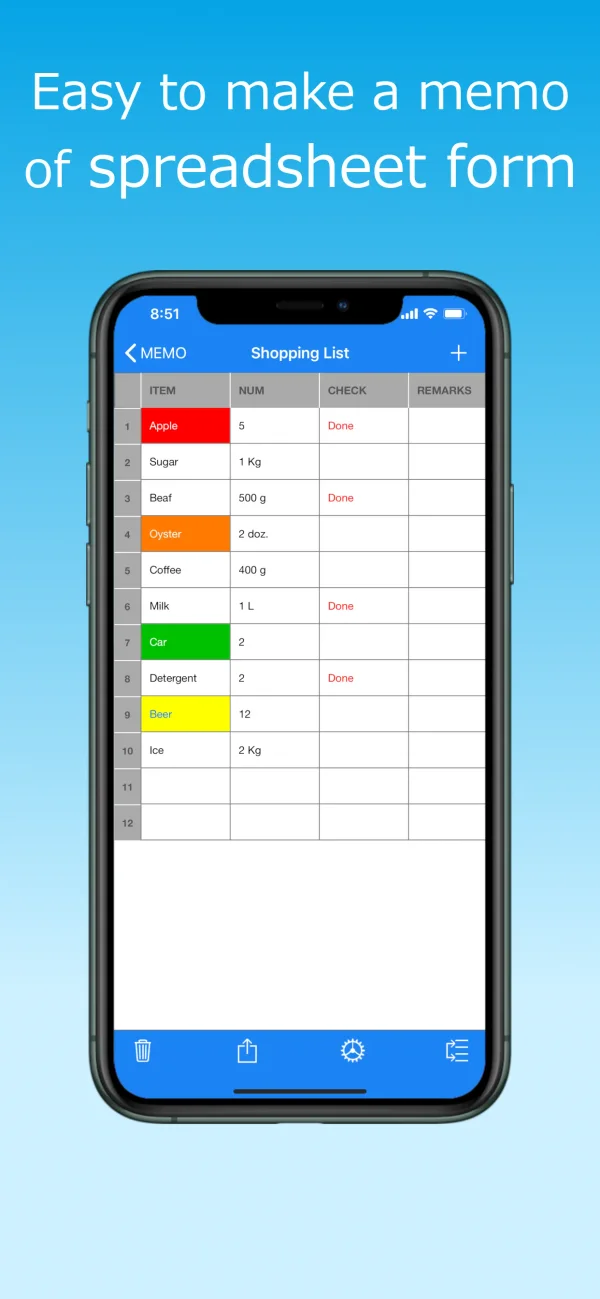
Table Memo is simple memo app of spreadsheet form.
Each memo has a header of several columns, and has rows of memo.
You can add/delete columns, edit each item name, add/delete/copy/move rows of memo.
Created/edited memo can be sent by mail as CSV (with values encapsulated in double quotes) formatted data (UTF-8 encoding).
You can also use Table Memo app as simple CSV (with values encapsulated in double quotes) viewer(use iOS mail app).
How to use:
1. Create Memo
At memo list view (first view of this app), tap add('+') button, and input the memo title.
By tapping Edit button, you can edit memo name, delete memo, and reorder list.
2. Edit Memo data
Select the created memo, and open memo table view.
Tap each cell you want edit, and edit the data.
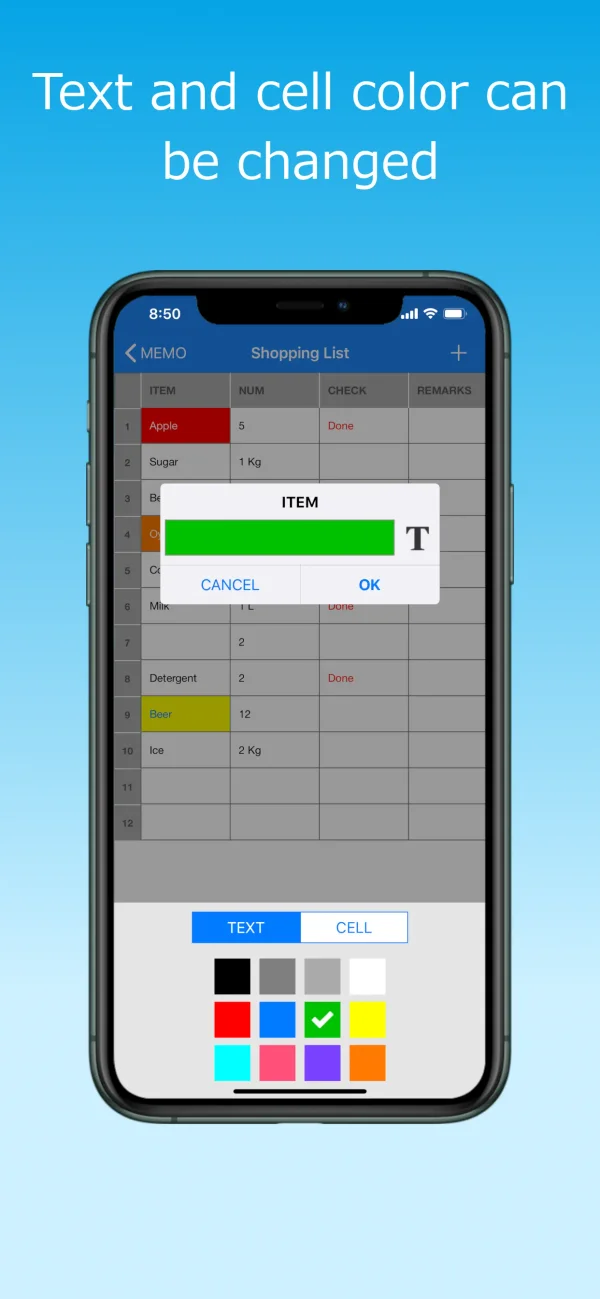
If color mode is on, text and cell color also can be changed.
To add new row, tap add('+') button.
To copy or delete row, tap the row number of left side and select operation.
By double tapping a cell, the entire contents of the cell is displayed, so you can check and copy the contents.
At the bottom of memo table view, there are four buttons, 1) trash button, 2) action button, 3) table settings button, 4) reorder button, from left to right.
1) trash button
You can delete current opened memo.
2) action button
Current opened memo can be duplicated, or can be sent by mail as CSV formatted data.
3) table setting button
Table settings view will open (see below).
4) reorder button
By tapping this button (the reorder button changes to the edit button), memo table becomes the reorder mode, and you can reorder rows by dragging each row.
To back to edit mode, tap the edit button.
3. Table Settings
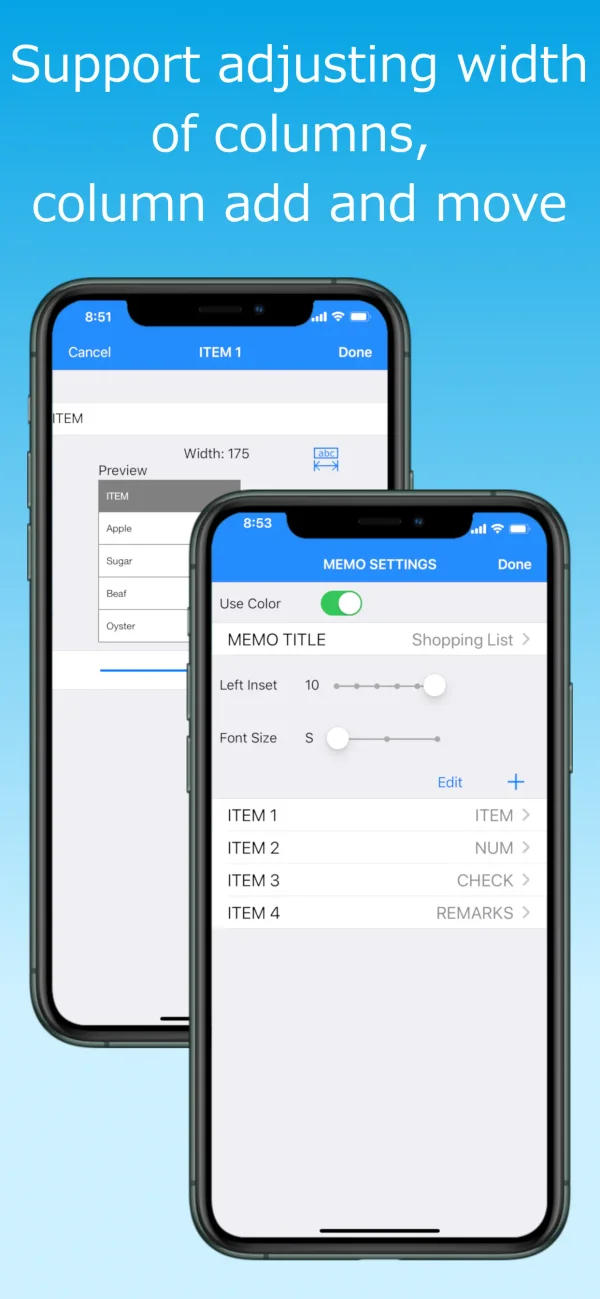
1) Use Color switch
If set ON, text and cell color becomes changeable.
[[CAUTION]] If set OFF after using color, all color data will clear.
2) MEMO TITLE section
Select memo title and edit the title.
3) Left Inset setting
You can adjust the space on the left side of the cell.
4) Font Size setting
You can change the font size of the table.
5) Columns section
To add new column, tap add('+') button.
To delete column or reorder columns, tap Edit button.
By selecting each ITEM of columns, column edit view will open (see below).
4. Column edit
1) ITEM name section
You can edit item name.
2) Column width section
You can change column width by slider.
By tapping the adjust button, the column width will be set to the width of existing data.
*You can also open this view by long press of header item at memo table view.
5. Settings
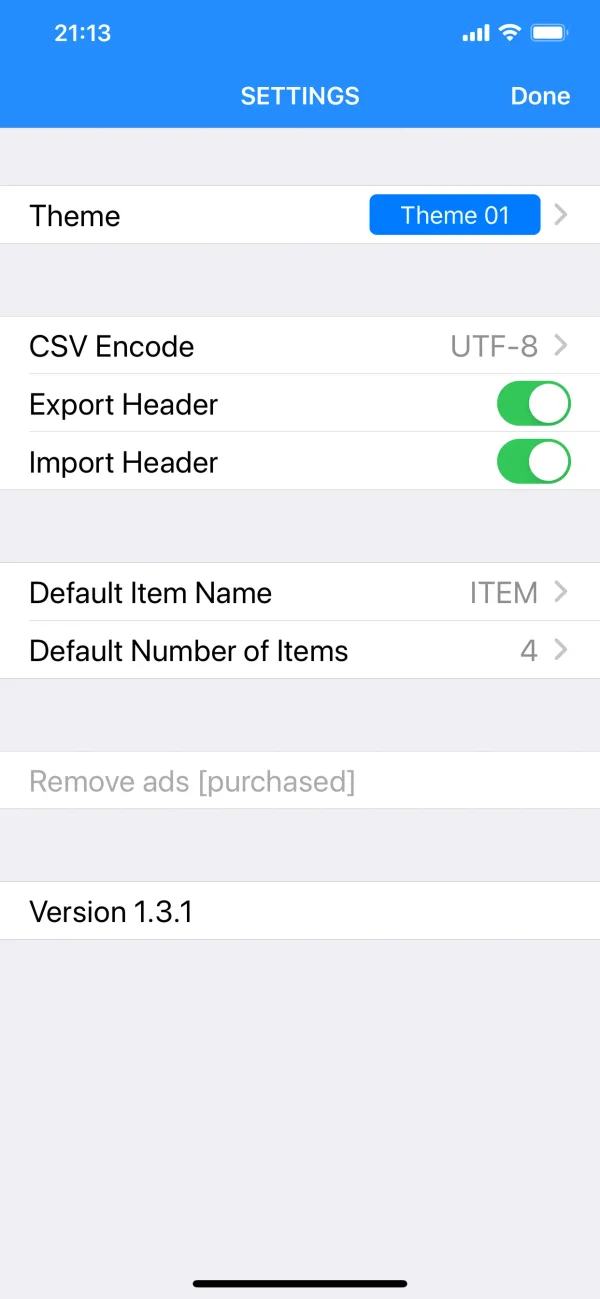
Tapping settings button at memo list view, SETTINGS view will open.
You can change settings below:
1) THEME of this app
2) settings of CSV export/import
- encoding of CSV data
- export header
- import 1st row as header
3) default column name and default number of columns.
Nouveautés
Version 1.3.6 · 04/06/2025
Fix a bug that memo not being opened when there were too many columns
Confidentialité de l’application
Ce que RYOICHI KAWAHARA déclare sur l’App Store au sujet du traitement des données par cette application.
-
Données utilisées pour vous suivre
Peuvent être utilisées pour vous suivre sur des applications et des sites web appartenant à d’autres sociétés.
- Identifiants
- Données d’utilisation
-
Données n’établissant aucun lien avec vous
Peuvent être collectées, mais ne sont pas liées à votre identité.
- Identifiants
- Données d’utilisation
Les pratiques en matière de confidentialité peuvent varier, notamment en fonction des fonctionnalités que vous utilisez ou de votre âge.
Informations
- Vendeur
- RYOICHI KAWAHARA
- Catégorie
- Économie et entreprise
- Version
- 1.3.6
- Mis à jour
- 04/06/2025
- Publié
- 15/01/2014
- Taille
- 5,2 Mo
- Nécessite
- iOS 14.0 ou version ultérieure
- Classification d’âge
- 4+
- Achats intégrés
- Oui
- Langues
- Anglais, Japonais
- Copyright
- © 2014 PUDDING-TABLE
Vous aimerez peut-être aussi
-
 Table Maker, Spreadsheet NotesÉconomie et entreprise
-
 Tableau Mémo -Table Bloc-NotesNotebook de style de tableur
-
 SunTable-Feuilles de calculOutil tableur
-
 Table Notes - Mobile ExcelSheets / Excel alternative
-
 Ajouter NotesCalcul automatique du total
-
 Tableur - SpreadsheetExcel et Sheets Export
-
 Horaires 24 heures 7 jours1 semaine de gestion du temps
-
 Tableur - SheetletProductivité vers Excel
-
 iSpreadsheet™ : Office SheetsTableur avec formule Excel
-
 Utility SpreadsheetProductivité