
Table Memo
Memo of spread sheet form
Được thiết kế cho iPhone, iPod touch
Miễn phí · Mua hàng trong ứng dụng
- Độ tuổi4+
- Danh mụcKinh Doanh
- Nhà phát triểnRYOICHI KAWAHARA
- Ngôn ngữTiếng Anh+ 1 ngôn ngữ khác
- Kích thước5,2 MB
Liên kết đến trang App Store chính thức
Download.org không lưu trữ tệp nào của Table Memo. Nút này mở trang ứng dụng trên App Store, nơi RYOICHI KAWAHARA phát hành ứng dụng. Trang được kiểm tra lần cuối: 23/11/2026.
Ảnh chụp màn hình

Giới thiệu
Nhà phát triển chưa cung cấp nội dung này bằng ngôn ngữ của bạn.
Table Memo is simple memo app of spreadsheet form.
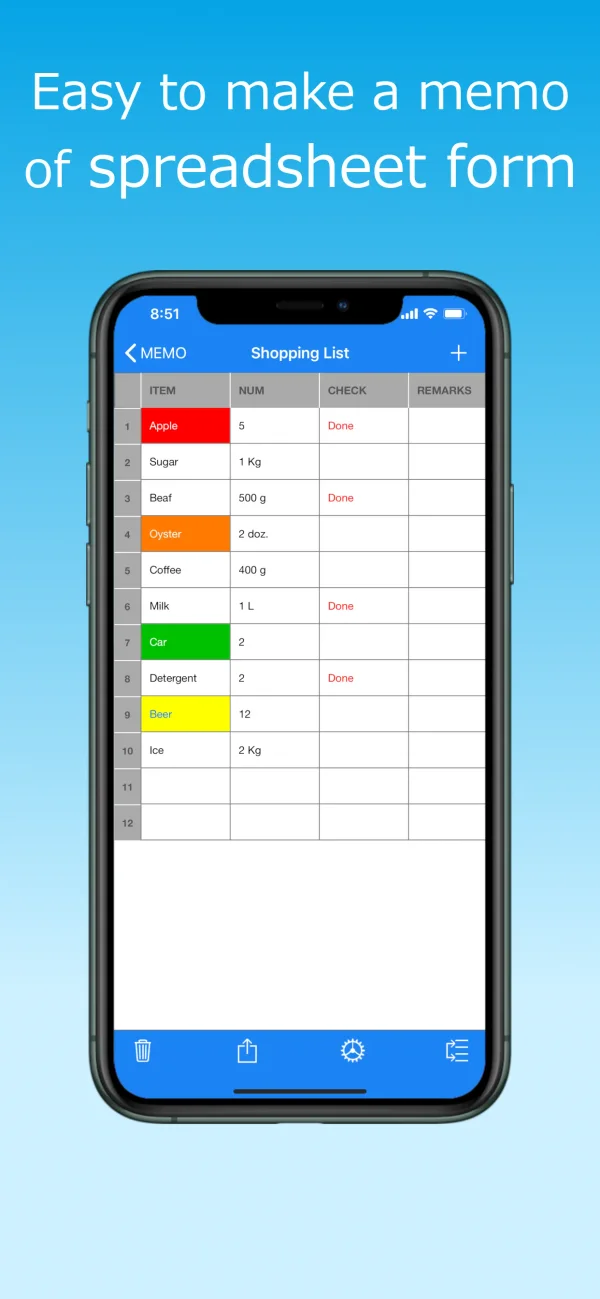
Each memo has a header of several columns, and has rows of memo.
You can add/delete columns, edit each item name, add/delete/copy/move rows of memo.
Created/edited memo can be sent by mail as CSV (with values encapsulated in double quotes) formatted data (UTF-8 encoding).
You can also use Table Memo app as simple CSV (with values encapsulated in double quotes) viewer(use iOS mail app).
How to use:
1. Create Memo
At memo list view (first view of this app), tap add('+') button, and input the memo title.
By tapping Edit button, you can edit memo name, delete memo, and reorder list.
2. Edit Memo data
Select the created memo, and open memo table view.
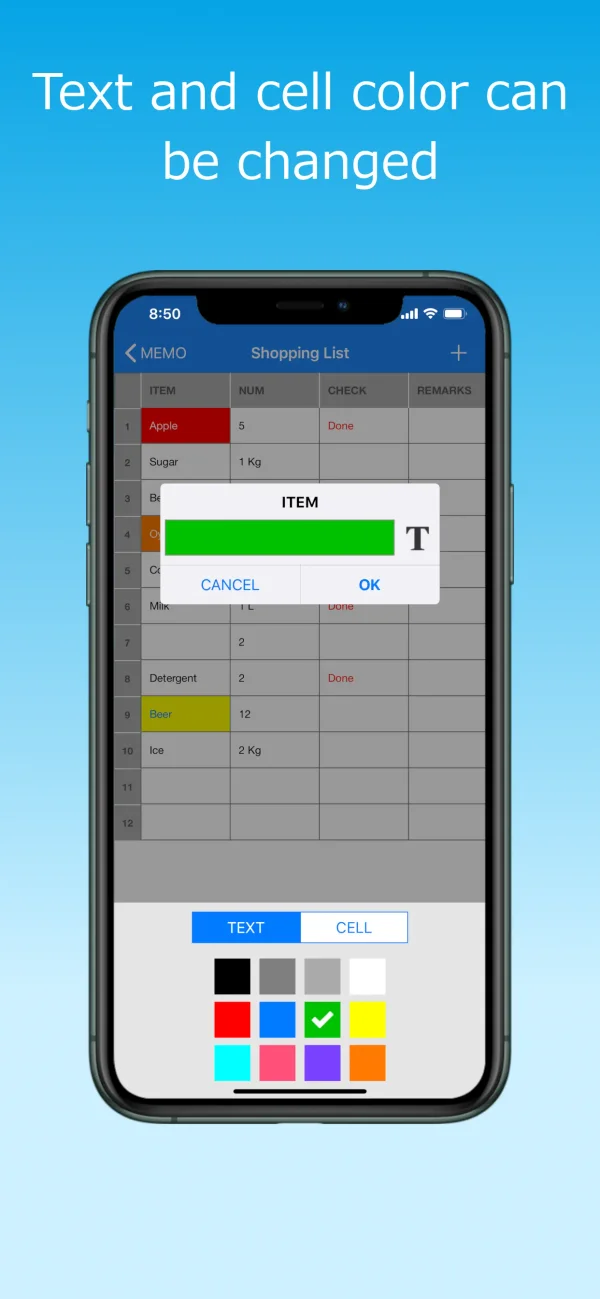
Tap each cell you want edit, and edit the data.
If color mode is on, text and cell color also can be changed.
To add new row, tap add('+') button.
To copy or delete row, tap the row number of left side and select operation.
By double tapping a cell, the entire contents of the cell is displayed, so you can check and copy the contents.
At the bottom of memo table view, there are four buttons, 1) trash button, 2) action button, 3) table settings button, 4) reorder button, from left to right.
1) trash button
You can delete current opened memo.
2) action button
Current opened memo can be duplicated, or can be sent by mail as CSV formatted data.
3) table setting button
Table settings view will open (see below).
4) reorder button
By tapping this button (the reorder button changes to the edit button), memo table becomes the reorder mode, and you can reorder rows by dragging each row.
To back to edit mode, tap the edit button.
3. Table Settings
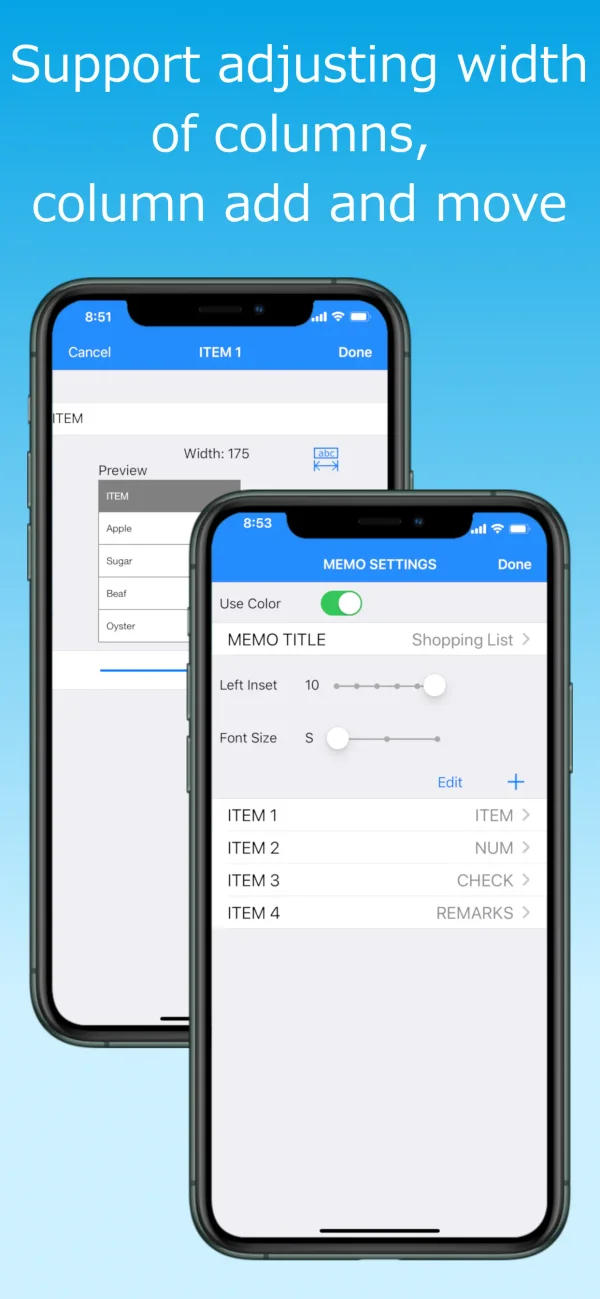
1) Use Color switch
If set ON, text and cell color becomes changeable.
[[CAUTION]] If set OFF after using color, all color data will clear.
2) MEMO TITLE section
Select memo title and edit the title.
3) Left Inset setting
You can adjust the space on the left side of the cell.
4) Font Size setting
You can change the font size of the table.
5) Columns section
To add new column, tap add('+') button.
To delete column or reorder columns, tap Edit button.
By selecting each ITEM of columns, column edit view will open (see below).
4. Column edit
1) ITEM name section
You can edit item name.
2) Column width section
You can change column width by slider.
By tapping the adjust button, the column width will be set to the width of existing data.
*You can also open this view by long press of header item at memo table view.
5. Settings
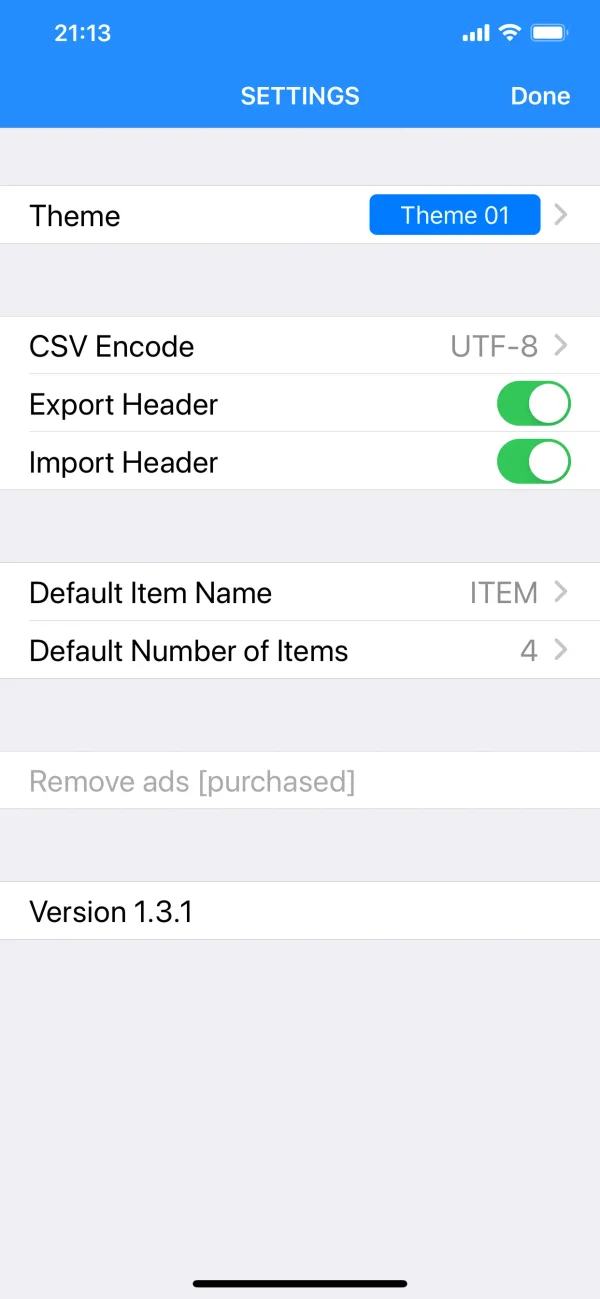
Tapping settings button at memo list view, SETTINGS view will open.
You can change settings below:
1) THEME of this app
2) settings of CSV export/import
- encoding of CSV data
- export header
- import 1st row as header
3) default column name and default number of columns.
Có gì mới
Phiên bản 1.3.6 · 04/06/2025
Fix a bug that memo not being opened when there were too many columns
Quyền riêng tư của ứng dụng
Những gì RYOICHI KAWAHARA khai báo trên App Store về cách ứng dụng này xử lý dữ liệu.
-
Dữ liệu được sử dụng để theo dõi bạn
Có thể được sử dụng để theo dõi bạn trên các ứng dụng và trang web do công ty khác sở hữu.
- Mã định danh
- Dữ liệu sử dụng
-
Dữ liệu không liên kết với bạn
Có thể được thu thập nhưng không liên kết với danh tính của bạn.
- Mã định danh
- Dữ liệu sử dụng
Phương thức đảm bảo quyền riêng tư có thể khác nhau, chẳng hạn như tuỳ theo các tính năng bạn sử dụng hoặc độ tuổi của bạn.
Thông tin
- Người bán
- RYOICHI KAWAHARA
- Danh mục
- Kinh Doanh
- Phiên bản
- 1.3.6
- Cập nhật
- 04/06/2025
- Phát hành
- 15/01/2014
- Kích thước
- 5,2 MB
- Yêu cầu
- iOS 14.0 trở lên
- Độ tuổi
- 4+
- Giá
- Miễn phí
- Mua hàng trong ứng dụng
- Có
- Ngôn ngữ
- Tiếng Anh, Tiếng Nhật
- Bản quyền
- © 2014 PUDDING-TABLE
Có thể bạn cũng thích
-
 Table Maker, Spreadsheet NotesKinh Doanh
-
 Bảng ghi nhớ - Bảng ghi chúSổ ghi chép kiểu bảng tính
-
 SunTable-Spreadsheet view&editHiệu Suất
-
 Table Notes - Mobile ExcelSheets / Excel alternative
-
 Cộng ghi chúTự động tính tổng giá trị
-
 The Spreadsheet App - SheetsHiệu Suất
-
 Thời khóa biểu 24 giờ 7 ngàyQuản lý thời gian 1 tuần
-
 Spreadsheet - SheetletHiệu Suất
-
 iSpreadsheet™ : Office SheetsBảng tính Di động
-
 Utility SpreadsheetHiệu Suất