
- Classification d’âge4+
- CatégorieUtilitaires
- DéveloppeurJaime Poseley
- LanguesAnglais
- Taille3,5 Mo
Renvoie vers la page App Store officielle
Download.org n’héberge aucun fichier de Tenki26. Le bouton ouvre la page de l’application sur App Store, où Jaime Poseley la publie. Fiche vérifiée pour la dernière fois le 07/11/2026.
Captures d’écran
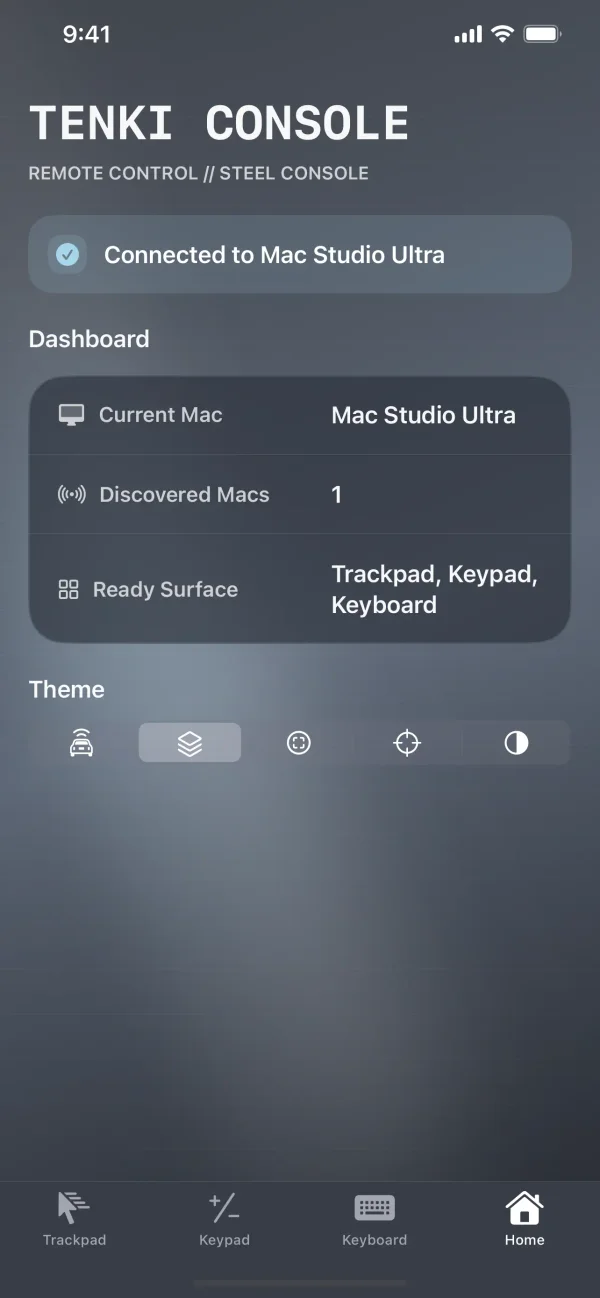
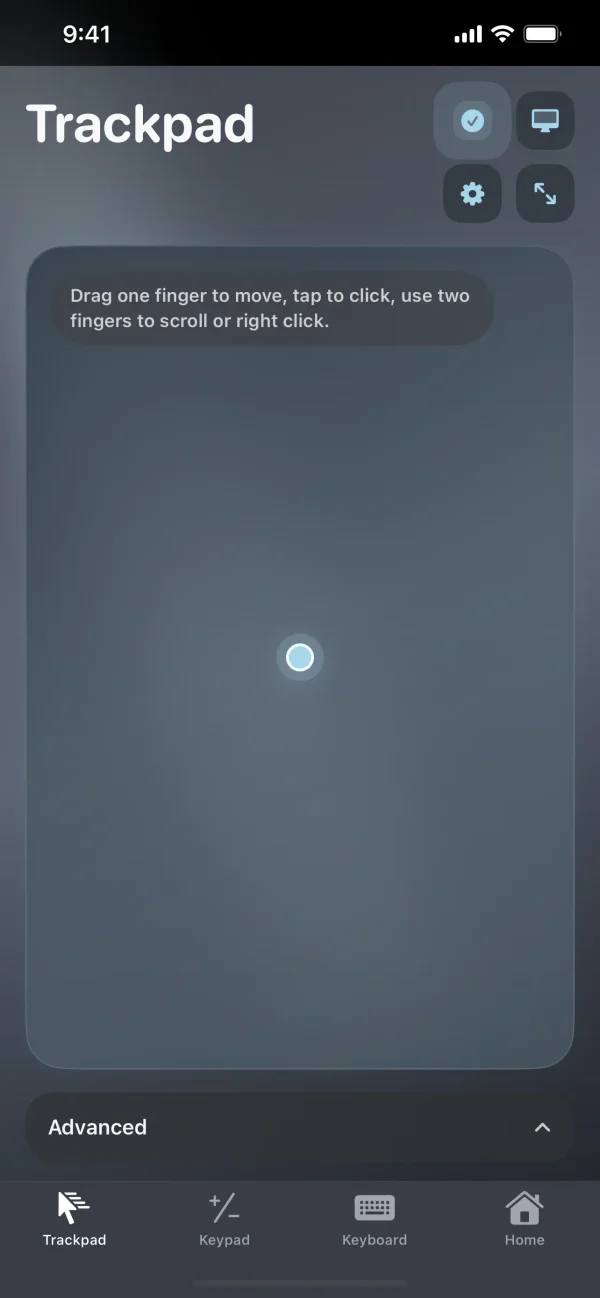

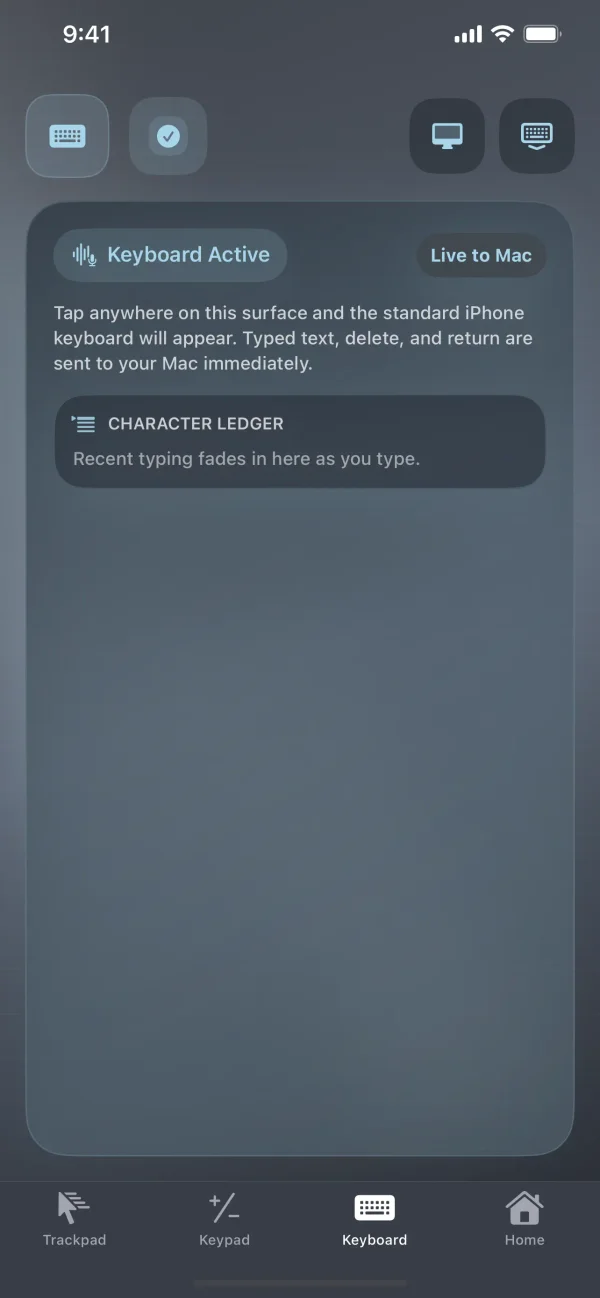
À propos
Le développeur n’a pas fourni ce texte dans votre langue.
GET THE FREE MAC COMPANION
Tenki requires TenkiMac on your computer running macOS. Download it at:
https://cposeley2.github.io/tenki-support/#download
Open the link on your computer, or tap App Support on this listing for the download and setup instructions.
Tenki turns the iPhone or iPad beside you into a tactile wireless numpad for your computer. Choose a classic ten-key layout or switch to the spreadsheet layout for quick access to Tab, equals, clear, operators, and Enter.
Tenki is more than a number pad. Move the computer pointer with a full trackpad, scroll with two fingers, click or right-click, and type remotely using the iOS keyboard or dictation.
BUILT FOR FAST INPUT
- Classic ten-key and spreadsheet-first layouts
- Portrait and landscape controls
- Haptic feedback for confident key presses
- Selectable modern and vintage key sounds
- Full trackpad with pointing, clicking, dragging, and scrolling
- Remote keyboard and dictation input
- Multiple visual themes with synchronized MacOS and iOS styling
LOCAL BY DESIGN
Tenki connects your devices over the local network. It requires no account and uses no ads, analytics, tracking, cloud sync, or cloud service.
HOW IT WORKS
1. Download the free TenkiMac companion at https://cposeley2.github.io/tenki-support/#download. Move it to Applications and open it on your Mac.
2. Allow Accessibility access so TenkiMac can send the input you request.
3. Keep both devices on the same Wi-Fi network. Allow Local Network access on your iPhone or iPad, then open Tenki and choose your Mac.
4. Start entering numbers, moving the pointer, or typing.
Tenki requires a computer running MacOS and an iPhone or iPad on the same local network.
Nouveautés
Version 1.0.1 · 18/10/2026
Getting started with your Mac is now easier.
- A simple setup guide walks you through installing TenkiMac, enabling Accessibility, and connecting your devices.
- Find the free Mac companion from Home, Choose Mac, and connection help.
- Share the download link through Messages or AirDrop, or copy it to open on your Mac.
- A gentle reminder helps you find the Mac app when you are still disconnected after 30 seconds.
Confidentialité de l’application
Ce que Jaime Poseley déclare sur l’App Store au sujet du traitement des données par cette application.
-
Données non collectées
Le développeur ne collecte aucune donnée à partir de cette application.
Les pratiques en matière de confidentialité peuvent varier, notamment en fonction des fonctionnalités que vous utilisez ou de votre âge.
Informations
- Vendeur
- Jaime Poseley
- Catégorie
- Utilitaires
- Version
- 1.0.1
- Mis à jour
- 18/10/2026
- Publié
- 15/10/2026
- Taille
- 3,5 Mo
- Nécessite
- iOS 18.0 ou version ultérieure
- Classification d’âge
- 4+
- Prix
- Gratuit
- Langues
- Anglais
- Copyright
- © 2026 Collin Poseley
Vous aimerez peut-être aussi
-
 Retro NumpadUtilitaires
-
 Remotype: Remote for Mac & PCUtilitaires
-
 Just DigitsUn clavier numérique simple
-
 TouchNow - Bureau à distanceTrackpad, clavier, manette Mac
-
 NumPad Pro: Number KeyboardUtilitaires
-
 TV Remote : Smart ControlUtilitaires
-
 ICC LogisticUtilitaires
-
 Universelle: Télécommande TVTV Remote for Samsung Sony LG
-
 Grand écran de texte - LEDBannière LED
-
 Freedom-VPNUtilitaires