
Tenki26
Crucial controls, within reach
iPhone, iPad için tasarlandı
Ücretsiz
- Yaş sınırı4+
- KategoriYardımcılar
- GeliştiriciJaime Poseley
- Dillerİngilizce
- Boyut3,5 MB
Resmi App Store sayfasına bağlanır
Download.org, Tenki26 için hiçbir dosya barındırmaz. Düğme, uygulamanın App Store üzerindeki sayfasını açar; uygulamayı orada Jaime Poseley yayınlar. Sayfanın son kontrolü: 07.11.2026.
Ekran görüntüleri
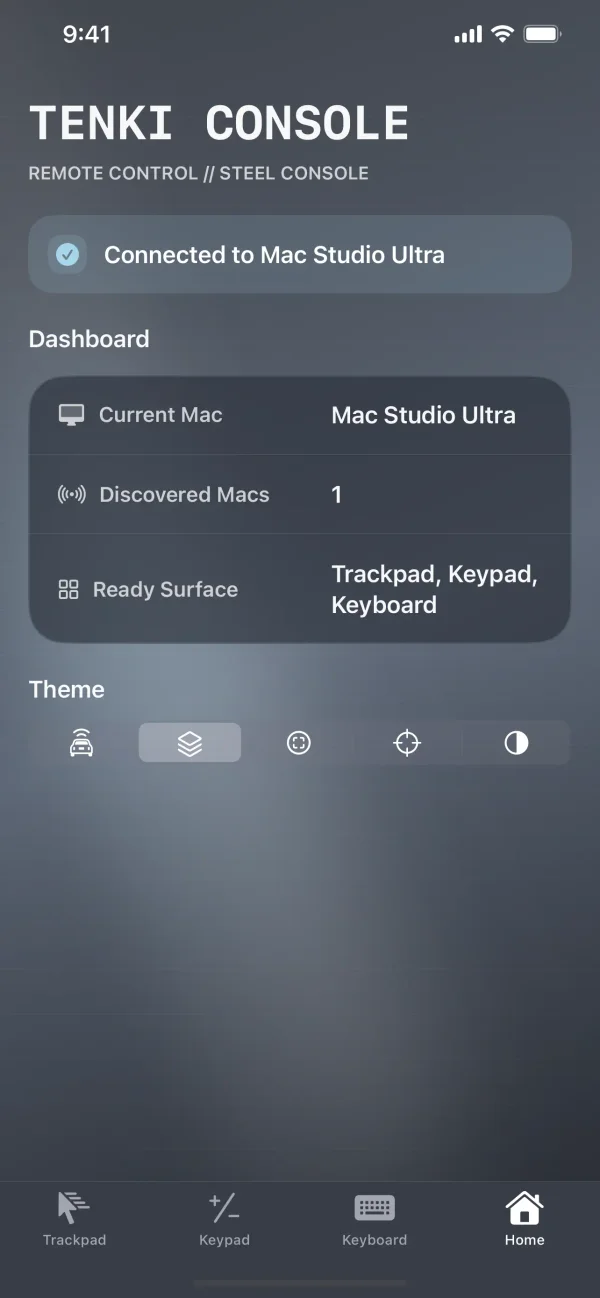
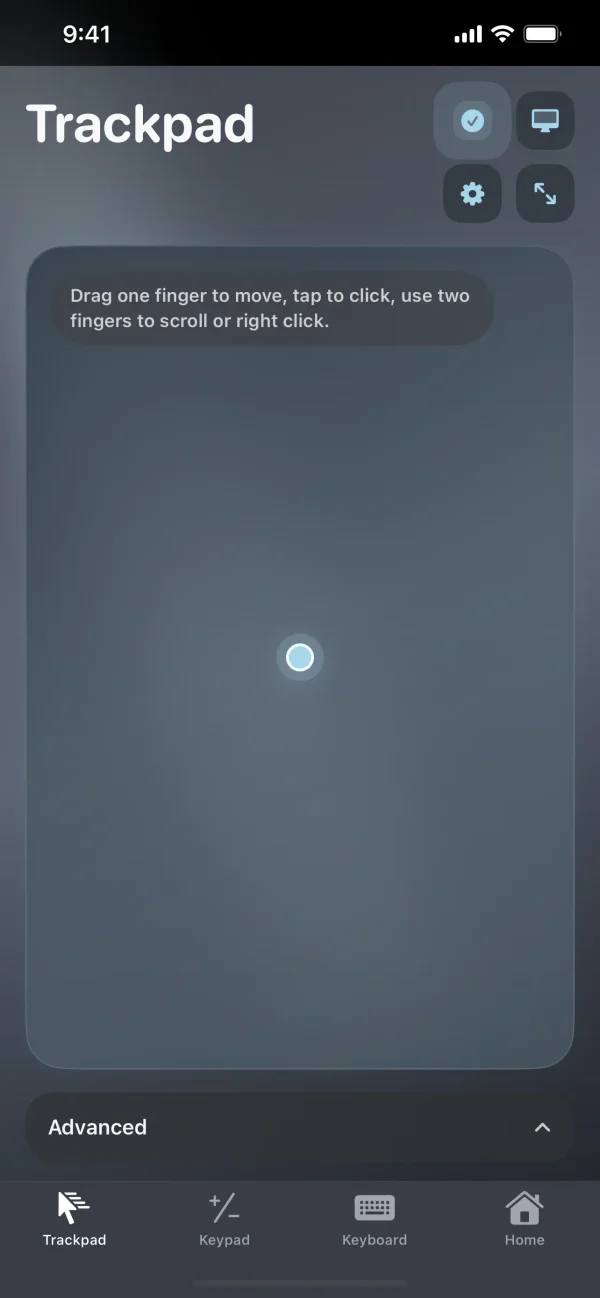

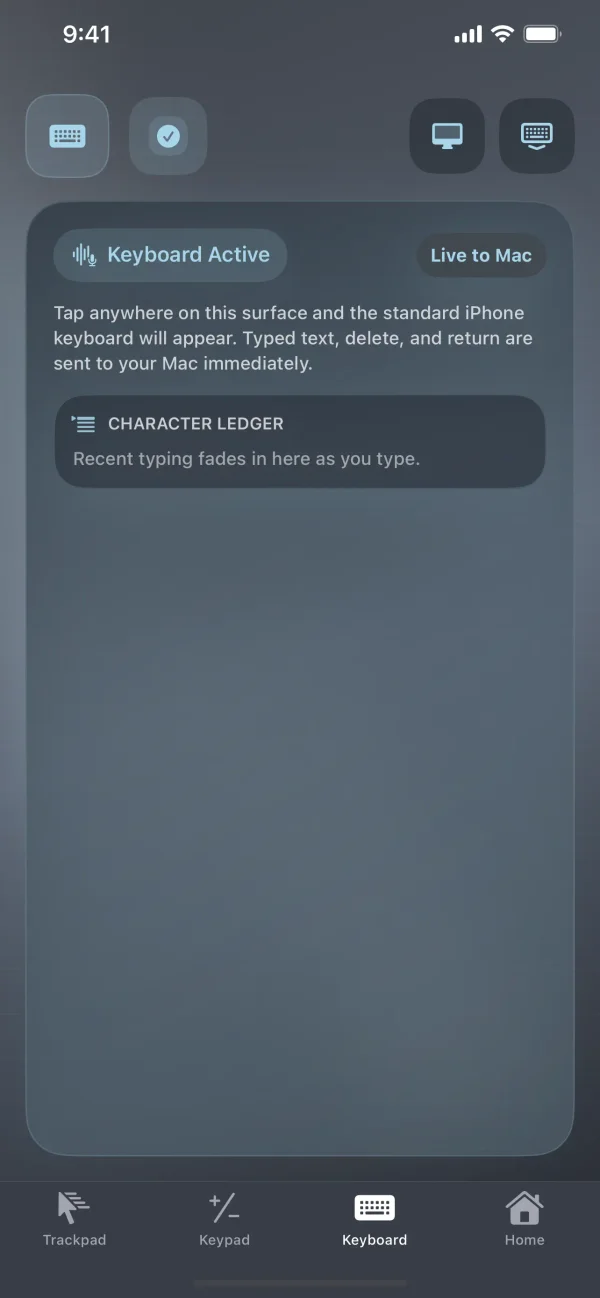
Hakkında
Geliştirici bu metni dilinizde sunmamış.
GET THE FREE MAC COMPANION
Tenki requires TenkiMac on your computer running macOS. Download it at:
https://cposeley2.github.io/tenki-support/#download
Open the link on your computer, or tap App Support on this listing for the download and setup instructions.
Tenki turns the iPhone or iPad beside you into a tactile wireless numpad for your computer. Choose a classic ten-key layout or switch to the spreadsheet layout for quick access to Tab, equals, clear, operators, and Enter.
Tenki is more than a number pad. Move the computer pointer with a full trackpad, scroll with two fingers, click or right-click, and type remotely using the iOS keyboard or dictation.
BUILT FOR FAST INPUT
- Classic ten-key and spreadsheet-first layouts
- Portrait and landscape controls
- Haptic feedback for confident key presses
- Selectable modern and vintage key sounds
- Full trackpad with pointing, clicking, dragging, and scrolling
- Remote keyboard and dictation input
- Multiple visual themes with synchronized MacOS and iOS styling
LOCAL BY DESIGN
Tenki connects your devices over the local network. It requires no account and uses no ads, analytics, tracking, cloud sync, or cloud service.
HOW IT WORKS
1. Download the free TenkiMac companion at https://cposeley2.github.io/tenki-support/#download. Move it to Applications and open it on your Mac.
2. Allow Accessibility access so TenkiMac can send the input you request.
3. Keep both devices on the same Wi-Fi network. Allow Local Network access on your iPhone or iPad, then open Tenki and choose your Mac.
4. Start entering numbers, moving the pointer, or typing.
Tenki requires a computer running MacOS and an iPhone or iPad on the same local network.
Yenilikler
Sürüm 1.0.1 · 18.10.2026
Getting started with your Mac is now easier.
- A simple setup guide walks you through installing TenkiMac, enabling Accessibility, and connecting your devices.
- Find the free Mac companion from Home, Choose Mac, and connection help.
- Share the download link through Messages or AirDrop, or copy it to open on your Mac.
- A gentle reminder helps you find the Mac app when you are still disconnected after 30 seconds.
Uygulama gizliliği
Bu uygulamanın verileri nasıl işlediği hakkında Jaime Poseley tarafından App Store üzerinde yapılan beyan.
-
Veri toplanmıyor
Geliştirici bu uygulamadan hiçbir veri toplamıyor.
Gizlilik uygulamaları, örneğin kullandığınız özelliklere veya yaşınıza göre değişiklik gösterebilir.
Bilgiler
- Satıcı
- Jaime Poseley
- Kategori
- Yardımcılar
- Sürüm
- 1.0.1
- Güncellendi
- 18.10.2026
- Yayın tarihi
- 15.10.2026
- Boyut
- 3,5 MB
- Gereksinim
- iOS 18.0 veya sonrası
- Yaş sınırı
- 4+
- Fiyat
- Ücretsiz
- Diller
- İngilizce
- Telif hakkı
- © 2026 Collin Poseley
Bunları da beğenebilirsiniz
-
 Retro NumpadYardımcılar
-
 Remotype: Remote for Mac & PCYardımcılar
-
 Just DigitsBasit bir sayı klavyesi
-
 TouchNow RemoteYardımcılar
-
 NumPad Pro: Number KeyboardYardımcılar
-
 TV Remote : Smart ControlYardımcılar
-
 ICC LogisticYardımcılar
-
 Universal TV Remote Controls *Yardımcılar
-
 Büyük Metin Ekranı - LEDLED Banner
-
 Freedom-VPNYardımcılar