
- Độ tuổi4+
- Danh mụcTiện Ích
- Nhà phát triểnJaime Poseley
- Ngôn ngữTiếng Anh
- Kích thước3,5 MB
Liên kết đến trang App Store chính thức
Download.org không lưu trữ tệp nào của Tenki26. Nút này mở trang ứng dụng trên App Store, nơi Jaime Poseley phát hành ứng dụng. Trang được kiểm tra lần cuối: 07/11/2026.
Ảnh chụp màn hình
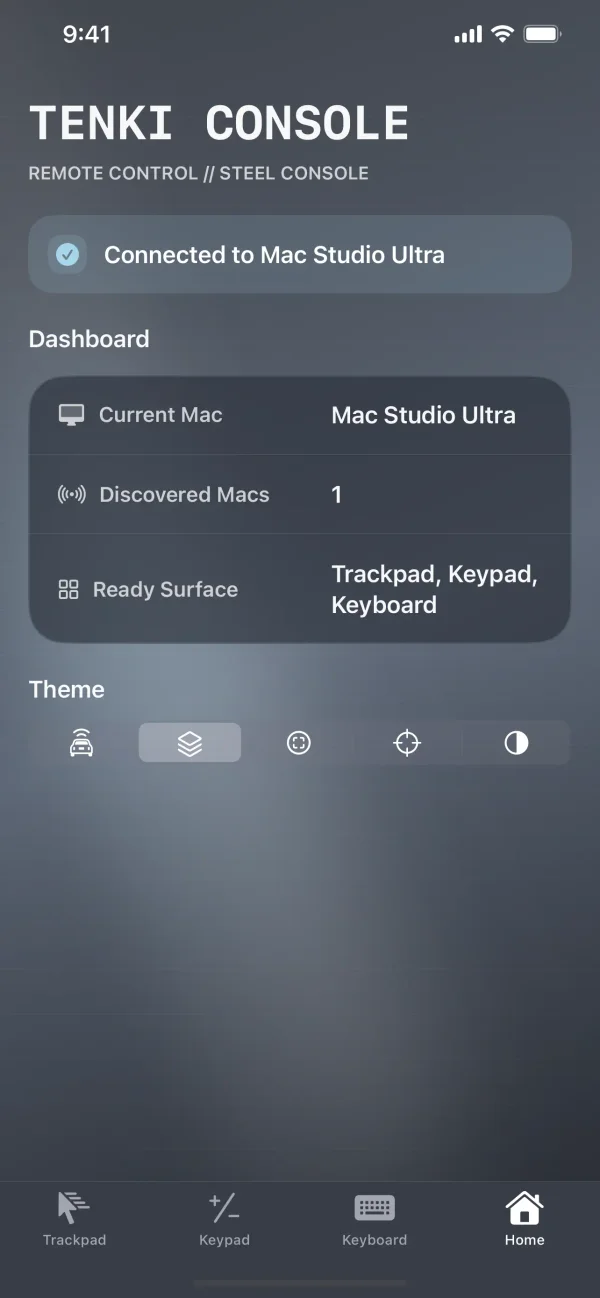
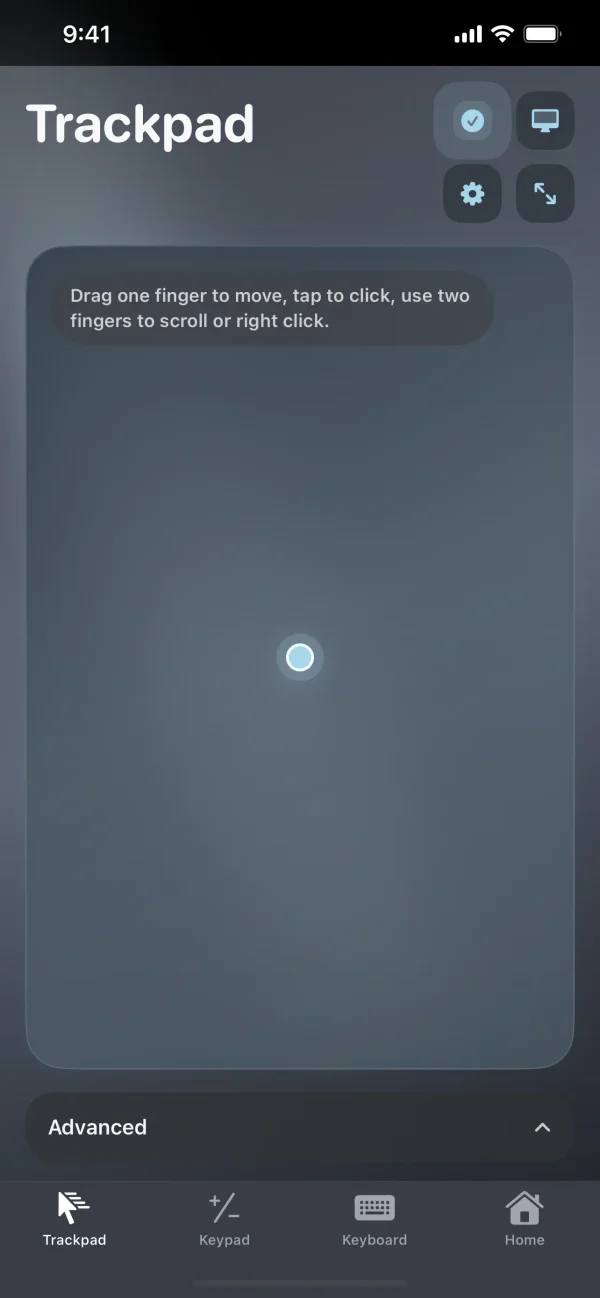

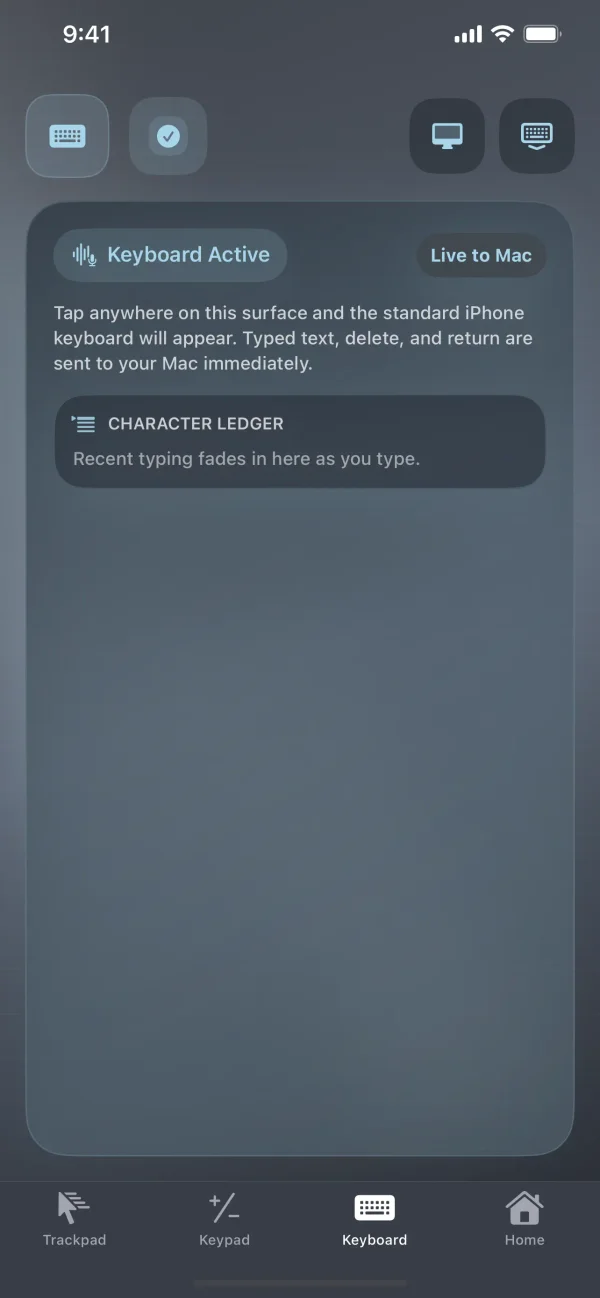
Giới thiệu
Nhà phát triển chưa cung cấp nội dung này bằng ngôn ngữ của bạn.
GET THE FREE MAC COMPANION
Tenki requires TenkiMac on your computer running macOS. Download it at:
https://cposeley2.github.io/tenki-support/#download
Open the link on your computer, or tap App Support on this listing for the download and setup instructions.
Tenki turns the iPhone or iPad beside you into a tactile wireless numpad for your computer. Choose a classic ten-key layout or switch to the spreadsheet layout for quick access to Tab, equals, clear, operators, and Enter.
Tenki is more than a number pad. Move the computer pointer with a full trackpad, scroll with two fingers, click or right-click, and type remotely using the iOS keyboard or dictation.
BUILT FOR FAST INPUT
- Classic ten-key and spreadsheet-first layouts
- Portrait and landscape controls
- Haptic feedback for confident key presses
- Selectable modern and vintage key sounds
- Full trackpad with pointing, clicking, dragging, and scrolling
- Remote keyboard and dictation input
- Multiple visual themes with synchronized MacOS and iOS styling
LOCAL BY DESIGN
Tenki connects your devices over the local network. It requires no account and uses no ads, analytics, tracking, cloud sync, or cloud service.
HOW IT WORKS
1. Download the free TenkiMac companion at https://cposeley2.github.io/tenki-support/#download. Move it to Applications and open it on your Mac.
2. Allow Accessibility access so TenkiMac can send the input you request.
3. Keep both devices on the same Wi-Fi network. Allow Local Network access on your iPhone or iPad, then open Tenki and choose your Mac.
4. Start entering numbers, moving the pointer, or typing.
Tenki requires a computer running MacOS and an iPhone or iPad on the same local network.
Có gì mới
Phiên bản 1.0.1 · 18/10/2026
Getting started with your Mac is now easier.
- A simple setup guide walks you through installing TenkiMac, enabling Accessibility, and connecting your devices.
- Find the free Mac companion from Home, Choose Mac, and connection help.
- Share the download link through Messages or AirDrop, or copy it to open on your Mac.
- A gentle reminder helps you find the Mac app when you are still disconnected after 30 seconds.
Quyền riêng tư của ứng dụng
Những gì Jaime Poseley khai báo trên App Store về cách ứng dụng này xử lý dữ liệu.
-
Dữ liệu không được thu thập
Nhà phát triển không thu thập bất kỳ dữ liệu nào từ ứng dụng này.
Phương thức đảm bảo quyền riêng tư có thể khác nhau, chẳng hạn như tuỳ theo các tính năng bạn sử dụng hoặc độ tuổi của bạn.
Thông tin
- Người bán
- Jaime Poseley
- Danh mục
- Tiện Ích
- Phiên bản
- 1.0.1
- Cập nhật
- 18/10/2026
- Phát hành
- 15/10/2026
- Kích thước
- 3,5 MB
- Yêu cầu
- iOS 18.0 trở lên
- Độ tuổi
- 4+
- Giá
- Miễn phí
- Ngôn ngữ
- Tiếng Anh
- Bản quyền
- © 2026 Collin Poseley
Có thể bạn cũng thích
-
 Retro NumpadTiện Ích
-
 Remotype: Remote for Mac & PCTiện Ích
-
 Just DigitsBàn phím số đơn giản
-
 TouchNow - Điều khiển MacMáy tính từ xa, màn hình phụ
-
 NumPad Pro: Number KeyboardTiện Ích
-
 TV Remote : Smart ControlTiện Ích
-
 ICC LogisticTiện Ích
-
 Universal TV Remote Controls *Tiện Ích
-
 Hiển thị chữ lớn - LEDBiểu ngữ LED
-
 Freedom-VPNTiện Ích