- Classification d’âge4+
- CatégoriePhoto et vidéo
- DéveloppeurBernhard Goetzendorfer
- LanguesAnglais+ 1 de plus
- Taille2,0 Mo
Renvoie vers la page App Store officielle
Download.org n’héberge aucun fichier de TetherCam. Le bouton ouvre la page de l’application sur App Store, où Bernhard Goetzendorfer la publie. Fiche vérifiée pour la dernière fois le 18/11/2026.
Captures d’écran
À propos
Le développeur n’a pas fourni ce texte dans votre langue.
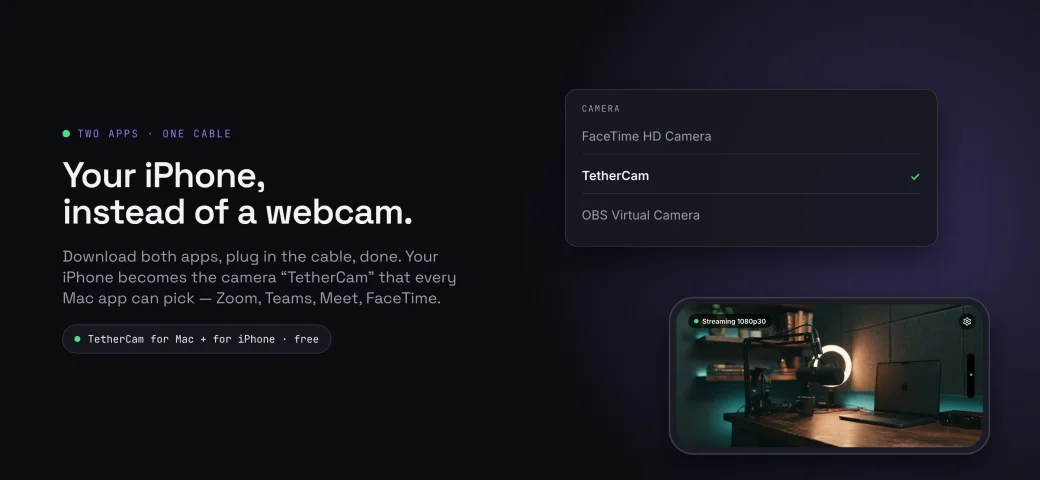
Your iPhone, instead of a webcam.
TWO APPS, ONE CABLE
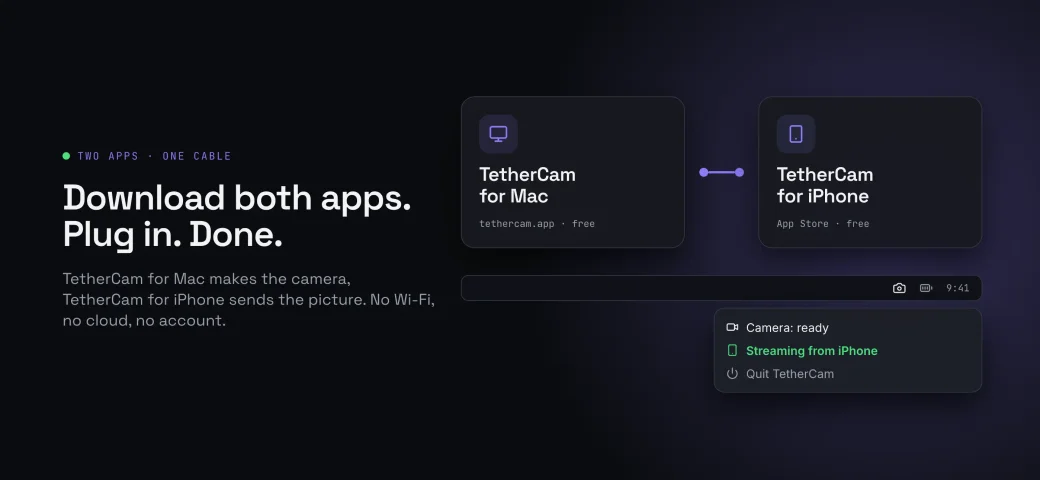
TetherCam is two free apps. TetherCam for Mac is downloaded from tethercam.app; TetherCam for iPhone is this one. Install both, connect the phone to the Mac with the USB cable you already own, and the iPhone shows up as the camera "TetherCam" on the Mac, in the same camera picker as the built-in one.
It works in every Mac app that lists system cameras: Zoom, Microsoft Teams, Google Meet, FaceTime, QuickTime Player, Safari, Chrome and the rest. Zoom and Microsoft Teams were verified on 10 September 2026.
Nothing travels over Wi-Fi, nothing passes through a server, nothing is uploaded anywhere. There is no account, no pairing code and no discovery step. The cable is the whole path, which is why the picture stays stable in a crowded room where wireless cameras start to stutter.
WHAT YOU NEED
An iPhone with iOS 17 or newer, a Mac with macOS 14 or newer, and the USB cable that came with the phone. The free TetherCam Mac app asks once for approval of its camera extension in System Settings; after that the camera is simply there.
THE HONEST LIMITS
The Mac app carries the picture only. A Mac camera extension has no audio stream, so the sound stays with the Mac's own microphone. Audio over the cable exists, but only on the OBS path below.
This iPhone app stays open in the foreground while it sends.
The phone serves one receiver at a time. The Mac app and the OBS plugin are not used together; whichever connects second is told that the line is busy.
ON THE PHONE
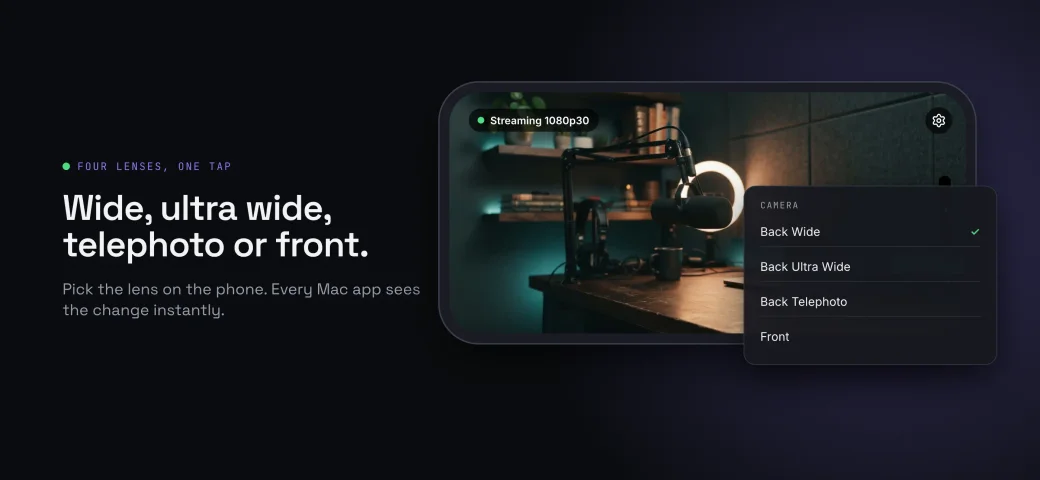
Live preview from the moment you open the app, before anything is connected. A camera and lens picker for the wide, ultra wide and telephoto lenses or the front camera, switching the stream immediately.
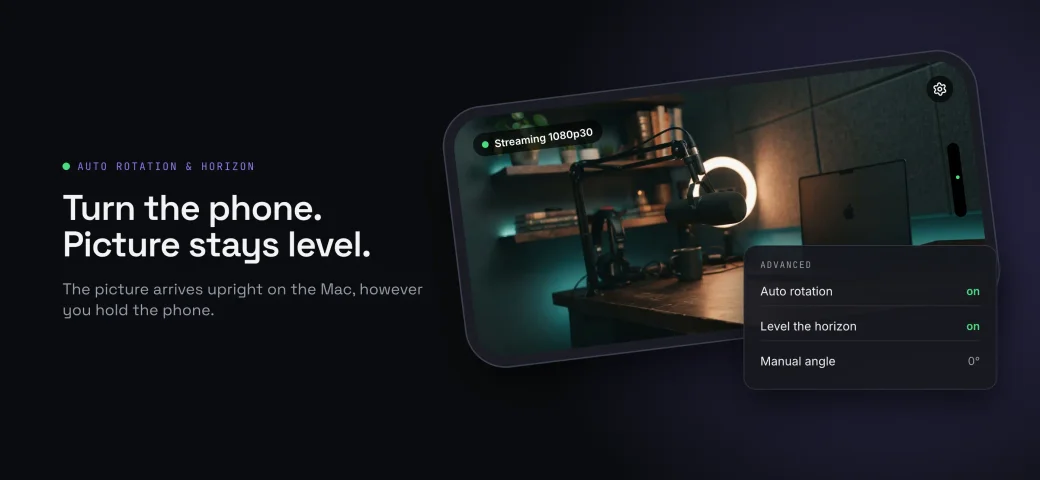
Automatic rotation that follows the horizon rather than the interface. Turn the phone and the picture stays level, because the orientation is resolved on the capture side. There is a manual angle override when you want to decide yourself.
Hardware HEVC encoding, which keeps the phone cool and the latency low.
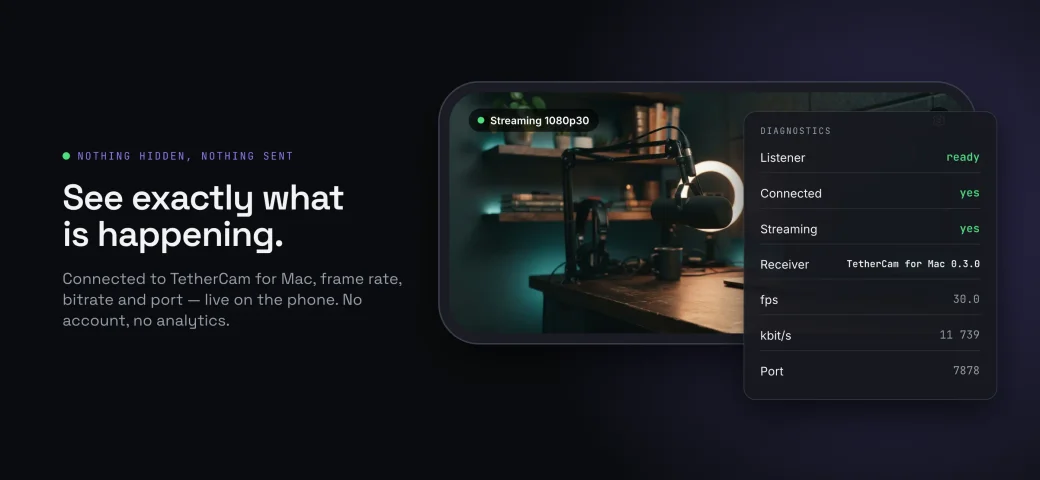
A diagnostics panel that shows what is actually happening: listener state, connection, frames per second, bitrate and the measured levelling residual.
FOR STREAMING AND RECORDING: OBS STUDIO
The TetherCam plugin for OBS Studio is the pro path, also free and also at tethercam.app. It adds a source called TetherCam directly in OBS, finds the phone through the same cable, and it is the only path that brings the microphone of the phone across as well.
PRIVACY
No account, no analytics, no advertising, no purchases. The camera picture goes to your own Mac and nowhere else. Nothing is collected.
TetherCam for iPhone is free and open source under the MIT licence at github.com/Kanevry/tethercam.
Nouveautés
Version 0.4.0 · 11/09/2026
Your iPhone, instead of a webcam: install the free TetherCam Mac app from tethercam.app, plug in the cable, and the phone is a camera in Zoom, Teams, Meet, FaceTime and every other Mac app that lists system cameras.
No changes to the iPhone app in this version. The work of this release is on the Mac side: TetherCam for Mac now checks for updates once a day and can restart its camera extension when macOS fails to start the camera after an update. Details: tethercam.app/changelog
Confidentialité de l’application
Ce que Bernhard Goetzendorfer déclare sur l’App Store au sujet du traitement des données par cette application.
-
Données non collectées
Le développeur ne collecte aucune donnée à partir de cette application.
Les pratiques en matière de confidentialité peuvent varier, notamment en fonction des fonctionnalités que vous utilisez ou de votre âge.
Informations
- Vendeur
- Bernhard Goetzendorfer
- Catégorie
- Photo et vidéo
- Version
- 0.4.0
- Mis à jour
- 11/09/2026
- Publié
- 08/09/2026
- Taille
- 2,0 Mo
- Nécessite
- iOS 17.0 ou version ultérieure
- Classification d’âge
- 4+
- Prix
- Gratuit
- Langues
- Anglais, Allemand
- Copyright
- © 2026 Bernhard Goetzendorfer
Vous aimerez peut-être aussi
-
 SplonkCamWebcam Sans Fil & Éditeur
-
 PhoneCam Pro: Webcam for PCPhoto et vidéo
-
 LensLink : Webcam pour OBSCaméra sans plugin, Wi-Fi/USB
-
 LensLink CameraCaméra de téléphone pour OBS
-
 Blur Photo - Background MosaicPhoto et vidéo
-
 OLiveCamPhoto et vidéo
-
 iCameraPlusPhoto et vidéo
-
 OBS Phone CamPhoto et vidéo
-
 Spancam: iPhone WebcamPhoto et vidéo
-
 SOOC - Ricoh & Fuji RecipesPhoto et vidéo