- Classification d’âge4+
- CatégoriePhoto et vidéo
- Développeursangkoo Kang
- LanguesAnglais
- Taille2,0 Mo
Renvoie vers la page App Store officielle
Download.org n’héberge aucun fichier de OLiveCam. Le bouton ouvre la page de l’application sur App Store, où sangkoo Kang la publie. Fiche vérifiée pour la dernière fois le 18/11/2026.
Captures d’écran

À propos
Le développeur n’a pas fourni ce texte dans votre langue.
Turn your phone into a professional wireless camera for OBS Studio.
OLiveCam streams crystal-clear H.264 video to OBS — no cables, no extra plugins, no watermarks. Choose SRT for
reliable quality or UDP for ultra-low latency.
SIMPLE SETUP
1. Open OBS → Add Media Source → srt://0.0.0.0:9000?mode=listener
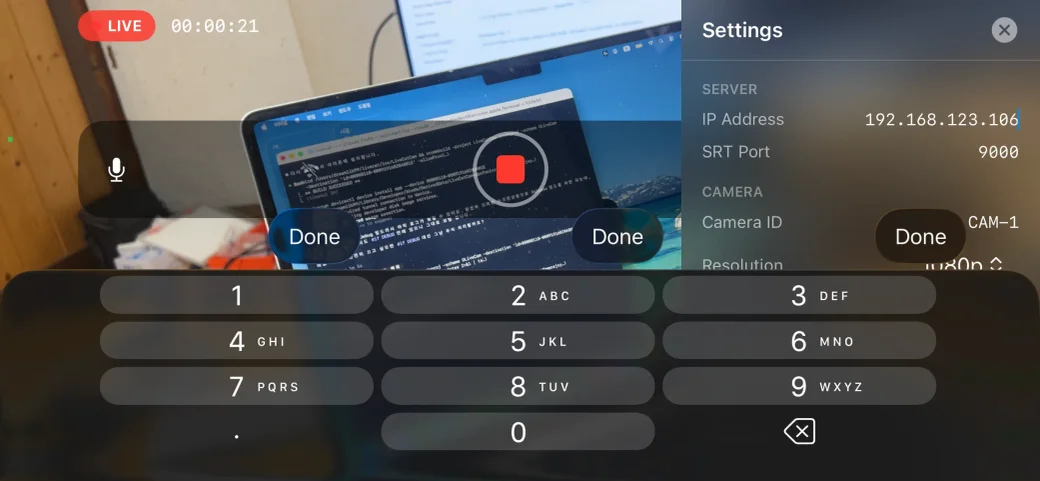
2. Tap Auto Discover or enter your PC's IP
3. Tap Start — you're live
KEY FEATURES
• SRT protocol — reliable, crystal-clear streaming (~200ms)
• UDP protocol — ultra-low latency for local Wi-Fi
• Auto Discover — finds OBS on your network automatically
• Real-time OBS monitor — WiFi icon shows live connection status
• 1080p / 720p H.264 hardware encoding
• Audio streaming support
• Works with OBS Studio on Windows, Mac, and Linux
• No OBS plugins required — standard SRT/UDP MPEG-TS
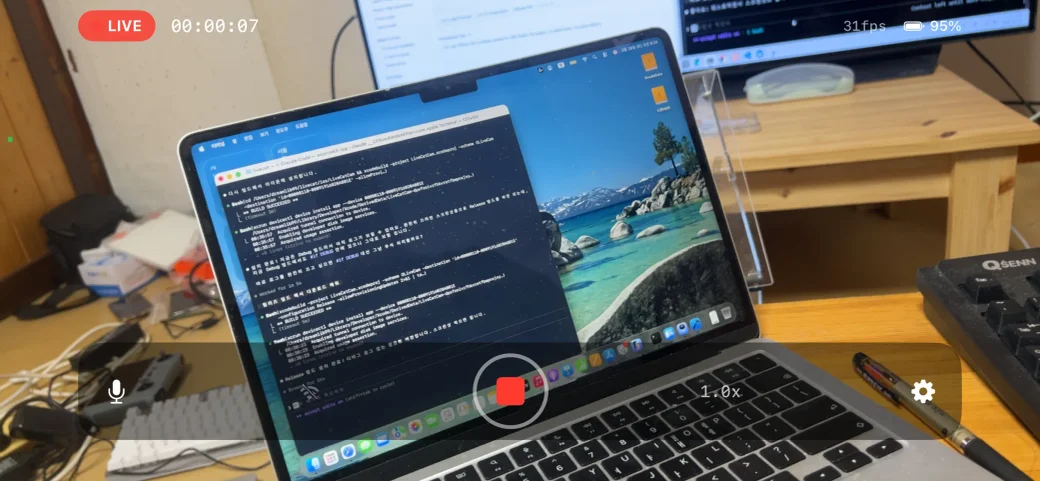
• Pinch to zoom
• Auto-reconnect on connection drops
• Battery and thermal monitoring
• Landscape optimized for streaming
• In-app setup guide for OBS, networking, and troubleshooting
PERFECT FOR
• Live streamers who need a wireless camera
• YouTube / Twitch broadcasters
• Pet cams and home monitoring
• Content creators
• Multi-camera OBS setups
• Remote streaming via VPN (Tailscale supported)
NETWORK SUPPORT
• Same Wi-Fi — just enter IP and go
• Different networks — port forwarding guide included
• Cellular (LTE/5G) — works with Tailscale VPN
• Hotspot — connect PC to phone hotspot
PRIVACY FIRST
• Local network only — no cloud, no data collection
• No account required
• No ads, no tracking
Nouveautés
Version 1.1.1 · 15/03/2026
• OBS Live Monitor — WiFi icon shows real-time OBS connection status
• Smart Start — Verifies OBS is running before streaming begins
• Auto Discover — Now finds OBS on your local network automatically
• UI Restore — Long-press to hide controls, tap to restore
• Quick Start Guide — Easy OBS setup instructions included
• Bug fixes and stability improvements
Confidentialité de l’application
Ce que sangkoo Kang déclare sur l’App Store au sujet du traitement des données par cette application.
-
Données non collectées
Le développeur ne collecte aucune donnée à partir de cette application.
Les pratiques en matière de confidentialité peuvent varier, notamment en fonction des fonctionnalités que vous utilisez ou de votre âge.
Informations
- Vendeur
- sangkoo Kang
- Catégorie
- Photo et vidéo
- Version
- 1.1.1
- Mis à jour
- 15/03/2026
- Publié
- 12/03/2026
- Taille
- 2,0 Mo
- Nécessite
- iOS 17.0 ou version ultérieure
- Classification d’âge
- 4+
- Prix
- Gratuit
- Langues
- Anglais
- Copyright
- © 2026 Sangkoo Kang
Vous aimerez peut-être aussi
-
 OBS Phone CamPhoto et vidéo
-
 ReCam: Use Phone as WebcamPhoto et vidéo
-
 MCR Box Camera – Live EncoderPhoto et vidéo
-
 Ujjina Live EncoderPhoto et vidéo
-
 MyReelsPhoto et vidéo
-
 PhoneCam Pro: Webcam for PCPhoto et vidéo
-
 SplonkCamWebcam Sans Fil & Éditeur
-
 SuperCam StudioPhoto et vidéo
-
 CamFlowLitePhoto et vidéo
-
 SwitchEffect CameraPhoto et vidéo