- Classification d’âge4+
- CatégoriePhoto et vidéo
- Développeur北京猫猫可能科技有限公司
- LanguesAnglais+ 3 de plus
- Taille6,4 Mo
Renvoie vers la page App Store officielle
Download.org n’héberge aucun fichier de VideoDownsizer. Le bouton ouvre la page de l’application sur App Store, où 北京猫猫可能科技有限公司 la publie. Fiche vérifiée pour la dernière fois le 12/11/2026.
Captures d’écran
À propos
Le développeur n’a pas fourni ce texte dans votre langue.
Shrink videos to a fraction of their size — right on your iPhone and iPad.
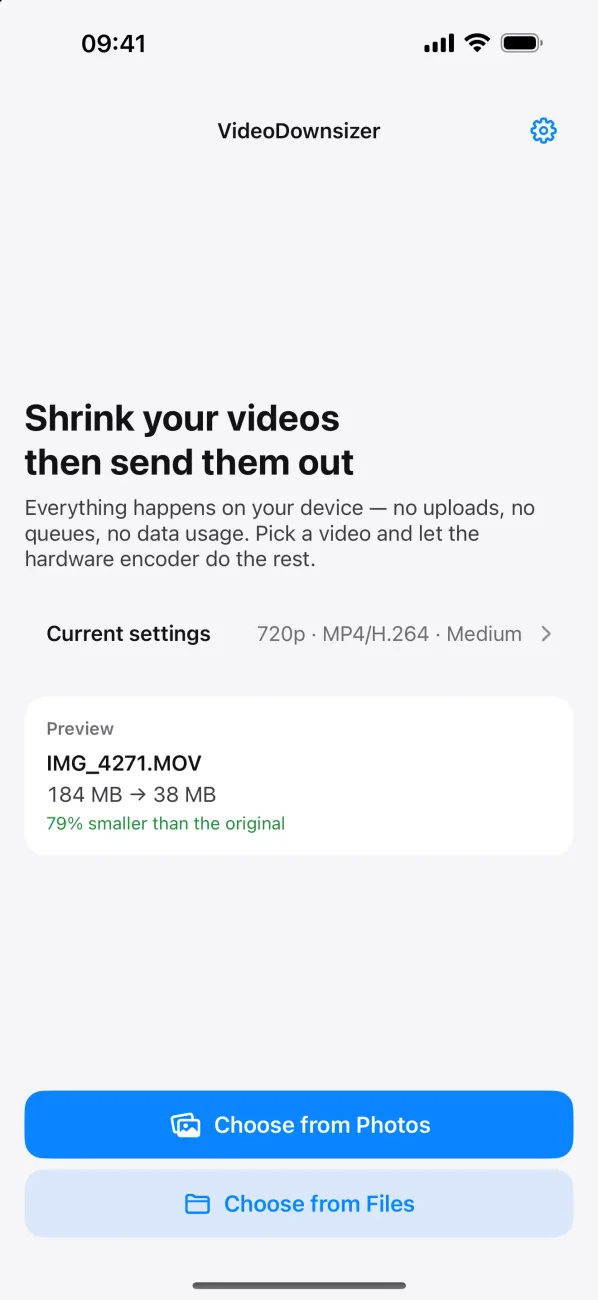
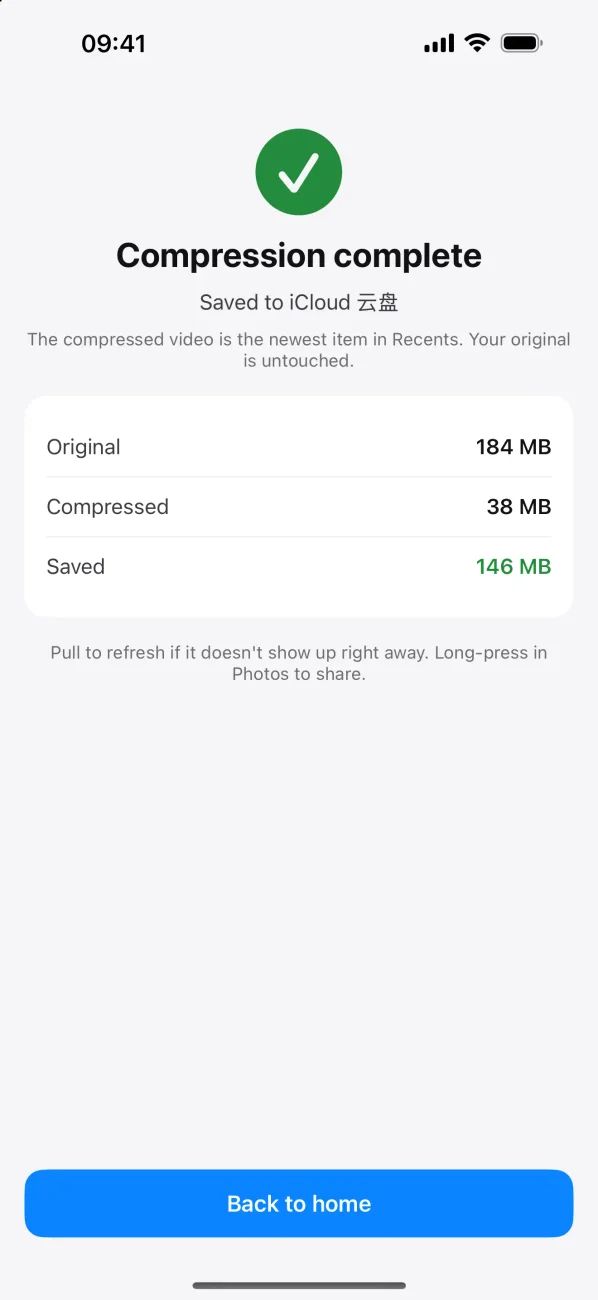
VideoDownsizer re-encodes your videos with the hardware encoder built into your device, so a clip that was too big to send becomes easy to share. Everything happens on-device: nothing is uploaded, nothing is queued, and no data plan is used.
WHY YOU WILL LIKE IT
• Files 60–80% smaller, with the same frame rate and orientation as the original
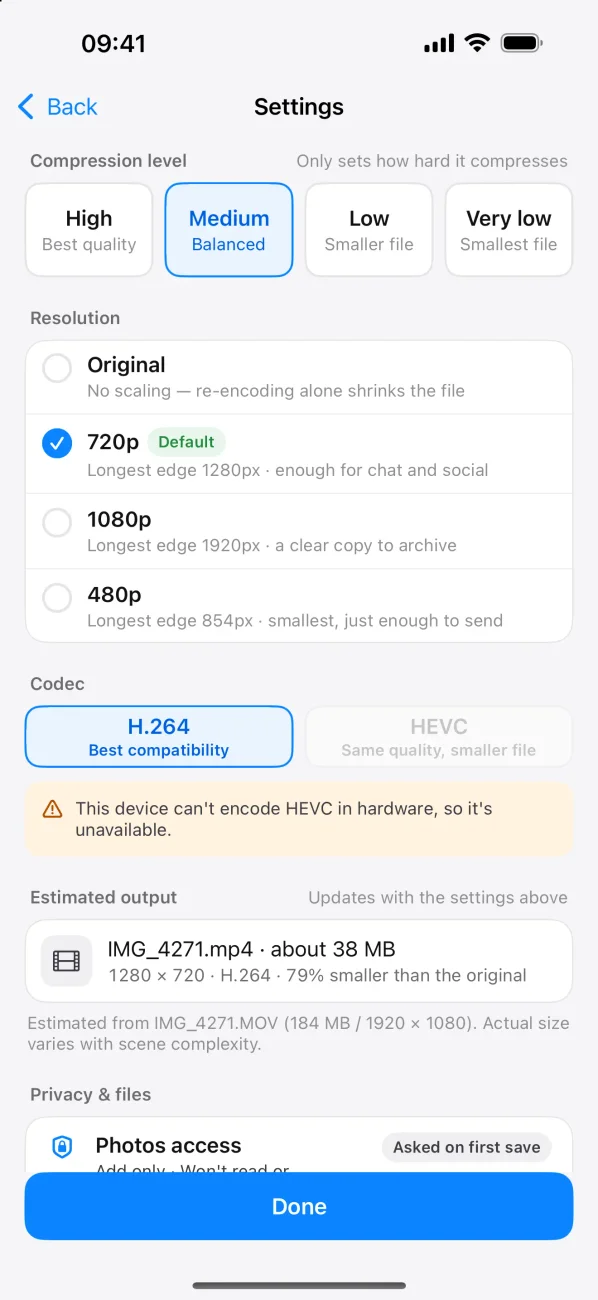
• Four compression levels and four resolutions — from "keep it sharp" to "make it tiny"
• Hardware H.264 encoding, or HEVC when you need the smallest possible file
• Audio is passed through untouched and never re-encoded
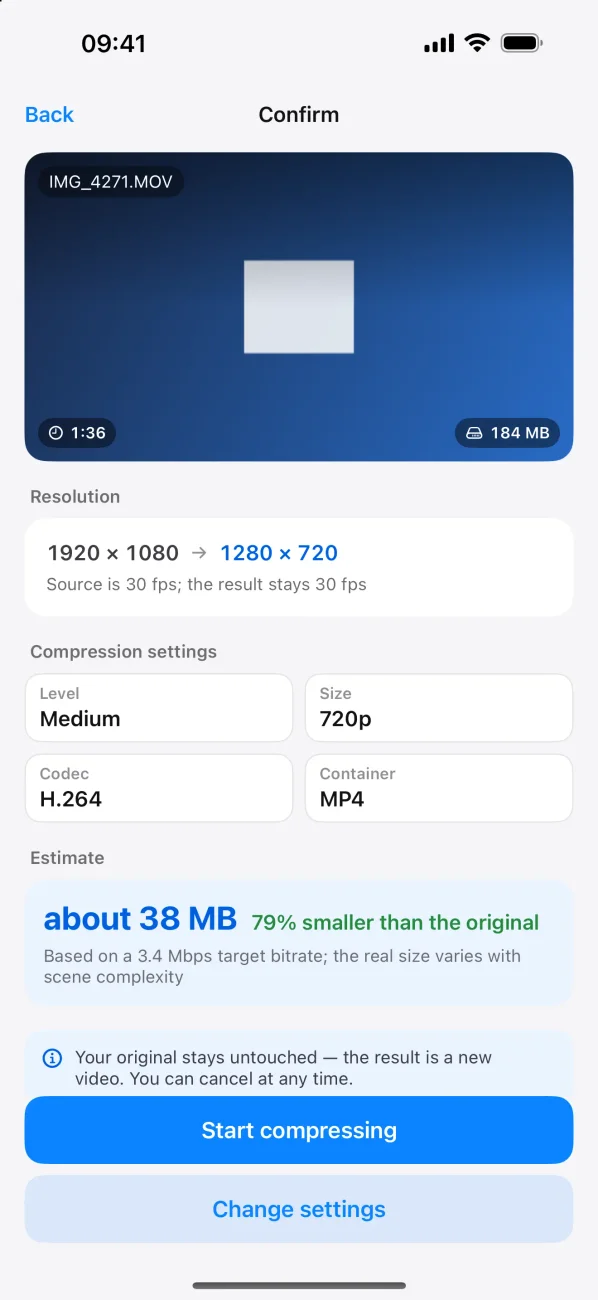
• See the estimate before you commit: the confirm screen puts the original next to the expected result
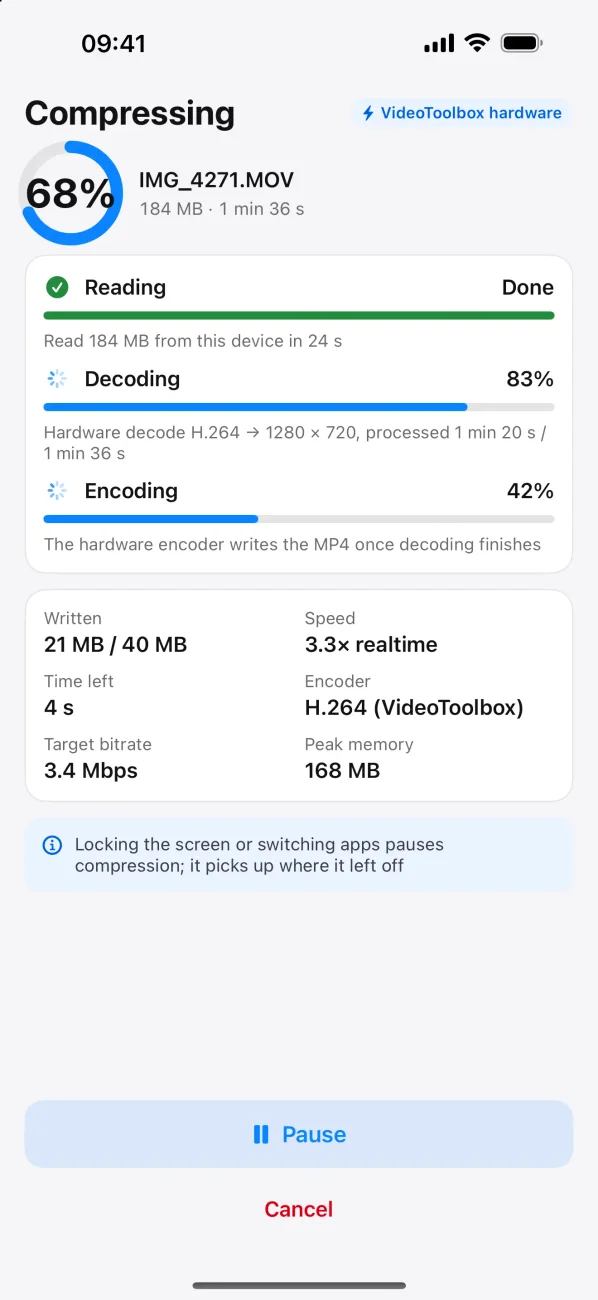
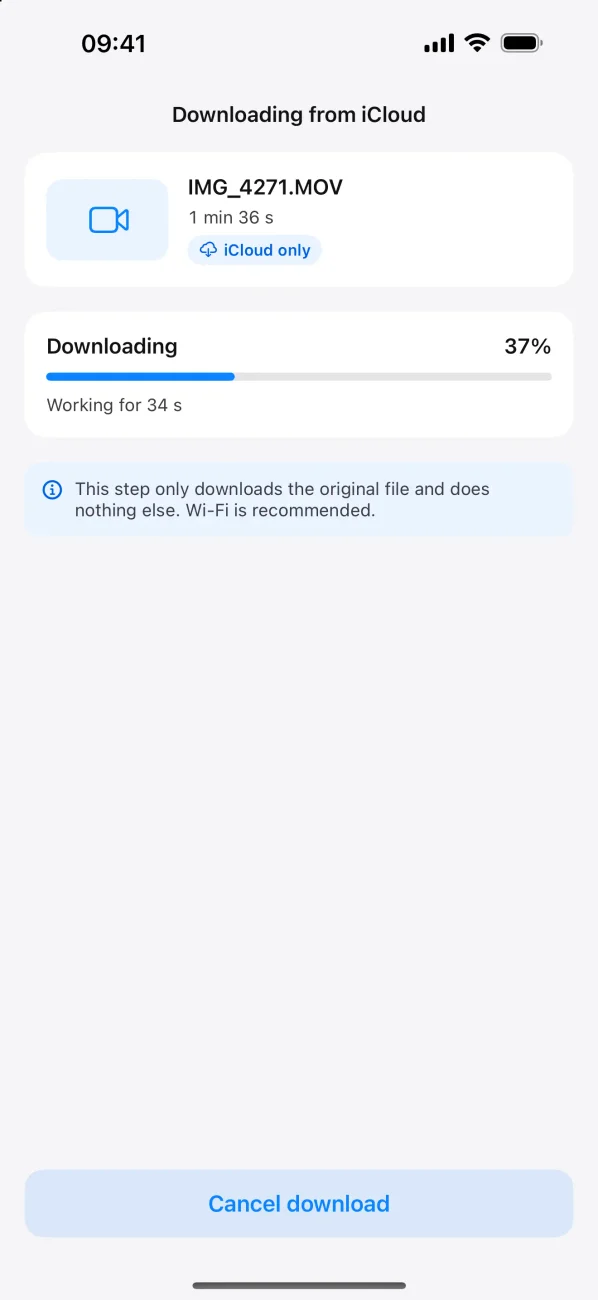
• Three-stage progress (read / decode / encode), pausable and cancellable at any time
• Lock the screen and it pauses; come back and it continues where it left off
• Universal app for iPhone and iPad, in English, Simplified Chinese and Spanish
PRIVACY
No account, no analytics, no ads and no servers. The app makes no network requests at all. Your original video is never modified — a new file is always written.
FORMATS
Input: MOV, MP4, M4V and other common video files, including HEVC. Output: MP4.
HOW TO USE
1. Tap "Choose from Photos" or "Choose from Files".
2. Check the confirm screen: resolution, settings and the estimated file size.
3. Tap "Start compressing" and wait for the three stages to finish.
4. Save the result to Photos, or use "Save to Files".
Confidentialité de l’application
Ce que 北京猫猫可能科技有限公司 déclare sur l’App Store au sujet du traitement des données par cette application.
-
Données non collectées
Le développeur ne collecte aucune donnée à partir de cette application.
Les pratiques en matière de confidentialité peuvent varier, notamment en fonction des fonctionnalités que vous utilisez ou de votre âge.
Informations
- Vendeur
- Beijing Maomao Possible Technology Co., Ltd
- Catégorie
- Photo et vidéo
- Version
- 1.0
- Mis à jour
- 08/11/2026
- Publié
- 08/11/2026
- Taille
- 6,4 Mo
- Nécessite
- iOS 16.0 ou version ultérieure
- Classification d’âge
- 4+
- Prix
- Gratuit
- Langues
- Anglais, Japonais, Chinois simplifié, Espagnol
- Copyright
- © 2026 Beijing Maomao Possible Technology Co., Ltd
Vous aimerez peut-être aussi
-
 Verso : Appareil Photo RétroArgentique, jetable et CCD
-
 Verify Camera: Timestamp GPSPhoto et vidéo
-
 Crudics IPTV Smart PlayerPhoto et vidéo
-
 Promvio: Teleprompter VideoLisez votre texte, filmez-vous
-
 Unpinned: Photo PrivacyPhoto et vidéo
-
 DuovidPhoto et vidéo
-
 ClipUnder : Compresser vidéoLimite Mo, lots et MP3
-
 VideoRedactor - Blur and HidePhoto et vidéo
-
 Clipora - Video SaverPhoto et vidéo
-
 Real ProCamPhoto et vidéo