- Classificação etária4+
- CategoriaFoto e vídeo
- Desenvolvedor北京猫猫可能科技有限公司
- IdiomasInglêse mais 3
- Tamanho6,4 MB
Leva à página oficial na App Store
O Download.org não hospeda nenhum arquivo de VideoDownsizer. O botão abre a página do app na App Store, onde 北京猫猫可能科技有限公司 o publica. Página verificada pela última vez em 12/11/2026.
Capturas de tela
Sobre
O desenvolvedor não forneceu este texto no seu idioma.
Shrink videos to a fraction of their size — right on your iPhone and iPad.
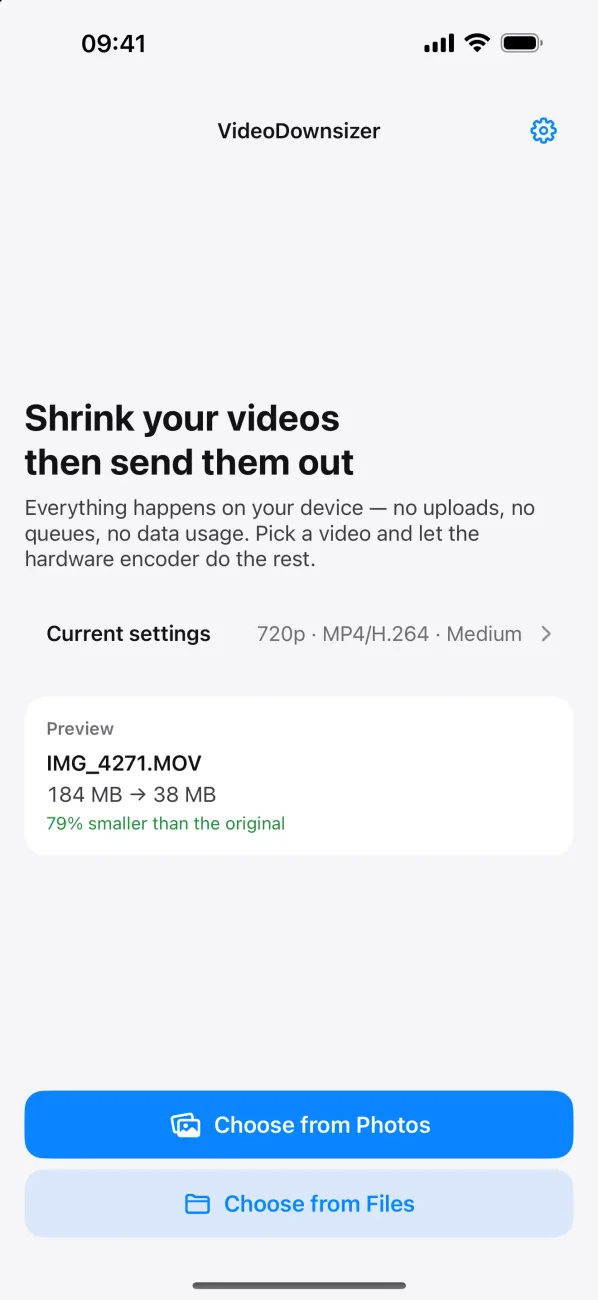
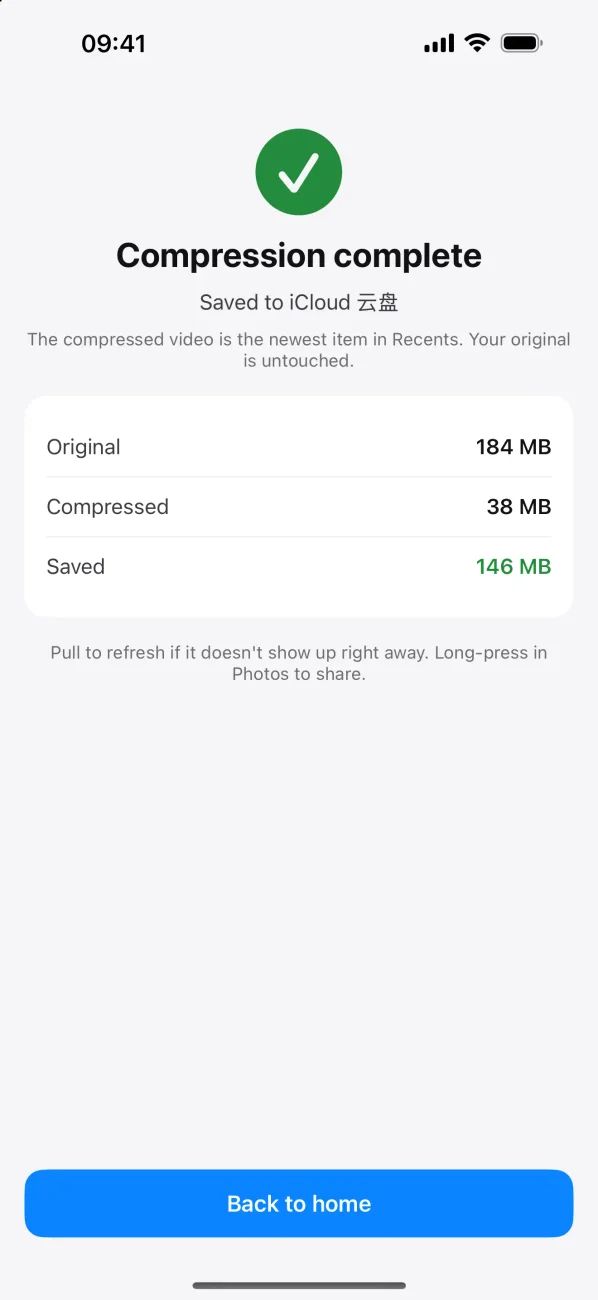
VideoDownsizer re-encodes your videos with the hardware encoder built into your device, so a clip that was too big to send becomes easy to share. Everything happens on-device: nothing is uploaded, nothing is queued, and no data plan is used.
WHY YOU WILL LIKE IT
• Files 60–80% smaller, with the same frame rate and orientation as the original
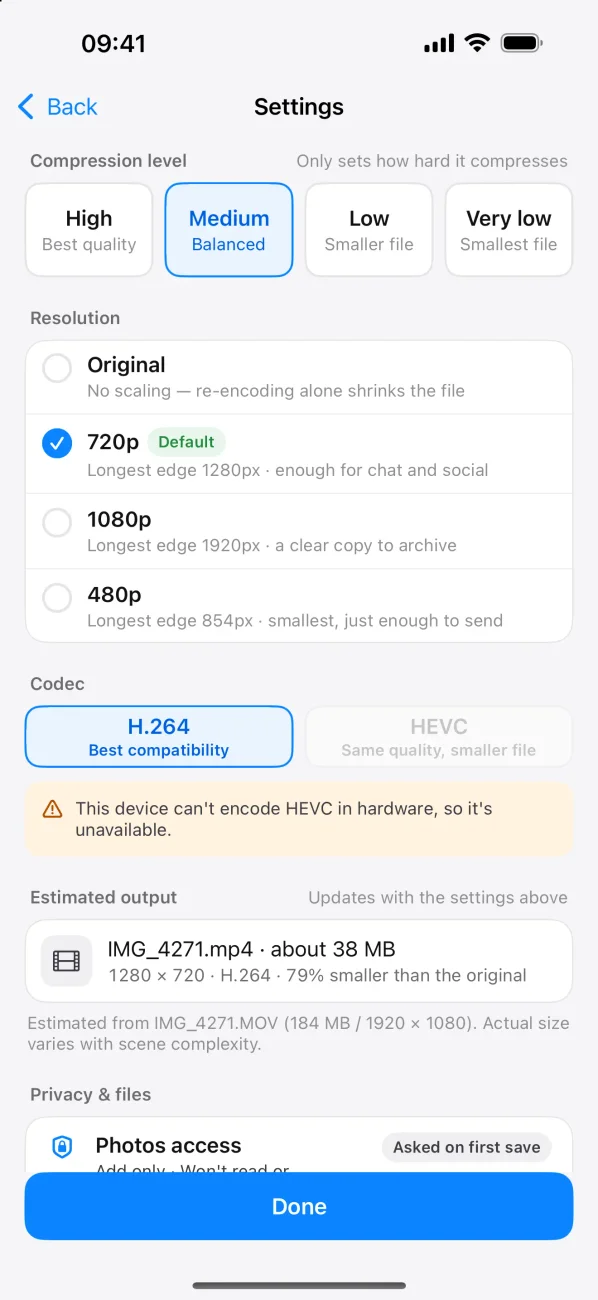
• Four compression levels and four resolutions — from "keep it sharp" to "make it tiny"
• Hardware H.264 encoding, or HEVC when you need the smallest possible file
• Audio is passed through untouched and never re-encoded
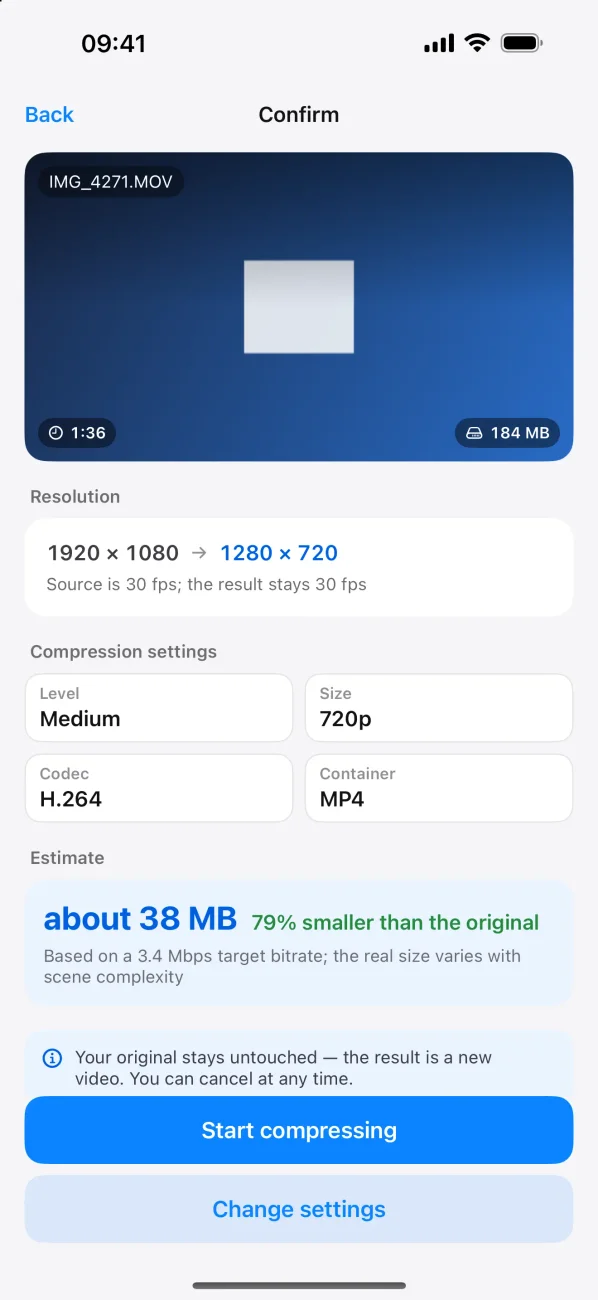
• See the estimate before you commit: the confirm screen puts the original next to the expected result
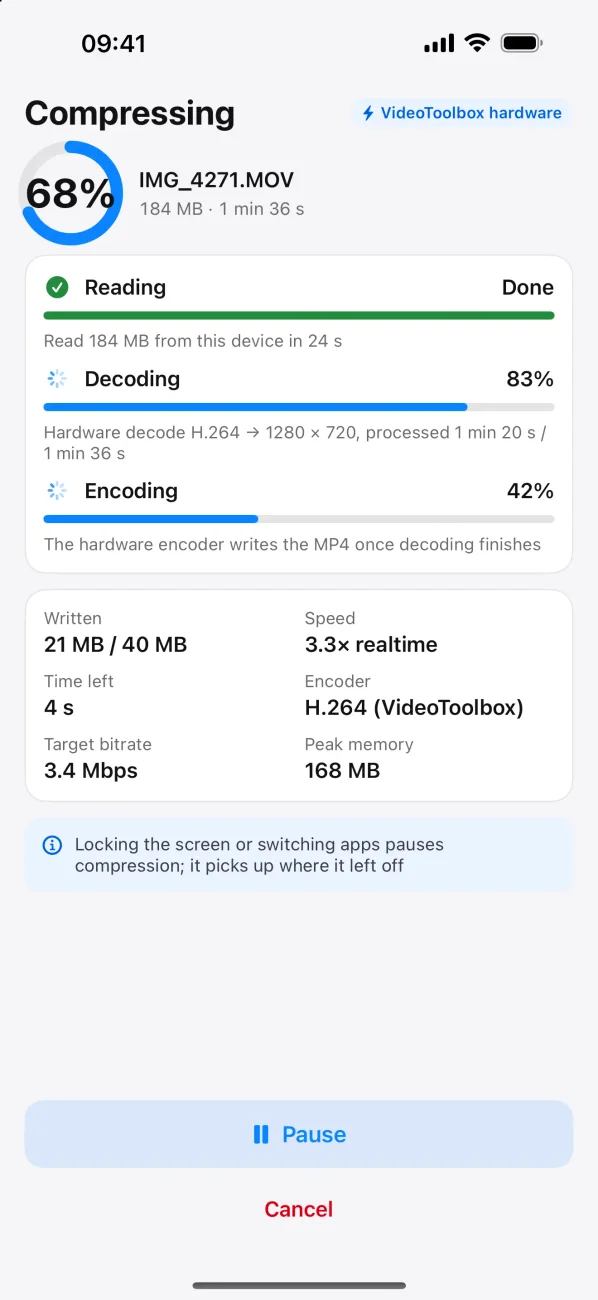
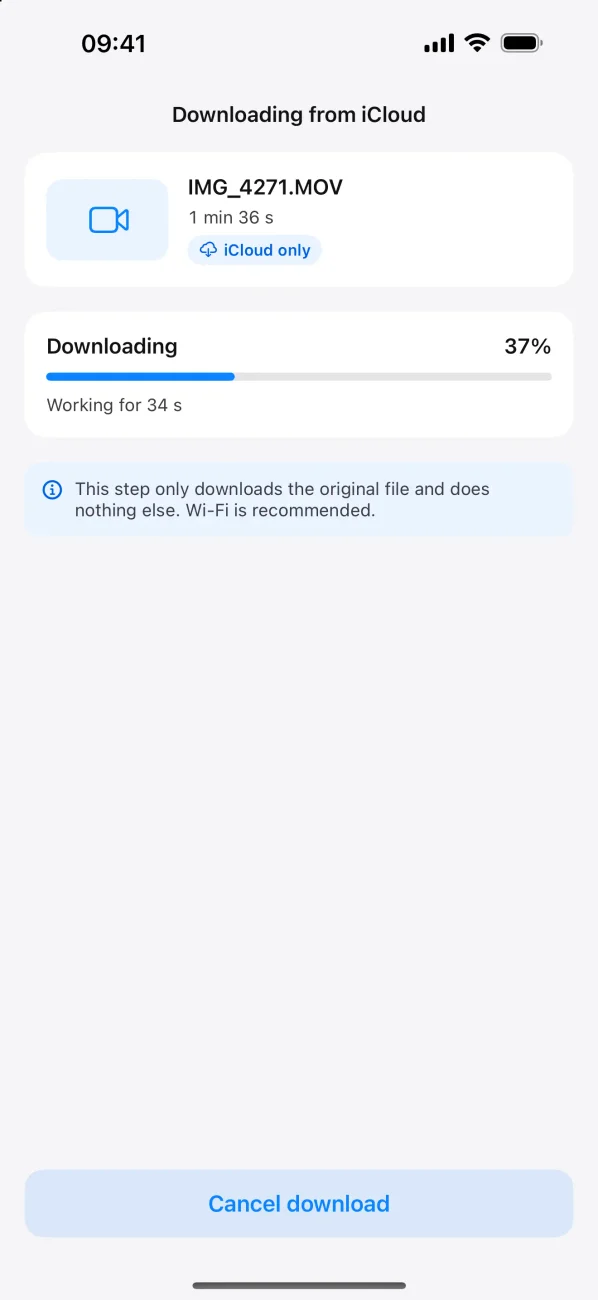
• Three-stage progress (read / decode / encode), pausable and cancellable at any time
• Lock the screen and it pauses; come back and it continues where it left off
• Universal app for iPhone and iPad, in English, Simplified Chinese and Spanish
PRIVACY
No account, no analytics, no ads and no servers. The app makes no network requests at all. Your original video is never modified — a new file is always written.
FORMATS
Input: MOV, MP4, M4V and other common video files, including HEVC. Output: MP4.
HOW TO USE
1. Tap "Choose from Photos" or "Choose from Files".
2. Check the confirm screen: resolution, settings and the estimated file size.
3. Tap "Start compressing" and wait for the three stages to finish.
4. Save the result to Photos, or use "Save to Files".
Privacidade do app
O que 北京猫猫可能科技有限公司 declara na App Store sobre como este app lida com os dados.
-
Dados não coletados
O desenvolvedor não coleta nenhum dado deste app.
As práticas de privacidade podem variar, por exemplo, com base nos recursos que você usa ou na sua idade.
Informações
- Vendedor
- Beijing Maomao Possible Technology Co., Ltd
- Categoria
- Foto e vídeo
- Versão
- 1.0
- Atualizado
- 08/11/2026
- Lançamento
- 08/11/2026
- Tamanho
- 6,4 MB
- Requer
- iOS 16.0 ou posterior
- Classificação etária
- 4+
- Preço
- Grátis
- Idiomas
- Inglês, Japonês, Chinês simplificado, Espanhol
- Copyright
- © 2026 Beijing Maomao Possible Technology Co., Ltd
Você também pode gostar
-
 Verso: Câmera Dupla RetrôFilme, descartável e CCD
-
 Verify Camera: Timestamp GPSFoto e vídeo
-
 Crudics IPTV Smart PlayerFoto e vídeo
-
 Promvio: Teleprompter VideoLeia o roteiro e grave vídeos
-
 Unpinned: Photo PrivacyFoto e vídeo
-
 DuovidFoto e vídeo
-
 ClipUnder: Comprimir vídeosLimite MB, lote e MP3
-
 VideoRedactor - Blur and HideFoto e vídeo
-
 Clipora - Video SaverFoto e vídeo
-
 Real ProCamFoto e vídeo