VideoDownsizer
HEVC & MOV to tiny MP4
iPhone, iPad için tasarlandı
Ücretsiz
- Yaş sınırı4+
- KategoriFotoğraf ve Video
- Geliştirici北京猫猫可能科技有限公司
- Dillerİngilizce+ 3 dil daha
- Boyut6,4 MB
Resmi App Store sayfasına bağlanır
Download.org, VideoDownsizer için hiçbir dosya barındırmaz. Düğme, uygulamanın App Store üzerindeki sayfasını açar; uygulamayı orada 北京猫猫可能科技有限公司 yayınlar. Sayfanın son kontrolü: 12.11.2026.
Ekran görüntüleri

Hakkında
Geliştirici bu metni dilinizde sunmamış.
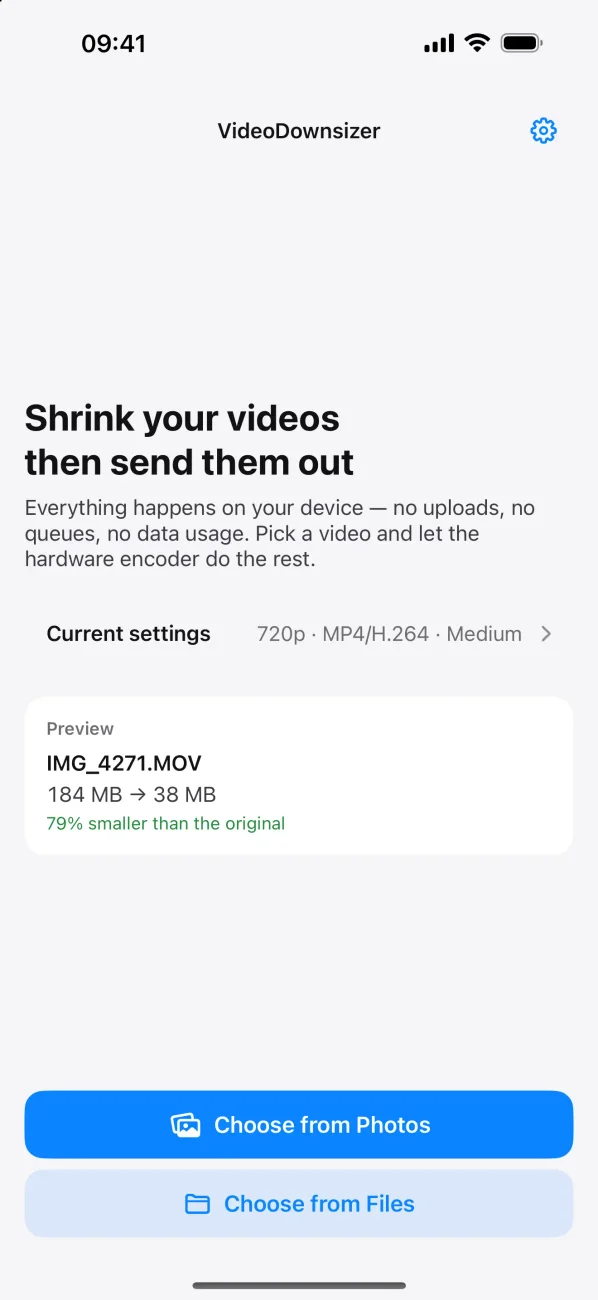
Shrink videos to a fraction of their size — right on your iPhone and iPad.
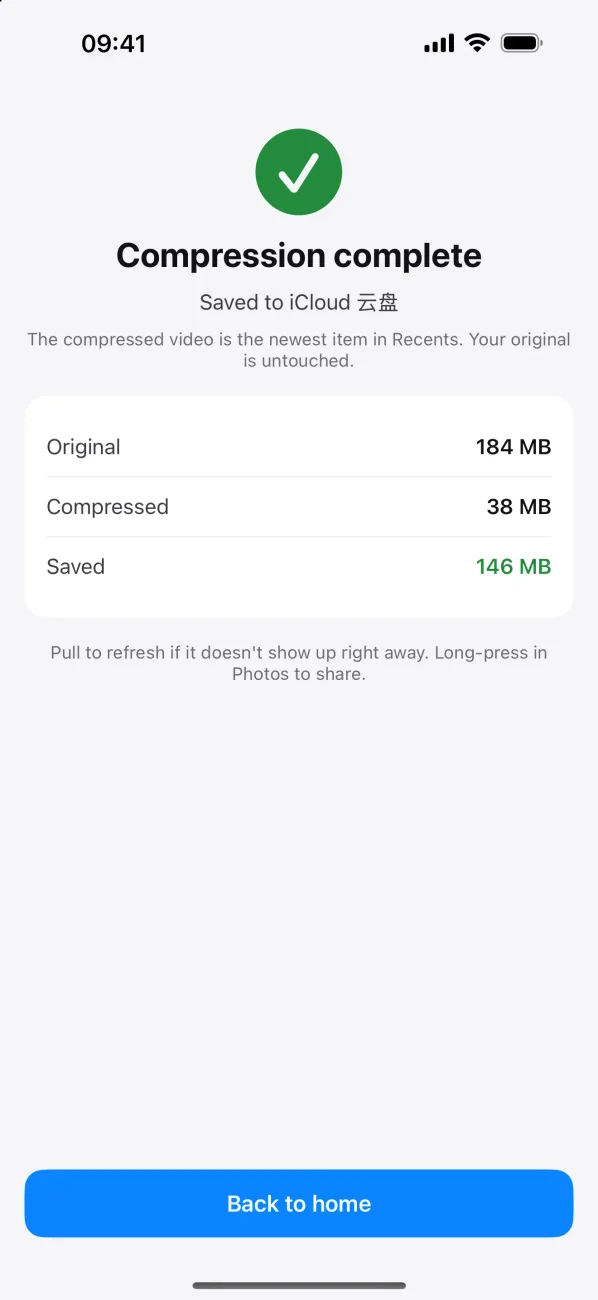
VideoDownsizer re-encodes your videos with the hardware encoder built into your device, so a clip that was too big to send becomes easy to share. Everything happens on-device: nothing is uploaded, nothing is queued, and no data plan is used.
WHY YOU WILL LIKE IT
• Files 60–80% smaller, with the same frame rate and orientation as the original
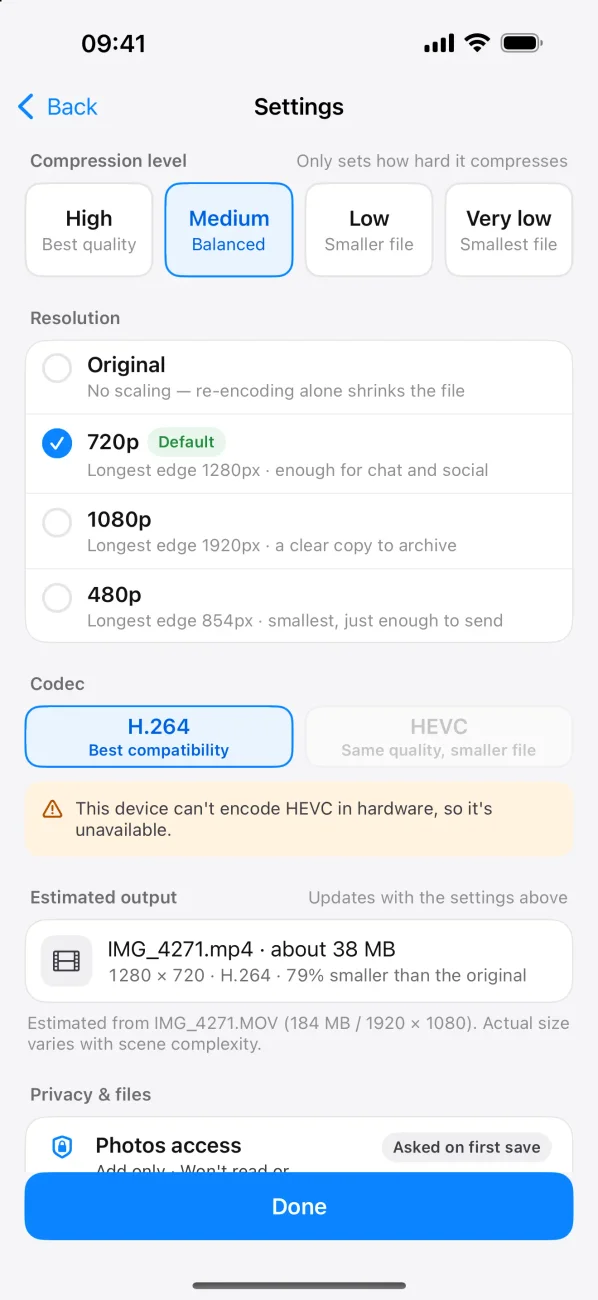
• Four compression levels and four resolutions — from "keep it sharp" to "make it tiny"
• Hardware H.264 encoding, or HEVC when you need the smallest possible file
• Audio is passed through untouched and never re-encoded
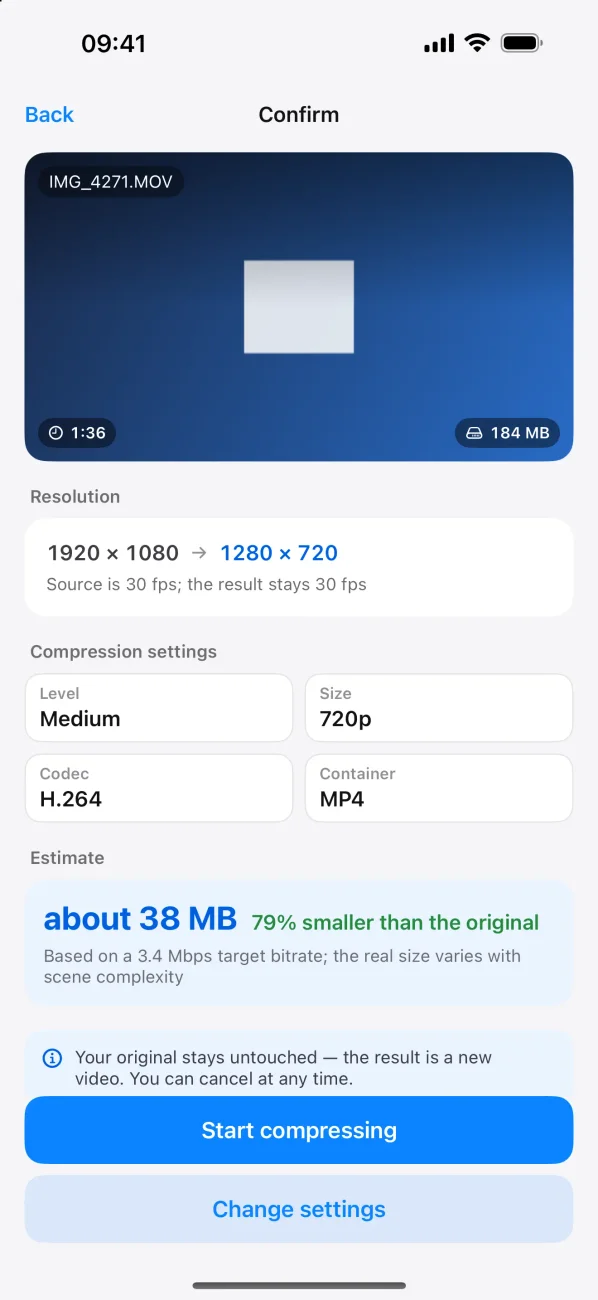
• See the estimate before you commit: the confirm screen puts the original next to the expected result
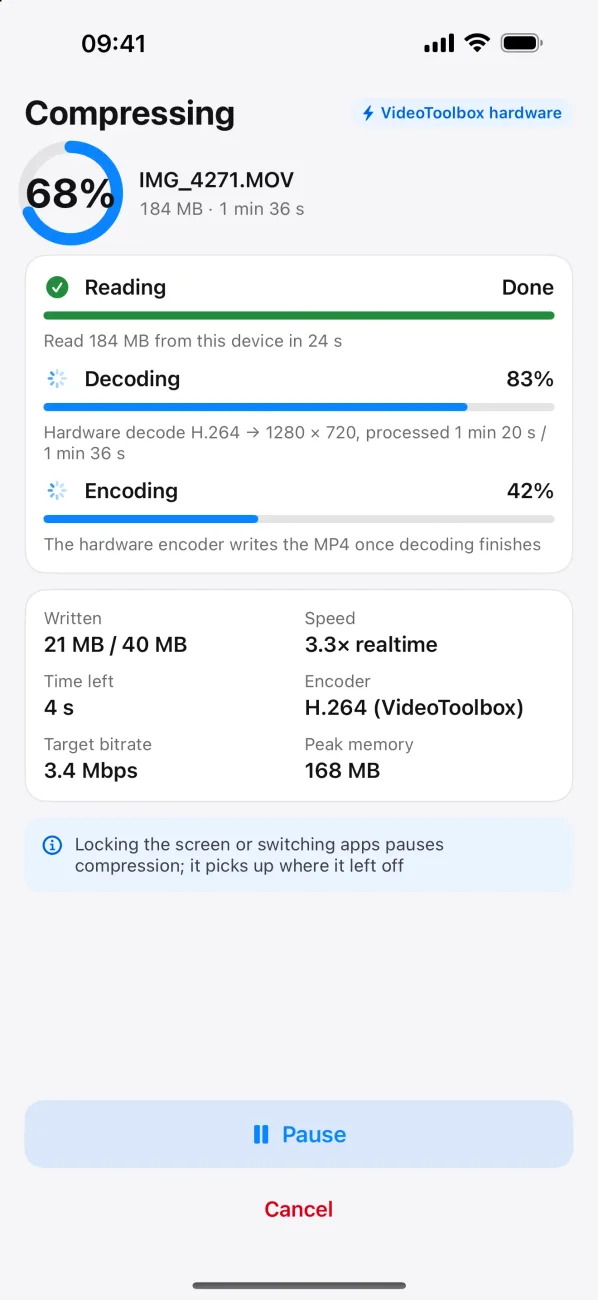
• Three-stage progress (read / decode / encode), pausable and cancellable at any time
• Lock the screen and it pauses; come back and it continues where it left off
• Universal app for iPhone and iPad, in English, Simplified Chinese and Spanish
PRIVACY
No account, no analytics, no ads and no servers. The app makes no network requests at all. Your original video is never modified — a new file is always written.
FORMATS
Input: MOV, MP4, M4V and other common video files, including HEVC. Output: MP4.
HOW TO USE
1. Tap "Choose from Photos" or "Choose from Files".
2. Check the confirm screen: resolution, settings and the estimated file size.
3. Tap "Start compressing" and wait for the three stages to finish.
4. Save the result to Photos, or use "Save to Files".
Uygulama gizliliği
Bu uygulamanın verileri nasıl işlediği hakkında 北京猫猫可能科技有限公司 tarafından App Store üzerinde yapılan beyan.
-
Veri toplanmıyor
Geliştirici bu uygulamadan hiçbir veri toplamıyor.
Gizlilik uygulamaları, örneğin kullandığınız özelliklere veya yaşınıza göre değişiklik gösterebilir.
Bilgiler
- Satıcı
- Beijing Maomao Possible Technology Co., Ltd
- Kategori
- Fotoğraf ve Video
- Sürüm
- 1.0
- Güncellendi
- 08.11.2026
- Yayın tarihi
- 08.11.2026
- Boyut
- 6,4 MB
- Gereksinim
- iOS 16.0 veya sonrası
- Yaş sınırı
- 4+
- Fiyat
- Ücretsiz
- Diller
- İngilizce, Japonca, Basitleştirilmiş Çince, İspanyolca
- Telif hakkı
- © 2026 Beijing Maomao Possible Technology Co., Ltd
Bunları da beğenebilirsiniz
-
 Verso: Dual Film CameraFotoğraf ve Video
-
 Verify Camera: Timestamp GPSFotoğraf ve Video
-
 Crudics IPTV Smart PlayerFotoğraf ve Video
-
 Promvio: Teleprompter VideoMetin okuyucu ve video kaydı
-
 Unpinned: Photo PrivacyFotoğraf ve Video
-
 DuovidFotoğraf ve Video
-
 ClipUnder: Video SıkıştırMB sınırı, toplu işlem, MP3
-
 VideoRedactor - Blur and HideFotoğraf ve Video
-
 Clipora - Video SaverFotoğraf ve Video
-
 Real ProCamFotoğraf ve Video