- Độ tuổi4+
- Danh mụcẢnh & Video
- Nhà phát triển北京猫猫可能科技有限公司
- Ngôn ngữTiếng Anh+ 3 ngôn ngữ khác
- Kích thước6,4 MB
Liên kết đến trang App Store chính thức
Download.org không lưu trữ tệp nào của VideoDownsizer. Nút này mở trang ứng dụng trên App Store, nơi 北京猫猫可能科技有限公司 phát hành ứng dụng. Trang được kiểm tra lần cuối: 12/11/2026.
Ảnh chụp màn hình
Giới thiệu
Nhà phát triển chưa cung cấp nội dung này bằng ngôn ngữ của bạn.
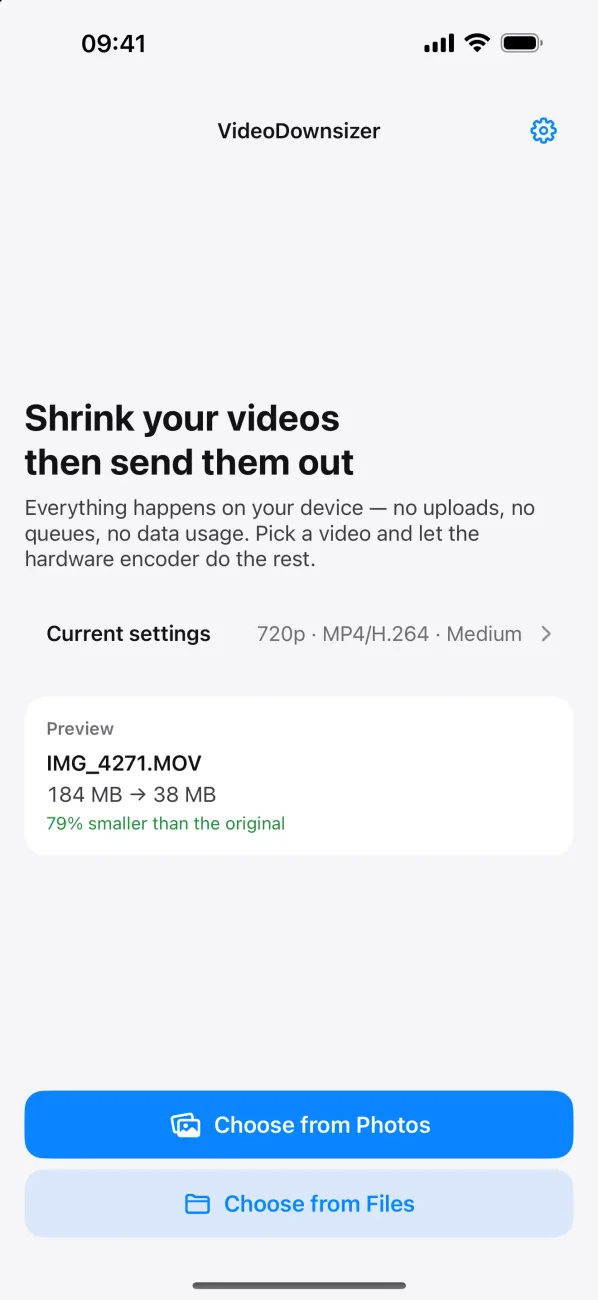
Shrink videos to a fraction of their size — right on your iPhone and iPad.
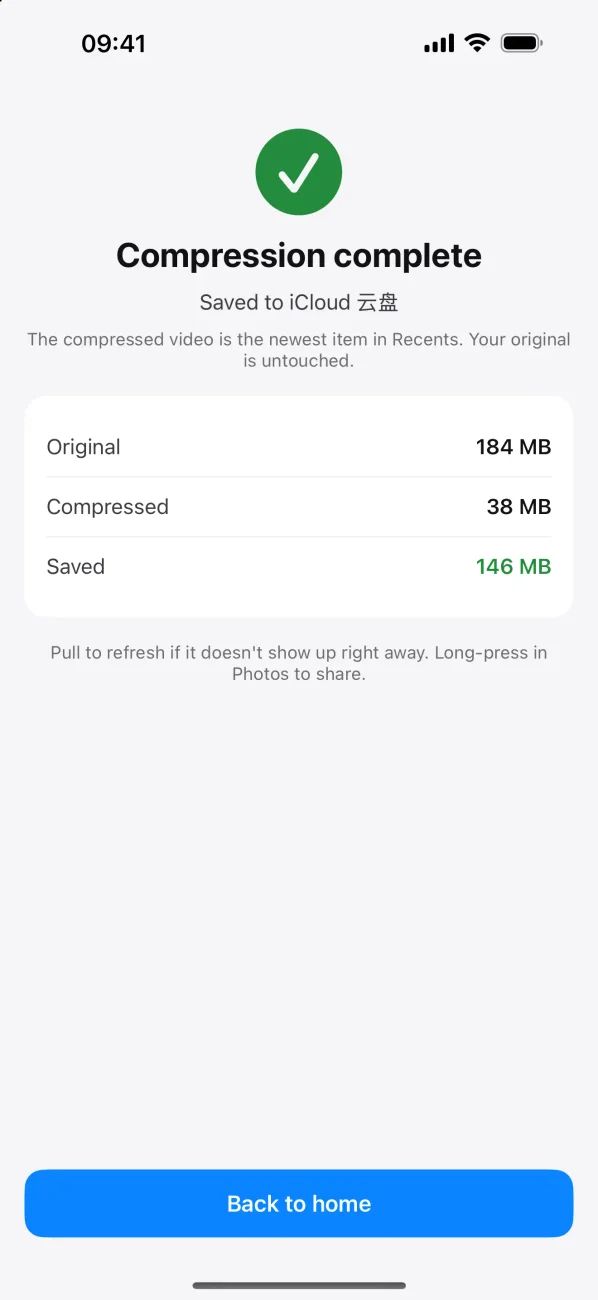
VideoDownsizer re-encodes your videos with the hardware encoder built into your device, so a clip that was too big to send becomes easy to share. Everything happens on-device: nothing is uploaded, nothing is queued, and no data plan is used.
WHY YOU WILL LIKE IT
• Files 60–80% smaller, with the same frame rate and orientation as the original
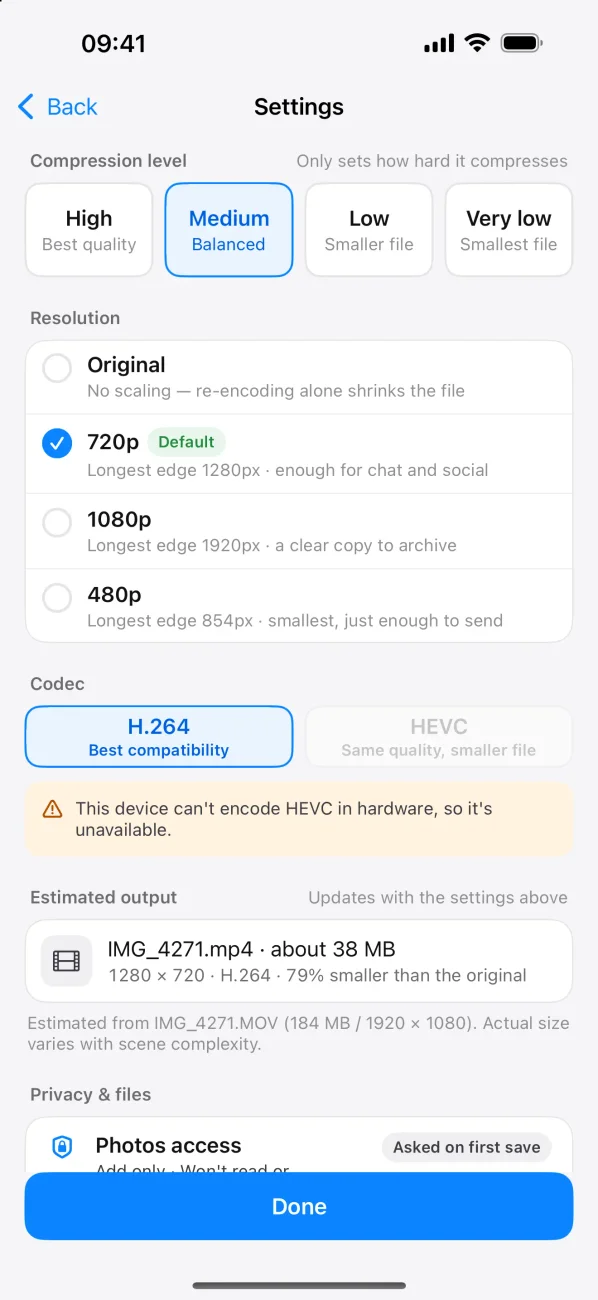
• Four compression levels and four resolutions — from "keep it sharp" to "make it tiny"
• Hardware H.264 encoding, or HEVC when you need the smallest possible file
• Audio is passed through untouched and never re-encoded
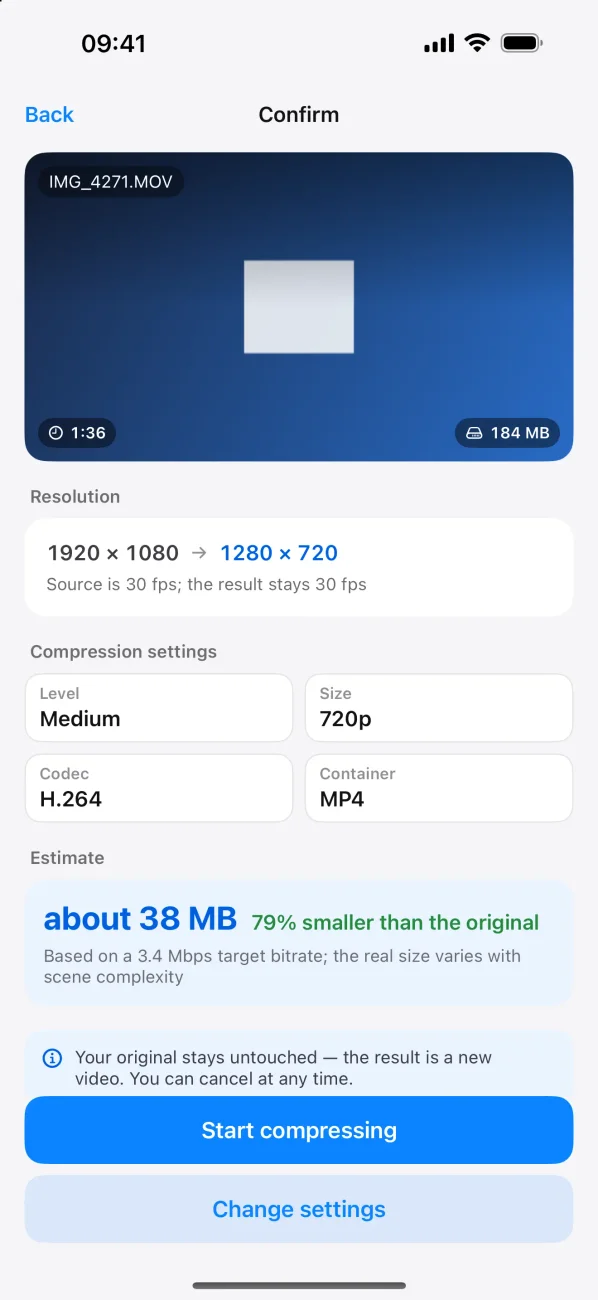
• See the estimate before you commit: the confirm screen puts the original next to the expected result
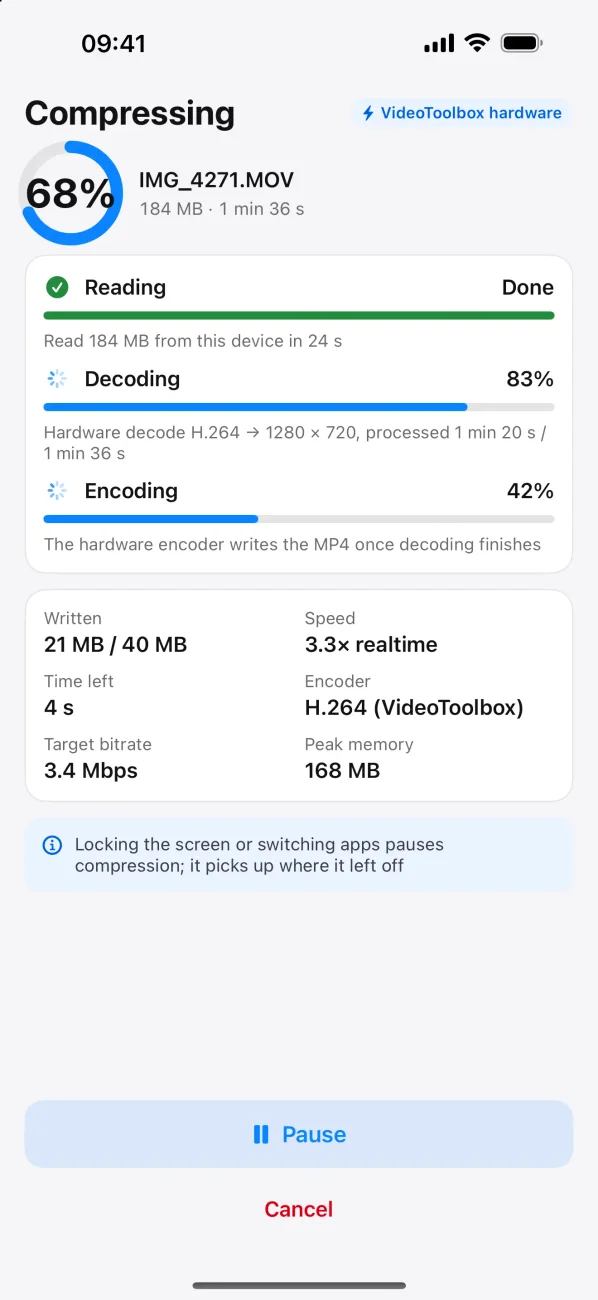
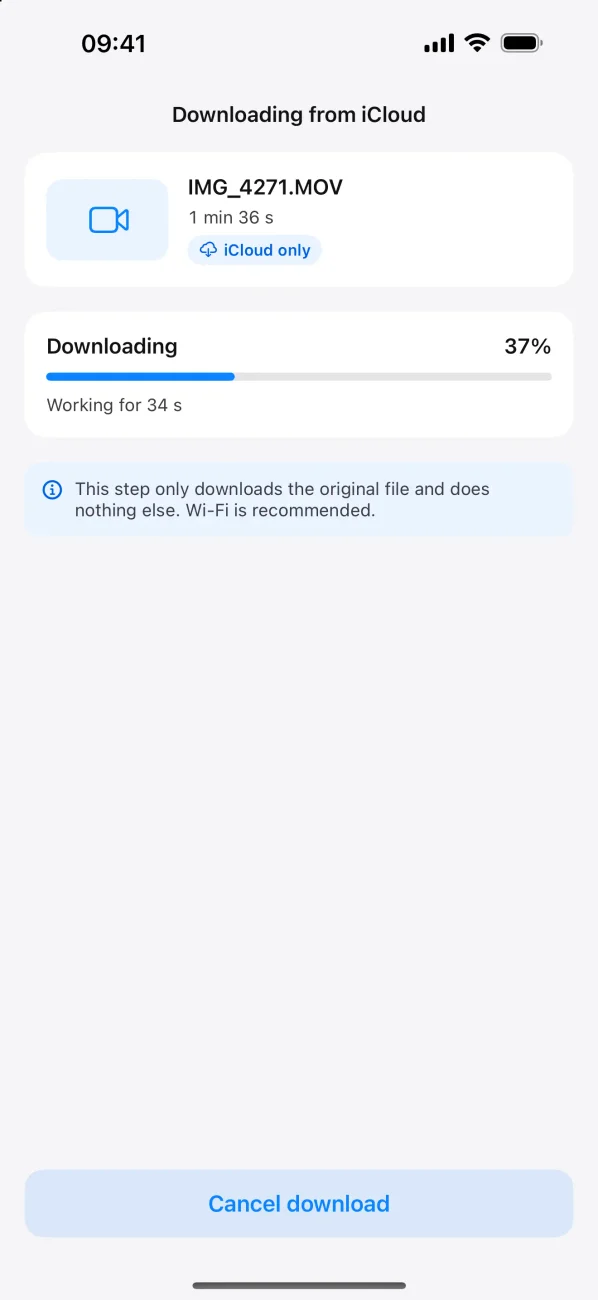
• Three-stage progress (read / decode / encode), pausable and cancellable at any time
• Lock the screen and it pauses; come back and it continues where it left off
• Universal app for iPhone and iPad, in English, Simplified Chinese and Spanish
PRIVACY
No account, no analytics, no ads and no servers. The app makes no network requests at all. Your original video is never modified — a new file is always written.
FORMATS
Input: MOV, MP4, M4V and other common video files, including HEVC. Output: MP4.
HOW TO USE
1. Tap "Choose from Photos" or "Choose from Files".
2. Check the confirm screen: resolution, settings and the estimated file size.
3. Tap "Start compressing" and wait for the three stages to finish.
4. Save the result to Photos, or use "Save to Files".
Quyền riêng tư của ứng dụng
Những gì 北京猫猫可能科技有限公司 khai báo trên App Store về cách ứng dụng này xử lý dữ liệu.
-
Dữ liệu không được thu thập
Nhà phát triển không thu thập bất kỳ dữ liệu nào từ ứng dụng này.
Phương thức đảm bảo quyền riêng tư có thể khác nhau, chẳng hạn như tuỳ theo các tính năng bạn sử dụng hoặc độ tuổi của bạn.
Thông tin
- Người bán
- Beijing Maomao Possible Technology Co., Ltd
- Danh mục
- Ảnh & Video
- Phiên bản
- 1.0
- Cập nhật
- 08/11/2026
- Phát hành
- 08/11/2026
- Kích thước
- 6,4 MB
- Yêu cầu
- iOS 16.0 trở lên
- Độ tuổi
- 4+
- Giá
- Miễn phí
- Ngôn ngữ
- Tiếng Anh, Tiếng Nhật, Tiếng Trung Giản thể, Tiếng Tây Ban Nha
- Bản quyền
- © 2026 Beijing Maomao Possible Technology Co., Ltd
Có thể bạn cũng thích
-
 Verso: Dual Film CameraẢnh & Video
-
 Verify Camera: Timestamp GPSẢnh & Video
-
 Crudics IPTV Smart PlayerẢnh & Video
-
 Promvio: Teleprompter VideoẢnh & Video
-
 Unpinned: Photo PrivacyẢnh & Video
-
 DuovidẢnh & Video
-
 ClipUnder: Nén videoGiới hạn MB, hàng loạt, MP3
-
 VideoRedactor - Blur and HideẢnh & Video
-
 Clipora - Video SaverẢnh & Video
-
 Real ProCamẢnh & Video