
- Classification d’âge17+
- CatégorieÉconomie et entreprise
- DéveloppeurYUTAKA IZUMIYAMA
- LanguesJaponais+ 1 de plus
- Taille7,3 Mo
working hours commuting time n’est peut-être pas disponible sur App Store pour le moment
La fiche de la boutique était inaccessible lors de notre dernière vérification. Le lien mène toujours à la page App Store officielle.
Captures d’écran

À propos
Le développeur n’a pas fourni ce texte dans votre langue.
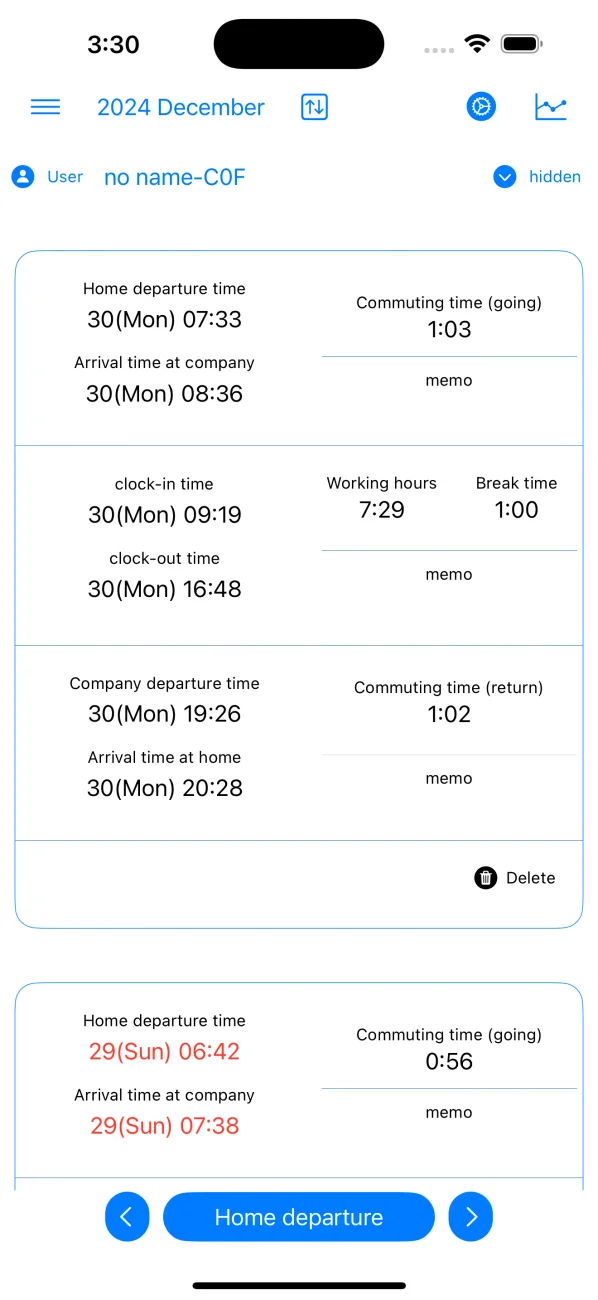
Press “home departure “ button to record the date and time of departure from home.
The date and time of arrival at work can be recorded by pressing and holding "Record date and time Press and hold” on the table.
Commuting time (going) is calculated and displayed based on the date and time you leave home and the date and time you arrive at company.
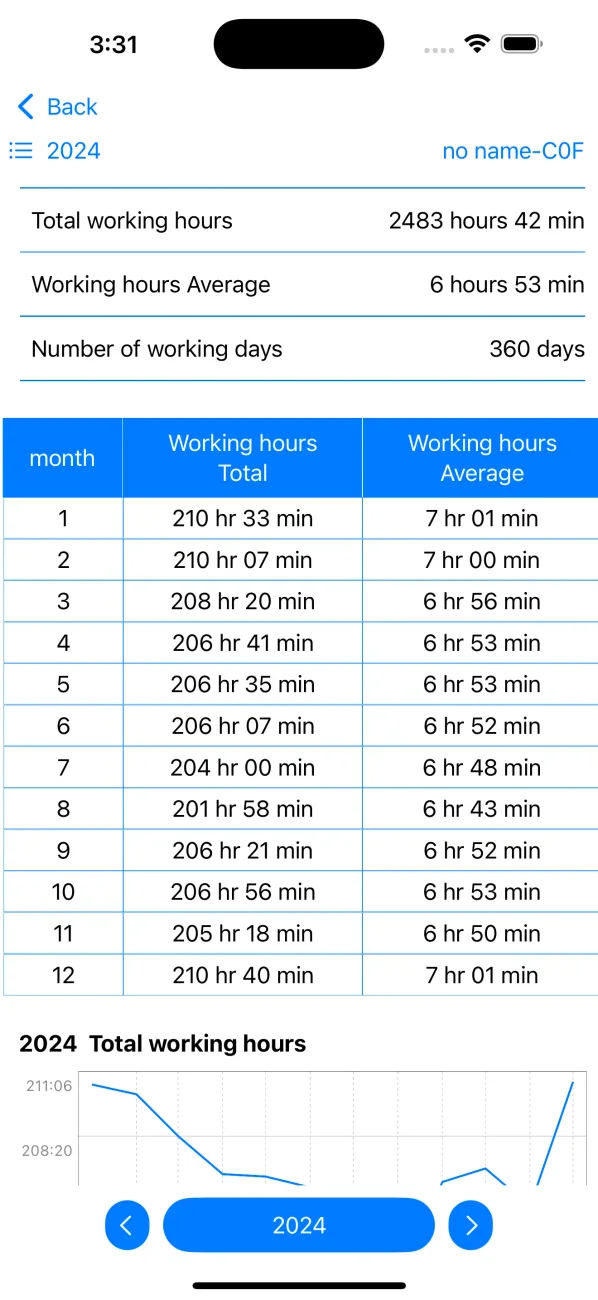
Working hours are calculated and displayed based on the date and time you start work, the date and time you finish work, and break times.
Commuting time (return) is calculated and displayed based on the date and time you leave company and the date and time you arrive at home.
・Record the date and time you left home
1. Tap the " Home de”parture button.
If you press and hold/long tap, steps 2/3 will be skipped
and the current date and time will be set.
2. Select the date and tap "Next".
3. Select the time and tap OK.
・To record the date and time of arrival at company
1. Tap the "Record date and time press and hold” button in the date and time of arrival at company in the table.
If you long press/long tap, steps 2/3 will be skipped
and the current date and time will be set.
2. Select the date and tap "Next".
3. Select the time and tap "OK".
To record the clock-in date and time , the clock-out date and time , the date and time you leave company, and the date and time you arrive home, follow the same procedure as above.
▼ Sorting order
You can change the sort order of the table by tapping the arrows (↓↑) to the left of the year and month.
▼ Commuting time and working time
Commuting time (going) is calculated and displayed based on the date and time of departure from home and the date and time of arrival at company.
Working time is calculated and displayed based on the clock - in date and time , the clock-out date and time , and the break time.
Commuting time (return) is calculated and displayed based on the date and time of departure from work and the date and time of arrival at home.
▼Enter meal content
1. Tap “memo” in the table.
2. Enter memo and tap OK.
▼Delete a record
1. Tap the trash can in the table.
2. Tap the red delete button.
▼Dark mode (top left menu)
Select dark mode ON/OFF from the menu on the top left
Press Dark Mode to switch to a screen display with a color scheme based on black.
If you press Light mode, the screen will be displayed in the normal white color.
▼If you want to delete all records
Delete all data from the top left menu
You can delete all records below.
・Delete all recorded data (eaten time, subjects, users)
・Delete all recorded data on iCloud
▼Display charts
1. Press the line chart button at the top.
2. Click the displayed chart from the menu below.
Monthly graph
Commuting time - working time chart
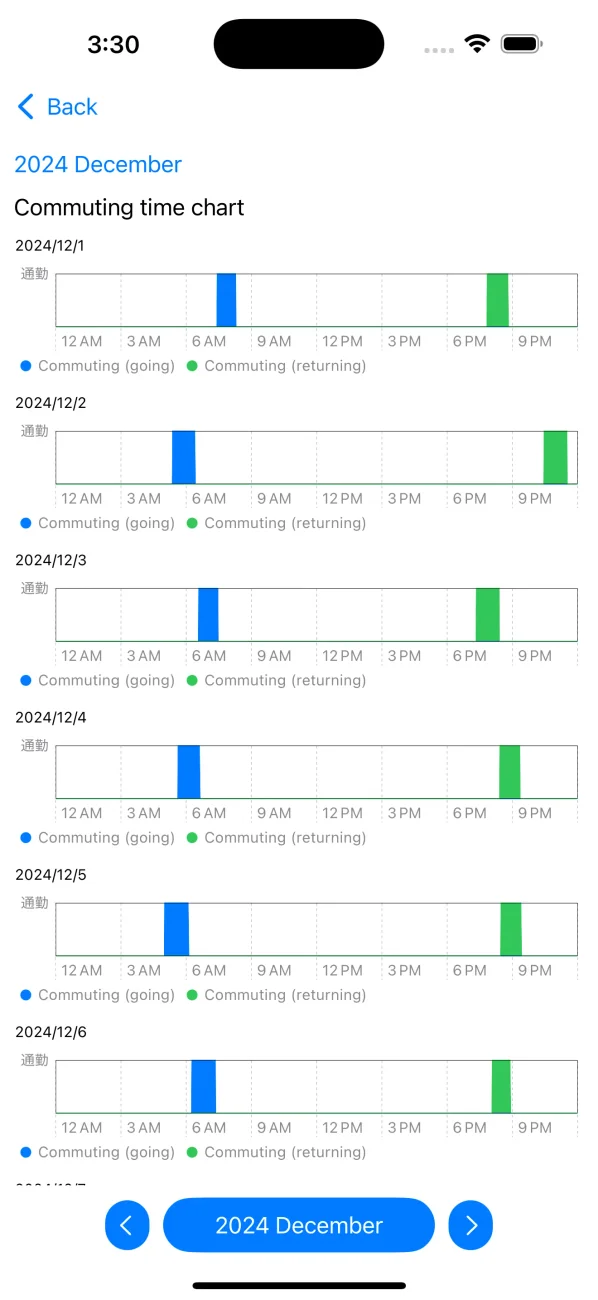
Commuting time chart
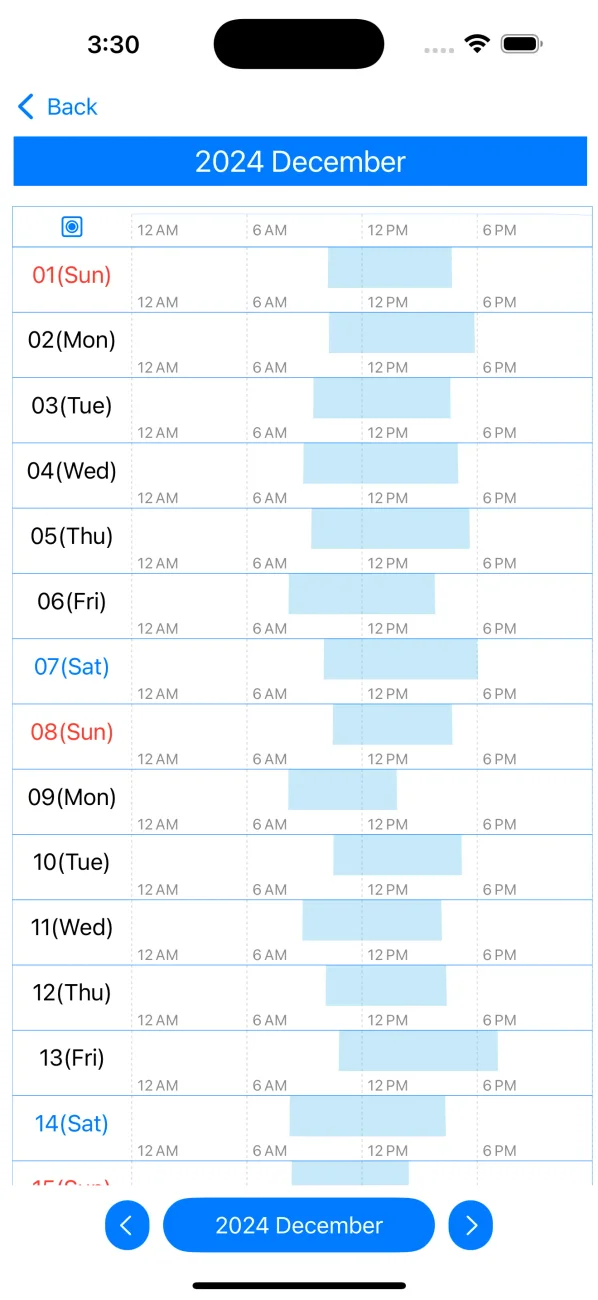
Working hours charts
Working hours rhythm chart
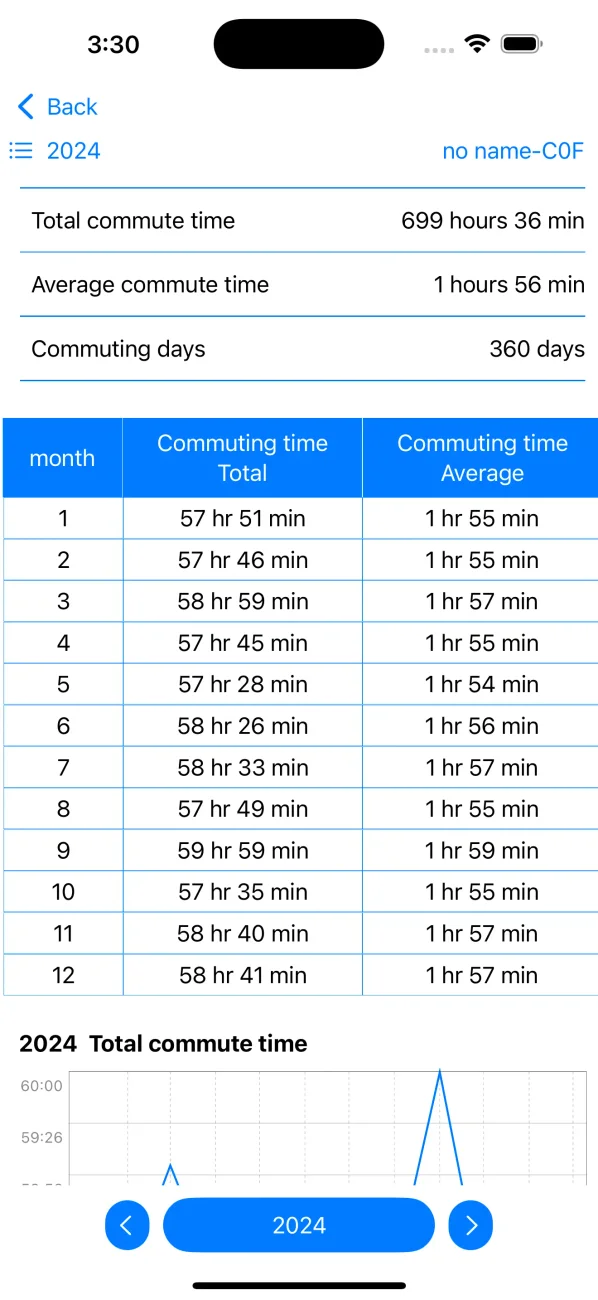
Commuting time Annual total/average/chart
Working hours Annual total/average/chart
Full period chart
▼Add user
1. Press the line menu button at the top
2. Press add user
3. Enter your username and press OK.
▼Edit username
1. Press the line menu button at the top
2. Press user edit and delete
3. Press the username from the list.
4. Edit the user name on the edit screen and press OK.
▼Delete username
1. Press the line menu button at the top
2. Press user edit and delete
3. Swipe the username you want to delete from the list from the left and press Delete.
・Model change data migration
For users with the same Apple ID
Because records are stored in iCloud
View the same recording on a new iPhone/iPad
【Terms of Use】
This app complies with the Apple Standard Terms of Use (EULA).
Please refer to the link below for details:
https://www.apple.com/legal/internet-services/itunes/dev/stdeula/
Nouveautés
Version 26.9.8 · 26/09/2026
Change app screen
Confidentialité de l’application
Ce que YUTAKA IZUMIYAMA déclare sur l’App Store au sujet du traitement des données par cette application.
-
Données utilisées pour vous suivre
Peuvent être utilisées pour vous suivre sur des applications et des sites web appartenant à d’autres sociétés.
- Emplacement
- Identifiants
- Données d’utilisation
- Diagnostic
-
Données établissant un lien avec vous
Peuvent être collectées et liées à votre identité.
- Emplacement
- Identifiants
- Données d’utilisation
- Diagnostic
Les pratiques en matière de confidentialité peuvent varier, notamment en fonction des fonctionnalités que vous utilisez ou de votre âge.
Informations
- Vendeur
- YUTAKA IZUMIYAMA
- Catégorie
- Économie et entreprise
- Version
- 26.9.8
- Mis à jour
- 26/09/2026
- Publié
- 15/07/2025
- Taille
- 7,3 Mo
- Nécessite
- iOS 18.6 ou version ultérieure
- Classification d’âge
- 17+
- Achats intégrés
- Oui
- Langues
- Japonais, Anglais
- Copyright
- © 2025 Yutaka Izumiyama
Vous aimerez peut-être aussi
-
 DAKOKU - 携帯型労働時間記録システムÉconomie et entreprise
-
 Hatara KirokuÉconomie et entreprise
-
 CV facileCréez un CV facilement
-
 Bucket List - Simple ReorderProductivité
-
 履歴書 InstantÉconomie et entreprise
-
 営業記録アプリ - SalesFlow CloudProductivité
-
 飲んでも、増やせる貯金Finance
-
 出発到着記録Productivité
-
 WorkLog ~勤怠管理アプリ~Économie et entreprise
-
 Compass - 営業開拓管理Économie et entreprise