Epson iProjection
Seiko Epson Corporation- Rating 3+Batasan usia
- ProduktivitasKategori
- 16/11/2026Diperbarui
- GratisHarga
Tertaut ke halaman resmi com.epson.iprojection di Google Play. Terakhir diperiksa pada 27/11/2026.
Tangkapan layar

Tentang aplikasi ini
Terjemahan otomatis oleh Google. Bahasa asli: Inggris (Amerika Serikat).
Epson iProjection adalah aplikasi proyeksi nirkabel untuk perangkat Android & Chromebook
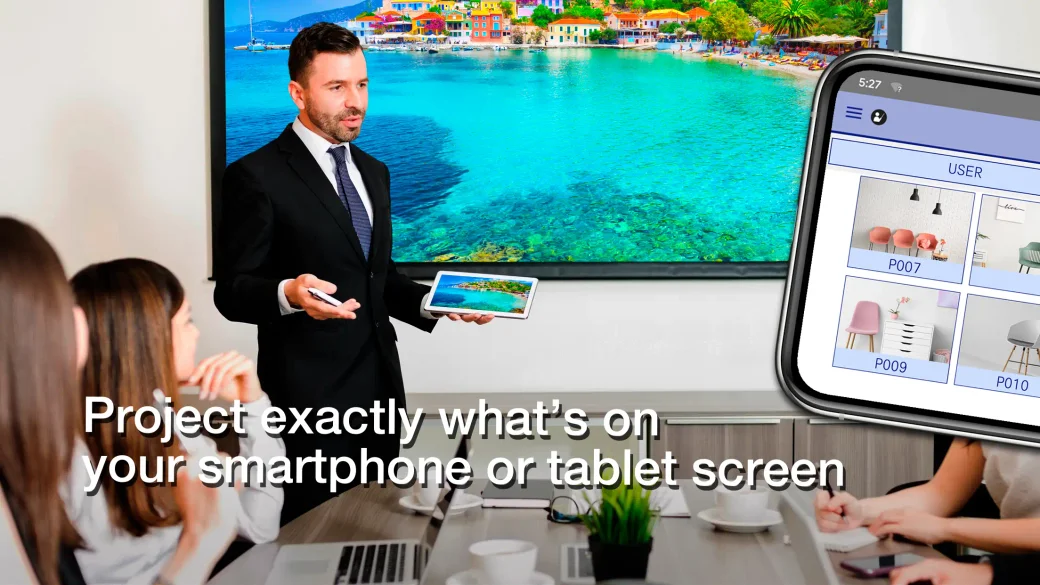
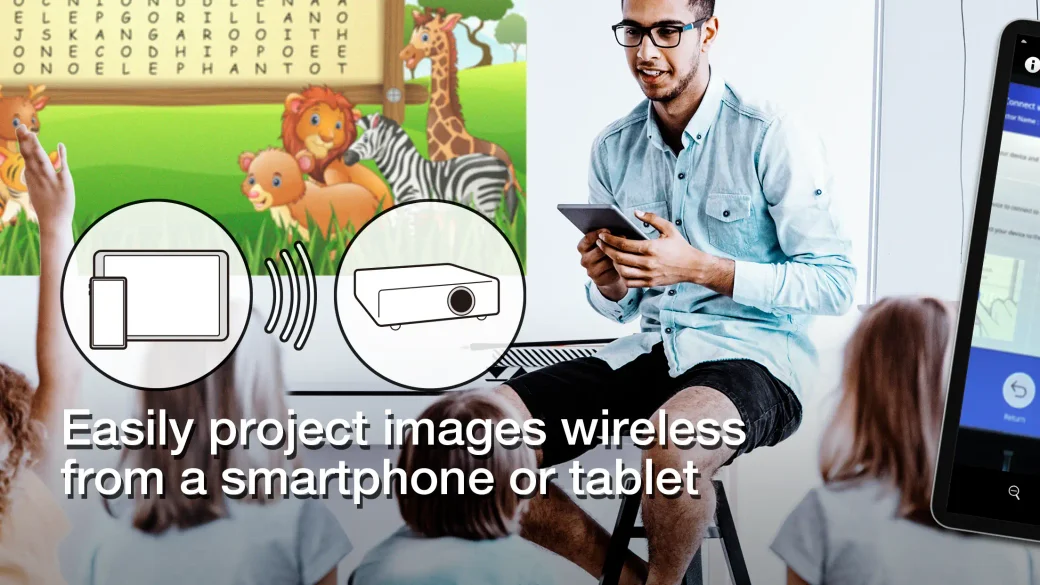
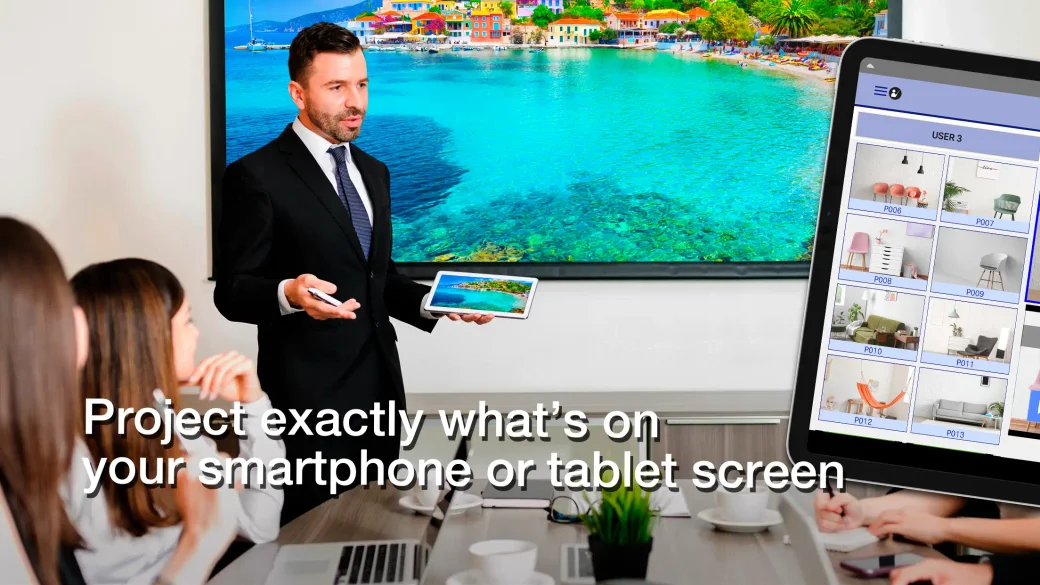
Epson iProjection adalah aplikasi proyeksi nirkabel untuk perangkat Android & Chromebook. Aplikasi ini memudahkan Anda untuk mencerminkan layar perangkat dan memproyeksikan berkas PDF serta foto secara nirkabel ke proyektor Epson yang didukung.
[Fitur Utama]
1. Cerminkan layar perangkat Anda dan keluarkan audio perangkat Anda dari proyektor.
2. Proyeksikan foto dan berkas PDF dari perangkat Anda, serta video real-time dari kamera perangkat Anda.
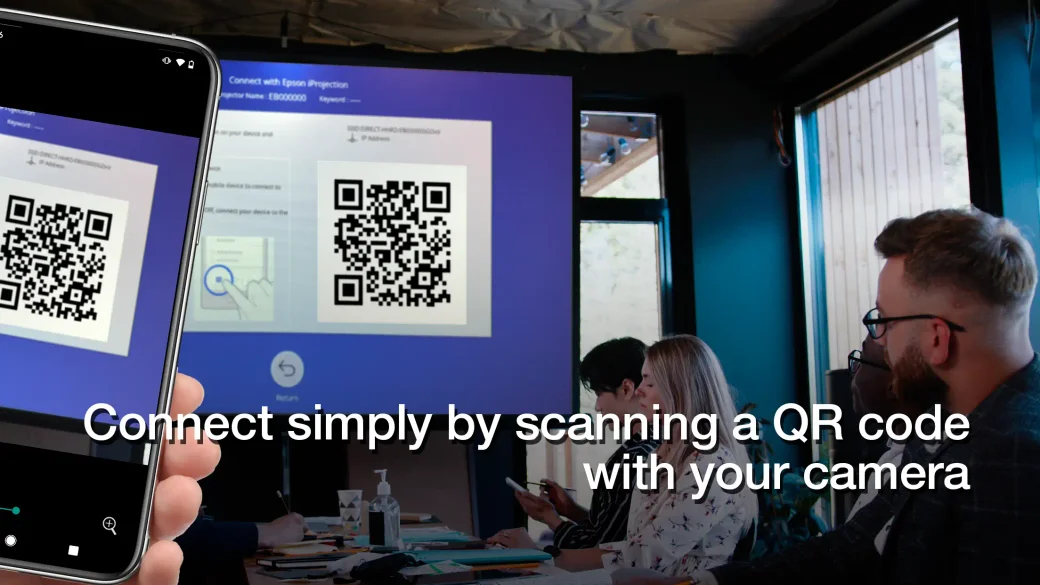
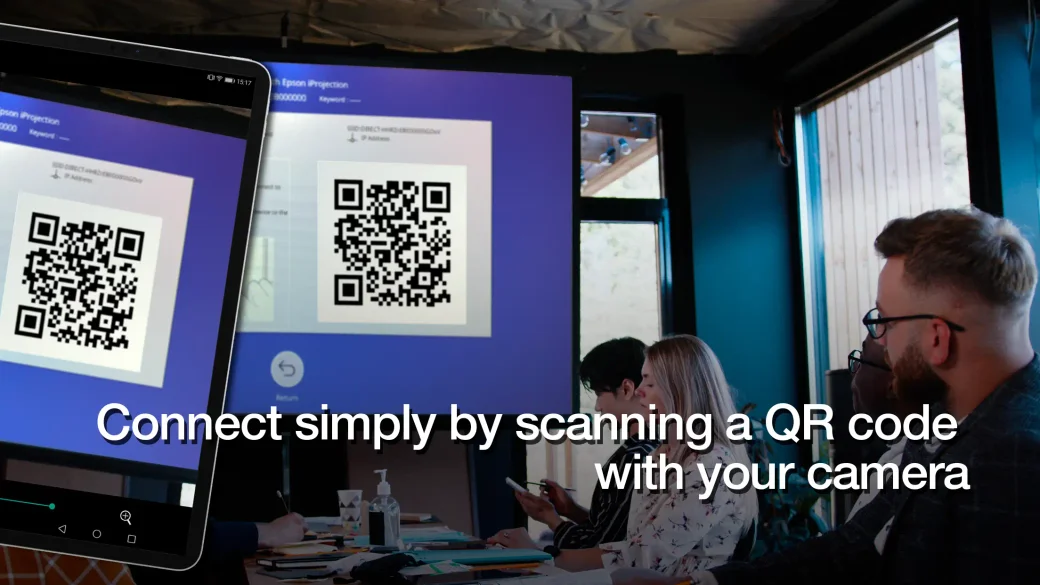
3. Hubungkan perangkat Anda dengan mudah dengan memindai kode QR yang diproyeksikan.
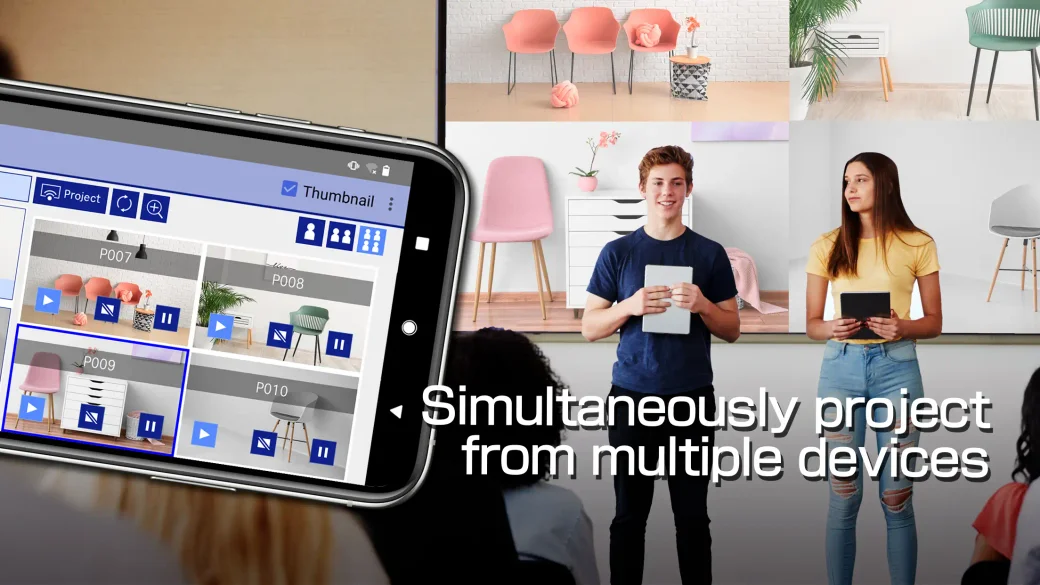
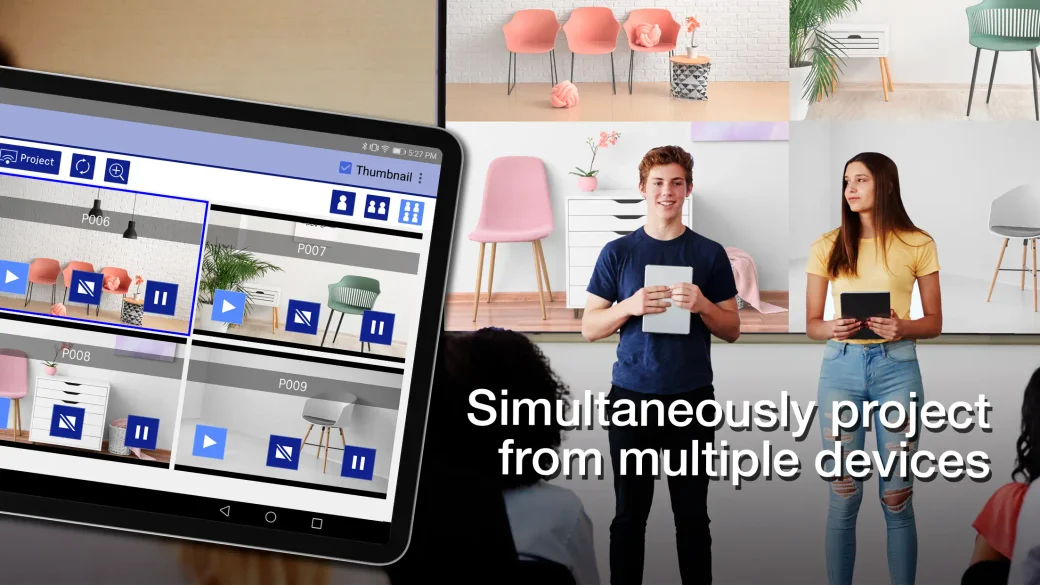
4. Hubungkan hingga 50 perangkat ke proyektor, tampilkan hingga empat layar secara bersamaan, dan bagikan gambar yang diproyeksikan dengan perangkat lain yang terhubung.
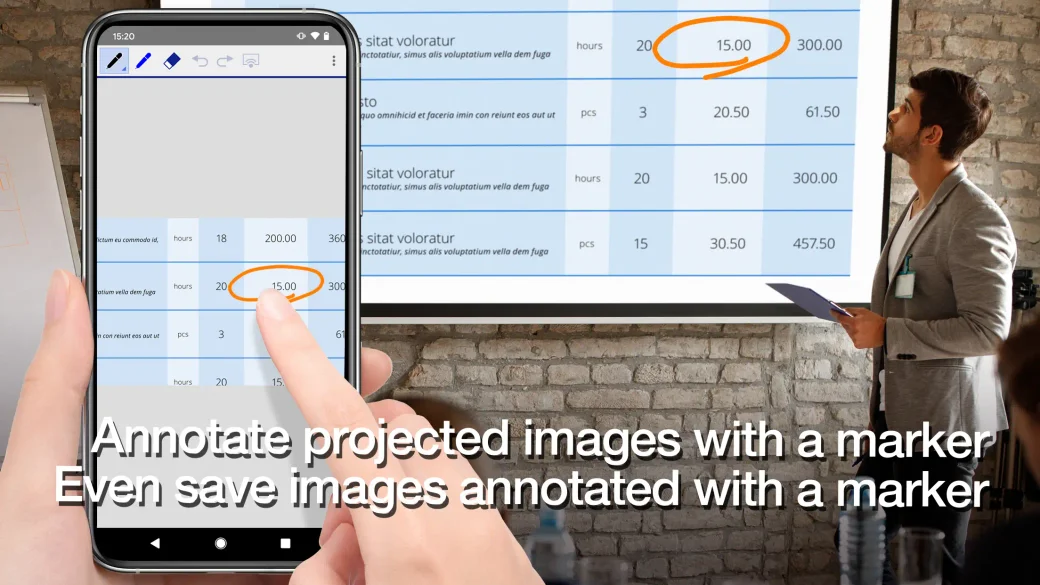
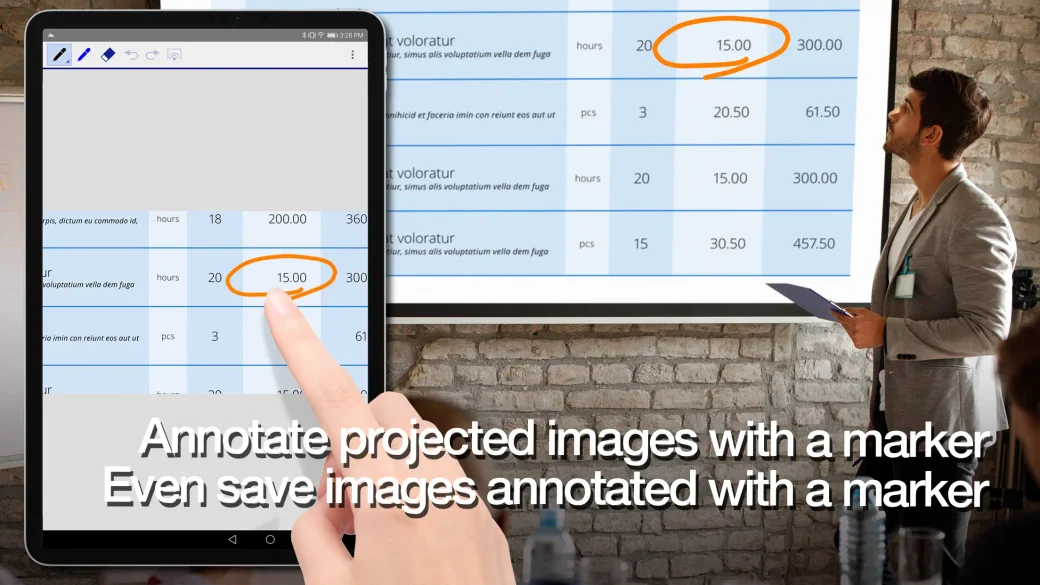
5. Beri anotasi pada gambar yang diproyeksikan dengan alat pena dan simpan gambar yang telah diedit di perangkat Anda.
6. Kendalikan proyektor seperti remote control.
[Catatan]
• Untuk proyektor yang didukung, kunjungi https://support.epson.net/projector_appinfo/iprojection/en/. Anda juga dapat memeriksa "Proyektor yang Didukung" di menu dukungan aplikasi.
• Jenis berkas JPG/JPEG/PNG/PDF didukung saat memproyeksikan menggunakan "Foto" dan "PDF".
• Menghubungkan menggunakan kode QR tidak didukung untuk Chromebook.
[Tentang Fitur Pencerminan]
• Ekstensi Chrome "Epson iProjection Extension" diperlukan untuk mencerminkan layar perangkat Anda di Chromebook. Instal dari Toko Web Chrome.
https://chromewebstore.google.com/detail/epson-iprojection-extensi/odgomjlphohbhdniakcbaapgacpadaao
• Saat mencerminkan layar perangkat Anda, video dan audio mungkin tertunda tergantung pada spesifikasi perangkat dan jaringan. Hanya konten yang tidak dilindungi yang dapat diproyeksikan.
[Menggunakan Aplikasi]
Pastikan pengaturan jaringan untuk proyektor telah selesai.
1. Alihkan sumber input pada proyektor ke "LAN". Informasi jaringan akan ditampilkan.
2. Hubungkan ke jaringan yang sama dengan proyektor dari "Pengaturan" > "Wi-Fi" di perangkat Android atau Chromebook Anda*1.
3. Jalankan Epson iProjection dan hubungkan ke proyektor*2.
4. Pilih dan proyeksikan dari "Cerminkan layar perangkat", "Foto", "PDF", "Halaman Web", atau "Kamera".
*1 Untuk Chromebook, hubungkan proyektor menggunakan mode infrastruktur (Simple AP dinonaktifkan atau mode koneksi Lanjutan). Selain itu, jika server DHCP digunakan di jaringan dan alamat IP Chromebook diatur ke manual, proyektor tidak dapat dicari secara otomatis. Atur alamat IP Chromebook ke otomatis.
*2 Jika Anda tidak dapat menemukan proyektor yang ingin Anda hubungkan menggunakan pencarian otomatis, pilih Alamat IP untuk menentukan alamat IP.
[Izin Aplikasi]
Aplikasi ini memerlukan izin berikut untuk fitur-fitur tertentu.
【Opsional】 Kamera
- Pindai kode QR koneksi atau proyeksikan gambar kamera ke proyektor. 【Opsional】 Perekaman
- Transfer audio perangkat ke proyektor selama pencerminan
【Opsional】 Tampilan di atas aplikasi lain
- Tampilkan layar aplikasi ini di latar depan perangkat selama pencerminan.
【Opsional】 Notifikasi (khusus Android 13 atau yang lebih baru)
- Tampilkan notifikasi yang menunjukkan bahwa koneksi atau pencerminan sedang berlangsung.
* Anda dapat menggunakan aplikasi tanpa memberikan izin opsional, tetapi beberapa fitur mungkin tidak berfungsi.
Kami menerima masukan apa pun yang dapat membantu kami meningkatkan aplikasi ini. Anda dapat menghubungi kami melalui "Kontak Pengembang". Harap diperhatikan bahwa kami tidak dapat menjawab pertanyaan individual. Untuk pertanyaan mengenai informasi pribadi, silakan hubungi cabang regional Anda yang dijelaskan dalam Pernyataan Privasi.
Semua gambar adalah contoh dan mungkin berbeda dari layar sebenarnya.
Android dan Chromebook adalah merek dagang Google LLC.
Kode QR adalah merek dagang terdaftar dari DENSO WAVE INCORPORATED di Jepang dan negara lainnya.
Tampilkan teks asli
Epson iProjection is a wireless projection app for Android devices & Chromebooks. This app makes it easy to mirror your device's screen and project PDF files and photos wirelessly to a supported Epson projector.
[Key Features]
1. Mirror your device’s screen and output your device’s audio from the projector.
2. Project photos and PDF files from your device, as well as real-time video from your device's camera.
3. Easily connect your device by scanning a projected QR code.
4. Connect up to 50 devices to the projector, display up to four screens simultaneously, and share your projected image with the other connected devices.
5. Annotate projected images with a pen tool and save the edited images on your device.
6. Control the projector like a remote control.
[Notes]
• For supported projectors, visit https://support.epson.net/projector_appinfo/iprojection/en/ . You can also check "Supported Projectors" in the app's support menu.
• The JPG/JPEG/PNG/PDF file types are supported when projecting using "Photos" and "PDF".
• Connecting using a QR code is not supported for Chromebooks.
[About the Mirroring Feature]
• The Chrome extension “Epson iProjection Extension” is required to mirror your device screen on Chromebook. Install it from the Chrome Web Store.
https://chromewebstore.google.com/detail/epson-iprojection-extensi/odgomjlphohbhdniakcbaapgacpadaao
• While mirroring your device’s screen, video and audio may be delayed depending on the device and network specifications. Only unprotected content can be projected.
[Using the App]
Make sure that the network settings for the projector have been completed.
1. Switch the input source on the projector to "LAN". Network information is displayed.
2. Connect to the same network as the projector from "Settings" > "Wi-Fi" on your Android device or Chromebook*1.
3. Start Epson iProjection and connect to the projector*2.
4. Select and project from "Mirror device screen", "Photos", "PDF", "Web Page", or "Camera".
*1 For Chromebooks, connect the projector using the infrastructure mode (Simple AP is turned off or Advanced connection mode). Also, if a DHCP server is being used on the network and the Chromebook's IP address is set to manual, the projector cannot be searched for automatically. Set the Chromebook's IP address to automatic.
*2 If you cannot find the projector you want to connect to using automatic search, select IP Address to specify the IP address.
[App permissions]
The app requires the following permissions for specific features.
【Optional】 Camera
- Scan a connection QR code or project the camera image to the projector.
【Optional】 Recording
- Transfer device audio to the projector during mirroring
【Optional】 Display over other apps
- Display this app's screen in the foreground on the device during mirroring.
【Optional】 Notifications (Android 13 or later only)
- Display notifications indicating that a connection or mirroring is in progress.
* You can use the app without granting the optional permissions, but some features may not work.
We welcome any feedback you have that could help us to improve this app. You can contact us through "Developer contact". Please note that we cannot reply to individual inquiries. For inquiries regarding personal information, please contact your regional branch described in the Privacy Statement.
All images are examples and may differ from the actual screens.
Android and Chromebook are trademarks of Google LLC.
QR Code is a registered trademark of DENSO WAVE INCORPORATED in Japan and other countries.
Keamanan data
Yang dinyatakan Seiko Epson Corporation di Google Play tentang data yang dikumpulkan dan dibagikan aplikasi ini.
- Tidak ada data yang dibagikan kepada pihak ketigaPelajari lebih lanjut cara developer menyatakan pembagian data
- Aplikasi ini dapat mengumpulkan jenis data berikutInfo pembayaran pengguna
- Data dienkripsi saat dalam pengiriman
- Data tidak dapat dihapus
Yang baru
Versi 4.2.1 · 16/11/2026
Added supported projectors.
Kontak pengembang
- Situs webepson.com
- EmailFeedback-AndroidAppsPj@exc.epson.co.jp
- Kebijakan Privasiglobal.epson.com
- Alamat日本 〒160-0022 東京都SHINJUKU-KU 4-1-6, SHINJUKU JR SHINJUKU MIRAI TOWER 29F
Informasi
- Ditawarkan oleh
- Seiko Epson Corporation
- Kategori
- Produktivitas
- Versi
- 4.2.1
- Diperbarui
- 16/11/2026
- Dirilis
- 11/7/2012
- Memerlukan
- Android 11 atau yang lebih baru
- Batasan usia
- Rating 3+
- Harga
- Gratis
- Nama paket
- com.epson.iprojection