HUD Digital Animated
WatchBase- Rating 3+Batasan usia
- PersonalisasiKategori
- 28/10/2026Diperbarui
- Rp 28.000Harga
Tertaut ke halaman resmi wb.hud.digital di Google Play. Terakhir diperiksa pada 14/11/2026.
Tangkapan layar




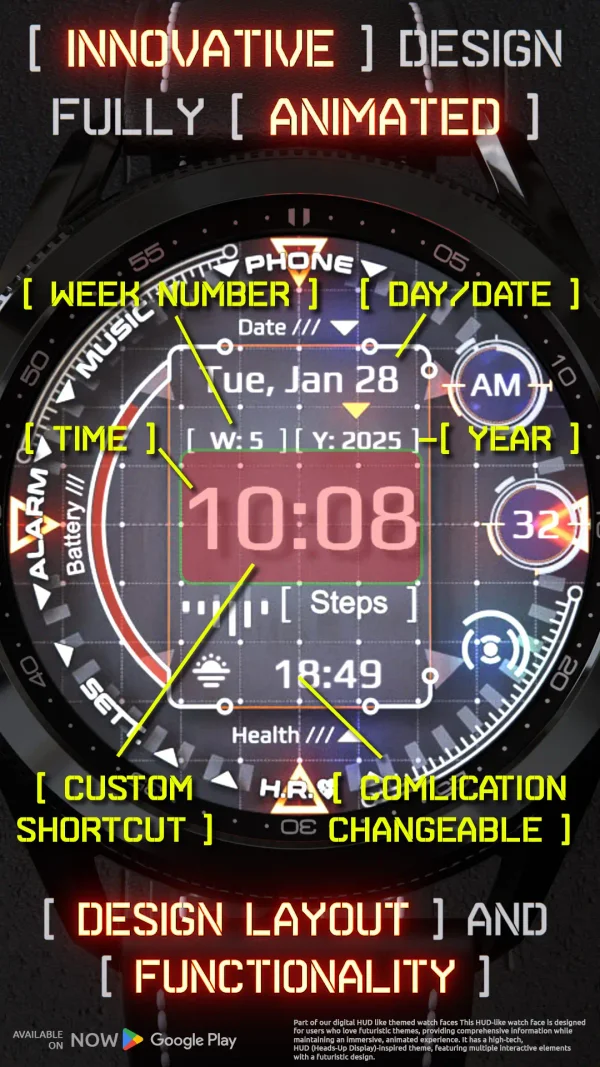
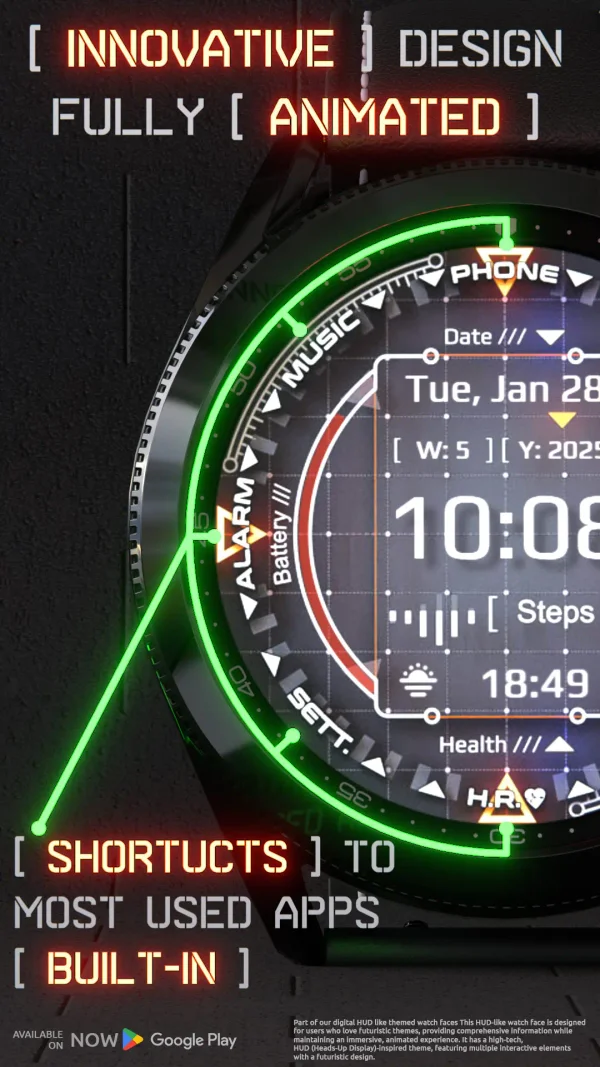

Tentang aplikasi ini
Terjemahan otomatis oleh Google. Bahasa asli: Inggris (Amerika Serikat).
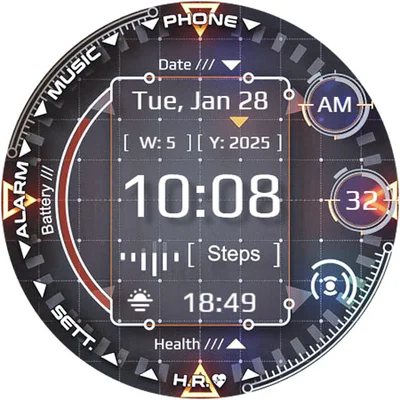
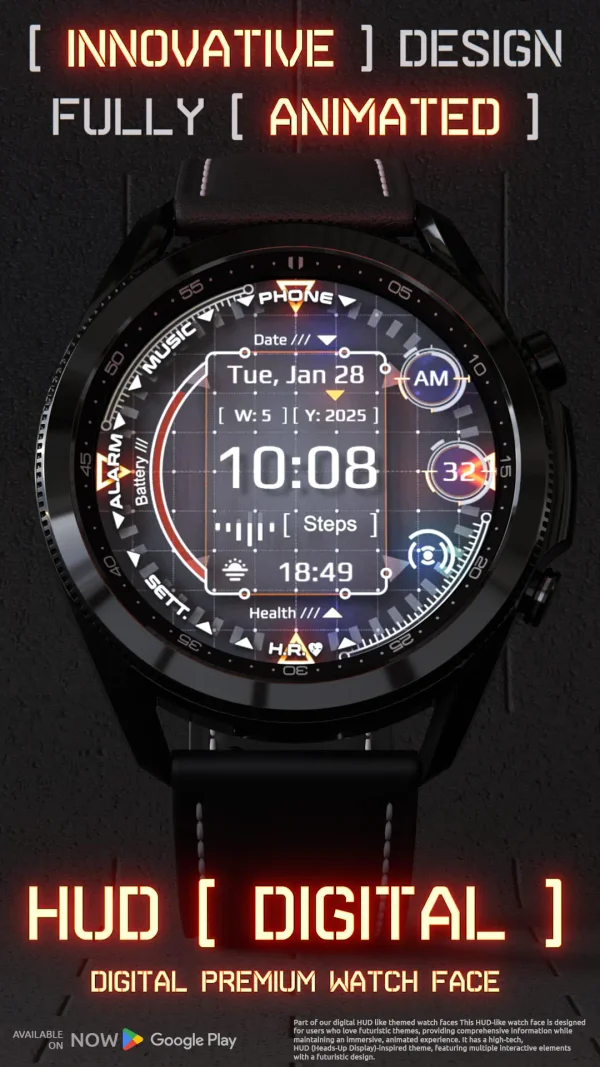
Futuristik dan animasi, tampilan jam ini dirancang secara unik untuk mengesankan!
Tampil menonjol dengan tampilan jam bertema HUD animasi unik dan futuristik untuk Wear OS
CATATAN: Silakan baca bagian cara dan bagian instalasi dan lihat gambarnya!!!
Fitur:
- Sepenuhnya ANIMASI untuk pengalaman yang dinamis.
- Tema bergaya HUD futuristik.
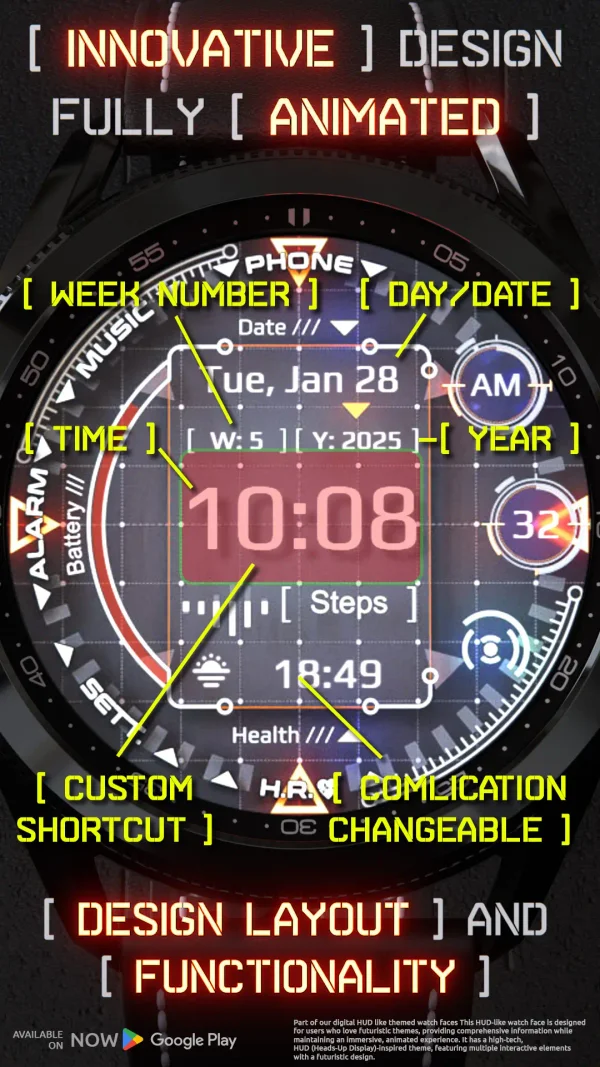
- Hari, Tanggal.
- Indikator Baterai.
- Indikator nomor minggu.
- Indikator AM/PM.
- Indikator Detik untuk presisi.
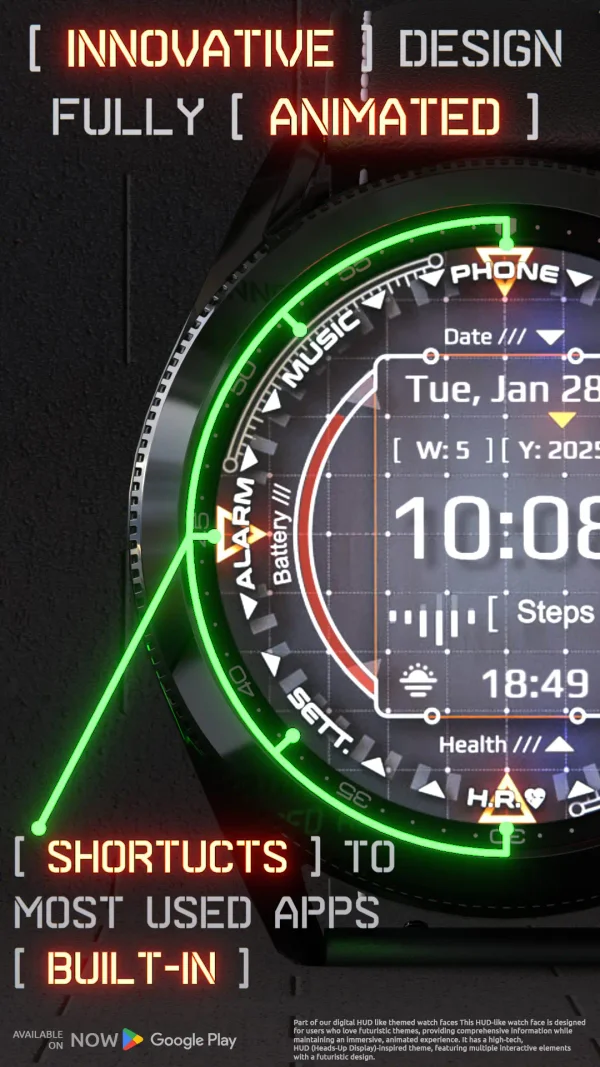
- 5 Pintasan Standar untuk akses cepat!
- 2 Komplikasi yang Dapat Diubah untuk penyesuaian.*
- 5 Tema Warna yang sesuai dengan gaya Anda.
Cara:
- Untuk menyesuaikan tampilan jam Anda, sentuh dan tahan layar, lalu ketuk "Sesuaikan".
* Ada 2 komplikasi yang tersedia pada tampilan jam ini:
1. Yang pertama terletak di bagian bawah tampilan persegi panjang dan diatur ke Matahari Terbenam/Terbit secara default.
2. Yang kedua dilapiskan pada waktu digital dan tidak menampilkan teks atau ikon. Ini dirancang untuk bertindak sebagai jalan pintas. Secara default, ini diatur ke komplikasi Pintasan.
Untuk mengubah komplikasi kedua:
Ketuk waktu digital dan pilih aplikasi. Alternatifnya, gunakan menu penyesuaian untuk memilih aplikasi apa pun, yang kemudian akan berfungsi sebagai pintasan untuk membukanya.
Jangan lewatkan tampilan jam REALISTIS teratas kami:
ILLUMINATOR Digital - https://play.google.com/store/apps/details?id=wb.illuminator.digital
Militer ZULU Taktis - https://play.google.com/store/apps/details?id=wb.military.zulu
Reli-X R.T. Delta - https://play.google.com/store/apps/details?id=we.rallyx.delta
Bulan Master PRO - https://play.google.com/store/apps/details?id=wb.moon.master
Tourbillon Aquamarine - https://play.google.com/store/apps/details?id=wb.tourbillon.aquamarine
LUNA BENEDICTA - https://play.google.com/store/apps/details?id=wb.luna.benedicta
Harmoni GT Premium - https://play.google.com/store/apps/details?id=wb.harmony.gt
VOYAGER WorldTimer - https://play.google.com/store/apps/details?id=wb.voyager.automatic
Master Analog - https://play.google.com/store/apps/details?id=wb.analog.master
Instalasi
Cara menginstal: https://watchbase.store/static/ai/
Setelah instalasi: https://watchbase.store/static/ai/ai.html
* Tampilan jam Luna Benedicta ditampilkan di "Cara menginstal" dan "Setelah instalasi". Proses instalasi yang sama berlaku untuk semua tampilan jam kami.
Jika Anda mengalami masalah saat memasang tampilan jam, harap diperhatikan bahwa kami tidak memiliki kendali atas proses pemasangan atau proses Google Play/Tonton lainnya. Masalah paling umum yang dihadapi orang adalah setelah mereka membeli tampilan jam dan memasangnya, mereka tidak dapat melihat/menemukannya.
Untuk menerapkan tampilan jam setelah Anda menginstalnya, sentuh dan tahan pada layar utama (tampilan jam Anda saat ini) geser ke kiri untuk mencarinya. Jika Anda tidak dapat melihatnya, ketuk tanda "+" di akhir (tambahkan tampilan jam) dan temukan tampilan jam kami di sana.
Kami menggunakan aplikasi pendamping untuk ponsel untuk mempermudah proses instalasi. Jika Anda membeli tampilan jam kami, ketuk tombol instal (di aplikasi ponsel), Anda harus memeriksa jam tangan Anda.. sebuah layar akan muncul dengan tampilan jam.. ketuk instal lagi dan tunggu hingga instalasi selesai. Jika Anda sudah membeli tampilan jam dan masih meminta Anda untuk membelinya lagi di jam tangan tersebut, jangan khawatir Anda tidak akan dikenakan biaya dua kali. Ini adalah masalah sinkronisasi yang umum, tunggu sebentar atau coba mulai ulang jam tangan Anda.
Solusi lain untuk memasang tampilan jam adalah mencoba memasangnya dari browser, login dengan akun Anda (akun google play yang Anda gunakan di jam tangan).
ⓘ Catatan: Jika Anda mengalami masalah apa pun selama instalasi, silakan merujuk ke panduan komprehensif kami atau hubungi tim dukungan kami untuk mendapatkan bantuan. Kami di sini untuk memastikan pengalaman Anda dengan tampilan jam kami lancar dan menyenangkan.
GABUNG WatchBase.
Grup Facebook (Grup tampilan jam umum):
https://www.facebook.com/groups/1170256566402887/
halaman Facebook:
https://www.facebook.com/WatchBase
Instagram:
https://www.instagram.com/watch.base/
BERLANGGANAN saluran YouTube kami:
https://www.youtube.com/c/WATCHBASE?sub_confirmation=1
https://www.youtube.com/c/WATCHBASE
Tampilkan teks asli
Stand out with this uniquely animated, futuristic HUD-themed watch face for Wear OS
NOTE: Please read the how to section and installation section and check out the images !!!
ⓘ Features:
- Fully ANIMATED for a dynamic experience.
- Futuristic HUD-style theme.
- Day, Date.
- Battery Indicator.
- Week number indactor.
- AM/PM Indicator.
- Seconds Indicator for precision.
- 5 Predefined Shortcuts for quick access!
- 2 Changeable Complications for customization.*
- 5 Color Themes to suit your style.
ⓘ How to:
- To customize your watch face, touch and hold the screen, then tap "Customize."
* There are 2 complications available on this watch face:
1. The first is located at the bottom of the rectangular display and is set to Sunset/Sunrise by default.
2. The second is overlaid on the digital time and does not display text or an icon. It’s designed to act as a shortcut. By default, it is set to the Shortcut complication.
To change the second complication:
Tap on the digital time and select an app. Alternatively, use the customization menu to choose any app, which will then function as a shortcut to open it.
Don't miss out our top REALISTIC watch faces:
ILLUMINATOR Digital - https://play.google.com/store/apps/details?id=wb.illuminator.digital
Milirary ZULU Tactical - https://play.google.com/store/apps/details?id=wb.military.zulu
Rally-X R.T. Delta - https://play.google.com/store/apps/details?id=we.rallyx.delta
Moon Master PRO - https://play.google.com/store/apps/details?id=wb.moon.master
Tourbillon Aquamarine - https://play.google.com/store/apps/details?id=wb.tourbillon.aquamarine
LUNA BENEDICTA - https://play.google.com/store/apps/details?id=wb.luna.benedicta
Harmony GT Premium - https://play.google.com/store/apps/details?id=wb.harmony.gt
VOYAGER WorldTimer - https://play.google.com/store/apps/details?id=wb.voyager.automatic
Analog Master - https://play.google.com/store/apps/details?id=wb.analog.master
ⓘ Installation
How to install: https://watchbase.store/static/ai/
After installation: https://watchbase.store/static/ai/ai.html
* Luna Benedicta watch face shown in "How to install" and "After installation". The same installation process is valid for all of our watch faces.
If you have any issues installing the watch face, please note that we have no control over the installation process or any other Google Play / Watch processes. The most common issue that people face is after they buy the watch face and install it, they can't see/find it.
In order to apply the watch face after you install it, touch and hold on the main screen (your current watch face) the swipe left to look for it. If you can't see it, tap on the " + " sign at the end (add a watch face) and find our watch face there.
We use a companion app for the phone to make the installation process easier. If you buy our watch face, tap on the install button (on the phone app) you must check your watch.. a screen will appear with the watch face.. tap install again and wait for the installation to finish. If you already bought the watch face and it still asks you to buy it again on the watch, don't worry you will not be charged twice. This is a common synchronization issue, just wait a little or try to restart your watch.
Another solution for installing the watch face is to try to install it from a browser, logged with your account (google play account that you use on the watch).
ⓘ Note: If you encounter any issues during installation, please refer to our comprehensive guide or contact our support team for assistance. We're here to ensure your experience with our watch faces is seamless and enjoyable.
JOIN WatchBase.
Facebook group (General watch faces group):
https://www.facebook.com/groups/1170256566402887/
Facebook page:
https://www.facebook.com/WatchBase
Instagram:
https://www.instagram.com/watch.base/
SUBSCRIBE to our YouTube channel:
https://www.youtube.com/c/WATCHBASE?sub_confirmation=1
https://www.youtube.com/c/WATCHBASE
Keamanan data
Yang dinyatakan WatchBase di Google Play tentang data yang dikumpulkan dan dibagikan aplikasi ini.
- Tidak ada data yang dibagikan kepada pihak ketigaPelajari lebih lanjut cara developer menyatakan pembagian data
- Tidak ada data yang dikumpulkanPelajari lebih lanjut cara developer menyatakan pengumpulan data
Kontak pengembang
- Emailsupport@belvek.com
- Kebijakan Privasiwatchbase.store
- Alamat6 Prof. Georgi Bradistilov str./blvd. 1700 Sofia Bulgaria
Informasi
- Ditawarkan oleh
- WatchBase
- Kategori
- Personalisasi
- Diperbarui
- 28/10/2026
- Dirilis
- 16/1/2025
- Batasan usia
- Rating 3+
- Harga
- Rp 28.000
- Nama paket
- wb.hud.digital